Yiou Air Purifier Filter Replacement: A Step-by-Step Guide
Learn how to perform yiou air purifier filter replacement safely and efficiently. This guide from Air Purifier Info covers model compatibility, installation, testing, and maintenance for cleaner indoor air.


You can replace a Yiou air purifier filter by locating the filter compartment, removing the old filter, measuring for compatibility, installing the new filter, and resetting the unit. Make sure the purifier is off and unplugged, wear a mask if dusty, and check the indicator lights to confirm a successful replacement. Choose a filter compatible with your model and run a test cycle to ensure proper fit and airflow.
Why yiou air purifier filter replacement matters for indoor air quality
Replacing filters on your Yiou air purifier is a foundational step in maintaining clean indoor air, reducing common irritants like dust, pollen, and pet dander. When you delay replacement, the purifier struggles to trap particles, which can lead to reduced airflow, louder operation, and diminished effectiveness against odors. The Air Purifier Info Team emphasizes that timely filter changes are one of the most effective, simplest ways to sustain high indoor air quality. In practice, a fresh yiou air purifier filter replacement keeps filtration efficiency high and helps you maintain allergen control in rooms where you spend the most time. Always consult your model’s manual for compatibility notes, but the general rule of thumb is to replace filters when the indicator signals or every 6–12 months in typical use. This guidance aligns with Air Purifier Info analysis across common residential models in 2026.
Key ideas:
- Fresh filters restore maximum particle capture.
- Replacing filters supports odor control and energy efficiency.
- Compatibility matters for seal integrity and airflow.
How to identify the correct yiou filter model
Finding the right Yiou filter starts with locating the model number on the purifier itself and cross-checking it with the filter packaging. Most Yiou units use a specific filter cartridge size or a cartridge with a unique part number. If you’re unsure, refer to the user manual or the manufacturer’s official site for a model-to-filter crosswalk. Air Purifier Info recommends double-checking the fit by comparing dimensions and the clasp or gasket design to avoid gaps that bypass filtration. When you replace, ensure the new filter is designed for your exact Yiou model to preserve airflow and filtration efficacy. If you’re shopping in a store, bring the model number or take a photo of the model label to avoid mis-purchases.
What to verify:
- Filter type (HEPA vs. non-HEPA) and size.
- Compatibility with your Yiou model’s series.
- Any special features like activated carbon for odors.
Compatibility and fit: understanding sizes and seals
A proper seal around the filter is critical to prevent unfiltered air from short-circuiting through the purifier. Ill-fitting filters can reduce airflow and create uneven filtration. Before installation, inspect the filter slot for any debris, seals, or gasket wear. If you notice cracks or deformities, replace the seals or the entire housing if recommended by the manufacturer. In many Yiou models, the filter slides into a cartridge bay and is held by a retaining tab or magnetic frame; make sure the filter lies flat and the edges align with the slot. If the edges are visibly crooked, remove and reseat the filter to ensure an airtight fit.
Tips:
- Check the gasket for cracks and replace if needed.
- Avoid forcing a larger filter into a smaller slot.
- After installation, perform a quick visual check to confirm a flush fit.
Maintenance after replacement and best practices
After yiou air purifier filter replacement, a quick post-install check helps ensure ongoing performance. Reset the device if the model requires an indicator reset after filter changes. Use a microfiber cloth to wipe the exterior and remove any accumulated dust from the purifier housing. Keep a spare filter on hand so you’re ready for the next replacement cycle, and note the date of installation to track when a new change will be due. If your purifier has a carbon layer for odors, avoid touching the carbon surface to prevent shedding fibers on your clean air. The goal is to maintain a consistent airflow and a clean intake path for the next several months. Air Purifier Info recommends setting a replacement schedule based on usage patterns and air quality observations.
Practical steps:
- Mark your calendar or set a reminder for the next replacement window.
- Use the device’s air quality readings to gauge when a change is needed earlier than the expected date.
Troubleshooting and common mistakes to avoid
Common mistakes during yiou air purifier filter replacement include using an incompatible filter, not reseating the filter properly, and skipping the reset procedure if required by the model. Such missteps can cause reduced airflow, sensor errors, and false readings from the unit’s LED indicators. If you notice an unusual odor after replacement, recheck the seal and ensure there’s no loose debris in the housing. If the purifier won’t restart after a replacement, unplug the unit for at least 60 seconds, then plug it back in and power on. If problems persist, consult the manufacturer’s guide or reach out to a professional. Air Purifier Info notes that using an improper filter is a common reason for subpar performance.
Warnings:
- Do not operate the purifier without a filter installed.
- Avoid touching the filter surface during installation to prevent disturbance of fibers.
Authoritative sources and best practices for yiou air purifier filter replacement
For readers who want to verify guidelines beyond this article, consult authoritative sources on indoor air quality and filtration best practices. Reputable organizations emphasize that regular filter changes improve filtration efficiency, reduce pollutant load, and support respiratory health. When possible, compare model-specific guidance with general air purifier maintenance standards from recognized agencies. This article draws on Air Purifier Info Analysis, 2026, and aligns with EPA guidance on air cleaners and filters. If you’re seeking further reading, see the official purifier documentation and trusted public health resources.
Authoritative sources and best practices
- Air Purifier Info Analysis, 2026: practical guidelines for model-specific replacement timelines and compatibility checks.
- EPA Indoor Air Quality: Air cleaners and air filters guidance: https://www.epa.gov/indoor-air-quality-iaq/air-cleaners-and-air-filters
- Harvard School of Public Health or related university-level summaries on filtration and indoor air quality (review official sources for current recommendations).
Remember: always verify model compatibility and follow the manufacturer’s instructions for best results with yiou air purifier filter replacement.
Tools & Materials
- Compatible Yiou filter cartridge(Check model number on unit and refer to the user manual)
- Gloves or microfiber cloth(Keep hands clean and wipe surfaces after handling dusty parts)
- Screwdriver (Phillips or flathead as needed)(Use only if your Yiou model requires opening screws)
- Soft brush or compressed air can(For post-install cleaning of vents and intake)
- Disposal bag(Seal old filter before disposal)
- Isopropyl alcohol wipes(Optional surface cleaning of exterior housing)
Steps
Estimated time: 25-45 minutes
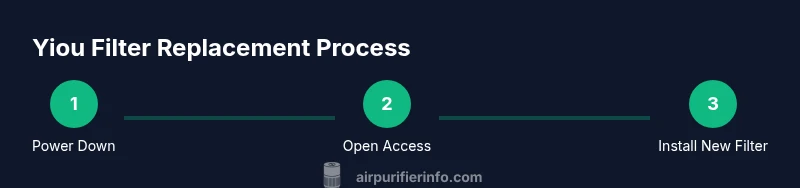
- 1
Power down and unplug the purifier
Ensure the device is completely powered off and unplugged before touching any internal components. This prevents electric shock and protects sensitive filtration areas from accidental movement while you work.
Tip: If the unit is mounted or plugged behind furniture, move it gently without stressing cords or connectors. - 2
Open the filter access
Depending on the model, remove a front panel, lift a top cover, or slide out a filter drawer. Do not force panels; use the designated release latches or screws as instructed by the manual.
Tip: Take a quick photo of the housing before removal to aid reassembly. - 3
Remove the old filter
Gently pull the used filter straight out to avoid tearing the media. If the filter is dusty, wear gloves and avoid shaking it near your face.
Tip: Inspect the filter’s frame for tears—if damaged, replace the entire cartridge. - 4
Insert the new Yiou filter
Align the new cartridge with the guides and slide it into the chamber until the edges seat flush. Ensure any airflow arrows match the unit’s orientation.
Tip: Do not force the filter; if it won’t seat, remove and reinsert with gentler pressure. - 5
Reset indicators and test
If your model requires a reset after filter replacement, perform it per the user manual. Power on the device and run a quick test cycle to verify airflow and LED indicators.
Tip: Listen for normal fan noise and look for steady, unobstructed airflow. - 6
Clean up and finalize
Wipe down the exterior and replace any panels. Dispose of the old filter in accordance with local regulations and keep your replacement filters in a cool, dry place.
Tip: Note the date of replacement in a log to track future changes.
Questions & Answers
What tools do I need to replace a yiou air purifier filter?
Most replacements require the compatible Yiou filter cartridge and basic tools only if screws are present. Follow your model’s manual for exact requirements and avoid forcing components.
You’ll typically need the right Yiou filter and, if applicable, a small screwdriver. Check your model’s manual for exact tools.
How often should I replace the yiou air purifier filter?
Replacement frequency depends on usage, room conditions, and filter type. Use the purifier’s indicator as a guide and consider more frequent changes in dusty or pet-friendly environments.
Use the unit’s indicator as a guide, and in dusty or pet-heavy spaces, plan for more frequent changes.
Can I clean a Yiou filter instead of replacing it?
Most purifier filters are designed to be disposable. Cleaning can damage the media and reduce filtration efficiency. Always replace with a compatible new filter when performance wanes.
Filters are usually disposable. Don’t rely on cleaning; replace with a new filter for best results.
What should I do if the purifier won’t restart after replacement?
First unplug the unit for a minute, then plug back in and power on. If it still won’t start, recheck the filter seating and refer to the manual or manufacturer support.
Unplug for a minute, plug back in, and try again. If it still won’t start, recheck the filter seating or contact support.
Are there Yiou filters designed for pet odors and dander?
Some Yiou models offer filters with an activated carbon layer for odors in addition to particulate filtration. Verify the exact filter configuration for your model.
Yes, some Yiou filters include carbon for odors; check your model’s filter type.
What if I can’t find a compatible Yiou filter in my region?
If a local retailer doesn’t stock your model’s filter, contact the manufacturer’s service center or look for authorized online sellers that list the exact model number.
If you can’t find it locally, reach out to the manufacturer or check authorized online retailers with your model number.
Watch Video
Main Points
- Replace filters on schedule to maintain air quality.
- Verify model compatibility to ensure a proper fit and seal.
- Reset indicators after replacement for accurate status.
- Document replacement dates to plan future changes.