How to Replace an Air Purifier: A Complete How-To
Learn how to replace your air purifier, including filter vs module decisions, selecting compatible parts, and safe, step-by-step instructions for homeowners and renters.


You can replace an air purifier by swapping the replaceable filter or the entire module, depending on the model. This guide explains how to check compatibility, choose the right part, and perform the replacement safely. According to Air Purifier Info, following the manufacturer’s specs and a regular replacement schedule restores performance and indoor air quality.
What does replacing an air purifier involve?
Replacing an air purifier can mean swapping only the filter or, in some models, replacing the entire module. The choice depends on your unit’s design and the symptoms you’re seeing, such as reduced airflow or persistent odors. In many cases, a simple filter change restores performance and prolongs the purifier’s life. The decision to replace the whole module usually arises when the sensor or motor is failing and a filter swap won't fix the issue. This section explains how Air Purifier Info approaches replacement and why model compatibility matters for long-term air quality. By understanding the basic options, homeowners and renters can select a practical path that fits their budget and indoor air goals.
Verifying compatibility and selecting replacement parts
Before buying parts, identify your purifier’s exact model number (often on the back or bottom). Check the user manual or manufacturer website for compatible replacement filters or modules. If in doubt, contact customer support or look for official part numbers. Air Purifier Info analysis shows that using the wrong filter or module is a common cause of poor performance and can void warranties. Pick a filter type (HEPA, activated carbon, or combo) that matches your purifier’s filtration goals and your indoor air quality needs. Consider the size of the room, the level of filtration required, and whether you prefer carbon for odors or a true HEPA filter for particle removal. A well-matched replacement yields the best balance of effectiveness and cost over time.
Step-by-step overview (high level)
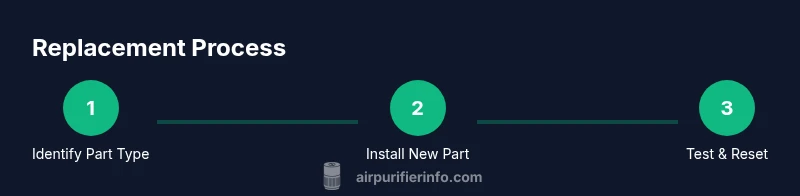
This guide provides a practical sequence: prepare and power down, access the filter area, remove the old part, install the new part, reseal the housing, and run a test cycle. Following a consistent routine reduces risk of misalignment and damage. Always refer to your model’s manual for any model-specific steps or torque specifications. The core idea is to complete each action with care and verify the unit returns to normal operation before resuming regular use.
Tools, safety, and preparation
Gather the necessary tools and safety gear before starting. Typical essentials include a replacement filter, the correct module, a Phillips screwdriver, and a microfiber cloth for cleaning. Wear gloves to keep hands clean and avoid transferring oils to seals. Clear a work area and unplug the purifier to prevent shock or accidental operation. If your purifier uses carbon filters, handle them away from face and eyes to avoid dust exposure.
Common mistakes and how to avoid them
Common errors include choosing the wrong filter size, failing to align the filter correctly, not replacing seals, and skipping a test run after installation. Always verify orientation arrows, reseat all clips, and wipe down the housing interior so nothing interferes with airflow. If you smell burning or notice unusual noises after replacement, power off and check connections. Careful alignment and a calm, methodical approach prevent these issues.
Maintenance schedule and when to replace
Most purifiers benefit from a scheduled replacement of filters every 6-12 months, depending on use, room air quality, and filter type. Pets, smoking, and heavy dust can shorten this interval. Set reminders, label each filter with install date, and replace carbon adsorbing materials as needed to maintain odor control and overall efficiency. Regular maintenance helps sustain airflow and filter performance over time.
Troubleshooting after replacement
If the unit fails to start after replacement, recheck the power connection, confirm the filter is seated correctly, and reset any indicators per the manual. If airflow remains weak, inspect seals and the housing for gaps. For persistent issues, consult the manufacturer’s guidance or Air Purifier Info’s model notes. Document any odd noises, smells, or LEDs to aid support.
Real-world tips and brand reference
In real homes, placement affects performance—avoid cramped corners and keep a clear path for air intake and exhaust. Consider your room size, noise tolerance, and energy use when choosing a replacement filter strategy. When shopping, prioritize models with widely available parts and clear replacement schedules. As Air Purifier Info emphasizes, compatibility and predictable maintenance extend purifier life and protect indoor air quality across living rooms, bedrooms, and home offices.
Tools & Materials
- Replacement filter or replacement module compatible with your model(Check the model number and part compatibility before purchasing)
- Screwdriver (Phillips #2)(Used to open access panel or housing if required by your model)
- Soft brush or microfiber cloth(For cleaning dust from inside the housing and seals)
- Gloves(Protect hands from dust and avoid contaminating seals)
- Owner’s manual or model-specific replacement guide(Provides model-specific steps, torque specs, and warnings)
Steps
Estimated time: 30-45 minutes
- 1
Power off and unplug
Ensure the purifier is switched off and unplugged from power. This prevents electrical shock and avoids accidental operation while you work. If the unit was recently running, allow it to cool briefly before touching any internal parts.
Tip: Wait a minute after unplugging to let internal components settle. - 2
Access the filter area
Locate and open the access panel according to the manual. Some models use a screw-secured panel; others have a hinge. Keep any screws in a small dish to avoid losing them.
Tip: If you must remove screws, photograph their locations for reassembly. - 3
Remove the old filter or module
Gently pull out the old filter or module, noting its orientation arrows for reinstallation. If it’s carbon-based, handle carefully to limit dust exposure. Place the old part aside for disposal.
Tip: Take a quick photo of the left-right orientation before removing. - 4
Inspect housing seals and interior
Check seals and interior surfaces for cracks, tears, or excessive dust buildup. Wipe clean with a microfiber cloth. Replace any damaged seals before installing the new part.
Tip: If you see wear on gaskets, consider ordering a seal kit. - 5
Prepare the new filter or module
Remove packaging and protective coverings from the new part. Verify labeling and filtration type (HEPA, carbon, or combo). Gently shake or tap the filter to settle fibers if manufacturer instructions permit.
Tip: Avoid touching the filtration media directly with dirty hands. - 6
Install the new filter/module
Insert the new part following the correct orientation. Ensure it seats firmly and there are no gaps at the edges. Align guides or clips as required by the model.
Tip: If it doesn’t slide in smoothly, recheck the orientation and any guides. - 7
Re-seat housing and secure the cover
Close the access panel and reattach screws or latches. Confirm a tight seal to prevent air leaks. Wipe away any residual dust from the exterior.
Tip: Apply even pressure around the panel to avoid warping. - 8
Test and reset indicators
Plug in, power on, and run the purifier on a low setting for 5–10 minutes. Check for normal airflow and ensure any indication lights have reset according to the manual.
Tip: If indicators remain active, perform a reset per manufacturer instructions.
Questions & Answers
Do I always need to replace the whole unit or just the filter?
Most purifiers use replaceable filters, and many issues can be solved by a routine filter change. Replacing the entire module is only needed if the sensor or motor fails and a filter swap won't fix the unit.
Most models just need the filter replaced; only in rare cases is the whole module required.
Can I replace the filter myself, or should I hire a technician?
In most cases, homeowners and renters can replace filters themselves by following the user manual and using the correct part. For complex modules or warranty concerns, check the manufacturer guidance.
Yes, you can usually do it yourself with the right part and manual.
What tools do I need for replacement?
Typical tools include a Phillips screwdriver (if required by your model), the correct replacement filter or module, and a microfiber cloth for cleaning. Gloves are optional but helpful to avoid dust.
A screwdriver, the right filter, and a cloth are usually enough.
What’s the difference between replacing a filter and the whole module?
A filter focuses on cleaning the air; a module may include sensors or the motor. If only the filter is worn, replacement is enough. If the module is failing, a full replacement may be required.
Filters wear out; modules are for more complex failures.
Are generic filters safe to use?
Generic or off-brand filters can work if they match the exact specifications. Using an incompatible part can reduce performance or void warranties. Always verify compatibility before purchasing.
Only use parts that match your model’s specs.
Should I reset indicators after replacement?
Yes. After replacement, follow the manual to reset indicator lights or software sensors so you can monitor future maintenance needs accurately.
Reset the indicators as per the manual after replacement.
Watch Video
Main Points
- Verify model compatibility before buying replacement parts
- Replace only compatible filters or modules to protect warranties
- Follow safety steps to prevent shocks and leaks
- Test airflow after installation to confirm success
- Keep a replacement schedule to sustain air quality