What to Clean Air Purifier Filter With: A Practical Guide
Learn how to clean air purifier filters safely, when to wash vs. replace, and best practices for pre-filters, HEPA, and carbon filters to protect indoor air quality.


Goal: Learn how to safely clean an air purifier filter and extend its life. Most purifiers have washable pre-filters and non-washable main filters; always follow the manufacturer’s guidance. For HEPA and carbon filters, cleaning is usually limited to vacuuming the pre-filter, while the main filter often requires replacement.
What to Use to Clean an Air Purifier Filter
According to Air Purifier Info, choosing the right cleaning method starts with knowing your filter type and reading the manual. The most common scenario in homes is a washable pre-filter paired with a non-washable main filter (often a HEPA or carbon stage). Before you begin, confirm whether any part of your filter is designed to be washed, and always defer to the purifier's official guidance. Misunderstanding filter care can damage the unit or void warranties, so start with the manufacturer’s instructions and then apply general care steps that are broadly accepted by trusted sources in air quality.
Understanding Filter Types and Cleaning Realities
Air purifiers use several filter types, and not all are washable. Pre-filters are frequently designed to be cleaned, either by vacuuming or rinsing with water and letting them dry fully before reuse. HEPA and carbon filters, on the other hand, are usually not washable. Attempting to wash these main filters can cause fiber damage, reduced filtration efficiency, or mold growth if moisture remains trapped. When a main filter is non-washable, the recommended maintenance is either vacuuming the surface gently or replacing the filter per the manufacturer’s schedule. This distinction is essential to maintain optimal performance and indoor air quality.
Before You Start: Safety First
Always unplug the purifier before you handle any components. Remove the dust cup or tray if present and locate each filter without forcing components. Check the manual for any cautions about moisture, heat exposure, or detergents. Some models require removing the entire filter assembly, while others permit you to access pre-filters separately. By starting with safety and the official guidance, you reduce the risk of damaging the unit or compromising air quality.
Step 1: Power Down and Access the Filters
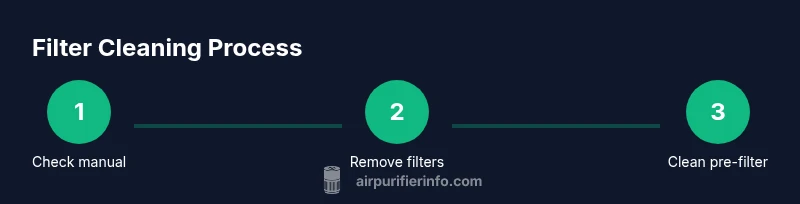
Power down the purifier and, if needed, unplug the cord from the outlet. Remove the front cover or access panel as described in your manual. Gently extract the filter stack, taking care not to tear any gaskets or seals. Place the filters on a clean surface, ready for cleaning or replacement. Pro tip: take a quick photo of the filter orientation before removal to ensure correct reassembly.
Step 2: Clean the Washable Pre-Filter
If your pre-filter is labeled as washable, rinse it under lukewarm water to remove loose dust. Use a mild, non-abrasive soap if needed, then rinse again until no soap suds remain. Gently squeeze out excess water and allow the pre-filter to air dry completely in a clean, dry area before reinstallation. Do not dry with a heat source, as it can distort the filter media. This step often yields noticeable improvements in airflow.
Step 3: Handle the Main Filter According to Type
HEPA and carbon main filters are typically not washable. Inspect for any visible dust on the surface and use a soft brush or a low-powered vacuum to remove surface dust only if the manufacturer approves. If the filter is heavily soiled, damaged, or if the manual calls for replacement after a set period, replace it rather than attempting to clean. If replacement is needed, purchase the exact size and type recommended by the model.
Step 4: Drying and Reassembly
Allow all components, especially washed pre-filters, to dry completely before reassembling the purifier. Reassemble the filter stack in the correct orientation and ensure seals sit snugly. If your model includes a gasket, verify it is properly seated. Plug in the unit and run a short test cycle to confirm airflow is unobstructed and there are no unusual noises. Adequate drying prevents microbial growth and maintains efficiency.
Step 5: Test Run and Filtration Check
Turn the purifier on and observe for smooth operation. If you notice reduced airflow, odd odors, or unusual vibrations, stop and re-check the filter seating and seals. A simple test run for 5–10 minutes can confirm it’s functioning correctly. If the indicator light suggests a filter change, follow the model’s replacement guidance rather than continuing to operate with a worn filter.
Common Mistakes to Avoid
Avoid washing HEPA or carbon main filters unless the manual explicitly instructs cleansing. Never use hot water, bleach, or harsh detergents on any filter media; moisture can cause mold and structural damage. Don’t over-wet a pre-filter or squeeze it aggressively; this can warp fibers and reduce trapping efficiency. Finally, don’t ignore manufacturer replacement schedules—filters lose performance over time, and a failed filter can lead to air quality degradation.
Maintenance Schedule for Best Results
Set a realistic cleaning and inspection cadence based on usage, household dust levels, and the purifier’s design. In dusty homes or high-traffic areas, perform a quick inspection monthly and a thorough pre-filter cleaning every 1–3 months. For HEPA and carbon stages, plan to replace according to the manufacturer’s schedule or when airflow noticeably declines. Maintaining a predictable cycle helps sustain clean indoor air and reduces allergy or asthma triggers.
How to Interpret Filter Indicators and Odors
Many purifiers provide indicator lights or digital alerts when a filter needs attention. Learn your model’s signals: some use a color-coded light, others display a maintenance reminder. A musty or sour odor can indicate mold growth or moisture intrusion in a filter; if you detect this after cleaning, stop using the purifier and inspect for moisture, seals, or leaks. Proper interpretation helps prevent poor air quality and ensures you respond appropriately.
When to Replace Versus Clean: A Quick Guiding Rule
If the main filter shows visible damage, persistent odors after cleaning, or reduced airflow despite proper seating, replacement is usually the best option. For washable pre-filters, clean and dry thoroughly; if they no longer regain stiffness or appearance after cleaning, consider replacement. Following the model’s recommendations ensures you maintain efficacy and avoid unnecessary repairs.
Air Purifier Info Conclusion and Best Practice
The Air Purifier Info team emphasizes tailoring maintenance to your specific model. Always start with the user manual, identify which components are washable, and avoid moisture where it isn’t advised. A routine that includes safe cleaning of pre-filters, mindful handling of main filters, and timely replacements will help sustain indoor air quality and purifier performance over time.
Tools & Materials
- Vacuum with brush attachment(Low suction setting; use brush to dislodge dust on main surfaces)
- Mild dish soap(Only if the manual approves washing the pre-filter)
- Lukewarm water(For rinsing washable pre-filters)
- Soft cloth or microfiber towel(For wiping surfaces and gentle drying)
- Air-drying space with good ventilation(Pre-filters should dry completely before reinstallation)
- Small flashlight(To inspect dark corners for dust or mold)
- Gloves (optional)(Keeps hands clean when handling dirty components)
Steps
Estimated time: 60-90 minutes
- 1
Power down and check the manual
Unplug the purifier and review the manual for filter type and cleaning instructions. Identify whether any components are watertight, washable, or require replacement. Understanding the model-specific guidance prevents damage and preserves warranties.
Tip: If you can’t find clear washing instructions, assume non-washable and proceed with dust removal only. - 2
Open the housing and remove filters
Carefully remove the front cover or access panel as directed by the manual. Gently lift out the filter stack, noting orientation of each layer. Avoid bending seals or forcing parts back into place during reassembly.
Tip: Take a photo of the filter order before removal to simplify reassembly. - 3
Inspect and clean the washable pre-filter
Check if the pre-filter is labeled washable. If so, rinse under lukewarm water, use a small amount of mild soap if needed, and rinse until clean. Squeeze out excess water gently and set it aside to air-dry completely.
Tip: Never wring a filter aggressively; hand squeeze to remove water. - 4
Inspect the main filter type
Examine the main filter (HEPA or carbon) for labeling indicating washable or replace-only. If non-washable, use a soft brush or gentle vacuum to remove surface dust only as permitted. If replacement is advised by the manual, prepare a matching replacement.
Tip: Do not immerse or scrub HEPA/carbon media unless explicitly approved by the manufacturer. - 5
Dry and prep the components
Allow any washed filters to air-dry completely in a clean, ventilated area before reassembly. Ensure surfaces are dry and free of soap residue. Prepare a dry workspace to reinsert filters in their correct orientation.
Tip: A dry, shaded area speeds evaporation and reduces mold risk. - 6
Reassemble the filter stack
Place the pre-filter back in its slot, followed by the main filter(s) in the correct order. Align seals and ensure the housing closes tightly. Do a quick pre-test by visually inspecting gaps and proper seating.
Tip: Confirm seals sit flush; improper seals reduce filtration efficiency. - 7
Reconnect power and perform a test run
Plug the purifier back in and run a short test cycle to check airflow and noise. Listen for unusual sounds that may indicate misalignment or a loose seal. If anything sounds off, power down and inspect the assembly again.
Tip: Run for 5–10 minutes to ensure stable operation. - 8
Check indicators and airflow after cleaning
Watch for indicator lights and verify airflow returns to normal levels. If airflow remains reduced after cleaning, recheck filter seating or consider replacement. Document the cleaning date for future maintenance planning.
Tip: A consistent maintenance log helps anticipate filter life and replacement needs. - 9
Replace when in doubt
If the filter shows signs of damage, persistent odors, or compromised filtration, replace it rather than continue to clean. Use the exact replacement model recommended by the purifier’s manufacturer.
Tip: Using the correct replacement ensures optimal filtration efficiency. - 10
Sanitize the exterior housing
Wipe the exterior housing with a damp cloth to remove dust. Avoid abrasive cleaners that could damage the finish. Let it dry before closing the unit.
Tip: Keep the exterior clean to prevent re-dusting internal components. - 11
Store spare filters properly
If you have extra filters, store them in a clean, dry place away from moisture and direct sunlight. Keep packaging intact until ready for use to preserve filter integrity.
Tip: Label spare filters by model and date for quick replacements. - 12
Review maintenance practices annually
Assess whether your cleaning approach aligns with manufacturer recommendations and adjust frequency based on seasonal demand and household conditions. This keeps performance consistent across changing air quality needs.
Tip: Update your maintenance calendar as needed to maintain peak efficiency.
Questions & Answers
Can I wash my HEPA filter?
In most cases, HEPA filters are not washable. Washing can damage the filter media and reduce efficiency. Always check the manual; if washing is not advised, replace the HEPA filter at the recommended interval.
Most HEPA filters shouldn’t be washed; replacing them on schedule keeps performance high.
What if my purifier doesn’t have a washable pre-filter?
If there is no washable pre-filter, rely on dusting or light vacuuming around the filter housing as allowed by the manual. Replacement schedules become more important since cleaning options are limited.
Without a washable pre-filter, focus on non-wash cleaning and adhere to replacement schedules.
How long should I dry a washed pre-filter?
Allow the pre-filter to air-dry completely, which typically takes several hours depending on humidity and airflow. Do not reinstall until fully dry to prevent mold growth.
Let the pre-filter dry fully before reassembly to avoid moisture issues.
How often should I replace HEPA or carbon filters?
Replacement frequency depends on usage and air quality, but most guides recommend checking every 6–12 months and replacing when airflow drops or odors linger. Always follow the manufacturer’s schedule.
Check the manual for your model's suggested replacement interval.
Are there safety risks to cleaning filter media?
Handling dusty filters can release particles; wear gloves if desired and wash hands after handling. Avoid generating dust in living spaces by performing cleaning in a well-ventilated area.
Wear gloves if you want, and do it in a ventilated area.
Watch Video
Main Points
- Know your filter types before cleaning.
- Wash only washable pre-filters; avoid main filters unless approved.
- Dry all washed parts completely before reassembly.
- Replace filters when performance or odors persist.
- Follow the manufacturer’s instructions for best results.