How to Clean and Maintain an Air Purifier: A Practical Guide
Learn how to clean and maintain your air purifier with a practical step-by-step guide. Protect filters, optimize airflow, and keep indoor air quality consistently high.


This guide shows how to clean and maintain an air purifier to maximize filter life, airflow, and overall performance. You’ll learn safe cleaning steps, what parts to clean or replace, and how often to do it for better indoor air quality. According to Air Purifier Info, regular maintenance helps keep sensors accurate and prevents buildup that reduces efficiency.
Why cleaning and maintaining an air purifier matters
Regular maintenance is a foundational part of owning an air purifier. When you learn how to clean and air purifier components, you protect the filtration stack, maintain steady airflow, and reduce the risk of odors or irritants circulating in your home. The Air Purifier Info team emphasizes that routine care helps sensors stay accurate and prevents dust buildup that can impede performance. A clean purifier works more efficiently, uses less energy, and lasts longer. This section sets the stage for a practical, model-aware approach that suits homes with pets, seasonal allergies, or smoke events. By understanding the basics—filters, housing, and airflow—readers can tailor routines to their environment and keep indoor air quality consistently high.
Scheduling and tailoring your cleaning routine
Every purifier benefits from a personalized maintenance rhythm. Start with a simple baseline: check exterior surfaces weekly and inspect filters monthly. For homes with heavy dust or pet dander, consider more frequent checks. In general, plan deeper cleanings every few months, and adjust if you notice reduced airflow or unusual noises. Air Purifier Info analysis recommends documenting dates and filter changes to track performance over time. Align your schedule with manufacturer guidelines and your living environment to maximize efficiency without risking warranty issues. A thoughtful routine reduces the chance of unexpected downtime and keeps air clean across seasons.
Cleaning the exterior and the pre-filter
Begin with a dry microfiber cloth to remove dust from the exterior housing and vents. Avoid using water or solvents on the electronic parts. If your unit has a washable pre-filter, remove it according to the manual and rinse gently with lukewarm water. Let it dry completely before reinserting. For non-washable pre-filters, use a soft brush or vacuum to lift away debris. Keeping the outer shell dry protects sensors and internal components and makes the subsequent steps safer and more effective. This section highlights the careful balance between cleaning power and protecting sensitive electronics.
HEPA filter: when to clean or replace
HEPA filters are the core of most purifiers. Many HEPA filters are not designed to be washed; attempting to wash them can damage the filtering fibers and reduce effectiveness. If your model supports gentle vacuuming along the outer surface, do so with the soft brush, then replace when the filter appears exhausted or after a manufacturer-recommended interval. Always consult the user manual for your specific model. In most cases, a fresh HEPA filter provides the most reliable performance and odor control, especially in high-dust environments.
Activated carbon filters and odor control
Activated carbon filters trap odors and gases, but they don’t last forever. Cleaning is usually not an option for these components; replacement is typically required to restore odor removal capability. If your purifier’s carbon filter is serviceable, follow the manufacturer’s directions for cleaning or vacuuming the exterior surfaces only. When odors persist after cleaning, plan a carbon filter replacement. This part of maintenance is especially important in homes with cooking smells, smoke, or pets, where odors can become more noticeable over time.
Internal components: fan housing and ducts
Dust tends to collect in the fan housing and short ducts inside the purifier. Use a vacuum with a soft brush attachment to carefully remove loose dust, taking care not to dislodge delicate connectors. If you must wipe interior surfaces, use a lightly damp microfiber cloth and dry immediately. Never use liquids directly on the motor or electrical connections. Keeping these internal areas clean helps prevent unwanted noises, improves airflow, and supports longer filter life. This step is about reducing slowdowns caused by settled dust and maintaining steady operation.
Reassembly, test, and basic troubleshooting
Reassemble the unit following the manufacturer’s instructions. Plug in, power on, and listen for normal operation. A quick test with a visible dust puff can indicate airflow is steady. If you notice reduced airflow, strange noises, or persistent odors after cleaning, consult the product manual or seek service guidance. Maintaining a log of maintenance can help you anticipate filter changes and avoid performance dips. Regular checks keep the purifier ready for peak seasons and high-use days, ensuring you breathe easier year-round.
Practical planning for long-term care
A durable maintenance plan combines routine checks with mindful replacements. Keep spare filters on hand to minimize downtime after a change and set reminders aligned with your model’s recommended schedule. Document dates, results, and any observations about odors or noise. In environments with heavy dust, pets, or vaping, plan for more frequent interventions. By embedding maintenance into daily life, you’ll protect your purifier’s efficacy and sustain better indoor air quality without guesswork.
When to seek professional service
If you encounter persistent issues after cleaning—unresolved odors, abnormal noises, or alarm indicators—professional servicing may be warranted. A technician can diagnose motor or electrical faults and verify that airflow paths are clear. Regular professional checkups, when scheduled in alignment with model guidance, help prevent costly downtime and ensure your purifier delivers expected performance. This final section reinforces that proper care includes knowing when to call in an expert.
Tools & Materials
- Phillips-head screwdriver(for removing housing screws on some models)
- Soft microfiber cloth(non-abrasive; for exterior surfaces)
- Soft brush(dust or debris from vents and grills)
- Vacuum with brush attachment(optional for interior dust, avoid direct contact with motor)
- Mild dish soap(optional for exterior cleaning; do not use on electrical parts)
- Clean, lukewarm water(only for washable pre-filters; check manual)
- Replacement HEPA filters(only if your model requires or recommends replacement)
Steps
Estimated time: 30-45 minutes
- 1
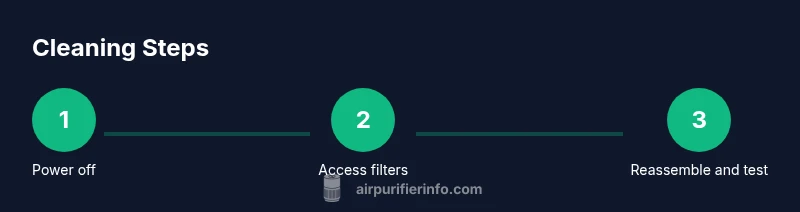
Power off and unplug
Always unplug the purifier before starting. This prevents electrical shock and stops the fan from starting unexpectedly during handling. If the unit is on a timer, wait until it fully powers down before proceeding.
Tip: Keep the cord away from water and place the unit on a stable surface during maintenance. - 2
Open the housing to access filters
Use the screwdriver if your model requires screws to access the filters. Gently remove the outer housing or access panel as instructed by the manual. Do not force components; improper handling can cause damage.
Tip: Consult the manual for exact screw locations and warranty considerations. - 3
Remove the filters
Carefully detach the pre-filter, HEPA filter, and carbon filter if present. Take note of their order and orientation to ensure correct reassembly. Place filters on a clean surface to prevent contamination.
Tip: Avoid touching the filter media with bare hands; oils can affect performance. - 4
Clean the washable pre-filter
Rinse the pre-filter under lukewarm water until clear. If the pre-filter is not washable, skip washing and move to vacuuming or brushing to remove dust. Allow it to dry completely before reinserting.
Tip: Drying can take several hours in humid environments; plan accordingly. - 5
Clean or replace the HEPA/filter assemblies
If your HEPA filter is washable (per manual), gently rinse and let it dry fully before reinstallation. If not washable, vacuum the outer surface and replace when indicated by usage or model guidelines.
Tip: Never vacuum the deep pleats aggressively; you can damage the filter media. - 6
Reassemble and test
Reinsert filters in the correct order, reattach the housing, and plug in the unit. Run the purifier for a short period to ensure airflow is steady and there are no unusual noises. If any issue arises, shut down and consult the manual.
Tip: Keep a maintenance log with date, filters used, and any notes for future reference.
Questions & Answers
Do I need to unplug the purifier before cleaning?
Yes. Unplugging prevents electric shock and stops the device from starting unexpectedly during maintenance.
Yes—unplug before you begin to keep you safe and avoid the purifier starting on its own.
Can I wash the HEPA filter?
Most HEPA filters should not be washed. They can be damaged by moisture; replace according to the manufacturer’s guidelines or use a gentle surface vacuum if allowed.
Usually not; replace the HEPA filter or clean only as the manual allows.
How often should I replace the HEPA filter?
Follow the manufacturer’s schedule or when you notice reduced performance, increased odors, or visible buildup on the filter.
Check your model’s guideline and replace when performance drops.
What if my purifier has a carbon filter that isn’t washable?
Carbon filters are usually replace-only components; washing rarely restores odor removal. Plan replacements per model guidance.
Most carbon filters aren’t washable—replace as directed.
Is cleaning safe around pets?
Yes, but avoid triggering allergies during the process. Keep pets away from the work area and ensure good ventilation while cleaning.
Keep pets away and ventilate the area during cleaning.
Can I use bleach or strong solvents?
No. Harsh chemicals can damage plastics and filters. Use only mild cleaners and water as recommended by the manual.
Avoid bleach and strong solvents; stick to mild cleaners per the manual.
Watch Video
Main Points
- Inspect and clean exterior and pre-filter regularly
- Do not wash HEPA filters unless specified by the model
- Replace carbon filters to preserve odor control
- Avoid moisture near motors; dry components completely
- Document maintenance dates for predictable performance