Should Air Purifiers Run 24/7? A Practical Home Guide
Explore whether to keep your air purifier on around the clock. Learn decision factors, how to balance air quality with energy and noise, auto modes, maintenance tips, and real-world scenarios for homeowners and renters.


This guide helps homeowners decide whether to run an air purifier 24/7, considering room size, filtration needs, noise tolerance, energy use, and maintenance. It explains when continuous operation is beneficial, how to set auto modes, and practical steps to balance air quality with costs and device longevity.
What running an air purifier 24/7 means
For many households, leaving an air purifier running around the clock can be a simple way to maintain consistently lower particle levels, especially in spaces with constant activity or with occupants who have allergies. According to Air Purifier Info, continuous operation can reduce baseline airborne particles in busy spaces, but it may not be necessary in quiet rooms or smaller areas. The decision hinges on factors like room size, filtration efficiency, and whether the purifier is configured to operate with auto modes. In this section, we'll outline what continuous operation does, what it costs in energy and wear, and how to decide if it fits your home environment.
Factors that influence the decision
Several practical factors influence whether you should run your purifier 24/7:
- Room size and layout: Larger spaces generally benefit more from continuous air cleaning, especially if air exchange is limited by doors or furniture.
- Occupant activity and pollutants: Kitchens, smoking areas, pet zones, and homes with dust-prone activities produce more particulates and odors, making constant operation more attractive.
- Filtration efficiency and maintenance: Higher MERV or HEPA filters remove more particles but may require more frequent changes; auto mode can adapt to air quality without manual intervention.
- Noise tolerance and comfort: Some purifiers run quietly, while others generate noticeable fan sound. Auto or timer modes can balance cleanliness with sleep quality.
- Energy use and longevity: Constant operation adds energy consumption and can affect filter life; modern purifiers are designed for continuous use, but check your device’s guidelines.
How to determine if 24/7 is worth it for your space
To decide, start with a qualitative assessment of air quality and usage. Observe whether you notice odors, particles, or wheeze during peak activity times. If you rarely notice these issues, continuous operation may be unnecessary. Consider a trial: run the purifier on auto mode for a week and track comfort, sleep quality, and any changes in symptoms. Use the purifier’s built-in sensors or an inexpensive air quality monitor to gauge improvements. If the air seems consistently clearer during day and night, you might opt for longer or continuous operation in high-traffic hours. Finally, weigh maintenance schedules: continuous use increases filter wear, so plan timely replacements. The Air Purifier Info team recommends a data-informed trial period and basing decisions on observable changes in your space.
Using auto mode, timers, and sleep modes to balance quality and energy
Modern purifiers offer a mix of auto mode, timers, and sleep settings that help you balance air quality with comfort. Auto mode uses sensors to adjust fan speed in real time, delivering stronger cleaning when needed and easing back when air looks clean. Timers let you run the purifier during specific windows (for example, daytime hours) and pause during late night hours to reduce noise. Sleep mode further lowers fan speed and dim the display for a quieter night. When you combine these features, you can maintain clean air without constant high-energy operation. If your purifier lacks robust sensors, pairing it with a simple outdoor timer or smart plug can help manage cycles.
Safety, maintenance, and filter considerations
Continuous operation places regular maintenance demands on your purifier. Always follow the manufacturer’s replacement schedule and heed filter indicators. Clean the intake grille periodically to prevent dust buildup that can reduce efficiency. Keep the device away from moisture or heat sources and ensure adequate clearance around all sides for proper airflow. If you notice unusual noise, reduced airflow, or persistent odors despite continuous operation, inspect filters and seals for wear and replace them as needed. Regular maintenance not only preserves air quality but also extends the life of the unit.
Practical scenarios and setups
In a busy family living room, a purifier running on auto mode during the day and a night-friendly setting after bedtime often provides the best balance of air quality and quiet. In a kitchen where odors are frequent, keep it on a higher but controlled setting during cooking windows and switch to sleep mode afterward. In a bedroom, prioritize sleep by using auto mode with a low-noise profile or a dedicated night mode. In homes with pets, leave the purifier on more of the day to counter dander and fur; adjust during times of high activity or vacuuming to maximize impact. Each space benefits from testing and adjustment rather than a fixed, universal rule.
Cost considerations and energy impact
Energy use varies with fan speed and run time. If you value consistent air quality in high-activity environments, continuous operation with auto mode may offer the best balance between cleanliness and energy use. Air Purifier Info analysis shows that continuous cleaning can help stabilize indoor air in spaces with ongoing pollutant sources, but the exact trade-off depends on your model and settings. To minimize cost, prioritize features like auto mode, sleep mode, and energy-efficient filters; reserve high-speed operation for short bursts around times of peak activity. Regular maintenance remains essential to keep costs predictable and the purifier effective.
Quick-start checklist you can apply today
- Identify high-traffic zones and pollutant sources in your home.
- Enable auto mode or set a sensible daily schedule that aligns with daily routines.
- Test air quality with a simple monitor or your own observations for at least a week.
- Schedule regular filter replacements and gasket checks.
- Balance sleep comfort with air cleanliness by selecting a quiet mode at night.
Tools & Materials
- Air purifier user manual(Know the recommended run-time and maintenance intervals)
- Air quality monitor (optional)(Helps quantify improvements during a trial period)
- Notebook or app for maintenance log(Track filter changes and performance observations)
- Replacement filters(Stock up according to manufacturer guidance)
- Smart plug or programmable timer (optional)(Useful if the purifier lacks robust scheduling features)
Steps
Estimated time: 30-60 minutes to set up and test, then ongoing monitoring
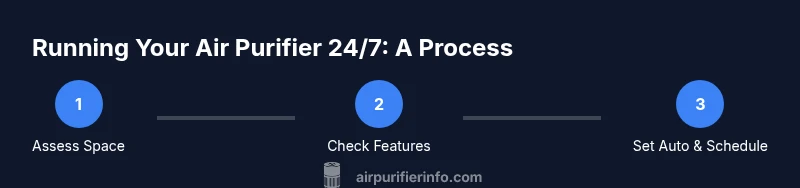
- 1
Assess your space and needs
Map out where people spend the most time and where pollutants originate (cooking areas, pet zones, dust-prone rooms). Note typical activity levels and sleep times to guide a trial plan.
Tip: Document peak activity times to tailor auto or timer settings. - 2
Check purifier features
Review whether the unit has auto mode, air quality sensors, sleep mode, and energy ratings. These features determine how effectively you can run 24/7 without manual adjustments.
Tip: If auto mode is available, enable it for dynamic response. - 3
Enable appropriate operation
Turn on auto mode or set a day/night schedule that aligns with your routines. Consider a short trial to compare daytime and nighttime air quality.
Tip: Use a timer or smart plug if you want predictable night-time behavior. - 4
Create a maintenance plan
Record filter replacement dates and inspect the intake and exhaust areas monthly. Keep spare filters on hand to avoid gaps in performance.
Tip: A simple maintenance log helps prevent unexpected downtime. - 5
Monitor results and adjust
Evaluate whether air quality improves during 24/7 operation. If not, tweak settings, or reduce continuous use in favor of targeted cleaning during activity peaks.
Tip: Seasonal changes may require schedule adjustments.
Questions & Answers
Is it safe to run an air purifier all day and night?
Yes, most purifiers are designed for continuous use, but always follow the manufacturer’s guidelines and keep the unit away from moisture or heat sources.
Air purifiers are generally safe for continuous use when you follow the manual and keep the device in a dry, ventilated spot.
Will running 24/7 increase energy bills significantly?
Continuous operation can raise energy use compared to intermittent runs. Use auto or sleep modes and energy-efficient models to keep costs reasonable.
Running all day may use more energy, but smart modes help limit waste while keeping air clean.
What are the signs I should stop running 24/7?
If the purifier is consistently noisy at night or air quality is already good with cycles, scale back to shorter runs or lower speeds.
If it’s too loud or you don’t notice a real air improvement, reduce the running time.
How do I know if my filter needs replacement?
Check the purifier’s indicator light or refer to the manual’s schedule. Replace filters when performance declines or when indicated.
Watch the indicator and replace filters as recommended by the manufacturer.
Can I run a purifier in a small bedroom?
Yes, choose a model with quiet modes and avoid high speeds all night if sleep quality is a concern.
Sure—pick a quiet model and use sleep mode to keep noise down.
Watch Video
Main Points
- Assess needs before committing to 24/7.
- Leverage auto mode and sleep settings to balance quality and comfort.
- Plan maintenance to sustain performance and avoid downtime.
- Test and adjust based on actual room dynamics.