Do Air Purifiers Need to Run All the Time? A Practical Guide
Discover when to run your air purifier continuously, how to use auto modes, and how to balance indoor air quality with energy use. Practical tips for homeowners and renters.


Air purifiers do not have to run constantly. In most homes, using sensors and auto modes to match air quality is enough to keep pollutants low. You can run intermittently during activities that raise dust or odors, or set schedules to balance cleanliness with energy use. Understanding room size, filtration type, and pollutant sources helps you tailor runtimes.
Why air purifiers exist in homes
Air purifiers are designed to reduce indoor air pollutants by pulling room air through filters and circulating cleaner air. In practice, they target common irritants such as dust, pollen, pet dander, smoke, cooking odors, and volatile organic compounds. For homeowners and renters, the right purifier can noticeably lessen allergy symptoms, reduce morning congestion, and make sleeping spaces feel fresher. Modern systems blend a multi-stage filtration (pre-filter, true HEPA, and sometimes activated carbon) with sensors that monitor PM2.5, VOCs, and humidity to optimize performance. According to Air Purifier Info, the most effective models combine high clean air delivery rate with adaptive modes, quiet operation, and easy maintenance. The result is cleaner air with less effort—from a compact unit on a shelf to a larger purifier designed for open living spaces. The goal isn't to overpower the room but to maintain a steady air exchange that keeps pollutants at bay while you go about daily life.
Do air purifiers need to run all the time?
The short answer is no. In most homes you can achieve clean indoor air by running the purifier in sensor-driven auto mode or during known pollutant events, such as cooking, cleaning, or pet activity. Running nonstop isn't harmful, but it can waste energy and wear components faster if your unit is oversized for the room. The goal is to balance air quality with energy use while maintaining consistent performance. If you monitor air quality with a reliable sensor, you can adjust runtimes to reflect real conditions rather than a fixed schedule. This approach also helps you avoid unnecessary noise and ensure the purifier remains effective when you need it most. Air Purifier Info emphasizes that the right model adapts to your routines, so you don’t have to guess when to turn it on or off.
Factors that affect runtime and effectiveness
Several factors influence how long you should run an air purifier. Room size and layout determine the unit's ability to exchange air; the purifier's CADR (clean air delivery rate) and filter type affect how quickly pollutants are captured; and actual pollutant sources (smoking, cooking, dust) dictate when you should be active. Real-world use also depends on the presence of pets, allergy season, and how open the space is to other rooms. Proper placement improves effectiveness and can reduce the necessary runtime. For example, placing the purifier where air jets can circulate freely increases efficiency, while blocking vents or placing it in a corner can reduce performance. Regular filter maintenance keeps airflow consistent and sensors accurate, which in turn supports sensible runtimes.
How to estimate ideal runtimes for your space (practical approach)
Start with a baseline by running in auto mode and observing air quality readings over several cycles. If readings persist at elevated levels, consider extending run time or upgrading to a purifier with higher capacity for the room. When readings stay consistently low, you can safely reduce runtime or enable a sleep/quiet mode for nighttime use. Tracking patterns over days or weeks helps you tailor runtimes to seasonality and daily activities. Even without exact numbers, you’ll gain a practical sense of when the purifier should run and when it can step back.
Energy use, costs, and maintenance implications
Constant operation uses more electricity, which matters for energy-conscious households. Favor auto or scheduled runs to align with routines and occupancy. Maintenance, especially timely filter changes, keeps sensor readings accurate and prevents unnecessary long runtimes due to clogged filters. A clean filter maintains airflow, preserves efficiency, and helps the purifier work more effectively without forcing it to run longer than needed. You can also reduce energy use by selecting models with energy-efficient designs and by turning off the unit when doors and windows are open to the outside air.
Best practices: auto mode, timers, and placement for efficiency
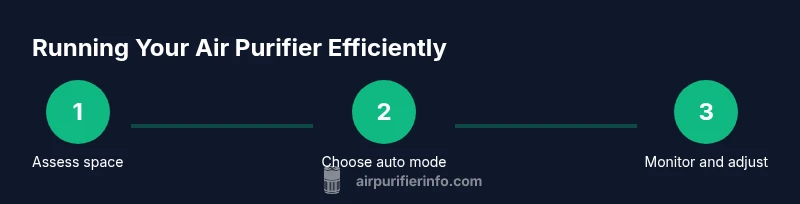
Enable auto mode if available, and place the purifier in an open area with good airflow. Use timers to run during peak activity periods, such as after cooking or when guests are present, and pause during quiet times when air quality is already good. Regular maintenance, including replacing filters as recommended by the manufacturer, keeps runtimes efficient and air clean. If possible, coordinate multiple purifiers so they cover separate spaces without overlap, which prevents one unit from running unnecessarily while another lacks coverage. A thoughtful setup reduces overall energy use while maintaining air quality.
How to choose the right purifier for your space
Select a purifier with adequate CADR for your room size, and consider extra features like multiple filters and smart sensors. A model with energy-efficient operation and quiet performance encourages you to run it as needed rather than out of necessity. Always verify the purifier's coverage matches your space and check for user reviews about real-world performance. If you share a living area with others, choose a unit that balances performance with comfortable noise levels to avoid daily distraction while maintaining good air quality.
Real-world scenarios and tips
In busy households, you might run the purifier more during cooking, cleaning, or after bringing in outdoor air. In sleeping areas, a quiet mode can maintain air quality without disturbing sleep. Pets, dust, and seasonal allergies often create spikes in pollutants that sensors can detect; using auto mode during these times helps keep air fresh without constant adjustment. Finally, keep a simple routine: check filters quarterly, replace as needed, and re-evaluate runtimes with seasonal changes to maintain steady indoor air quality with minimal manual effort.
Tools & Materials
- Air purifier with real-time air quality sensor(Must include PM2.5 sensor and auto mode)
- Measuring tape or room dimension tool(To estimate cubic footage for capacity needs)
- Energy monitor or smart plug(Optional for tracking energy use during runtimes)
- Notebook or digital log(Record readings and run times)
Steps
Estimated time: 25-35 minutes
- 1
Assess space and purifier capacity
Measure the room and confirm the purifier's coverage matches the space. Note typical pollutant sources and occupancy. Understanding capacity helps set a realistic baseline run time.
Tip: Use the manufacturer's room-size guidance as a starting point. - 2
Enable auto mode and calibrate sensors
Turn on auto mode if your model has PM2.5 or VOC sensors. Ensure filters are properly seated and the device is functioning without obstructions.
Tip: Calibrate sensors if your unit provides a procedure, and check for error indicators. - 3
Run a baseline in real conditions
Let the purifier run in auto mode for 24–48 hours while you monitor air quality readings. This gives a practical baseline for typical pollutant events.
Tip: Keep doors and windows closed during the baseline for consistency. - 4
Adjust runtime based on patterns
If readings stay high during busy hours, increase run time or upgrade to higher-capacity unit. When readings drop, reduce run time or enable sleep mode for lower noise.
Tip: Document changes to refine future decisions. - 5
Maintain pulse checks and re-evaluate
Regularly replace filters and clean intake areas; re-check sensor performance after changes. Reassess every few weeks to adapt runtimes to seasons and activities.
Tip: Set a filter-change reminder and re-run the baseline after maintenance.
Questions & Answers
Do air purifiers need to run all day?
In most homes, continuous operation isn't required. Use auto or sensor-based modes to respond to air quality and run longer during events that raise pollutants.
Air purifiers don't have to run all day. Let the sensors guide runtime, and adjust as needed.
What factors determine the best running time?
Room size, purifier CADR, sensor accuracy, and pollutant sources shape runtime; larger rooms require more capacity.
Room size and pollution sources decide runtime.
Is continuous operation safe for my purifier?
Yes, it's generally safe; though continuous max-speed use increases energy use and may shorten filter life. Use auto mode to optimize performance.
It's safe, but watch energy use and filter life.
How can I optimize energy use while keeping air clean?
Use auto mode, set schedules for when you're home, ensure unobstructed placement, and maintain filters to preserve efficiency.
Auto mode plus smart placement keeps air clean efficiently.
Are there signs my purifier is running too long or too little?
If energy use is high, or odor clearance is poor, adjust; if readings remain high, you may need a larger unit or different model.
If it's loud or ineffective, re-check sensors and placement.
Watch Video
Main Points
- Run by air quality, not a fixed schedule
- Auto mode balances cleanliness and energy
- Room size and purifier capacity matter for runtime
- Regular maintenance preserves sensor accuracy
- Monitor readings to refine runtimes over time