Are You Supposed to Keep Air Purifiers On All Day? A Practical Guide
Learn whether you should keep an air purifier on all day, how to size and place it for best performance, and practical energy-saving tips for homeowners.


Are you supposed to keep air purifiers on all day? In most homes, running an energy-efficient purifier continuously is fine, but it depends on the model, room size, and energy use. Use auto or timer modes, pick a unit with a CADR appropriate for your space, and factor in noise, filter life, and maintenance.
Are you supposed to keep air purifiers on all day?
Indoor air quality is a constant concern for many homeowners and renters, and the idea of running a purifier 24/7 is appealing. According to Air Purifier Info, continuous operation can provide steady filtration in spaces with high occupancy, limited ventilation, or frequent particle sources like pets, cooking, or smoking odors. The practical approach is to choose an energy-efficient model sized for the room, then use automation to balance air cleanliness with comfort and costs. In practice, you’ll want a purifier that fits your space, a control system you trust, and a maintenance plan that doesn’t derail your budget. A unit that’s too large can feel drafty, while one that’s too small may run constantly without delivering meaningful improvements. The goal is consistent air exchange that reduces PM and odors without creating loud or expensive operation. In the sections below, we’ll walk through sizing, placement, and settings to help you decide when all-day use makes sense and how to optimize performance over time. Air Purifier Info analysis shows that energy-efficient models with proper sizing tend to perform best when run continuously in occupied spaces.
How all-day operation affects energy use and air cleaning efficiency
All-day operation can increase energy use, but modern purifiers with energy-saving features help keep costs reasonable. Auto mode uses air quality sensors to adjust fan speed, which reduces unnecessary high-speed operation. The purifier’s CADR (clean air delivery rate) and the room’s size determine how quickly air is cleaned and how often the unit should run at higher speeds. In practice, larger rooms or spaces with ongoing sources of pollutants may benefit from continuous operation, while smaller areas or rooms with frequent ventilation openings can be efficiently managed with timer-based or sleep modes. The key is balancing air cleanliness with comfort and cost. Air Purifier Info analysis shows that properly sized, energy-efficient models paired with smart features deliver the best results for all-day use, especially in households with kids, pets, or frequent cooking.
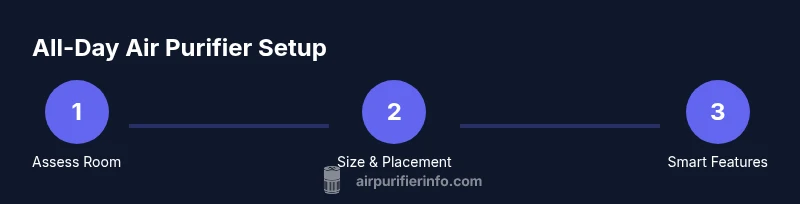
Sizing and placement for continuous use
Sizing a purifier for all-day operation starts with accurate room measurements and understanding room airflow. Measure the length, width, and height to estimate volume, then compare to the purifier’s stated coverage, ensuring the unit is not undersized for the space. Placement matters: avoid corners, keep at least a foot from walls, and place the purifier where air can flow freely across the room. In open-plan living areas, a single unit with high CADR can handle multiple zones if positioned centrally. For bedrooms, consider a unit that's effective at lower speeds and has a quiet mode. Always refer to the manufacturer’s guidance for placement distance and avoid blocking intakes with furniture.
Air Purifier Info recommends starting with one well-sized unit and adjusting based on measured air quality improvements and comfort.
Smart features that help manage all-day use
Modern purifiers offer features designed for continuous running without constant manual adjustment. Auto mode automatically ramps up or down based on air quality, while sleep or quiet modes reduce noise during nighttime use. Timers let you program run times to align with occupancy patterns or energy costs, and some models offer occupancy-based scheduling. Energy Star-certified units typically emphasize efficient power use at common operating speeds. When you combine auto mode with a timer, you can maintain clean air while minimizing unnecessary energy use. Air Purifier Info notes that these features are especially helpful for people who need reliable air quality throughout the day without constant monitoring.
Maintenance and replacement scheduling for all-day operation
Maintenance is crucial when running an air purifier all day. Regularly check and replace filters according to the manufacturer’s schedule, and don’t rely solely on indicator lights—keep a maintenance calendar. Clean pre-filters as required to maintain airflow, and keep intake grills free of dust. If you notice reduced airflow or higher energy use, it may be time to replace the main filter or service the unit. Inventory replacement parts and consider subscribing to filter deliveries to avoid gaps in protection. A well-maintained purifier will perform more consistently and quietly during long runtimes.
Noise, comfort, and health considerations
Noise can be a deciding factor for all-day use, especially in bedrooms or home offices. Look for models with low-noise operation at the speeds you’ll use most often and position the unit away from where you sit or sleep whenever possible. Some people are sensitive to airflow, so starting at a lower speed and gradually increasing can improve comfort. For households with allergies or asthma, a purifier with a true HEPA filter and a well-sealed cabinet is preferred. Avoid ozone-generating devices or purifiers marketed with ozone as a cleaning method, as these can irritate airways. Always balance the health benefits with energy use and noise comfort.
Real-world scenarios: apartments, houses, pet households
In apartments, a single well-sized purifier can cover a compact living space, but you may need more than one unit for open layouts or high-traffic areas. In larger houses, strategic placement in living spaces, kitchens, and bedrooms helps ensure consistent air quality. Pet households often contend with pet dander and odors, requiring more frequent filter changes and perhaps higher-speed operation during active times. If you rent, choose a purifier that doesn’t damage walls or paint and be mindful of any lease restrictions regarding electrical use. Across scenarios, tailor running times to occupancy and outdoor air exchange, using auto mode to adapt to changing conditions. The Air Purifier Info team recommends testing air quality before and after adjustments to confirm your setup meets your goals.
AUTHORITY SOURCES
- https://www.epa.gov/indoor-air-quality
- https://www.energy.gov/energysaver/air-cleaners
- https://www.ashrae.org/technical-resources/indoor-air-quality
Tools & Materials
- Measuring tape(To calculate room volume and verify purifier coverage)
- Purifier owner’s manual(For correct setup, CADR ratings, and operating modes)
- Energy cost tracker or bill(Helpful to estimate daily/weekly running costs)
- Smartphone with purifier app (optional)(Allows remote control of auto/timer features)
Steps
Estimated time: 2-3 hours
- 1
Assess room size and purifier fit
Measure the room’s length, width, and height to estimate volume. Compare this with the purifier’s CADR/coverage to ensure the unit can effectively circulate air in the space. Choose a placement that avoids obstructions and allows unobstructed airflow.
Tip: If unsure, start with a unit rated for a slightly larger area and observe air quality changes. - 2
Check model specifications
Review CADR, energy use at various speeds, and noise levels. Confirm the unit has auto or timer modes you plan to use for all-day operation. Read the maintenance schedule to anticipate filter changes.
Tip: Prioritize models with a true HEPA filter and certified energy-saving features. - 3
Choose placement
Place the purifier where air can move freely, ideally away from walls and furniture, and in the main activity zone. Elevate the unit if possible (on a shelf or table) to improve intake and distribute clean air more evenly.
Tip: Keep at least 12 inches of clearance from walls or fabrics that could trap airflow. - 4
Set up auto or timer modes
Enable auto mode if available and set a timer to align runtime with occupancy or sleep patterns. If auto is unavailable, use a consistent daytime schedule and a lower nighttime setting for comfort.
Tip: Test for 24–48 hours and adjust speeds based on observed air quality changes. - 5
Run a short test period
Operate the purifier for a few days and monitor for changes in correlating air quality (visible dust, odors, or sneezing patterns). Use air quality indicators if present.
Tip: Keep windows closed during testing to evaluate the purifier’s impact under steady conditions. - 6
Monitor filters and energy use
Check filter indicator lights regularly and maintain a replacement schedule. Note any spikes in energy consumption and adjust runtime or speed accordingly.
Tip: Set calendar reminders for filter changes to avoid running on a clogged filter. - 7
Review and adjust
After a 1–2 week period, reassess room air quality and comfort. If needed, rotate purifiers between rooms or increase multiple units for open-plan spaces.
Tip: Document changes and outcomes to guide future adjustments.
Questions & Answers
Should I leave my air purifier on all day?
If you live in a space with ongoing pollutants or limited ventilation, all-day operation can maintain air quality. Use auto mode and night settings to balance comfort and energy use. Monitor air quality and adjust as needed.
Yes, in many cases keeping it on all day helps maintain cleaner air, especially in busy spaces. Use auto mode to optimize performance and set a night mode for quieter operation.
Does running an air purifier all day increase my energy bill significantly?
Continuous operation adds some energy use, but many models are designed for efficiency. Choose energy-saving features and size appropriately to minimize costs while maintaining air quality.
Running all day can add to energy use, but the impact is usually manageable with energy-saving features and proper sizing.
Can continuous operation help with odors and pet dander?
Yes. Continuous operation with a properly sized unit can reduce odors and pet dander, especially when combined with routine cleaning and proper filter changes.
Absolutely—consistent filtration helps with odors and pet dander when the purifier is the right size and well maintained.
What should I consider for bedrooms and quiet hours?
Choose a purifier with a quiet mode and set softer speeds for night use. Ensure the unit does not disrupt sleep and that it’s positioned to minimize noise in your sleeping area.
Pick a quiet mode and place the purifier away from the bed to keep sleep undisturbed.
How often should filters be replaced when running all day?
Filter life depends on usage and air quality. Follow the manufacturer’s schedule and use maintenance reminders to prevent running with clogged filters.
Follow the filter schedule and set reminders to avoid running with clogged filters.
Are there risks with running purifiers all day in small rooms?
In small rooms, use lower speeds to avoid drafts and noise, and ensure the purifier isn’t too large for the space. Proper placement remains important for effective filtration.
In tight spaces, avoid high speeds that cause drafts; place the unit so airflow moves freely.
Watch Video
Main Points
- Run a purifier with proper sizing and smart features for all-day use.
- Balance air quality gains with energy costs and noise comfort.
- Regular maintenance is essential for reliable all-day operation.
- Place purifiers strategically to maximize air circulation and minimize disruption.