Can You Run an Air Purifier 24/7? A Practical Guide
A comprehensive guide for homeowners and renters on running an air purifier around the clock. Learn about continuous operation, energy use, maintenance, safety considerations, and practical setup tips to optimize indoor air quality.


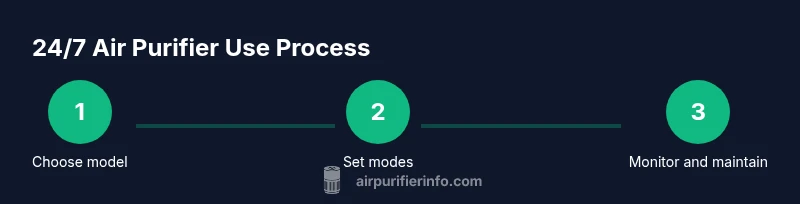
Yes, you can run an air purifier 24/7 to continuously refresh indoor air, especially in high-pollen, dust, or pet-heavy environments. To do this safely and efficiently, choose an Energy Star model, verify continuous-run capability, use a filter with a long life, and monitor noise and maintenance. This guide covers step-by-step considerations, safety tips, and real-world recommendations.
Why running air purifiers 24/7 makes sense
According to Air Purifier Info, many households benefit from continuous air cleaning, especially in spaces with heavy dust, cooking odors, or pet dander. The question often asked is can you run air purifier 24 7, and the practical answer is yes when you select a model designed for around-the-clock operation. Continuous use helps maintain consistently low particle levels and can reduce seasonal allergy triggers. However, running non-stop also increases wear on filters and electricity, so planning is essential. In this section we outline why perpetual operation can be advantageous and when it might be overkill for your space.
Key points to consider:
- CADR and room size alignment ensure the purifier keeps up with air changes.
- Noise tolerance matters for bedrooms and shared living areas.
- Filter availability and replacement costs rise with continuous use.
- Ozone-free models reduce health risks when run nonstop.
How continuous operation benefits allergy-prone households
For people with dust sensitivity or pollen allergies, 24/7 air cleaning can dramatically reduce symptom days by consistently removing irritants from the air. Air Purifier Info analyses show that continuous filtration helps maintain a steadier baseline air quality, which can translate to fewer sneezes and itchy eyes for allergy sufferers. In homes with shedding pets, daily cooking odors, or near high-traffic outdoor air, around-the-clock operation can matter more. The main idea is not to chase perfect cleanliness but to reduce spikes in pollutant levels during peak hours. To maximize benefits, pair continuous use with a proper filtration strategy and regular maintenance.
Key considerations for continuous operation: energy, noise, and filters
Running devices 24/7 will impact energy bills, noise levels, and filter life. Look for models with low continuous power consumption and a true HEPA or equivalent filter designed for long life. Some purifiers offer a dedicated "continuous" or "sleep" mode that maintains airflow with reduced noise and power, which helps balance comfort and effectiveness. Remember, energy efficiency is not just about watts; it also depends on how often you replace filters and how often you must service the unit. A balance plan helps prevent overspending while preserving air quality.
How to choose a model for 24/7 use: features that matter
To sustain 24/7 operation, prioritize models with: (1) a true HEPA or equivalent filter and long-life pre-filters, (2) Energy Star or equivalent efficiency, (3) a dedicated continuous or auto mode, (4) a cleanable design for easier maintenance, and (5) a compact footprint that fits your spaces without blocking airflow. CADR (Clean Air Delivery Rate) should align with room size, ensuring the purifier can clean the air within the recommended air change rate. Look for certifications and independent testing to verify performance claims and ensure reliable long-term operation.
Setting up for around-the-clock use: placement and power
Place the purifier away from walls and obstacles to maximize intake and exhaust efficiency. Maintain at least 1–2 feet of clearance on all sides and position the unit in the breathing zone of the room—typically where you spend the most time. Use a grounded power outlet, and consider a surge-protected smart plug if you want scheduling or energy monitoring. Some models support remote control via smartphone apps, which makes managing 24/7 operation easier and can help you track usage over time.
Maintenance routines to keep it safe when run continuously
Continuous use demands a stricter maintenance rhythm. Replace pre-filters and main filters on the recommended schedule, but check them more often in high-usage situations. Clean the exterior and vents regularly to prevent dust buildup that can impair performance. Use a watt-meter or your smart plug’s energy data to detect abnormal energy use, which can indicate a clogged filter or an obstructed intake. Keeping a simple maintenance log helps ensure you don’t miss critical replacements.
Safety, health, and cost considerations for 24/7 operation
Ozone-free purifiers reduce health risks when run nonstop. If you have asthma or chemical sensitivities, consult product documentation and consider models with low noise profiles and low energy draw. While continuous operation can improve air quality, it may increase annual electricity costs and maintenance expenses. Budget for replacement filters and energy use, and weigh the health benefits against financial considerations. Air Purifier Info analysis suggests that continuous clean air is beneficial in many homes, but context matters—smaller rooms may require shorter runtimes and selective use during peak allergy seasons.
Practical tips for real-world use: case-based guidance
In smaller apartments with limited ventilation, running a purifier 24/7 may be more impactful than in large, well-ventilated spaces. If you cook frequently or have pets, you might run at higher fan speeds during peak activity times and dial down at night. Consider sleep-mode options to reduce noise while maintaining air exchange. Pair 24/7 operation with seasonal filter changes and routine cleaning to avoid performance drops.
Quick-start checklist for 24/7 operation (at a glance)
- Verify continuous-run capability with your model’s manual.
- Choose a purifier matched to your room size and noise tolerance.
- Place unit with 1–2 feet clearance and away from curtains or walls.
- Set to continuous or auto mode if available.
- Use a surge-protected outlet and enable energy monitoring if possible.
- Schedule regular filter replacements and inspections.
Real-world recommendations: summarizing the best practice
There isn’t a one-size-fits-all answer to can you run air purifier 24 7, but the consensus from Air Purifier Info is that continuous operation is viable when you pick a model designed for it, maintain it properly, and monitor energy and noise. Start with a conservative setup, then adjust based on air quality readings and comfort. The key is to prioritize consistent air cleaning while managing long-term costs.
Tools & Materials
- Power outlet with surge protection(Use a grounded outlet; avoid power strips for high-watt devices)
- Energy meter or smart plug(Helpful to track continuous energy use over time)
- Replacement pre-filters(Keep on hand for regular maintenance; check the model’s replacement cycle)
- Replacement HEPA/main filter(Follow the manufacturer's recommended interval; improper operation can reduce effectiveness)
- Soft cloth and mild detergent(For occasional exterior cleaning; never use harsh chemicals on the filter)
- Measuring tape or ruler(Helpful to verify clearance around the unit)
Steps
Estimated time: 60-90 minutes
- 1
Confirm continuous-run capability
Check your purifier’s manual or product page to confirm it supports 24/7 operation and any recommended limits on continuous use. If in doubt, contact the manufacturer or search for user reviews noting long-term operation.
Tip: If the model lacks explicit continuous-use guidance, consider a different unit designed for around-the-clock operation. - 2
Select a suitable location
Choose a central, open area with at least 1–2 feet of clearance on all sides. Avoid corners or enclosed cabinets that can choke airflow and reduce effectiveness.
Tip: Keep it away from walls, drapes, and heat sources to prevent overheating and airflow obstruction. - 3
Set to a continuous or auto mode
If your unit offers continuous, auto, or night modes, set it to continuous or auto so the fan adjusts to air quality without manual changes. Auto mode helps balance purification with comfort.
Tip: Auto mode can save energy while maintaining clean air, but test noise levels to ensure it’s acceptable for your space. - 4
Connect to power with protection
Plug the purifier into a grounded outlet. If you want to monitor energy, use a smart plug or energy meter. Avoid daisy-chaining through multiple devices.
Tip: A surge-protected outlet reduces risk during power spikes and protects electronics. - 5
Check and maintain filters
Install fresh pre-filters and main filters if required, following the manufacturer’s schedule. Keep track of replacement dates and inspect filters monthly during heavy use.
Tip: Mark calendar reminders for filter change intervals to avoid gaps in performance. - 6
Perform an initial test run
Run the purifier for 30–60 minutes, then check for unusual noises, vibrations, or heat. If anything seems off, pause operation and troubleshoot or contact support.
Tip: Record baseline noise levels to detect future changes that indicate wear. - 7
Monitor energy usage
If possible, monitor energy consumption over a week. Look for unexpected spikes which could indicate a clogged filter or airflow restriction.
Tip: Even small reductions in power usage can translate to noticeable savings over time. - 8
Schedule maintenance reminders
Create simple reminders for filter changes, exterior cleaning, and performance checks. Regular maintenance ensures ongoing effectiveness.
Tip: Use a digital calendar or an app with notifications for reliability. - 9
Review air quality and adjust
Assess indoor air quality (if you have a sensor) and adjust fan speed or mode accordingly. Seasonal changes may warrant different settings.
Tip: Keep logs of AQI readings to identify trends and optimize operation.
Questions & Answers
Is it safe to run an air purifier 24/7?
Yes, it is generally safe when you use models designed for continuous operation and follow maintenance guidelines. Look for ozone-free units and reputable certifications, and ensure proper placement to avoid overheating.
Yes, it’s safe if you pick the right model and keep up with maintenance. Ensure the unit is ozone-free and well-ventilated.
Will running a purifier nonstop dramatically raise my electricity bill?
Continuous operation adds energy costs, but selecting an efficient model and using modes like auto can minimize consumption. Use energy monitoring to quantify the impact for your household.
Energy use does rise with nonstop operation, but efficient models and smart modes help keep costs reasonable.
How often should I replace filters when running 24/7?
Replacement frequency depends on usage, air quality, and the purifier model. Check the manufacturer’s schedule and inspect filters monthly when running continuously.
Follow the manufacturer’s schedule and inspect filters monthly if you run the purifier all the time.
Can continuous operation remove odors effectively?
Air purifiers can significantly reduce odors when equipped with activated carbon filters and a proper room size match. They don’t eliminate all odors instantly but improve overall freshness over time.
They help a lot with odors if you have carbon filters and the unit is suited to your room.
Should I worry about noise at night when running 24/7?
Yes, choose models with a quiet or sleep mode and place the purifier away from the bed. If noise becomes disruptive, lowering fan speed while maintaining filtration is a good compromise.
Pick a quiet model and use sleep mode at night to keep air clean without keeping you awake.
Watch Video
Main Points
- Run only models designed for continuous operation.
- Match purifier to room size and keep airflow clear.
- Monitor filters and energy use to balance cost and air quality.
- Use auto or continuous modes to optimize comfort and performance.
- Maintain a simple maintenance schedule to sustain effectiveness.