How to replace air cleaner element: a step-by-step guide
Learn how to replace air cleaner element in your purifier with clear, safety-focused steps. Includes tools, compatibility tips, and maintenance guidance to keep indoor air clean.


According to Air Purifier Info, replacing the air cleaner element is a straightforward maintenance task that restores filtration efficiency and indoor air quality. This guide explains when to replace, how to identify the right element, and step-by-step instructions you can follow safely at home. You'll also find tips to extend filter life and avoid common mistakes.
Why replacing the air cleaner element matters
For homeowners and renters, the air inside the home can carry dust, odors, allergens, and pet dander. The air cleaner element plays a central role in trapping microscopic particles and improving overall air quality. When the element becomes clogged or worn, airflow drops, the purifier works harder, and indoor air quality can deteriorate. According to Air Purifier Info analysis, a clogged or overloaded filter reduces airflow and filtration efficiency, which can negate the purifier’s effectiveness over time. Replacing the element on schedule restores the purifier’s performance and supports healthier living spaces. By understanding what to replace, you can optimize filtration, extend device life, and keep your family healthier without guessing.
Key takeaway: proper replacement timing matters for consistent air quality and energy efficiency.
How to identify the right replacement element
Choosing the correct air cleaner element requires accuracy of size, type, and compatibility. Start by checking your purifier’s model number and user manual to determine the exact replacement element needed. Pay attention to the element’s dimensions, the filtration media type (pleated paper, synthetic, or activated carbon), and the MERV rating if your unit provides one. Many purifiers use a common filter size, but wrong dimensions or media can block airflow or leak unfiltered air. When in doubt, consult the manufacturer’s guidance or contact customer support. Air Purifier Info emphasizes verifying compatibility before purchase to avoid waste and frustration.
Topics to verify include: model number, compatible filter type (HEPA vs. carbon vs. combination), and orientation markers. If your purifier has a led indicator for “filter change,” reset it after replacement according to the manual. Tracking these details helps maintain performance and supports a healthier indoor environment.
Tools & Materials
- Replacement air cleaner element (compatible with your purifier model)(Check exact model and dimensions; verify MERV rating if applicable.)
- Screwdriver (Phillips or flat-head, depending on unit)(Use the correct size to avoid stripping screws.)
- Disposable gloves(Protect hands from dust and contaminants.)
- Microfiber cloth(Wipe down housing surfaces before reinstalling.)
- Small vacuum or brush(Lightly remove dust from vent areas before replacement.)
- Sealable bag or container(Dispose old element safely.)
- Replacement filter guide/manual (optional)(Consult model-specific steps in the manual.)
Steps
Estimated time: 25-45 minutes
- 1
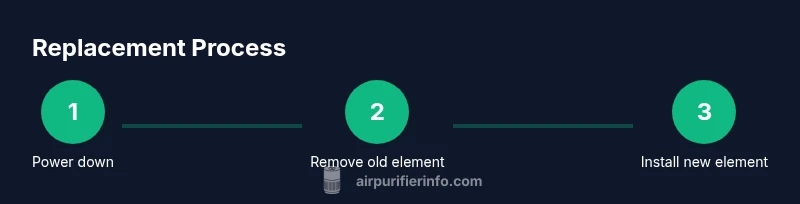
Power down and access the filter area
Unplug the purifier before touching any components. If the unit has a front panel, open it according to the manual. Take a moment to visually confirm you’re accessing the correct filtration chamber and locate the old element’s release mechanism or clips.
Tip: If screws are present, use the right screwdriver size to avoid stripping. - 2
Remove the old air cleaner element
Carefully release the securing mechanism and lift the element straight out to avoid bending or tearing. Note its orientation and any dust that spills during removal. Place the used element in a sealable bag for disposal.
Tip: Document the orientation to ensure correct seating of the new element. - 3
Inspect the housing and seals
Inspect the chamber walls for residue, mold, or damage. Wipe surfaces with a microfiber cloth and look for cracks or warped seals that could leak unfiltered air. If you see damage, don’t install a new element until you repair or replace the housing.
Tip: Check gaskets for pliability; stiff or cracked gaskets need replacement. - 4
Verify compatibility for the replacement element
Confirm that the new element matches the purifier’s model, dimensions, and media type. Ensure the element has the correct orientation markers and fits snugly without forcing it into place.
Tip: If the fit is tight, double-check model numbers and consult the manual. - 5
Install the new element with correct orientation
Insert the new element following the orientation markers. Make sure the element sits flush and the seals contact all surfaces. Re-secure any clips or screws, ensuring even pressure around the perimeter.
Tip: Avoid over-tightening screws to prevent seal distortion. - 6
Reassemble the purifier and reset indicators
Close the housing or panel and reattach any covers. If your unit has a filter-change indicator or timer, reset it per the manual. Plug the unit back in and power on to run a quick initial cycle.
Tip: Reset indicators to get accurate next-change reminders. - 7
Run a short test and verify airflow
Let the purifier operate on low for 5–10 minutes to seat the new element. Listen for any unusual sounds and feel for steady airflow from the vents. If airflow is weak or you hear whistling, power down and re-check seating.
Tip: If the noise persists, re-seat or re-check the gasket alignment. - 8
Clean up and dispose of old materials
Seal and dispose of the old element according to local regulations. Wipe down the work area and hands, and store any unused tools for future maintenance.
Tip: Keep a small waste bag dedicated to purifier maintenance to stay organized. - 9
Document replacement and plan the next interval
Record the replacement date, element type, and any observations about performance. Set a reminder for the next replacement based on usage, environment, and manufacturer guidelines.
Tip: Maintaining a log helps optimize future maintenance cycles.
Questions & Answers
How often should I replace the air cleaner element?
Most purifiers have recommended replacement intervals; check the user manual. Typical ranges are 6–12 months depending on usage and environment. If you notice reduced airflow or lingering odors, replace sooner.
Check the manual for intervals, and replace sooner if airflow drops or smells persist.
How do I know which replacement element to buy?
Match the model number, size, and filtration media of the element. Look for packaging that states compatibility with your purifier. When in doubt, contact the manufacturer for confirmation.
Match model and size to ensure a proper fit.
Can I clean the element instead of replacing it?
Most air cleaner elements are designed to be replaced. Cleaning can help briefly, but it won’t restore original filtration efficiency. Avoid saturating with water or using harsh cleaners.
Cleaning may help briefly, but replacement is usually necessary.
What signs indicate the element needs replacement?
Visible dirt, persistent odors, reduced airflow, or longer device run times are common indicators that it’s time to replace the element.
If you notice less airflow or odors, replace the element.
Does replacing the element improve odor removal?
Yes, a fresh element improves odor capture, but persistent odors may also come from vents, seals, or other sources. Check overall unit cleanliness and seals.
New filter helps odors; if odors persist, check seals and other sources.
Watch Video
Main Points
- Verify the replacement element matches your purifier model.
- Power off and unplug before handling.
- Install with correct orientation to seal properly.
- Reset indicators and verify airflow after installation.
- Maintain a replacement log for future changes.