Air Purifier Maintenance: A Practical How-To Guide
Learn how to perform air purifier maintenance to maximize filtration efficiency, extend filter life, and keep indoor air clean. This step-by-step guide covers inspection, cleaning, filter replacement, and troubleshooting for homeowners and renters.


Air purifier maintenance helps you keep filtration effective and indoor air clean. This guide walks homeowners step-by-step through inspecting, cleaning, and replacing filters, checking sensors, and scheduling routine care. You’ll learn what to do, how often to do it, and the tools you’ll need for safe, effective upkeep that preserves performance and energy efficiency.
Why air purifier maintenance matters
Regular maintenance is essential to keep your purifier performing at peak efficiency and to protect your indoor air quality. When you neglect upkeep, filters become clogged, sensors drift, and CADR can drop, meaning less clean air flowing through your room. According to Air Purifier Info, routine maintenance helps extend filter life and preserve energy efficiency across typical home environments in 2026. The Air Purifier Info team found that proactive care correlates with more consistent odor and dust control, especially in homes with pets or high dust loads. By treating your purifier as a small, automated system rather than a set-and-forget device, you gain better control over IAQ (indoor air quality) for your family. This approach is especially important for households dealing with allergies or asthma, where maintained performance supports healthier living spaces.
Air purifier maintenance is not a one-off task; it’s a recurring practice that pays off through steadier airflow, quieter operation, and longer filter life. When you stay on top of routine checks, you reduce the risk of sudden filter failures or sensor errors that can compromise performance. The goal is to keep your device humming along, delivering consistent air cleaning without disruptive breakdowns. The Air Purifier Info team emphasizes that small, regular actions compound into noticeable air-quality improvements over time.
How to set up a maintenance schedule
Creating a practical schedule starts with your purifier’s model and usage. Begin by marking a monthly visual check for the first two months, then settling into a quarterly review that aligns with your filtration cycle. If you own a multi-room system, tailor reminders for each unit. Record dates and any observations in a simple notebook or digital note, so you can track trends like rising filter resistance or sensor warnings. The aim is to build a predictable rhythm that doesn’t rely on memory alone. Air Purifier Info analysis shows that a consistent maintenance calendar helps homeowners avoid performance dips during allergy seasons. For many households, a compact checklist on a fridge magnet or phone reminder works well in 2026.
As you refine the cadence, consider the environment: households with pets, heavy dust, or cooking odors may require more frequent checks. Always start with the manufacturer’s guidelines, then adapt to your real-world use. A good rule is to inspect every month and replace filters on schedule unless you notice reduced airflow or visible contamination sooner. A visible maintenance log makes it easier to identify correlation between specific events (seasonal pollen, pet shedding) and purifier performance. This proactive stance is essential for air purifier maintenance and ensuring lasting air quality improvements.
Cleaning and replacing filters effectively
A clean filter is the heart of effective air purification. Start by locating the access panel and removing it carefully to reveal the filter stack. For pre-filters, a gentle shake or vacuum with a brush attachment can remove surface dust. If the pre-filter is washable, rinse with lukewarm water and let it air-dry completely before reassembling. Many HEPA and carbon filters are not designed to be washed; in those cases, replace them according to the manufacturer’s recommended interval. When handling new filters, avoid touching the filter media with bare hands to prevent oil contamination, and store spare filters in a clean, dry place. Always discard used filters in a sealed bag to prevent releasing trapped dust back into the room. Air Purifier Info analysis shows that proper handling and timely replacement are key to maintaining filtration efficiency and minimizing replacements costs. Schedule replacements in your maintenance calendar to prevent gaps in protection.
After installing the new filters, confirm a complete seal around the housing and reset any indicator lights if your unit supports it. Wipe down the exterior with a microfiber cloth and a mild soap solution, avoiding abrasives that could scratch plastic housings. If your purifier has a washable pre-filter, a quick rinse every few weeks can extend the life of more expensive HEPA components. Keeping the interior clean reduces secondary contamination and helps your purifier perform at its best for dust reduction and allergen reduction in busy households. Regular filter maintenance also helps the purifier maintain energy efficiency and lower running costs over time.
Troubleshooting common maintenance issues
Maintenance issues can mimic normal wear and tear, so start with a quick diagnostic checklist. If airflow seems weaker, verify that filters are correctly seated and that there are no obstructions around the intake or outlet grills. If the unit signals a sensor error, wipe the sensors gently with a microfiber cloth and check for dirt accumulation on the ports. Strange odors after maintenance usually indicate residual dust inside the housing or a spent carbon filter; replace the carbon or renew the system and run the purifier on high for 5–10 minutes to vent out any smells. If the unit refuses to power on, ensure the outlet is live, the cord is undamaged, and the unit’s reset function is used according to the manual. When in doubt, consult the user manual or contact customer support for model-specific troubleshooting steps. The goal is to isolate the issue quickly without forcing components beyond safe limits. Regularly reviewing performance after maintenance helps you catch problems early and maintain consistent air quality in your home.
Tools & Materials
- Replacement filters (HEPA and carbon as needed)(Ensure compatibility with your purifier model; check model number before purchasing)
- Microfiber cloth(For wiping surfaces and sensor housings)
- Mild dish soap or gentle cleaner(For exterior cleaning only; do not use on filter media)
- Vacuum with brush attachment or soft brush(To remove surface dust from pre-filters and grills)
- Soft screwdriver (Phillips or flat-head as needed)(Only if your model requires panel removal)
- Gloves(Protect hands when handling dirty filters)
- Isopropyl alcohol (70%)(Optional for disinfecting sensors or interiors; avoid contact with filter media)
- Replacement seal or gasket (if provided)(Used to ensure a tight seal after maintenance)
- Garbage bag or sealable container(Dispose of used filters safely)
Steps
Estimated time: 40-60 minutes
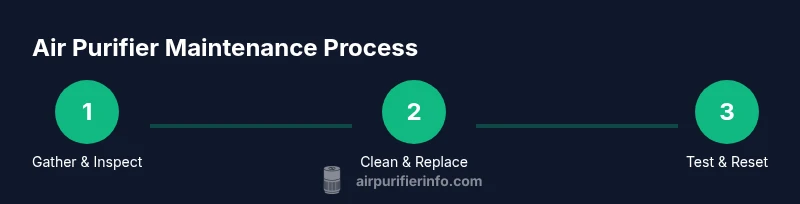
- 1
Gather tools and materials
Before you start, collect all tools and replacement filters so you won’t need to search mid-task. This minimizes interruptions and reduces the risk of leaving the unit partially disassembled. Having a ready toolkit makes air purifier maintenance smoother and safer.
Tip: Double-check filter compatibility with your model before purchasing replacements to avoid waste. - 2
Power down and unplug
Turn off the purifier and unplug the power cord from the wall. This eliminates the risk of accidental starts and electrical shocks while you work. If the unit is heavy, have a helper support it during the process.
Tip: If the purifier is mounted or hard to reach, unplug first and then move to a stable workspace. - 3
Open housing and inspect filters
Remove the access panel using the manufacturer’s instructions. Inspect the pre-filter and main filter for dust buildup, moisture, or tears. Check indicator lights or digital readouts for any warnings related to filtration or airflow.
Tip: Use a soft brush to loosen dust before removing filters; avoid shaking filters aggressively. - 4
Clean or replace the pre-filter
If the pre-filter is washable, rinse it with lukewarm water and let it dry completely before reinstalling. If it’s not washable, carefully dust it off or replace it if heavily soiled. A clean pre-filter improves overall airflow and protects the main filter.
Tip: Always ensure the pre-filter is completely dry before reassembly to prevent mold growth. - 5
Replace the HEPA and carbon filters
Remove the old filters and insert the new ones according to the orientation arrows on the packaging. Do not reuse old filters, as degraded media reduces performance. Take care to avoid touching the clean media with bare hands.
Tip: Handle new filters by the edges and avoid contact with the filter surface to prevent contamination. - 6
Clean sensors and interior surfaces
Wipe interior surfaces and sensors with a microfiber cloth. Avoid liquids near sensitive electronic components. A clean interior helps sensors read accurate air quality and prevents false alerts.
Tip: If you see dust on the sensor ports, use a soft brush or compressed air from a safe distance. - 7
Reassemble and reset indicators
Secure the housing panels and reseal any gasket or seal if provided. Reset the maintenance timer or filter indicator according to the user manual. A proper reset ensures you track the next maintenance cycle accurately.
Tip: Make sure all latches snap firmly and the unit sits flush on its base. - 8
Test run and monitor performance
Plug the unit back in and run it on a comfortable setting for 5–10 minutes. Listen for unusual noises and observe airflow from the outlets. Check for any residual odors and verify that indicator lights reflect normal operation.
Tip: Keep a brief log of airflow, odor, and any sensor warnings for future reference.
Questions & Answers
Q1: How often should I replace the air purifier filters?
Replacement frequency depends on usage and environment. Many units benefit from annual to semi-annual changes, with higher frequency in homes with pets, smoke, or heavy dust. Always follow the model's guidance and monitor airflow and filter appearance.
Most purifiers need filter changes once or twice a year, depending on use and environment. Watch for airflow decline and obvious dirt on the filter.
Q2: Can I wash the filters instead of replacing them?
Some pre-filters are washable, but many HEPA and carbon filters are not. Always check the product manual for whether washing is acceptable. If in doubt, replace with a new filter to preserve filtration efficiency.
Check your manual, but most HEPA and carbon filters aren’t washable—replace them if dirty.
Q3: What should I do if the purifier stops working after maintenance?
If the unit won’t power on after maintenance, verify the outlet is powered, unplugged then re-plugged, and ensure panels are correctly seated. Consult the manual for reset steps or contact support if the issue persists.
First, check the outlet and reseat panels; if it still won’t power, follow the manual's reset steps or contact support.
Q4: How can I tell if sensors need cleaning?
If your air quality readings seem erratic or the purifier doesn’t respond to changes in room air, sensors may need cleaning. Gently wipe sensor ports with a microfiber cloth and avoid liquids near electronics.
If readings are odd, wipe the sensor ports gently with a microfiber cloth.
Q5: Are there safety risks I should avoid during maintenance?
Yes. Always unplug before disassembling, avoid touching filter media with bare skin, and never spray liquids directly into the unit. Keep the work area dry and away from children or pets during maintenance.
Always unplug, avoid wetting components, and keep kids away during maintenance.
Q6: Should I run the purifier during maintenance?
Do not run the purifier while you’re disassembling or replacing filters. After reassembly, you can run it on a low setting for a short period to verify airflow and proper operation.
Don’t run it while you work; run it briefly afterward to test.
Watch Video
Main Points
- Establish a regular filter and sensor maintenance schedule
- Follow manufacturer guidance for filter replacements
- Clean and inspect components to prevent performance drop
- Document maintenance activities to track trends
- Safety first: unplug before servicing and use correct parts