Install Air Purifier: Step-by-Step Home Guide
Learn how to install an air purifier at home with a practical, step-by-step approach. Size correctly, place for optimal airflow, power safely, and maintain filters for better indoor air quality.


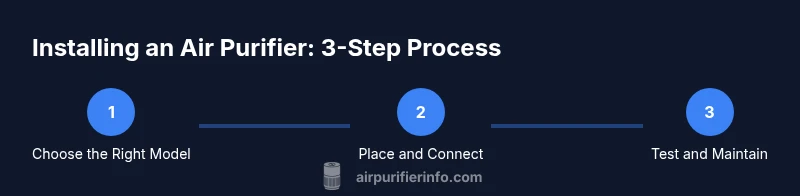
Install air purifier in your home by sizing for your room, selecting a central, unobstructed placement, and safely powering it. Then run a quick test and schedule maintenance. For the full, step-by-step instructions, access the detailed guide.
Why install an air purifier in your home
According to Air Purifier Info, improving indoor air quality starts with selecting the right purifier and placing it where it can best circulate air. An air purifier helps reduce dust, pet dander, odors, and common allergens in typical living spaces. Homeowners and renters often underestimate how much of a difference proper setup can make. In 2026, the goal is to pair a purifier that fits the room with a placement strategy that keeps airflow unobstructed. This section explains why an upfront investment in sizing and placement pays off with noticeable improvements in comfort and health, especially for households with allergy concerns or pets.
Key ideas: size to room, plan placement, and maintain filters for ongoing effectiveness.
Types of air purifiers and how to pick
There are several purifier technologies to consider, including mechanical HEPA purifiers, activated carbon models for odors, and hybrid units that combine both. HEPA purifiers capture tiny particles like dust and pollen, while carbon filters target smells and gases. When choosing, prioritize models with true HEPA filtration and a replaceable carbon filter if odors are a concern. Consider air changes per hour (ACH) and CADR data from the manufacturer’s guidance to ensure the unit can handle your room size. Your selection should balance noise level, energy use, and filter cost. Air Purifier Info analyses suggest avoiding purifiers that promise unrealistic results in very large rooms without adequate airflow.
Room sizing and purifier capacity
To size your purifier correctly, measure the room’s length, width, and height to estimate its volume and compare this with the purifier’s stated capacity. If the manual provides a recommended room range, choose a model that comfortably falls within it. For open-concept spaces, you may need multiple units or a higher-capacity model. If you already own a purifier, verify that the CADR matches the pollutants you want to target (dust, pollen, smoke, or pet dander). In homes with strong odors (kitchen or smoking areas), pair removal of odors with filtration and ensure the purifier’s filters can capture gases in addition to particulates.
Placement for best performance
Airflow matters: place the purifier where air naturally circulates without obstacles. Avoid blocking vents, doors, or high-traffic walkways. Do not place purifiers directly against walls or behind large furniture, which can choke airflow. For bedrooms, living rooms, and home offices, position the unit to promote cross-ventilation, with outlets facing into the room rather than toward a wall. If you have a central HVAC system, a standalone purifier can complement the system, but it should not replace mechanical filtration in the HVAC network. Air Purifier Info notes that alignment of placement, room layout, and occupant activity significantly influences effectiveness.
Pre-installation safety checks
Before any setup, verify the outlet is dry and accessible, and read the purifier’s manual for model-specific steps. Ensure the filter is the correct type and properly seated. Keep liquids away from the unit during installation, and wipe down exterior surfaces with a microfiber cloth to avoid dust dispersal during handling. If your unit includes a detachable intake grille, remove it only as instructed and inspect the interior for any packaging residue that could interfere with airflow.
Step-by-step install overview
This section provides a consolidated view of the install process without replacing the formal step-by-step instructions. You’ll confirm room size, unpack the purifier, select placement, prepare the power source, install the filter, assemble the unit, and run a test. Each task should be completed according to the manufacturer’s guidance to ensure safe operation and optimal filtration.
Power, safety, and energy use considerations
Powering the purifier safely means using a dedicated outlet if possible and avoiding daisy-chained power strips for higher-watt units. Keep cords away from foot traffic to prevent tripping hazards. For energy-conscious households, compare energy usage across models; some purifiers offer eco modes or sleep settings that reduce noise and power draw during nighttime use. Regular maintenance to keep airflow unobstructed also improves efficiency and reduces unnecessary energy use.
Maintenance schedule and filter care
Filter replacement intervals depend on usage, room pollutants, and filter type. Keep track of the recommended replacement interval and set reminders on your phone or calendar. Clean exterior surfaces and vents monthly to prevent dust buildup, and vacuum the inlet grills when safe to do so. Remember that a clogged filter reduces efficiency and can increase energy consumption, so timely replacement is essential to maintaining air quality.
Troubleshooting common installation issues
If airflow seems weak or inconsistent, re-check the filter orientation and seating, ensure the unit is not blocked by nearby objects, and verify the outlet is delivering power. Strange noises may indicate loose panels or foreign objects inside the grill; power the unit off and inspect the intake/exhaust paths. If odors persist after filter replacement, consider a deeper cleaning of surrounding surfaces and ensure adequate room ventilation.
Enhancing outcomes with monitoring and accessories
Pair your purifier with a simple air quality monitor to gauge effectiveness and adjust placement as needed. Accessories like external carbon filters or additional purifiers can improve coverage in larger spaces. Maintain a routine of checking filter life, cleaning the intake, and revisiting room layout to sustain cleaner air over time.
Tools & Materials
- Air purifier unit(Unbox and verify contents; ensure the model matches room size recommendations.)
- Replacement filter(s)(Have compatible filters on hand; check model compatibility.)
- Screwdriver (Philipps or flathead)(Only needed for some models; consult the manual before using.)
- Measuring tape(Helpful to confirm room dimensions when sizing.)
- Microfiber cloth(Use for exterior surfaces and vents; avoid liquids on electrical parts.)
Steps
Estimated time: 30-60 minutes
- 1
Assess room size and purifier capacity
Measure the room or use its square footage and compare with the purifier’s recommended size range. Confirm that CADR/ACH guidance aligns with the space. This ensures the unit can handle the level of air filtration you need.
Tip: Consult the manufacturer’s sizing chart and avoid under-sizing to prevent ineffective filtration. - 2
Unbox and inspect the purifier
Open the packaging and check that all parts are present. Look for any shipping damage and confirm the filter is included or available for replacement. Document any issues before installation.
Tip: Take photos of the unpacking for warranty purposes if needed. - 3
Choose placement location
Identify a spot with minimal obstructions that allows free airflow into and out of the unit. Keep it away from walls and large furniture that could block intake or exhaust paths.
Tip: Position the purifier to face the room so air circulates across the space rather than being trapped in a corner. - 4
Prepare the power source
Ensure a safe, dry outlet is available and near the purifier. Do not use extension cords if the unit requires a stable power supply; plug directly into a wall outlet.
Tip: If you must use a cord, route it away from high-traffic areas and secure with tape. - 5
Install or replace the filter
Insert the new filter following the exact orientation shown in the manual. Ensure it seats firmly and the seals are intact so air does not bypass filtration.
Tip: Avoid touching the filter media with dirty hands to prevent contamination. - 6
Assemble and seal the unit
Reattach any panels or grills securely. Make sure there are no gaps where air could escape around the edges. Double-check fasteners if your model uses screws.
Tip: Only use tools if your model requires them; over-tightening can damage plastic components. - 7
Power on and test airflow
Plug in the purifier and turn it on. Listen for consistent airflow and observe the exhaust. If airflow is weak, re-check filter orientation and seating.
Tip: Run the purifier on its highest setting for a brief test to confirm full airflow. - 8
Schedule maintenance and document setup
Record the filter replacement date and set reminders for future maintenance. Note the placement and settings so you can reproduce the setup later if needed.
Tip: Keep receipts and manuals in a dedicated folder for easy warranty access.
Questions & Answers
Do I need to hire a professional to install an air purifier?
Most residential units are designed for DIY installation. Follow the user manual for model-specific steps; professional help is usually unnecessary unless you encounter electrical or ventilation concerns.
Most people install air purifiers themselves by following the manual; professional help is rarely required unless there are electrical or ventilation issues.
What should I consider when sizing an air purifier for a room?
Use the room’s dimensions and the purifier’s CADR/ACH guidance. Choose a unit that comfortably covers the space to ensure effective filtration and airflow.
Size the purifier to the room using the CADR guidelines provided by the manufacturer.
Can I place an air purifier in the bedroom?
Yes. Purifiers are commonly used in bedrooms. Check the noise level to ensure it’s suitable for sleeping and place away from the bed if possible.
Yes, bedrooms are a common placement; just pick a quiet model and position it away from the bed if you can.
How often should I replace the filter?
Follow the manufacturer’s schedule and monitor airflow. Replace filters when airflow declines or after the recommended service interval.
Replace according to the manual or when you notice reduced airflow.
Is it safe to run a purifier with windows open?
You can, but open windows may reduce filtration efficiency. If outdoor air is polluted, close windows during high pollutant times for best results.
Yes, but expect a reduced effect with open windows and drafts.
What maintenance should I perform beyond filter replacement?
Clean exterior surfaces and intake grills regularly. Keep vents clear of dust and avoid liquids near electrical components.
Wipe down surfaces and keep vents clean for optimal performance.
Watch Video
Main Points
- Measure room size and match purifier capacity.
- Place purifier for airflow, not behind furniture.
- Follow the manual for safe setup and correct filter orientation.
- Test airflow after installation and adjust as needed.
- Schedule regular filter replacement and maintenance.