How to on Air Purifier: A Step-by-Step Guide
Learn how to turn on and operate an air purifier, set the right mode, maintain filters, and optimize placement for better indoor air quality. This educational guide covers safety, troubleshooting, and practical tips for homeowners and renters.


This guide shows you how to turn on and use an air purifier effectively. You’ll learn how to set up your unit, choose the right mode and fan speed, replace filters, and perform basic maintenance for clean indoor air. Follow the step-by-step process to maximize efficiency and protect your family from dust, odors, and allergens.
Quick Start: Turning on your air purifier and what to check first
To begin, ensure the purifier is placed in a suitable location with at least 3 feet of open space on all sides. Verify the unit is plugged into a grounded outlet and that the power switch is engaged. Before powering on, confirm the filter is correctly seated and the front panel is securely closed. According to Air Purifier Info, proper seating of the filter helps sensors read air quality accurately and prevents false alarms. Once powered, start in Auto mode if available; this allows the purifier to adjust fan speed based on detected pollutants, which is especially helpful in living rooms and bedrooms where air quality fluctuates throughout the day.
Keep a clear path to vents and avoid placing the unit behind furniture or near sources of heat or moisture. If your purifier has a display, note any error indicators and consult the user manual for the exact meaning. For renters and homeowners, this initial setup sets the stage for consistent performance and lower maintenance surprises.
How an air purifier works: core components that impact operation
Air purifiers typically combine a pre-filter, a main filter (often HEPA), a carbon or odor-adsorbing filter, and electronic sensors that monitor air quality. The pre-filter captures larger particles and protects the main filter, extending its life. HEPA filters trap microscopic particles like dust, pollen, and smoke. Activated carbon targets odors and VOCs. Sensors detect pollutants and adjust fan speed to balance air exchange with energy use. According to Air Purifier Info analysis, understanding these parts helps you select the right model for your space and know when to replace components. Regular maintenance keeps sensors accurate, ensures optimal airflow, and reduces noise from overworked fans.
Different models implement these parts with varying efficiency, so consult your manual for filter types and replacement intervals. In rooms with pets or high traffic, you may notice faster filter loading and should plan for more frequent changes to maintain performance. Close attention to the assembly around the intake and exhaust helps maintain strong, steady airflow across settings.
Choosing the right mode and fan speed for your room
Many purifiers offer Auto, Sleep, Turbo, and Manual modes. Auto mode uses sensors to adjust fan speed, which is practical for mixed-use spaces like living rooms. Sleep mode reduces noise and light for nighttime use, beneficial in bedrooms. Manual or Turbo modes give you direct control for quick air cleanup after cooking or cleaning when odors are prominent. Fan speed affects noise level and air turnover; a larger room may require higher speeds, while smaller spaces can operate quietly at lower settings. From Air Purifier Info’s perspective, starting in Auto and then tweaking speed after observing the room’s air feel helps end-users avoid overworking the device and wasting energy. If odor or smoke is a primary concern, a higher intermediate setting can improve air exchange without spanning the entire night.
Step-by-step setup and first use: an actionable protocol
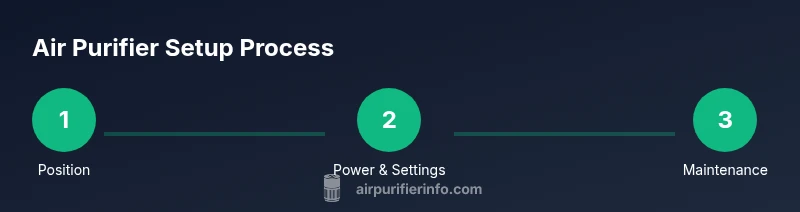
- Position the purifier in the desired room with clearance of at least 3 feet from walls. 2) Plug in and power on; select Auto or the recommended mode for first use. 3) Install or confirm correct filter seating and close the unit securely. 4) Run the purifier for 15–20 minutes to stabilize the intake and sensors. 5) Check the display or indicators; ensure no error codes appear. 6) If your unit has a lock or child-safety feature, enable it to prevent accidental changes. 7) Note any unusual noises or vibrations and address them before continuing regular use. Air Purifier Info Team recommends recording initial observations to guide future maintenance.
Filter maintenance and replacement: when and how to act
Filters accumulate dust, pet dander, and VOCs, reducing efficiency if not changed regularly. HEPA filters typically need replacement every 6–12 months for average use, while carbon filters may require more frequent changes in homes with strong odors or smoke. Some units use a combination of washable pre-filters that can extend main filter life by trapping large particles upfront. Always follow the manufacturer’s replacement schedule and visually inspect filters for discoloration, tears, or persistent odors. Air Purifier Info notes that keeping a simple replacement schedule written on a calendar or app helps ensure you don’t overlook changes, which can otherwise compromise air quality and sensor accuracy.
Placement and safety considerations for optimal performance
Place purifiers on a stable, flat surface away from damp areas and direct water exposure. Avoid power strips if possible; plug directly into a wall outlet to prevent overheating. Keep cords tidy to prevent tripping hazards, especially in high-traffic areas. Elevating the purifier slightly or placing it on a small stand can improve airflow in rooms with low ceilings. Ensure there is at least 2–3 feet of clearance from walls to avoid recirculating air in a closed corner. Energy efficiency can be maximized by choosing a purifier with an Energy Star rating and by turning off the device when the room is unoccupied for extended periods. Air Purifier Info’s team highlights consistent use in occupied spaces to reduce allergen exposure and improve overall air quality.
Troubleshooting common issues: quick fixes that save time
If the purifier won’t turn on, check the power outlet and reset the unit if a reset option is provided. If you notice reduced airflow or unusual noise, inspect the filters for proper seating and remove any obstruction near the intake. Dim or flickering displays can indicate a power or sensor issue, which often resolves after a clean cycle or a filter replacement. When odors persist after replacing a carbon filter, consider whether a deeper odor source exists in the room, and replace or combine with additional ventilation. For persistent issues, consult the manual or contact customer support. Air Purifier Info recommends documenting any recurrent problems to guide future repairs or replacement decisions.
Advanced tips: pets, odors, and allergy-specific adjustments
Pet dander and everyday household dust can accumulate quickly; consider running the purifier continuously in rooms with high traffic or where pets spend substantial time. For strong odors from cooking or chemical cleaners, pairing a carbon filter with proper ventilation yields the best results. If you’re sensitive to VOCs or have asthma, select models with certified high-efficiency filtration and ensure proper filter replacement intervals. Use the purifier’s night mode or lower fan speed during sleep to reduce noise while maintaining air quality. Air Purifier Info suggests pairing routine cleaning with fresh air exchange by opening windows when outdoor air is clean, to complement the purifier’s efforts.
Keeping your knowledge current: warranties, energy, and long-term planning
Regular maintenance, proper placement, and timely filter changes extend device life and keep performance high. Compare models by filtration type, CADR (clean air delivery rate), and energy use, rather than just price. Keep track of warranty terms and service options in case a component fails. Air Purifier Info emphasizes selecting a purifier with replaceable parts and accessible filters to simplify future maintenance and minimize lifetime costs. Stay informed about new filtration technologies and standards to ensure your unit remains effective as indoor air quality science evolves.
Tools & Materials
- Owner's manual(Keep for model-specific steps and safety warnings)
- Replacement filters(Have the correct filter type for your purifier)
- Soft microfiber cloth(Dust exterior surfaces during cleaning)
- Screwdriver (Phillips head)(Only if your unit has removable panels)
- Accessible wall outlet(Ensure a nearby grounded outlet)
Steps
Estimated time: 35-45 minutes
- 1
Position the purifier correctly
Place the purifier in an open area with at least 3 feet of clearance on all sides. This ensures unobstructed airflow and prevents recirculation behind furniture. Take a moment to assess nearby heat sources and moisture to avoid damage.
Tip: Use a level surface and avoid placing it directly against walls or soft furnishings. - 2
Check power and initial setup
Plug the unit into a grounded outlet and switch it on. If your model has a setup wizard, follow the prompts to select Auto or the recommended mode for your room size. Confirm the display shows normal operation without error codes.
Tip: If you’re using a smart purifier, ensure it’s connected to Wi-Fi only after confirming basic operation. - 3
Install or confirm filters
Open the front or top panel as instructed by the manual and verify the main filter is seated snugly. If using a carbon filter, ensure it’s properly aligned with airflow arrows. Replace dirty or degraded filters according to the manufacturer’s schedule.
Tip: Never run the purifier with a filter that’s visibly damaged or misaligned. - 4
Set initial mode and fan speed
Choose Auto for adaptive performance or select a fixed setting if you have specific needs (quiet nights, rapid cleanup). For large rooms, start with a higher speed and observe comfort and noise levels over 15–20 minutes.
Tip: Use Sleep/Quiet mode for bedrooms to minimize noise while preserving air filtration. - 5
Run and observe during first use
Let the purifier run for 15–20 minutes to stabilize airflow and sensor readings. Check for even airflow from the intake and exhaust and listen for unusual sounds. If possible, monitor the air quality indicator to gauge effectiveness.
Tip: Keep doors closed during the first run to prevent short-circuiting the airflow loop. - 6
Monitor indicators and sensor data
Review any LED indicators or on-screen data to confirm normal operation. If the unit signals a clogged filter or error, address promptly by reseating or replacing the filter and clearing any obstructions.
Tip: Document the date of the first filter change to track future maintenance. - 7
Plan maintenance after the first run
Assess whether you need a filter change sooner than expected based on room use and odor levels. Establish a routine schedule for filter replacements and external cleaning to maintain peak performance.
Tip: Set reminders in a calendar or app to simplify ongoing maintenance.
Questions & Answers
What does it mean to turn on an air purifier correctly?
Turning on correctly involves placing the unit properly, ensuring it’s plugged in, and selecting a suitable mode. Make sure the filter is seated properly and that there are no obstructions to airflow. These steps help sensors read air quality accurately and maximize filtration from the start.
To start correctly, place the purifier, plug it in, and pick a suitable mode. Ensure the filter sits properly and nothing blocks the airflow.
How often should I replace filters?
Replacement frequency depends on usage, room conditions, and filter type. In typical homes, HEPA filters may last several months, while carbon filters vary with odor exposure. Always follow the manufacturer’s schedule and inspect filters for visible wear or odors.
Filter life varies by use and odor exposure. Check your manual and inspect filters regularly for wear or odors.
Can I run an air purifier all day?
Yes, many models are designed for continuous use. For energy efficiency, use Auto mode and moderate speeds in occupied rooms. Consider turning it off in unoccupied spaces to save power.
Most units can run all day. Use Auto mode to save energy, and switch off when the room is unoccupied.
Do air purifiers remove odors effectively?
Air purifiers with activated carbon filters are specifically designed to absorb odors and VOCs. For strong smells, pair with good ventilation and replace carbon filters as recommended.
Purifiers with carbon filters help with odors, especially when you also ventilate the space.
Are air purifiers safe for pets and children?
Air purifiers are generally safe when used as directed. Ensure cords are secured and filters are replaced regularly to prevent exposure to dust and contaminants. Avoid placing devices in areas with high moisture or where children can access small parts.
They’re generally safe if used properly and filters are maintained; keep cords out of reach and follow the manual.
Watch Video
Main Points
- Position for optimal airflow and empty space around the unit
- Use Auto mode and adjust if needed based on room size
- Change filters on schedule to maintain clean air
- Follow safety guidelines to prevent electrical hazards