How to air purifier at home: a practical guide
Learn how to choose, place, and maintain a home air purifier to reduce dust, odors, and allergens. Practical guidance from Air Purifier Info for homeowners and renters.


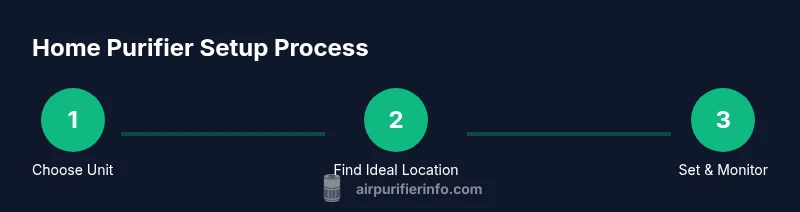
By following a practical, step-by-step approach, you’ll learn how to air purifier at home: how to size a unit, place it for maximum effect, run it safely, and maintain filters. This quick guide covers selection, setup, daily use, and upkeep to improve indoor air quality for dust, odors, and allergies.
Why air purifiers matter at home
Clean indoor air is essential for health, comfort, and overall well-being, especially if you or someone in your household has allergies, asthma, or sensitivities to dust and odors. An air purifier is a relatively simple tool that can reduce airborne particles, trap irritants, and improve sleep quality by delivering fresher air. According to Air Purifier Info, the right purifier becomes noticeably effective when it is properly sized for the room, placed away from obstructions, and maintained on a regular schedule. In real-world homes, these factors matter more than the brand or fancy features alone.
A well-chosen purifier doesn't replace ventilation or good cleaning practices, but it complements them. It can capture common culprits such as dust, pollen, pet dander, smoke particles, and certain odors, depending on the filter technology. For households with pets or heavy dust, a purifier offers a practical way to reduce irritants without opening windows in winter. The benefits extend beyond allergies: many people notice less lingering headaches, improved sleep, and a lighter sense of air freshness after consistent use. Air Purifier Info Analysis notes that results vary by room size, occupant activity, and how often the unit runs, so a thoughtful setup yields the best payoff.
If you want to maximize value, start with a single, appropriately sized unit and observe changes over several days. When paired with routine cleaning and occasional fresh air exchanges, an air purifier can contribute to a healthier, more comfortable indoor environment.
How to choose the right unit for your space
Choosing the right air purifier begins with understanding your room’s size and air-cleaning needs. Start by measuring the room in square feet or square meters, then compare this to the purifier’s CADR (clean air delivery rate) and ACH (air changes per hour) ratings. A unit with a CADR that roughly matches the volume of air in the room will clean the space efficiently without running nonstop. Look for models that match your goals—low allergen load, odor reduction, or general dust control—and prioritize energy efficiency and filter availability. According to Air Purifier Info analysis, selecting a unit that is slightly larger than your room can offer a buffer for daily activity and improve performance during peak usage. In practice, homeowners and renters should balance upfront cost with ongoing filter costs and energy use. Also consider the purifier’s noise level, especially for bedrooms or study zones.
When possible, compare a few models side-by-side to verify filter replacement intervals, warranty coverage, and real-world performance claims. A common mistake is buying a device with impressive specs but poor real-world usability. For kitchens or living rooms with heavy traffic, a more capable unit or a second purifier in adjoining spaces may yield better overall air quality. Finally, keep in mind that a purifier is only part of a holistic approach: regular cleaning, reducing sources of pollution, and proper ventilation all contribute to cleaner air over time.
Understanding CADR, ACH, and sizing
CADR (clean air delivery rate) measures how fast a purifier can clean air, while ACH (air changes per hour) indicates how many times the room’s air is turned over in an hour. In practice, you want a purifier with a CADR high enough to match your room’s volume, delivering adequate air exchanges without overworking the motor. For example, a medium-sized living room benefits from a unit with a higher CADR than a compact bedroom, even if both claim similar features. Sizing correctly matters: an undersized purifier pays for itself in ongoing noise and limited effectiveness, while an oversized unit may consume more energy than needed without additional perceptible benefits. When you’re comparing models, look for a clear CADR rating for smoke, dust, and pollen, as well as an ACH specification, to gauge how quickly the purifier will operate in your space.
Air Purifier Info recommends focusing on models with easily replaceable filters, clear indicator lights, and reliable performance across the common pollutant types in your home. If you notice the purifier running constantly at full speed, or if your air feels stagnant despite operation, reassess room size and placement. A well-sized unit aligned with the room’s needs will deliver the best balance of effectiveness, noise, and energy use over time.
Placement and room integration
Placement is one of the most important factors in purifier effectiveness. Position the unit away from walls, furniture, and drapes to ensure unobstructed airflow. A general rule is to keep at least 3 feet (about 1 meter) of clearance around the intake and exhaust. Place the purifier in high-traffic areas where people spend most of their time, such as living rooms or bedrooms, to maximize contact with circulating air. If you share walls with outdoors or kitchens with strong odors, consider multiple units or strategic placement near problem zones. For homes with pets or significant dust, experiment with location across a few days to find where the purifier performs best. Also ensure the unit is not blocked by objects like curtains or clutter that can trap air.
From a safety perspective, avoid placing purifiers on unstable surfaces or near heat sources. If you have children or pets, secure cords and keep the intake grills accessible only to adults when possible. When you adjust placement, reassess the perceived air freshness after a day or two to gauge impact and adjust as needed. A practical approach is to use one purifier in a primary living space and a second in a sleeping or study area for broader coverage.
Operating modes, features, and noise considerations
Most purifiers offer a range of operating modes, including auto, sleep/night, turbo, and manual speed settings. Auto mode uses built-in sensors to adjust airflow based on detected pollutants, while sleep mode minimizes noise and light for nighttime use. When selecting features, prioritize models with true HEPA filtration and an activated carbon stage if odor control matters in your home. Some units include real-time air quality indicators via LEDs or an app, which can be useful for monitoring progress without a separate monitor. Noise is a common concern in bedrooms and study areas. If you are sensitive to sound, compare decibel ranges (dB) at typical speeds and read user reviews for real-world noise notes. Remember that higher speed cleans air faster, but it can also be louder. Start with auto or a moderate speed and adjust based on comfort and perceived air freshness.
Air Purifier Info notes that many users underestimate the value of sensor-based control. A unit that automatically adjusts to changing air conditions can deliver better comfort and energy efficiency over time, especially in spaces with fluctuating occupancy or cooking odors.
Maintenance routines: filters, cleaning, and indicators
Maintaining your purifier is essential for sustained performance. Regular cleaning of the exterior and intake grills prevents dust buildup that can impede airflow. Most units use replaceable filters—HEPA or carbon stages—that require periodic replacement. Follow the manufacturer’s recommended replacement interval, but also heed indicator lights on the unit; these often suggest when a filter is near end-of-life based on usage, rather than a fixed calendar. When you replace filters, do so in a well-ventilated area and seal old filters to prevent dust leakage. If your unit uses washable pre-filters, clean them every few weeks (or as advised) to extend the life of the main filter. Keep a small calendar or app reminder for filter replacement so you don’t miss a cycle. By maintaining the system, you preserve efficiency and air quality over the long term, which is especially important in homes with allergies, asthma, or prominent odor sources.
Air Purifier Info emphasizes pairing maintenance with a general cleaning routine and periodic fresh air exchanges to keep indoor air quality consistently high.
Real-world testing and monitoring air quality
After installation, monitor air quality to verify improvements and guide future adjustments. Real-time indicators on many purifiers provide quick feedback, while external air-quality monitors can offer broader context (for example, PM2.5 and VOC levels). Start by observing the changes over several days, noting any reductions in visible symptoms like sneezing or nasal congestion, and compare with prior weeks. If odors persist or irritation remains, reassess placement or consider a purifier with a higher CADR or a dedicated carbon filter. In mixed-use spaces (kitchens, living rooms, bedrooms), you may find that distributing purification across zones yields the best overall air quality. Keep in mind that purifiers are part of a broader strategy: reduce sources of pollution, ventilate when possible, and maintain routine cleaning. Air Purifier Info’s approach is to combine measurement with practical placement and maintenance decisions to achieve cleaner air in real homes.
How to air purifier at home: practical setup and ongoing care
In practice, achieving clean indoor air requires thoughtful sizing, placement, and maintenance. Start with a properly sized unit for your primary living area, use auto or medium settings to balance performance and noise, and maintain filters according to the indicator schedule. Over time, add another purifier in a second key room if needed and always monitor air quality to validate results. With steady attention, a home purifier becomes a reliable ally against dust, odors, and allergens, contributing to healthier, more comfortable living spaces.
Tools & Materials
- Power outlet(Stable, accessible socket near the purifier)
- Measuring tape(For room size in feet/meters)
- Replacement filters(Check model compatibility)
- Soft microfiber cloth(For exterior cleaning)
- Mild cleaning solution or distilled water(For grills, avoid harsh chemicals)
- Gloves(Protect hands when replacing filters)
- Step stool (if needed)(Access top sections safely)
Steps
Estimated time: 60-90 minutes
- 1
Determine room size and target CADR
Measure the room’s length and width, then multiply to get square footage. Choose a purifier with a CADR that matches the room’s size and intended use (dust, smoke, or pollen). This ensures efficient air cleanup without overworking the fan.
Tip: Use the room’s square footage as a baseline; if you’ll use the purifier in a high-activity area, opt for a model with a higher CADR. - 2
Compare units for sizing and energy efficiency
Review CADR ratings for your pollutant priorities and check for energy-saving modes. Favor models with readily available replacement filters and a clear maintenance schedule. Avoid models with obscure filter specs or difficult parts to source.
Tip: Prioritize ENERGY STAR or equivalent efficiency labels when available. - 3
Unpack and assemble if needed
Remove packaging, install any pre-filters, and verify all components are present. If your purifier includes separate carbon or HEPA stages, ensure they’re properly seated and locked in place before first use.
Tip: Keep packaging for a short period in case you need to return or exchange the unit. - 4
Find optimal location with clearance
Place the unit on a stable surface with at least 3 feet (1 meter) of clearance on all sides. Avoid corners, behind furniture, or near heat sources that could affect performance or safety.
Tip: In larger rooms, consider using two smaller purifiers rather than one oversized unit. - 5
Plug in and power on; select initial mode
Connect to power and turn on the purifier. Choose auto or a mid-range speed to balance cleaning with noise and energy use. If you’re sensitive to sound, start in night or eco mode.
Tip: Record the starting room condition and compare after a 24-hour run. - 6
Adjust settings and monitor noise
Fine-tune fan speed and sensor sensitivity if available. Pay attention to noise at the chosen setting and adjust to maintain comfort while preserving filtration performance.
Tip: Set a timer to run during peak activity periods if you’re sensitive to constant noise. - 7
Run a baseline cycle and check indicators
Let the purifier run for a full cycle in the chosen mode. Check filter indicators and ensure airflow remains steady. Replace pre-filters as needed to maintain airflow and efficiency.
Tip: Treat a stubborn odor source with an initial longer run in a higher setting, then scale back. - 8
Schedule maintenance and cleaning
Create a simple routine: wipe exterior surfaces weekly, inspect filters monthly, and replace them per the indicator or manufacturer’s schedule. Keep a log to track maintenance and performance.
Tip: Set calendar reminders for filter changes to avoid forgetting. - 9
Track air quality and refine placement
If possible, use a local air-quality monitor or app to track PM levels or VOCs. Move the purifier if readings don’t improve after a couple of days and consider adding another unit for larger spaces.
Tip: Small adjustments can yield measurable improvements in perceived air freshness.
Questions & Answers
Do I need a purifier for every room?
Not always. Start with the room where you spend the most time or where air quality is poorest. In large homes, a couple of units can provide broader coverage and consistent air improvement.
Start with one purifier in the most-used room; add another if air quality remains steady in other spaces.
How do I know which CADR I need?
CADR depends on room size and pollutant concerns. Match the unit’s CADR to the room’s volume and consider higher values if cooking, smoking, or pet dander are common.
Choose a CADR that suits the room volume and your pollutant priorities.
How often should I replace filters?
Most filters indicate replacement on a schedule or via sensors. Check the manufacturer’s guidance and the indicator light; replace before performance declines.
Follow the indicator and manufacturer’s schedule to maintain effectiveness.
Can air purifiers remove odors fully?
Purifiers with activated carbon filters can reduce many odors, but severe or persistent smells may require source control and ventilation.
They help, but complete odor removal often needs source control and airflow.
Are air purifiers safe for kids and pets?
Generally yes when used as directed and kept out of reach of small children. Choose models with stable bases, low ozone emission, and proper filter maintenance.
Yes, when used properly and maintained regularly.
Do purifiers use a lot of electricity?
Energy use varies by model and speed. Look for energy-efficient options and use auto or night modes to balance performance with consumption.
Energy use depends on settings; pick efficient models and use auto mode to optimize it.
Watch Video
Main Points
- Size the purifier to the room for effective cleaning.
- Position with adequate clearance for optimal airflow.
- Maintain filters and run cycles to sustain performance.
- Monitor air quality to guide placement and use.
- Start with one unit, then expand if needed.