Air Purifier How To Use: A Practical Step-by-Step Guide
Learn how to use an air purifier effectively—from sizing and placement to operation and maintenance—with practical steps for cleaner indoor air.


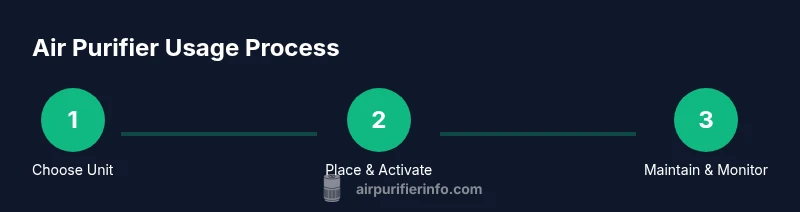
To use an air purifier effectively, start by sizing the unit to your room, place it for optimal airflow, and run it on an appropriate setting. According to Air Purifier Info, choose a model with a CADR suitable for your space, position it away from walls, and maintain filters regularly. Use auto mode when possible to balance filtration with energy use. This guide covers setup, operation, and safety.
How a purifier works and why correct use matters
Air purifiers pull ambient air into a filtration chamber, where particles are trapped by filters and cleaner air is pushed back into the room. Filtration typically includes a pre-filter for large particles, a true HEPA filter for fine particles, and often an activated carbon stage for odors and gases. When used correctly, purifiers can noticeably reduce dust, pollen, pet dander, cooking smells, and VOCs. For homeowners and renters aiming to improve indoor air quality, the difference between a unit that sits idle and one that truly performs comes down to sizing, placement, and maintenance. Air Purifier Info emphasizes that real-world effectiveness hinges on matching the unit to your space, keeping airflow unobstructed, and replacing filters on schedule. A poorly placed purifier or a clogged filter wastes energy and yields little benefit. In practice, translate room size, airflow needs, and filter care into a simple, repeatable routine.
Why air purifiers matter in everyday spaces
Indoor air quality affects comfort, sleep, and long-term health. Even in well-sealed homes, dust, pet dander, and cooking odors accumulate. A properly used purifier continuously processes air, reducing irritants and improving perceived freshness. Remember: a purifier is part of a broader air-quality strategy that includes ventilation, cleaning, and source control. Air Purifier Info highlights that consistent use—paired with timely maintenance—produces the most reliable improvements over weeks and months.
Sizing and room coverage: CADR, ACH, and practical choices
Air purifiers are rated by CADR (Clean Air Delivery Rate) and the air changes per hour (ACH) they enable. For effective results, select a unit whose CADR roughly matches your room’s size and activity level. In open-plan spaces or high-traffic rooms, you may need higher-CADR models or multiple units placed to optimize coverage. Real-world performance depends on filter condition and how often you run the device. Use a practical rule of thumb: start with a purifier sized for the main living area and adjust based on observed air cleanliness and odor levels.
Placement and airflow: where to position the purifier for best results
To maximize efficiency, place the purifier where air can circulate freely. Avoid corners and blockages; keep it at least a few inches from walls and furniture. If you have a larger room, consider placing one purifier near the center and a second near a common odor source (kitchen, pet area). Ensure the intake is not blocked by curtains or electronics, and the exhaust has room to disperse without immediately recirculating air back into the unit.
Operating modes and daily usage: getting the most from settings
Most purifiers offer Auto, Low/Medium, High, and sometimes Sleep or Eco modes. Auto mode uses sensors to adjust speed based on air quality, balancing performance with energy use. For cooking or pet activity, temporarily raise the speed; when air quality stabilizes, return to Auto or a quieter setting for sleep. If your unit has a timer or scheduling feature, program it to align with daily routines (e.g., run during peak activity). Regularly check the filter indicator and set maintenance reminders.
Filters: types, care, and replacement timing
A typical purifier stack includes a pre-filter, a true HEPA filter, and an activated carbon filter. Pre-filters capture larger particles and extend the life of the main filter. HEPA filters trap fine particles like dust, pollen, and pet dander, while carbon filters help with odors and gases. Replacement intervals depend on usage, space, and pollutant load; follow the manufacturer’s guidance and watch for reduced airflow or persistent odors. When swapping filters, handle them with clean hands and dispose according to local regulations.
Special situations: dust, allergies, odors, and pet dander
In dust-prone bedrooms, run at a quiet setting overnight to maintain air exchange without disrupting sleep. For allergy relief, keep doors closed and schedule filter changes regularly; consider purifiers with true HEPA filters and high CADR. Odor control benefits from the carbon stage; place the unit near the odor source if possible. For homes with pets, a purifier with a pet-specific filter layer can help capture hairs and dander, though regular vacuuming remains essential to reduce overall particulate load.
Energy, safety, and ozone-free notes
Choose models that are energy efficient and ozone-free to minimize potential adverse effects. Look for certifications like Energy Star and verify that the unit does not emit ozone as a byproduct. Keep cords in good condition, avoid extension cords, and place purifiers away from water sources. If you’re considering ionizers or ozone generators, disable them unless safety claims are verified by credible organizations.
Common mistakes and how to avoid them
Don't rely on price alone when selecting a purifier; size and filtration quality matter more. Avoid placing purifiers behind large furniture or in cramped nooks that restrict airflow. Running a unit at max all day can irritate eyes and ears and wastes energy if the air is already clean. Finally, neglecting maintenance leads to reduced filtration effectiveness and potential pollutant buildup. A simple routine—check filters, clean pre-filters, and adjust placement as needed—produces the best long-term results.
Authoritative sources
For further reading and validation, consult credible sources on indoor air quality:
- https://www.epa.gov/indoor-air-quality/air-cleaners-and-air-filter-systems
- https://www.niehs.nih.gov/health/topics/agents/air-pollution/index.cfm
- https://www.osha.gov/indoor-air-quality
Tools & Materials
- Air purifier unit (CADR-appropriate for room size)(Choose a model with true HEPA filtration and approved carbon filter if odors are a concern.)
- Power outlet and stable surface(Place on a dry, level surface with at least 6 inches clearance on all sides.)
- Measuring tape(Use to verify room dimensions and confirm CADR suitability.)
- Replacement filters(Have compatible spare filters on hand to minimize downtime.)
- Owner's manual(Keep for model-specific maintenance steps and safety warnings.)
- Masking tape or painter’s tape(To mark placement and airflow clearance during setup.)
Steps
Estimated time: 60-90 minutes
- 1
Assess room size and select purifier
Measure the room and determine its area to guide CADR needs. Cross-check the purifier’s stated coverage and choose a model that supports your room’s size and activity level. If you’re unsure, start with a mid-range unit and adjust as you monitor air quality.
Tip: Use the room’s length × width to estimate necessary CADR roughly. - 2
Unbox and inspect filters
Remove packaging and verify that all filters are present and undamaged. Gently remove protective coverings from filters and note any tabs or installation orientation marks. Do not operate with loose components.
Tip: If a filter arrives compressed, give it time to reach full thickness before use. - 3
Place purifier in a central, unobstructed location
Set the device on a stable surface away from walls and furniture. Ensure its intake and exhaust vents are unblocked to maximize airflow. Leave a few inches of clearance around the sides.
Tip: Avoid corners; a central position improves coverage. - 4
Plug in and power on, select Auto mode
Connect the unit to power, turn it on, and choose Auto mode if available. Auto mode uses sensors to adjust speed based on air quality, balancing performance and energy use. If Auto isn’t available, start at Low and observe how quickly air feels cleaner.
Tip: Set a default speed for daytime use to avoid abrupt changes. - 5
Check initial air quality and adjust
Observe any visible changes in air freshness and listen for noise levels. If the room still smells or feels dusty after 20–30 minutes, increase the speed or reposition the unit slightly for better intake. Take note of how long it takes to notice a difference.
Tip: Give the purifier 20–30 minutes to respond to a setting change. - 6
Establish a maintenance routine
Set reminders for filter checks and replacements per the manual. Clean pre-filters monthly if the design supports it, and replace the main filter according to the manufacturer’s schedule or indicator signals.
Tip: Document dates in a small calendar or app to stay consistent. - 7
Combine with daily cleaning and ventilation
Purifiers work best with routine cleaning and good ventilation. Vacuum and wipe surfaces to reduce particle loads; open windows briefly when outdoor air quality is good to refresh the indoor environment.
Tip: Pair with a dehumidifier if humidity is high to reduce mold risk. - 8
Adapt for different rooms and activities
Move purifiers between bedrooms, living spaces, and kitchens as needed based on air quality readings and odor presence. Consider multi-room setups for larger homes.
Tip: Use additional units in high-traffic zones for more uniform air quality. - 9
Review and refine your setup
After a few weeks, reassess placement, speed settings, and maintenance cadence. Adjust to changing seasons and occupancy patterns to maintain clean air consistently.
Tip: A simple quarterly review helps keep performance optimal.
Questions & Answers
How often should I replace the filter in my air purifier?
Replacement needs vary by model and usage. Check the indicator and follow the manufacturer’s schedule; if the airflow slows or odors persist, consider replacing the filter sooner.
Check the filter indicator and follow the manufacturer’s guidance. If airflow decreases or odors persist, replace the filter.
Can I run an air purifier at maximum speed all day?
Running at high speed continuously can waste energy and may cause noise. Use Auto or moderate settings for daily use unless you need a quick cleanup after a spill or cooking.
High speed all day isn’t typically necessary. Use Auto or moderate settings for daily use and increase only when needed.
Are ozone-emitting purifiers safe to use indoors?
Prefer ozone-free models. Look for CARB compliance or explicit safety claims denying ozone generation to minimize health risks.
Choose ozone-free purifiers and look for safety certifications to avoid ozone exposure.
Where should I place my purifier in a multi-room home?
Place purifiers in the rooms where you spend the most time or where odors and dust are heaviest. In open-plan homes, consider multiple units or centralized placement for better coverage.
Put purifiers where you spend the most time or where dust and odors concentrate; multiple units can help in large spaces.
Will an air purifier solve all indoor air problems?
Purifiers improve air quality but work best when combined with ventilation, cleaning, and source control. They’re a tool in a broader strategy.
They're a key tool, but not a complete solution by themselves. Combine with cleaning and ventilation.
Do purifiers help with allergies?
Purifiers with true HEPA filtration help capture pollen and pet dander, reducing allergen exposure. Regular maintenance is essential for sustained benefits.
Yes, HEPA purifiers can help reduce allergens when maintained properly.
Watch Video
Main Points
- Choose a purifier sized for your room.
- Place for optimal airflow and unobstructed intake.
- Operate on Auto when possible to balance energy use.
- Maintain filters on schedule to sustain performance.
- Use ventilation and cleaning as part of a broader strategy.