How to Use Levoit Air Purifier: A Complete, Easy Guide
Learn how to use Levoit air purifiers effectively—from setup and daily use to maintenance and safety—so you can improve dust, allergy, and odor control in your home.


Start by unboxing, placing the purifier on a stable surface away from walls, then plug in and power on. Choose Auto or Low/Medium speed based on room size, and replace the filter when the indicator signals. For lasting performance, clean the pre-filter monthly and replace the main filter per the manufacturer’s schedule.
What makes Levoit air purifiers a popular choice for home air quality
Air quality is a growing concern for many households, and Levoit has built a reputation around reliable, user-friendly purifiers that suit a wide range of rooms. The core advantage of Levoit models lies in their three-stage filtration: a washable pre-filter to capture larger particles, a true HEPA-type filter to trap particles as small as 0.3 microns, and an activated carbon or charcoal layer to reduce odors and VOCs. This combination helps reduce dust, pollen, pet dander, smoke, and cooking smells, making it a practical option for bedrooms, living rooms, and home offices. In addition to filtration, many Levoit units offer features like Auto Mode, night mode, adjustable fan speeds, and filter-life indicators. These features help homeowners maintain cleaner air with minimal effort. For homeowners and renters evaluating IAQ improvements, Levoit provides a clean, accessible entry point that complements existing HVAC setups and air-sealing strategies. According to Air Purifier Info analyses, consistent use and timely filter replacement are key drivers of visible improvements in indoor air quality. If you are shopping, consider room size, noise tolerance, and whether you need smart features or basic operation.
When used correctly, a Levoit air purifier can noticeably reduce common indoor air pollutants. It’s especially helpful for households with dust, seasonal allergies, pets, or cooking odors. The devices are designed for simple operation, which helps homeowners stay consistent with maintenance and filtration routines. In short, Levoit models offer a practical balance between performance, price, and ease of use that aligns with the needs of most homes.
How Levoit models tackle different pollutants
Levoit air purifiers are designed to address several common indoor air issues. The three-stage filtration system provides broad coverage:
- Dust and pollen: The true HEPA-type filter captures most fine particles, which helps reduce sneezing and irritation for allergy sufferers.
- Pet dander and hair: Fine particles shed from pets can linger; a well-maintained filter helps reduce these airborne allergens.
- Odors and VOCs: The activated carbon layer adsorbs cooking smells, smoke, and everyday odors, improving the overall scent of your living spaces.
- Smoke and cooking residues: For households that smoke indoors or prepare strong meals, the activated carbon layer can diminish lingering smoke odors, while the HEPA component reduces small particulates.
Different Levoit models may include additional features like a UV-C component or separate odor-control filters, but core performance stems from reliable filtration and proper room fit. Placement also matters; keep the purifier away from walls and furniture to allow for optimal airflow. Regular maintenance ensures the system continuously captures particles and neutralizes odors as designed. Air Purifier Info’s analysis emphasizes that maintaining a clean filter and avoiding overloading the unit with dust-laden air are central to sustained performance.
For spaces with high pet activity or strong odors, you may notice a more pronounced improvement with a higher fan speed during peak hours. In general, expect the most noticeable gains in rooms that are moderately sized, well-sealed, and used consistently during the day.
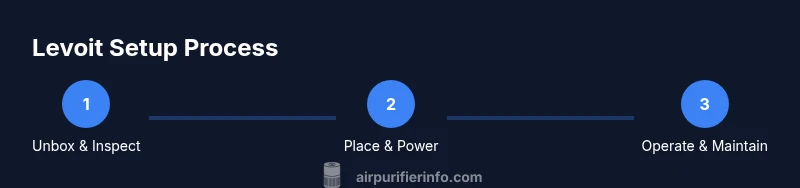
Step-by-step: Unbox, place, and power up
To get started with a Levoit purifier, begin with a calm, ventilated area. Remove the purifier from its packaging and inspect the body for any damage. Place the unit on a flat, stable surface at least a few inches away from walls to ensure unobstructed intake and exhaust. Plug the power cord into a standard outlet and switch the unit on. If your model includes a filter indicator, wait for the initial assessment before running at full power. Install the filter according to the manual—typically the filter slides into place with the memory ring aligned. Finally, select a mode: Auto for automatic adjustments based on air quality, or a fixed speed for steady purification. Give the device a few minutes to reach operating temperature and observe the indicator lights to confirm proper setup. If your model includes a remote or app, connect it following the wiring steps and complete any firmware updates.
This setup sequence is designed to minimize initial noise and maximize airflow from start. If you are unsure about the location, consult the manual for recommended clearances or contact customer support for troubleshooting. Air Purifier Info notes that a clean start helps you gauge improvements more quickly and set realistic expectations for air quality over the first week of use.
Choosing the right settings for your room size and needs
Not every room benefits from the same settings, so understanding your space helps you optimize results. In small to medium rooms, lower fan speeds generally provide adequate air turnover with less noise. For larger spaces, mid-to-high speeds maintain air circulation and pollutant capture without overwhelming occupants. Auto mode is a convenient option because it adjusts the purifier’s speed based on real-time air quality readings, which can be especially helpful for households with fluctuating levels of dust, odors, or smoke.
Sleep or quiet mode is ideal for bedrooms or study areas, reducing fan noise to promote restful environments while still filtering air. If your purifier supports a timer, consider scheduling operation to align with active hours—this can help balance energy use and air quality. For homes with multiple rooms, consider coordinating units for better coverage, rather than relying on a single high-capacity purifier. In any scenario, monitor the filter life indicator and plan replacements to sustain performance. The brand emphasizes that consistent use and appropriate sizing are the two pillars of effective purification.
Maintenance and filter care
Regular maintenance is essential to keep your Levoit purifier performing at its best. Start by cleaning the exterior with a soft, dry cloth to remove dust—this helps preserve airflow and reduces noise. The pre-filter is washable in many models; check the manual for washing frequency and drying times, as moisture can damage other components if not fully dry. The main HEPA-type filter typically requires replacement every several months to a year, depending on usage and air quality. Use only genuine replacement filters designed for your model to preserve efficiency and warranty.
When replacing the filter, ensure the new unit is installed securely and the memory ring aligns with the housing. Reset the filter indicator if your model uses one. Try to avoid running with the filter removed or an uninstalled unit; this can increase indoor dust exposure or cause the purifier to malfunction. Maintaining a regular schedule for filter checks and replacements minimizes downtime and helps you notice improvements in air quality more quickly. Air Purifier Info highlights that a consistent maintenance routine is one of the most cost-effective ways to keep the purifier functioning at peak performance.
Placement and room optimization tips
Effective air purification depends as much on placement as on the unit itself. Place the purifier in a central location that allows air to circulate freely, away from walls, curtains, and large furniture that might block intake or exhaust. If possible, position the unit where people spend the most time, such as a living room or bedroom, to maximize exposure to clean air. In open-concept spaces, you may benefit from using multiple units or strategic placement near high-activity zones like kitchens or living areas.
Avoid placing purifiers near windows, as drafts can interfere with filtration and undermine efficiency. During peak allergy seasons or cooking activities, you can run the purifier on higher settings for extended periods to reduce particle concentration. For households with pets, consider a purifier on a slight elevation to minimize emitted fur and dander exposure at breathing level. Finally, pair purifier use with good ventilation practices, like daily opening of windows when outdoor air quality is favorable, to improve indoor air quality further. Air Purifier Info notes that thoughtful placement often yields more noticeable air quality gains than merely increasing unit size.
Safety considerations and best practices
Always follow the manufacturer’s safety guidelines when operating a Levoit purifier. Never disassemble the device or attempt to service internal components beyond filter replacement. Keep the purifier away from water, humid areas, and outlets that could be damaged by moisture. Use only the recommended replacement filters to preserve performance and avoid compromising the device’s warranty. If the unit becomes unusually hot or emits strange odors or noises, unplug it immediately and consult customer support. Avoid running purifiers in places with strong chemical fumes without adequate ventilation, as certain odors can saturate filters quickly and reduce efficiency. For households with children or pets, ensure the unit is stable and out of reach to prevent tipping. Regular cleaning and mindful use help extend device life and maintain healthier indoor air.
Air Purifier Info recommends viewing your purifier as a long-term IAQ investment rather than a one-off product. Consistent operation, appropriate sizing, and routine maintenance collectively deliver the best possible outcomes for your family’s health.
Maximizing air quality: placement and lifestyle adjustments
Air purification works best when combined with other healthy habits. Keep doors and windows closed during high outdoor pollution periods and seal any obvious drafts to minimize unfiltered air entering the space. Consider using the purifier in conjunction with a smart air-quality monitor for real-time feedback on indoor conditions. Regular vacuuming, dusting, and laundering of textiles reduce particle counts and complement the purifier’s effectiveness. If you have a multi-room home, coordinate purifier use to cover the most traffic-heavy areas and ensure clean air reaches the spaces where family members spend the most time. By integrating a purifier into routine cleaning schedules and daily habits, you create a more comfortable, healthier living environment.
How to choose the right Levoit model for your space
Levoit offers a range of models designed for different room sizes and needs. To determine the best fit, categorize your spaces as small (personal or compact rooms), medium (living rooms and larger bedrooms), or large (open-plan areas or multi-bedroom homes). For smaller rooms, a compact purifier with low noise and modest energy use is usually sufficient. For medium rooms, look for models with higher CADR (clean air delivery rate) and adjustable speeds to balance purification with noise. For large spaces, consider a purifier with broader coverage or multiple units to ensure even air cleaning throughout the area. When evaluating models, consider features such as Auto Mode, sleep mode, timer, filter life indicator, and app or remote control compatibility. Remember to factor in noise tolerance, daily usage patterns, and any allergen or odor concerns to choose the best Levoit model for your home.
Tools & Materials
- Levoit air purifier unit(Essential device you will use daily)
- Replacement filters compatible with your model(Check model compatibility and batch numbers)
- User manual(Keep for setup and maintenance guidance)
- Soft microfiber cloth(For exterior cleaning and dust prevention)
- Clean water (for certain models' sensors)(Only if model uses water-based cleaning features (rare))
Steps
Estimated time: 20-40 minutes
- 1
Unbox and inspect
Open the box and confirm you have the purifier, replacement filter, and manual. Check for any packaging damage and ensure all components are present before proceeding.
Tip: Take photos of the contents in case you need to reference them later. - 2
Choose a placement spot
Select a stable surface with good airflow, avoiding corners or cramped spaces. Position the unit at least a few inches away from walls.
Tip: Aim for a central location in the room for even coverage. - 3
Plug in and power on
Connect to a grounded outlet and switch the purifier on. If you have a smart feature, ensure the device links to Wi-Fi or the companion app.
Tip: Let the unit run for a few minutes to stabilize before changing settings. - 4
Install the replacement filter
Remove the protective packaging from the filter, insert it per the orientation arrows, and reseal the housing.
Tip: Never operate without a filter installed. - 5
Choose initial mode
Select Auto Mode for automatic adjustments based on air quality, or a fixed speed for consistent purification in a known environment.
Tip: Start with Auto Mode to learn how the unit responds in your space. - 6
Set up timer or sleep mode
If your model supports it, enable timer or Sleep Mode for quieter operation during nighttime.
Tip: A timer helps you balance energy use and air quality overnight. - 7
Reset filter life indicator
If your model has a filter-life indicator, reset it after installing a new filter so you have accurate maintenance reminders.
Tip: Record the replacement date for future reference. - 8
Run and monitor
Run the purifier and observe indicator lights or the app. Note changes in air quality and adjust speed if needed.
Tip: Keep doors and windows closed during active purification for best results. - 9
Schedule maintenance
Create a filter-change plan based on usage and air quality, and perform regular exterior cleaning to extend life.
Tip: Replace filters as recommended by the manufacturer to maintain performance.
Questions & Answers
Will a Levoit air purifier purify the entire home?
Most purifiers are designed for a single room or open spaces. For whole-home IAQ improvements, consider multiple units or integrating air purification with your HVAC system. Always size units to the room for effective coverage.
Generally, a single purifier cleans one room well; for whole-home air quality, use multiple units or integrate with your HVAC system.
How often should I replace the filters?
Replacement frequency depends on usage and air conditions, but a typical range is several months to a year. Always follow the model’s guidance and monitor the filter-life indicator if available.
Filters usually need replacement every few months to a year, depending on use and air quality.
Can I leave the purifier running with Windows open?
Open windows introduce outdoor pollutants and dilute the purifier’s effectiveness. Use the purifier with windows closed, or adjust operation during periods of poor outdoor air quality.
Better to operate with windows closed when outdoor air is polluted.
Does the purifier include a filter-life indicator?
Many Levoit models include a filter-life indicator that alerts you when it’s time to replace the filter. Check your model’s manual to confirm this feature.
Yes, most models include a filter-life indicator.
Are Levoit purifiers safe for pets?
Levoit purifiers are generally safe for homes with pets. Ensure proper placement to avoid tipping and keep cords out of reach. Regular maintenance helps pets share a cleaner air environment.
They’re pet-friendly when placed safely and maintained regularly.
Do Levoit purifiers sanitize the air with UV light?
Most Levoit purifiers do not rely on UV light for disinfection. The primary mechanism is filtration, sometimes supplemented by an odor filter. Do not depend on UV suggestions unless specified by model documentation.
Purifiers mainly filter air; UV disinfection is not a universal feature.
What unit size should I choose for a living room?
Measure the room and select a purifier rated for that area. For larger rooms, consider a higher CADR or multiple units to ensure efficient air turnover.
Choose a model rated for your room size or use multiple units for large spaces.
Can I use third-party filters with Levoit?
Only use filters recommended by Levoit for your model. Using non-compatible filters can reduce efficiency or damage the unit and may void the warranty.
Stick to manufacturer-approved filters.
Watch Video
Main Points
- Choose Auto Mode for dynamic room conditions.
- Replace filters on schedule to sustain performance.
- Place the purifier centrally with open airflow for best results.
- Maintain regular exterior cleaning to reduce noise and improve efficiency.
- Use a dedicated space for purification in rooms with high traffic.