How to Keep Levoit Air Purifier On: A Practical Guide
Learn step-by-step how to keep a Levoit air purifier on continuously, with maintenance routines, placement tips, and safety considerations to improve indoor air quality.


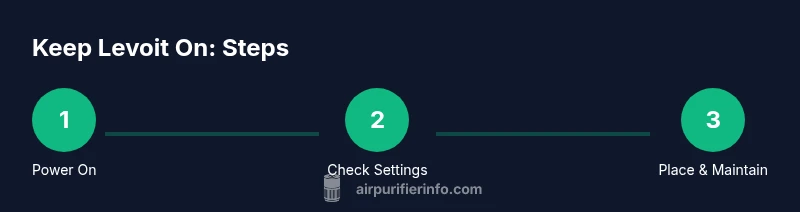
To keep a Levoit air purifier on continuously, start by plugging it into a stable outlet and turning it on. Check for timers or auto-off settings and disable them if you want constant operation. Ensure proper placement with at least 6 inches clearance, replace the filter as recommended, and reset indicators after maintenance. Avoid overloading circuits and unplug during storms.
Understanding continuous operation for Levoit purifiers
Running a Levoit air purifier non-stop can help maintain steady indoor air quality, but it also requires attention to power, maintenance, and placement. If you are asking how to keep levoit air purifier on, the guiding idea is simple: provide a reliable power source, configure settings for uninterrupted use, and keep filters fresh so airflow isn’t restricted. According to Air Purifier Info, continuous operation hinges on three pillars: dependable electricity, clear access to controls, and timely maintenance. Start with a model-specific check of the power switch and any energy-saving options, then verify that the purifier sits in a location with adequate airflow. Keep noise in mind if you live in a bedroom or study, and plan for routine maintenance to prevent unnecessary shutdowns. This approach ties directly to indoor air quality goals for homeowners and renters alike, aligning with our mission to help you compare and choose the right purifier.
Power, timers, and auto-off: what to check
Most Levoit models include a timer or auto-off feature designed to conserve energy. While these features are useful, they can interrupt continuous operation if left enabled. To keep your unit on, navigate to the control panel or app (if compatible) and look for options labeled "Timer," "Auto-off," or a scheduling icon. Disable these settings or set them to a mode that keeps the unit active. If your model supports a dedicated "continuous" or "on" mode, select it and confirm changes. After adjusting, run the purifier for a while and observe whether it stays on without automatic shutdown. Air Purifier Info analysis shows that keeping settings simple and aligned with your daily routine reduces the chance of unexpected power-offs. Remember to save changes and document the configuration for future reference.
Placement and airflow: optimize for constant operation
Placement matters as much as settings when you want constant operation. Position the purifier on a stable, level surface away from heat sources and out of direct sunlight. Maintain at least 6 inches of clearance on all sides to ensure unobstructed airflow and avoid recirculation of dust. Do not push the unit into corners or behind furniture where intake vents can be blocked. Consider room layout: central, open areas with good circulation tend to keep air moving effectively. Regularly clear nearby objects or fabrics that could impede intake. Proper placement is a foundational habit that supports continuous operation and longer product life.
Filter maintenance: keep the unit running
A clean, properly seated filter is essential for reliable operation. Check the indicator or manual for your model’s recommended replacement frequency and follow it closely. When you replace a filter, install it according to the orientation arrows and ensure a snug seal with the housing. After maintenance, reset any change-indicator so you know when the next change is due. In addition to filter changes, keep the exterior clean and free of dust. A dusty exterior can shed particles into the intake and reduce efficiency. Regular maintenance is a practical habit that sustains on-state performance and indoor air quality.
Troubleshooting common shutdown causes
If your purifier unexpectedly powers off, start with a quick diagnostic. First, inspect for blocked vents or obstructed air paths caused by nearby objects. Next, verify the power source is stable and not tripping a circuit. Check the control panel for any timers or energy-saving modes that may re-engage after a power cycle. If the unit remains off, confirm the filter is properly installed and that the housing is closed securely. Finally, consider environmental factors such as extreme heat or humidity that could trigger safety protections. Following these steps helps you diagnose most shutdown scenarios without professional help.
Energy use and safety considerations
Continuous operation can impact energy use, so balance air quality needs with efficiency. If your model offers energy-saving or eco modes, weigh their benefits against your comfort level. Always use a properly rated outlet; avoid extension cords and strip outlets that can overheat. During storms or electrical storms, unplug the purifier to protect against power surges. Position the purifier away from damp areas to prevent moisture exposure. By combining mindful energy practices with safe placement, you can keep your purifier on while safeguarding your home.
Seasonal maintenance and long-term care
Seasonal maintenance helps prevent unexpected shutdowns. In spring and fall, inspect hoses or cords and ensure they are intact and free of wear. In winter, keep the unit away from heaters or drafty windows to minimize condensation and temperature shocks. Regularly wipe down vents with a dry microfiber cloth and recheck the filter condition as seasons change. Long-term care also includes periodic recalibration of expectations: re-evaluate placement, power availability, and your comfort level with continuous operation to determine if permanent on is right for you.
Quick-start checklist to keep it on today
- Plug into a stable outlet and turn the unit on.
- Disable timer/auto-off settings unless you want intermittent operation.
- Ensure at least 6 inches of clearance around all sides.
- Check the filter and reseat it correctly if needed.
- Reset indicators after maintenance and run for a test period.
Tools & Materials
- Stable AC power outlet(Dedicated outlet preferred; avoid daisy-chaining through multiple devices.)
- Owner's manual (digital or print)(Model-specific settings and reset procedures vary.)
Steps
Estimated time: 30-45 minutes
- 1
Plug in and power on
Plug the purifier into a stable outlet and press the power button. Confirm the indicator lights up and remains steady for a few minutes. This establishes a reliable baseline for continuous operation.
Tip: Use a dedicated outlet to minimize voltage flicker and avoid tripping other devices. - 2
Check for timer/auto-off
Access the control panel or app settings and locate any Timer or Auto-off options. Disable these features or set them to a continuous run if available. Save changes and confirm the unit stays on after a power cycle.
Tip: If you see a schedule you don't recognize, reset to factory defaults before reconfiguring. - 3
Set continuous operation mode
If your model offers a Continuous or On mode, select it. Confirm the mode is retained after closing the panel and after a test reboot.
Tip: Document the chosen mode in a note for future reference. - 4
Ensure proper placement
Position the purifier so there is at least 6 inches of clearance on all sides and no obstructions to intake or exhaust vents. This prevents heat buildup and improves airflow.
Tip: Avoid placing behind curtains or electronics that can block airflow. - 5
Check filters and reseat
Open the housing and inspect the filter for proper orientation. Replace or reseat if needed and close the housing securely to prevent air leaks.
Tip: Reset any maintenance indicators after filter handling. - 6
Run a test period
Allow the purifier to run for 15-30 minutes in the chosen mode, monitoring for consistent operation without unexpected shutdowns.
Tip: Listen for unusual noises that may indicate a misaligned filter or loose panels. - 7
Set reminders for maintenance
Create reminders for filter changes and routine inspections to sustain ongoing operation.
Tip: Pair reminders with your device calendar or a home assistant routine.
Questions & Answers
Can I leave my Levoit air purifier running 24/7 safely?
Yes, you can run it continuously if you maintain proper power supply, space, and filter replacement. Regular checks help prevent unexpected shutoffs and ensure air quality remains steady.
Yes, you can run it continuously if you keep up with maintenance and proper placement.
What should I do if the purifier turns off by itself?
First, check for any timer or auto-off settings and disable them. Confirm the unit has a stable power source and that the filter is correctly installed. If problems persist, reset the unit or consult the manual.
Check timer settings and power, then reset if needed.
Why does my purifier make loud noises after startup?
Loud noises often indicate a misaligned or loose filter, obstructions near the intake, or a loose panel. Power off, inspect the housing, reseat the filter, and remove any blockages before restarting.
If it’s noisy, power off and check the filter and housing for obstructions.
How often should I change the filter?
Follow the manufacturer's schedule in the manual. If you use it heavily or in a dusty environment, you may need changes sooner; use indicator signals if available and reset after replacement.
Follow the manual for filter changes and reset indicators after replacement.
Is it safe to run the purifier during a storm?
During electrical storms, unplug the purifier to protect against power surges. Once the storm passes, you can plug it back in and resume operation.
Unplug during storms to avoid surge damage, then resume afterward.
What if I have a small apartment and want continuous use?
Continuous operation is feasible in small spaces with proper placement and limited obstructions. Monitor noise levels and energy use, and adjust settings to balance comfort and air quality.
Yes, you can run it, but watch for noise and energy use in small spaces.
Watch Video
Main Points
- Plug into a stable outlet and power on.
- Disable auto-off to keep continuous operation.
- Maintain proper clearance for airflow.
- Replace filters per the manual and reset indicators.
- Monitor for blockages and overheating to prevent shutdowns.