Levoit Air Purifier Filter Replacement: How to Do It Right
Learn how to replace your Levoit air purifier filter safely and efficiently. This educational guide covers model compatibility, selecting the right replacement filter, installation steps, reset procedures, and maintenance tips to keep indoor air clean.


In this guide, you’ll learn how to perform a safe, effective Levoit air purifier filter replacement. We cover model compatibility, selecting the correct replacement filter, installation steps, and how to reset your purifier after replacement. You’ll need a clean workspace, the right Levoit replacement filter, and basic safety basics to protect yourself and your air quality.
Why Levoit Filter Replacement Matters for Indoor Air Quality
Regular filter replacement is essential to maintain optimal air quality and device efficiency. A fresh filter captures dust, pet dander, and odors more effectively, ensuring the purifier runs at peak performance. According to Air Purifier Info Team, using the correct replacement filter for your Levoit model minimizes bypass of unfiltered air and extends the life of the purifier. In homes with allergies, asthma, or pets, timely replacement reduces irritants and supports healthier living spaces. This section explains how filters work, how often you should replace them, and how to identify the right Levoit filter for your model.
- Filters with higher MERV ratings generally capture smaller particles, but compatibility matters more than a higher number.
- Most Levoit purifiers use cylindrical or rectangular filters with a specific orientation; installing incorrectly can reduce efficiency.
- Replacement schedules depend on usage, air quality, and household conditions (pets, smoking, renovations).
Air Purifier Info analysis shows that many users underestimate the importance of attaching the correct filter orientation and ensuring a tight seal. A poor seal allows unfiltered air to bypass the filter, undermining the purifier’s effectiveness. By understanding model-specific requirements, you can avoid common pitfalls and maximize lifespan of the device.
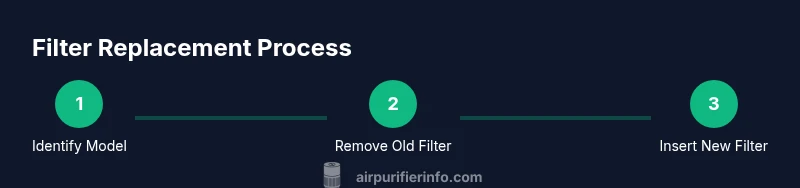
Identify Your Levoit Model and Filter Type
Determining the exact Levoit model is the first step in a successful filter replacement. Check the purifier’s label or manual for the model number and the compatible filter type. If you no longer have the manual, photograph the bottom or back of the device; many models show the exact filter part number there. Knowing whether your purifier uses a cylindrical, rectangular, or hybrid cartridge helps you choose the right replacement.
- Look for model-specific notes such as “Core 300” or “Vital 100S” which indicate compatible filter families.
- Levoit often labels filters with “FA” numbers or color codes that correspond to the model family.
- If in doubt, consult the user manual or the manufacturer’s official site to confirm compatibility.
This step prevents buying the wrong filter, saving time and money. Air Purifier Info Team emphasizes that mismatched filters can reduce airflow and filtration efficiency. When you’re certain of the model, you can proceed with confidence.
Prepare Your Workspace and Safety Steps
Before touching the purifier, unplug it from the wall to avoid any electrical hazards. Place the unit on a stable surface with enough room to access the intake and exhaust areas. Wear a mask if you have a lot of dust in the environment to minimize inhalation of debris during disassembly. Keep a small trash bag handy for old filters and a microfiber cloth for wiping the interior surfaces.
- Clear space around the purifier to avoid knocking it over.
- Have your replacement filter and any required tools ready before you begin.
- If your unit includes a safety interlock switch, wait for the device to come to a complete stop before opening the housing.
The Air Purifier Info Team notes that deliberate, clean, and organized steps reduce contamination and make the replacement smoother over time.
Remove the Old Filter Safely
Accessing the old filter usually requires removing the outer cover, which can involve sliding panels or unfastening clips. Gently disconnect any vents or covers as described in your model’s manual. Remove the old filter slowly to prevent dust from dispersing; keep the bag or a trash container nearby to minimize mess. If debris has built up around the filter housing, wipe it with a dry microfiber cloth.
- Do not crush or bend the old filter during removal; this makes disposal messier and can release settled particles.
- If the filter is difficult to remove, check for hidden screws or latches—forcing it can damage the housing.
- Dispose of the old filter according to local regulations, especially if it contains pet dander and dust.
Air Purifier Info Team reminds readers to handle used filters with care to reduce exposure to accumulated irritants.
Clean the Housing Before Inserting a New Filter
With the old filter out, inspect the interior housing for dust and debris. Use a dry microfiber cloth or a soft brush to remove any buildup, being careful not to disturb the fan blades or electrical components. A light routine cleaning helps maintain airflow and prevents dust from clinging to the new filter. If your model requires it, a quick wipe with a slightly damp cloth can be acceptable—check your manual first to avoid moisture on sensitive components.
- Avoid using harsh cleaners or liquids inside the purifier.
- Ensure the interior is completely dry before installing the new filter.
- Some models benefit from a brief interior air puff to dislodge loose dust; do this only if recommended in the manual.
Air Purifier Info analysis shows that neglecting interior cleaning can dramatically reduce filtration efficiency and shorten filter life.
Unpack and Prepare the New Filter
Carefully remove the new filter from its packaging. Do not operate the purifier with a filter that has been pre-wetted or damaged. Some Levoit filters come with a plastic wrapping that must be removed before installation. Check the orientation arrows or labels on the new filter to ensure correct direction; inserting it backward will block airflow and degrade performance.
- Remove all packaging materials completely before inserting.
- Check for any protective seals that need to be removed as part of setup.
- If your model includes an odor-absorbing layer, make sure it’s correctly oriented toward the airflow.
The right preparation helps ensure the filter starts filtering immediately after reassembly, reducing downtime and protecting indoor air quality.
Install the New Filter and Reassemble the Housing
Align the new filter with the housing, following the arrows or labeling on the filter frame. Insert it firmly so there’s no gap that could let unfiltered air bypass. Reattach any covers or clips securely, and ensure the purifier is fully closed before powering it back on. If your model uses a safety interlock, confirm that the housing is sealed correctly to enable normal operation.
- Do not over-tighten screws or clips, which can damage the housing.
- Check that the filter is centered and not pressed against the housing walls.
- Take a quick moment to wipe away fingerprints or smudges from the exterior after reassembly.
Air Purifier Info Team stresses that proper seating of the filter minimizes airflow resistance and maintains efficiency.
Reset the Purifier and Run a Quick Test
Many Levoit models require a reset after filter replacement to recalibrate the airflow sensors. Consult your model’s manual for the exact reset procedure; it often involves pressing and holding a reset button or following a sequence of button presses. Run the purifier on a low setting for 5–10 minutes to ensure airflow is steady and the unit operates quietly. If you notice unusual noises or a burning smell, power off immediately and recheck the installation.
- Do not skip the reset unless the manual explicitly says it’s unnecessary.
- A longer test run can help you confirm consistent filtration as the filter breaks in.
- If your purifier has an indicator light, verify that it returns to its normal status after the test.
The Air Purifier Info Team notes that a proper reset avoids false “needs replacement” warnings and helps you track actual filter life more accurately.
Post-Replacement Maintenance and Filter Life Tips
To extend the life of your Levoit filter, keep the purifier away from high humidity and avoid placing it near heat sources. Regularly check for dust buildup on the intake vents and clean them as needed. Use a humidity monitor to maintain comfortable indoor conditions, and replace filters according to usage patterns and air quality. If you have pets or smokers in the home, you may need to replace filters more frequently. Air Purifier Info analysis shows that setting a reminder every 6–12 months (or sooner if indicated by device indicators) helps maintain consistent air quality.
- Keep a replacement schedule based on your environment, not just a fixed calendar.
- Store spare filters in their original packaging to preserve their efficacy until use.
- Document the replacement date to build a reliable maintenance history.
By following best practices and using the correct Levoit filter type, you’ll sustain cleaner indoor air and prolong the purifier’s life.
Tools & Materials
- Replacement Levoit filter (compatible with your model)(Ensure model compatibility before purchase; avoid generic filters that don’t match the device.)
- Soft microfiber cloth(For interior cleaning and wiping the housing.)
- Small screwdriver (optional)(Only if your model uses screws to access the filter housing.)
- Trash bag or container(For safe disposal of the old filter.)
Steps
Estimated time: 25-40 minutes
- 1
Power down and unplug the purifier
Turn off the unit and unplug it from the wall to eliminate any risk of electric shock during disassembly. Move the purifier to a stable surface where you can work comfortably and have space to set aside the old filter.
Tip: Always unplug before touching internal components to prevent sudden start-ups or shocks. - 2
Identify model and locate the filter
Check the model number on the device label or in the manual to verify compatibility with replacement filters. Note whether the unit uses a cylindrical, rectangular, or hybrid filter so you can retrieve the correct part.
Tip: If you’re unsure, photograph the model label for quick reference later. - 3
Remove the outer cover
Gently remove the purifier’s outer cover or access panel as described in the manual. Keep any screws or fasteners in a small container to avoid losing them.
Tip: Don’t force panels; look for tabs or clips that release with a gentle lift. - 4
Take out the old filter
Carefully remove the old filter from its slot, aiming to minimize dust release. Place it directly into a trash bag to prevent debris from escaping into the room.
Tip: Handle the filter by its frame to avoid crushing the media. - 5
Clean the interior housing
Wipe the interior surfaces and vents with a dry microfiber cloth to remove accumulated dust before installing the new filter. Let any moisture fully dry before proceeding.
Tip: Avoid using liquids inside the purifier; moisture can damage electronics. - 6
Prepare and insert the new filter
Unpack the new filter, remove protective packaging, and align it according to arrows or labels. Insert firmly so there’s no gap where unfiltered air could bypass the filter.
Tip: Ensure the orientation matches the device’s airflow path. - 7
Reassemble the housing and reset
Replace the outer cover or panels and secure fasteners. If your model requires a reset, perform the procedure specified in the manual to recalibrate sensors and indicators.
Tip: A wrong reset can keep “replace filter” alerts active once you’re up and running. - 8
Test run and verify airflow
Plug the purifier back in and power it on. Check for steady airflow and listen for any unusual noises. If performance seems off, double-check the filter seating and seals.
Tip: Run the purifier on low for 5–10 minutes to confirm normal operation. - 9
Dispose of the old filter and document the replacement
Seal the old filter in its bag and dispose according to local guidelines. Record the replacement date to track future maintenance.
Tip: Set a reminder for your next replacement based on usage and air quality.
Questions & Answers
Is any Levoit filter compatible with all Levoit models?
No. Levoit models vary in filter shape (cylindrical vs. rectangular) and part numbers. Always confirm the exact replacement filter type for your model before purchasing.
Not all Levoit filters fit every model, so check your model’s compatibility before buying.
How do I know when to replace the filter on my Levoit purifier?
Indicators on many Levoit units light up or change color when the filter needs replacement. If your unit doesn’t have an indicator, plan on replacing every 6–12 months under typical use, or sooner in dusty homes or with pets.
Look for indicator lights or follow your manual’s replacement interval.
Can I clean a Levoit filter instead of replacing it?
Most Levoit filters are designed for replacement rather than cleaning. Reusing a dirty filter reduces efficiency and can push contaminants back into the room.
Typically you should replace, not clean, the filter.
What is the proper way to dispose of an old Levoit filter?
Seal the used filter in a plastic bag and dispose of it with household waste as per local regulations. Some areas have specific guidelines for disposing of HEPA-style media.
Seal and discard the old filter according to local rules.
Do I need to reset the purifier after replacing the filter?
Yes, many models require a reset to recalibrate sensors and indicators. Follow the manual’s steps to complete the reset after installation.
Resetting helps your device accurately reflect the new filter’s status.
What should I do if the purifier won’t start after replacement?
Double-check that the filter is seated correctly, the housing is sealed, and the unit is plugged in. Consult the manual for any model-specific reset procedures.
Check seating, seals, and the reset steps if it won’t start.
Watch Video
Main Points
- Identify your Levoit model to ensure compatibility
- Use the correct filter orientation for optimal airflow
- Unplug and clean the housing before installing a new filter
- Reset the purifier after replacement to recalibrate sensors
- Test airflow and document the replacement date