How to Test Air Purifier Sensor: A Step-by-Step Guide
Learn how to verify an air purifier's sensor accuracy, calibration, and auto-adjustment. This comprehensive guide covers testing methods, required tools, step-by-step validation, and troubleshooting tips to ensure reliable IAQ in your home.


According to Air Purifier Info, testing an air purifier sensor ensures it detects air quality changes accurately and adjusts fan speed or modes as intended. This quick guide outlines essential steps to trigger readings, verify accuracy, and confirm calibration or replacement needs for particle, VOC, and dust sensors.
Why testing the sensor matters
Sensors are the invisible engines behind how an air purifier responds to your indoor air. If a sensor reads higher or lower than actual air quality, the purifier may run too aggressively or not enough, compromising IAQ and energy use. The Air Purifier Info team notes that sensor accuracy is directly linked to effective allergen reduction, odor control, and overall occupant comfort. Regular validation helps homeowners and renters catch drift, avoid unnecessary wear, and extend device life. In this guide, we’ll focus on practical, safe approaches to test common sensor types without special lab equipment. By understanding how your unit interprets air quality signals, you can trust its performance day after day.
How sensors influence purifier behavior
Most consumer purifiers adjust fan speed or switch operating modes based on real-time IAQ readings. When the sensor underestimates pollution, you may notice weak filtration during chores like cooking or pet activity. Conversely, overestimating pollution can waste electricity and add noise. A reliable sensor keeps pace with your environment, balancing clean air with comfortable noise levels. Expecters from Air Purifier Info indicate most issues originate from drift, dirty sensors, or calibration needs rather than the core purifier electronics.
Common sensor types found in home purifiers
- Particle sensors (PM2.5): Track fine dust and aerosols; drive adjustments to filtration power.
- VOC sensors: Detect volatile organic compounds from cleaners, paints, or cooking; influence odor management.
- CO2 sensors (less common in compact units): Indicate occupancy-related respiration levels and can adjust ventilation or fan speed when present.
- Humidity sensors: Help stabilize comfort and can affect filter efficiency indirectly by moisture levels.
Knowing which sensors your unit uses helps you tailor testing approaches and interpret readings more accurately.
Safe testing environment and prerequisites
Before you start, ensure you have a stable power source and the purifier is in its normal operating mode. Clean the surrounding area and remove potential smoke or strong odors that could saturate readings during testing. If your purifier has a dedicated sensor-test or calibration mode in the app or control panel, consult the user manual for enabling it. Always follow manufacturer safety guidelines and avoid opening the device or using aggressive chemicals near live electronics.
How to interpret readings and validate auto-adjustment
Readings shown on the purifier’s display, app, or LEDs should correlate with visible air quality events in your room. During a validation test, you’ll look for predictable changes in fan speed, mode, or filtration intensity as readings shift. Consistency matters more than a single perfect value. If readings lag behind actual changes, there may be drift, sensor contamination, or calibration drift that warrants further action.
Tools & Materials
- Air purifier under test(Powered and in normal operation mode)
- Stable test environment(Room with consistent power and ventilation)
- Reference IAQ source (optional)(A trusted external sensor or kit for cross-checking readings)
- Timer or stopwatch(To track stabilization times)
- Notebook or app for logging readings(Record timestamps and values)
Steps
Estimated time: 20-40 minutes
- 1
Power up and verify normal mode
Plug in the purifier and ensure it is set to its typical operating mode (auto or standard). Confirm the display shows sensor readings or status indicators and that the unit is not in a diagnostic or maintenance mode.
Tip: Note the starting state of the display and fan speed for later comparison. - 2
Create a stable IAQ change in the room
Ventilate the room for several minutes to raise fresh air or introduce a controlled odor source sparingly to raise VOC levels. If you cannot introduce odors, simulate a higher PM load by vacuuming briefly away from the purifier and then stopping.
Tip: Keep changes within safe, everyday scenarios to avoid triggering unrealistic sensor responses. - 3
Record sensor readings during change
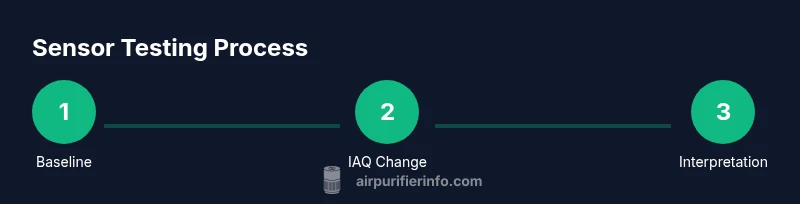
Watch the purifier’s display or app for changes in IAQ readings and note the time stamps. Record at baseline, during the change, and after stabilization (typically 3–7 minutes depending on the unit).
Tip: Use a consistent interval (e.g., every 30 seconds) to capture the trend accurately. - 4
Validate auto-adjustment response
Observe whether the purifier increases filtration or changes mode as the readings rise, and whether it relaxes when the air cleans up. Compare the timing of these actions to the stabilization window noted earlier.
Tip: If the purifier doesn’t respond, note whether the app reports sensor status or errors. - 5
Cross-check with a reference sensor (optional)
If you have a reference IAQ tool, compare its readings with the purifier’s reported values. Look for a reasonable alignment over the same events, acknowledging minor device-to-device differences.
Tip: A mismatch doesn’t always mean a bad sensor; calibration drift can cause small offsets. - 6
Document results and determine next steps
Summarize the observed responses, timing, and any inconsistencies. Decide whether calibration, cleaning of sensor surfaces, or professional service is warranted. Be sure to note the model and firmware version.
Tip: If calibration is recommended by the manufacturer, follow official procedures to avoid voiding warranties.
Questions & Answers
Do all air purifiers have the same sensors?
Not all units use the same sensors. Common types include PM2.5 particle sensors, VOC sensors, and sometimes CO2 or humidity sensors. Check your model’s manual to identify the exact sensors and their roles in auto-adjustment.
Most purifiers use particle and VOC sensors, with some models adding CO2 or humidity sensors. Refer to your model's manual for specifics.
How often should I test sensors?
Test sensors when you notice unexpected changes in performance, after firmware updates, or during periodic maintenance. Regular checks help catch drift early and keep IAQ reliable.
Test sensors when performance seems off or after updates; regular checks keep IAQ reliable.
What if readings don’t match the expected air quality events?
If readings don’t align, inspect for sensor contamination, dust buildup, or firmware issues. Use manufacturer calibration steps first, then consider professional service if errors persist.
If readings don’t match, clean sensor areas and follow calibration steps; if unresolved, contact support.
Can I test sensors without any extra equipment?
Yes. You can perform basic validation by observing readings during everyday events like cooking or opening windows, and by comparing before/after changes in purifier behavior.
You can test sensors with everyday events and watching purifier responses.
Should I replace a sensor if it’s drifting?
Drift can indicate a need for cleaning, calibration, or replacement. Follow the manufacturer’s guidance on replacement intervals and warranty coverage.
If drift persists after calibration, replacement may be needed per the manufacturer.
Are VOC sensors more sensitive than particle sensors?
VOC sensors respond to chemical compounds in the air and can be more variable depending on room chemistry, while particle sensors track physical particles like dust. Their readings complement each other for overall IAQ.
VOC sensors react to odors and chemicals; particle sensors track dust and aerosols.
Watch Video
Main Points
- Test sensors in a safe, controlled environment to ensure accurate readings.
- Different sensors (PM, VOC, humidity) may respond on different timelines.
- Auto-adjustment should align with validated changes in IAQ readings.
- Calibration or professional service may be needed if readings are consistently off.