How to Set Up an Air Purifier: A Complete Guide
Learn how to set up an air purifier for dust, odors, and allergies. This step-by-step guide covers placement, filter installation, safety, and maintenance for optimal indoor air quality.


Goal: Learn how to set up an air purifier from unboxing to first run. This quick answer outlines placement, filter installation, power setup, and initial performance checks. You’ll follow safety steps, verify airflow, and schedule ongoing maintenance to improve indoor air quality today. Whether you live in a dusty environment, care about allergies, or simply want better sleep, this format gives you a practical, repeatable setup that works with most purifier models.
Why setting up an air purifier matters
A proper setup is the difference between cleaner air and wasted energy. If you’re asking how to set up air purifier, the answer isn't just “plug it in.” You need to optimize placement, filter status, and operating mode to maximize dust reduction, allergen removal, and odor control in your home. According to Air Purifier Info, a thoughtful setup reduces dead zones, improves circulation, and helps the filter work at its best from day one.
Start by identifying the rooms where you spend the most time—the living room, bedroom, and home office. Those are the prime targets for a first setup. The purifier should be placed in a location with unobstructed airflow and at least a few feet of clearance from walls and furniture to avoid re-circulating air. In smaller spaces, a single compact unit near the center of the room is often ideal; in larger rooms, you may need two units or a larger model. The goal is to promote steady air exchange rather than creating hot spots or stagnant air. A well-positioned purifier complements existing ventilation and can dramatically improve perceived air quality for people with allergies, asthma, or sensitive noses.
Choosing the right location for your purifier
Placement matters as much as the model you choose. The most effective setup avoids corners and behind bulky furniture, which can block intake grills. Aim for a central spot on the floor or a sturdy table at about eye level if possible. Elevating the unit by 6-12 inches can improve suction in rooms with high foot traffic, but avoid placing it directly under shelves or in hallways where air may bypass the unit. Ensure doors stay open enough to allow air to circulate; closed doors can limit performance. If you suspect drafts or smoky odors, position the purifier upwind from the source so clean air flows toward your breathing zones. Air Purifier Info analysis shows that consistent placement across rooms leads to more reliable daytime air quality improvements.
Understanding filters and maintenance during setup
Most modern purifiers use a multi-stage filtration system, typically including a pre-filter, a true HEPA filter, and an activated carbon stage. The pre-filter catches large particles and extends the life of the main filters, while the HEPA filter traps fine dust, pollen, and many bacteria. The activated carbon layer targets odors and volatile organic compounds (VOCs). During setup, confirm the correct filter orientation and seals; a misaligned filter can dramatically reduce performance and create noise. If your model supports replacement filters, check the filter type and size in the manual and ensure you have an extra filter on hand for the first change interval. Regular maintenance not only sustains performance but also protects the motor and reduces energy waste. Air Purifier Info analysis shows that the right filter combination, matched to room size, yields the most noticeable improvements in air quality early on.
Unbox, assemble, and power up
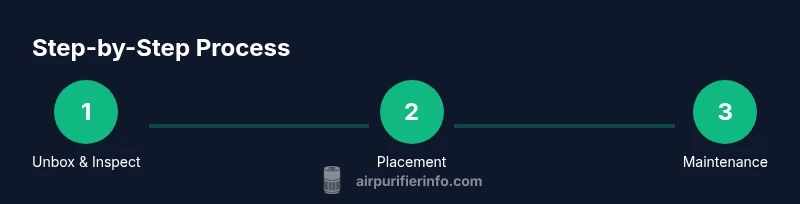
Unboxing should begin with a quick visual inspection of the unit and all included parts. Remove packaging and set the purifier on a stable surface with enough surrounding space for airflow. If your model uses a replaceable cartridge or filter, install it following the arrows printed on the filter and inside the housing. Once the filter is secured, plug in the unit and switch it on using the power button. If your purifier has a digital display, review the default settings and select a mode that suits room size and noise tolerance. For the first run, start in Auto or Smart mode to let the device adjust to real environmental conditions. Be sure to consult the manual for any model-specific assembly notes.
Calibrating and verifying performance
After powering up, observe the purifier for 1–2 minutes to ensure it’s drawing air smoothly without rattling. Set the fan speed to a gentle level and listen for uniform air movement; if you hear buzzing or grinding, the filter might be mis-seated or the unit is on a shaky surface. If your model includes a recommended cleansing cycle or a night mode, perform it to minimize disturbances while preserving air cleaning. Use a basic air-quality indicator or a simple odor check to verify that the environment feels fresher after initial operation. If you notice persistent odor or dust, re-check filter installation and clearances, then re-run the auto-calibration. Air Purifier Info emphasizes that a smooth startup with correct filter placement is crucial for long-term efficiency.
Safety, energy use, and smart features
Keep the purifier away from water sources and avoid running it in damp areas. Do not cover intake or exhaust grilles, and never place objects on top of the unit which could block airflow. Regular cleaning of the exterior and pre-filter (as recommended in the manual) helps maintain efficiency and reduces energy consumption. If your purifier supports energy-saving modes or timers, enable them to minimize electricity use while maintaining clean air. Some models offer integration with smart home systems, which can simplify schedules and room-by-room zoning for improved air quality awareness. Always follow manufacturer safety guidelines and disconnect the unit before any deep cleaning or filter replacement.
Long-term care plan and maintenance schedule
Create a simple maintenance calendar to track filter changes and routine cleaning. Note dates on a wall calendar or digital reminder and align replacements with your typical indoor air quality needs—higher traffic or seasonal allergies may require more frequent changes. Keep spare filters on hand so you don’t miss planned maintenance. If you live in a home with pets, consider more frequent filtration to manage pet dander and odors. Record any changes in room conditions and adjust placement or speed settings accordingly to sustain consistent air cleanliness.
Common mistakes and how to avoid them
Avoid placing the purifier behind furniture, in doorways, or near heat sources, as these can disrupt airflow and shorten filter life. Don’t rely on a single unit for a large, open-plan space; multiple units or a larger model may be more effective. Skipping maintenance and using a clogged filter defeats the purpose of the device. Finally, do not assume a purifier will instantly remove all odors or pollutants—air quality improves gradually as the unit processes airborne particles and gases over time.
Tools & Materials
- Air purifier unit(Inspect for damage; ensure packaging is removed and model matches the manual.)
- Replacement filter (if included)(Install according to the arrows on the filter; keep a spare on hand for timely changes.)
- Clear space around the unit(Provide at least 6-12 inches of clearance on all sides if possible)
- Manual or digital guide(Keep for model-specific setup and maintenance instructions)
- Soft microfiber cloth(For exterior cleaning and filter housing surfaces)
Steps
Estimated time: 35-50 minutes
- 1
Unbox and inspect the purifier
Remove all packaging and check the unit for any dents or loose parts. Verify that the correct model and accessories are present, including the filter. If you notice damage, stop and contact support before proceeding. This initial check prevents misfits that could affect performance.
Tip: Take photos of any damage for warranty claims. - 2
Choose a safe location with airflow
Select a spot with unobstructed airflow and clearance from walls (at least 6-12 inches). Avoid doors, heat sources, and tight corners. Consider central placement for larger rooms or multiple units for open layouts.
Tip: Measure clearance first to ensure optimal intake and exhaust flow. - 3
Install or replace the filter correctly
Insert the filter with the airflow arrows facing inward toward the purifier. Ensure the seal is intact and the filter sits snugly. If your model uses a pre-filter, install it before the main filter to extend life.
Tip: Never operate with a loose or misaligned filter. - 4
Plug in and power up
Connect to a reliable outlet and press the power button. If there is a setup wizard or auto mode, let it run to identify the appropriate fan speed for your room. Do not use an extension cord unless the manufacturer allows it.
Tip: Use a dedicated outlet to prevent voltage drops during high-speed operation. - 5
Set initial mode and fan speed
Choose Auto or Smart mode if available; otherwise start with a low-to-medium fan speed and adjust based on noise and air changes. In bedrooms, select quieter modes during rest hours.
Tip: Auto mode helps the unit adapt to changing air quality without manual tweaks. - 6
Run a quick airflow test
Observe whether air moves smoothly from exhaust and into the room. Listen for unusual vibrations or rattles, which may indicate a loose filter or unstable placement. If there is excessive noise, pause operation and recheck setup.
Tip: A brief test after setup catches issues early. - 7
Schedule maintenance reminders
Note the expected filter life from the manual and set reminders for replacements. Mark these dates in your calendar to avoid running a clogged filter. Keep spare filters accessible.
Tip: Sticking to a maintenance cadence preserves performance. - 8
Verify improvements and adjust as needed
After a few hours of operation, reassess room air feel and any odor reductions. If needed, reposition the unit or increase fan speed. Recheck filter seating if changes are made.
Tip: Small changes can yield noticeable improvements.
Questions & Answers
Do I need to use the included filter right away?
Yes. Install the included replacement filter according to the manual to ensure proper airflow and filtration from day one. A fresh filter delivers the best performance and reduces the risk of reduced efficiency caused by a clogged cartridge.
Yes. Install the new filter right away so the purifier works effectively from the start.
Can I run an air purifier in a closed room?
Air purifiers work best with some air exchange. In very tight, sealed spaces, run the purifier in cycles or open a door briefly to allow fresh air in. If you must operate in a closed room, adjust the mode to a quieter, longer-run setting.
They work best with some air exchange; in a sealed room use longer runs and lower speeds.
How often should I replace the filter?
Replacement frequency depends on usage, room air quality, and filter type. Check your manual for a recommended interval and monitor for reduced airflow or odor persistence. Keeping to a schedule helps maintain peak performance.
Replace the filter according to the manual; monitor airflow and odors to adjust as needed.
Is it safe to run it 24/7?
Most purifiers are designed for around-the-clock use, but confirm the product’s safety guidance. If you operate continuously, ensure the device stays cool, has adequate clearance, and follows manufacturer limits for motor life.
Yes for most models, but always check the manual and keep it in a well-ventilated area.
What if the unit is noisy at night?
Switch to a quiet or night mode if available. Reducing fan speed can minimize disturbances while still delivering cleaner air while you sleep.
Use night or quiet mode to reduce noise while you sleep.
Watch Video
Main Points
- Position for airflow, not aesthetics
- Follow filter direction arrows precisely
- Maintain a regular filter replacement schedule
- Test air quality after setup and adjust as needed