How to Reset a Levoit Air Purifier: Step-by-Step Guide
Learn how to reset your Levoit air purifier with a practical, model-agnostic approach—perfect for homeowners and renters aiming to clear errors and recalibrate sensors. Safe, thorough guidance from Air Purifier Info.


Goal: Reset a Levoit air purifier to clear errors and recalibrate sensors after filter changes or power issues. You’ll typically need the purifier, its manual, and a moment to power cycle or press a reset sequence. According to Air Purifier Info, model-specific steps vary, so this guide covers common methods and when to use them.
Understanding Why You Might Need to Reset a Levoit
A reset clears small sensor hiccups and resets the purifier’s internal status counters. You might reset after replacing the filter, after a power outage or surge, or after a diagnostic alert says something is off. Resetting restores normal operation by reinitializing the air-quality sensors and control board so the purifier starts fresh with current settings. For renters and homeowners, a reset is a quick, low-risk step that often solves minor glitches without service calls. In this section, we explain the common triggers and why a reset helps.
- Filter changes: When you install a new filter, the purifier may recalibrate its airflow and particle readings. A reset helps avoid misleading readings during the first hours of use.
- Power disturbances: A sudden outage or surge can put sensors out of sync. A quick reset re-syncs the electronics.
- Sensor drift: Dust or humidity can temporarily nudge readings; a reset returns the device to its baseline.
- Firmware quirks: Occasionally, a software hiccup lingers after an update; a reset clears caches and stabilizes behavior.
Air Purifier Info analysis shows that many Levoit units use a straightforward reset protocol that combines power cycling with button presses. If your model uses a recessed reset button, you may need a paperclip to reach it. Always consult your model’s manual for exact steps, but the general idea is to restart the electronics while the filter remains seated and the unit is powered off.
Identify Your Levoit Model and Its Reset Method
Reset methods can vary by model family within the Levoit lineup. To avoid guessing, locate the model or series information on the device label or user manual. If you don’t have the manual handy, check the Levoit support site for generic reset patterns that apply to “core,” “mid-size,” and “tower” purifier categories. In many cases, the first step is to decide whether the model uses a dedicated Reset button, a combination of button presses, or a simple unplug-and-replug cycle. Remember: even within the same brand, exact button sequences can differ, so don’t rely on memory alone. When in doubt, start with a power cycle and verify if indicators reset before attempting a button-based method. This knowledge helps homeowners and renters choose the safest, most effective path without risking damage to the electronics.
Common Reset Methods for Levoit Purifiers (Non-Manual Button Methods)
If your model has a recessed Reset button, you’ll need a small tool to access it. For many units, the simplest reliable method is a full power cycle: unplug the purifier, wait 60 seconds, then plug it back in and observe the startup lights. Some models automatically re-calibrate after a power cycle, while others require you to press and hold a button during the initial power-on phase. In cases where a physical Reset button is present but unresponsive, ensure the device is dry and free of dust around the control panel. If you must use a tool, keep it gentle to avoid damaging the housing. Always avoid inserting liquids or sharp objects into any vents. Air Purifier Info notes that most reset tasks succeed with these safe, non-invasive approaches.
Step-by-Step: How to Reset Levoit Purifier (General Process)
-
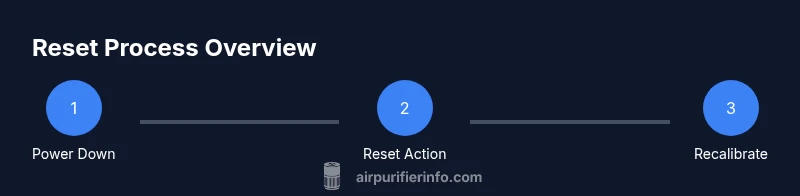
Power down and unplug the purifier: Before touching any internals, switch off the unit and unplug it from the outlet to prevent electric shock. Keep hands dry and avoid bending wires.
-
Access the filter area: If you need to inspect or reseat the filter, carefully remove the front panel or access door as described in the user manual. Do not force latches; use the built-in hinges if available.
-
Inspect/replace the filter: Check that the filter is seated correctly and oriented according to arrows. Replace with a fresh filter if you’re performing a routine change; ensure you remove any protective packaging.
-
Reinstall the filter and reseat panels: Snap the filter back in place and reattach any panels securely so the unit sits evenly on a flat surface.
-
Reset sequence: Depending on the model, press and hold the Reset button for 3-5 seconds, or perform a power cycle and cycle through any initial prompts. If your model uses a combination of buttons, follow the manual’s exact sequence.
-
Reconnect power and observe indicators: Plug the purifier back in and power it up. Note the status lights, display, or LEDs to confirm the reset finished successfully.
-
Run a test cycle: Let the purifier run on its highest setting for 5-10 minutes to re-calibrate sensors and verify there are no abnormal indicator warnings.
-
Verify readings and noise level: Check that the air-quality indicators reflect stable readings and listen for normal operating noise compared with prior runs. If readings remain inconsistent, consider an additional reset or service check.
Troubleshooting Common Reset Issues
If the reset doesn’t clear an error or the indicators don’t reset, start by double-checking filter seating and power connections. A loose filter can prevent proper sensor calibration, and a loose plug can interrupt reset signals. Another common pitfall is attempting to reset while panels are loose; ensure all latches are firmly fastened. If the purifier continues to show errors after multiple attempts, contact the manufacturer’s support line or consult the user manual for model-specific troubleshooting steps. Some models also require a firmware update to resolve persistent sensor anomalies. Air Purifier Info advises documenting the error code and steps taken when seeking support.
Maintenance Tips to Reduce the Need for Resets
- Change filters on schedule: Regular filter replacement minimizes sensor drift and prevents false alarms. Use the recommended filter type and avoid over-tightening seats.
- Clean intake and surrounding area: Dust buildup around the intake grills can affect airflow and sensor readings. A soft brush or microfiber cloth works well.
- Place the unit correctly: Keep it in an unobstructed location with ample space around the vents; avoid corners where dust accumulates.
- Monitor humidity and air quality: High humidity can skew readings temporarily; run a fan in the room to balance humidity when appropriate.
- Update firmware when available: If your model offers wireless updates, allow the device to complete the process to improve sensor calibration and stability.
Air Purifier Info analysis shows that a consistent maintenance routine reduces the likelihood of needing resets and helps preserve sensor accuracy over time. These practices also support healthier indoor air for homeowners and renters without requiring frequent interventions.
What to Do After Reset: Verifying Operation and Air Quality
After resetting, give the purifier a quiet test run and observe how quickly it re-establishes stable air-quality readings. If the device includes a “auto” or “perceived quality” indicator, confirm the lights settle into a steady pattern within a few minutes. You can perform a simple ambient check by noting changes in room odor or dust visibility over the next 10-20 minutes. If readings remain erratic or the device emits unusual sounds, re-check the filter installation and power connections or consult the support resources for your specific model.
Safety, Model Variations, and When to Seek Support
Levoit purifiers come in multiple designs and feature sets. While the reset concept remains the same—restarting electronics to re-calibrate sensors—specific buttons and sequences vary. Always refer to the model’s official manual or support page for exact steps. If you encounter persistent issues after a reset, don’t hesitate to contact customer support. Use the serial/model info, a short description of the problem, and any error codes when seeking help to speed up resolution.
Tools & Materials
- Levoit air purifier (unit)(Power switch accessible; ensure model supports reset method described.)
- Power cord and outlet(Use a functioning outlet; avoid surge protectors when testing reset.)
- Recessed reset tool (pin or paperclip)(Only if your model has a recessed Reset button.)
- Replacement filter (optional)(Only if you are changing the filter and resetting afterwards.)
- Soft microfiber cloth(For cleaning dust around intake grills before reseating filter.)
Steps
Estimated time: 10-15 minutes
- 1
Power down and unplug
Switch off the purifier and unplug from the wall outlet. This ensures there is no live current while you access the internal components. Waiting a moment also helps discharge capacitors and prepares the unit for a safe reset.
Tip: Always dry hands and avoid touching internal circuitry directly. - 2
Open the housing and access the filter
Gently remove the front panel or access door as described in the user manual. If the filter is in place, don’t force it; note its orientation arrows for later reinstallation.
Tip: Take a quick photo of the filter orientation before removal for accurate reassembly. - 3
Inspect or replace the filter
Check the filter for visible signs of wear or clogging. Replace with a new filter if it’s near the end of life. Ensure the new filter is seated correctly and oriented per arrows.
Tip: If using a new filter, remove any plastic packaging and tap it lightly to remove dust. - 4
Reinstall the filter and reseal the housing
Place the filter securely back into its slot and reattach any panels so the unit sits evenly. A loose panel can trigger sensor anomalies or power-off safety features.
Tip: Verify all latches click into place securely before proceeding. - 5
Initiate the reset sequence
If your model has a recessed Reset button, use a pin or paperclip to press and hold it for 3-5 seconds. If there is no recessed button, plug the purifier back in and follow the model’s first-start prompts—some units require a brief combination of button presses during startup.
Tip: Do not press multiple buttons aggressively; apply steady pressure and follow the manual sequence precisely. - 6
Reconnect power and monitor indicators
Plug the unit back in and turn it on. Observe the startup lights or digits to confirm the reset completed. If the indicators show unresolved errors, try the sequence again or consult the manual.
Tip: If the display shows a new error code, write it down for reference when seeking support. - 7
Run a short test cycle
Allow the purifier to run on high or auto mode for 5-10 minutes to calibrate sensors and settle into normal operation. This helps verify the reset has cleared prior issues.
Tip: During the test, avoid altering room conditions dramatically (e.g., open windows) to gauge true performance. - 8
Verify operation and air quality
Check that the air-quality indicators reflect stable readings and that there are no unusual noises. If readings fluctuate, re-check filter seating and power connections. If issues persist, consult the product manual or support.
Tip: Keep a note of the room’s odor and dust level to compare pre- and post-reset performance.
Questions & Answers
Do all Levoit models require the same reset process?
No. Reset methods vary by model. Check the user manual or support site for your exact sequence. This guide covers common patterns and safe defaults.
Reset methods differ by model, so always check your manual. This guide covers the typical patterns.
What should I do if the reset doesn’t clear an error code?
Verify the filter is properly seated and the device is powered correctly. If the error remains, perform the reset again and consult the manual or support for model-specific steps.
If the error stays after resetting, check the filter seating and power, then seek model-specific guidance.
Is it safe to reset during normal operation?
Yes, as long as you follow the model’s instructions. For many units, you reset during a powered-down state or use the dedicated button sequence when prompted.
Resetting is generally safe when you follow the model’s instructions and power down if required.
How often should I reset after filter changes?
Reset after replacing a filter if your model specifies; otherwise, the device may recalibrate automatically after a short period of use.
Reset after changing the filter as directed by your model’s manual.
What if there is no Reset button on my Levoit model?
Use a power cycle: unplug for 60 seconds, then plug back in and follow any startup prompts. Some models use button combinations during startup.
If there’s no Reset button, try a power cycle and follow the startup prompts.
Watch Video
Main Points
- Reset to restore sensor calibration after changes or outages.
- Follow model-specific steps and consult the manual to avoid damage.
- Double-check filter seating and power connections if reset fails.
- Regular maintenance reduces the need for resets and enhances accuracy.