How to Reset an Air Purifier: Step-by-Step Guide
Learn how to reset your air purifier safely, troubleshoot common errors, and restore optimal performance. This model-agnostic guide covers when to reset, what to check after, and tips for homeowners and renters seeking clean indoor air.


Resetting an air purifier can clear common error codes, recalibrate sensors, and restore optimal airflow so you get peak performance again. This quick guide explains a safe, model-agnostic reset, when to perform it, and what to verify after the reset to ensure your purifier continues to protect indoor air quality.
Understanding Reset Basics for Air Purifiers
If you're asking how to reset air purifier, you’re not alone. A reset can clear common error codes, recalibrate sensors, and restore the purifier to peak performance. Resets are often quick and model-agnostic, but they are not a substitute for routine maintenance. Before you reset, it’s helpful to know what a reset does and when it’s appropriate. According to Air Purifier Info, resets are most effective when error indicators point to sensor drift or temporary firmware glitches. This section explains what a reset actually does, what it doesn’t fix, and how it fits into a broader maintenance plan. Understanding these basics helps homeowners and renters decide whether a reset is the right first step, or if more in-depth service is needed.
When Resetting Is Appropriate (and When It Isn’t)
Resetting should be considered when you see non-critical error codes, a minor sensor drift, or a temporary blip in performance after a power interruption. It can help restore normal operation without tools or disassembly. However, resets do not fix hardware failures, clogged filters, or persistent safety warnings. In this section, we cover examples from everyday use and explain signals that indicate a reset won’t solve the problem. Air Purifier Info notes that if air quality remains poor after a reset, it’s likely time to inspect filters, seals, and the cabinet for leaks or wear. Always consult your user manual for model-specific guidance to avoid unintended issues.
Common Reset Methods Across Most Purifiers
Most purifiers share three safe reset approaches: (1) a simple power cycle, (2) a dedicated reset button sequence, or (3) a combination of power cycle plus a button hold. The exact sequence varies by model, but the goals are the same: clear error codes, reinitialize sensors, and reestablish normal operation. In this section, you’ll learn how to perform each method in a generic, model-agnostic way, plus what to expect after the reset. Remember that a reset should be followed by basic checks to verify performance metrics like airflow and indicator lights.
What to Do After a Reset
After completing a reset, verify that indicators return to normal and the device begins circulating air again. Check the filter status and replace it if due; a fresh filter can improve post-reset performance. Run the purifier for several minutes on a standard setting and observe whether air quality indicators stabilize. If you use a sensor-based purifier, you may notice a short calibration period as the system relearns room conditions. Document any abnormal noises or smells and address them promptly to prevent larger issues.
Troubleshooting Persistent Errors After Reset
If error codes persist after a reset, the issue is unlikely to be a temporary glitch. First recheck the power source and ensure the unit isn’t blocked by furniture or dust. Review the user manual for model-specific error codes and recommended steps. If codes continue, contact customer support or a qualified technician. Air Purifier Info recommends keeping a record of the model, firmware version, and recent usage when seeking help, as this information speeds up diagnosis and resolution.
Safety, Maintenance, and Model-Specific Considerations
Resetting should never replace routine maintenance such as filter replacement, cleaning, and gasket inspection. For safety, unplug the unit before any internal inspection, especially if you notice moisture around the device. Some models require a firmware update after a reset; if you observe failed updates or unusual boot messages, do not attempt improvisations—follow the manual or contact support. Different brands may implement reset steps differently, so always tailor actions to your specific model while using the general principles described here.
Tools & Materials
- Unplug power source(Ensure the purifier is fully powered down before starting the reset)
- Owner's manual(Model-specific reset instructions and safety warnings)
- Clean microfiber cloth(For exterior cleaning if you notice dust buildup)
- Replacement filter (optional)(Replace only if the indicator shows it's due or you performed a reset for a full refresh)
Steps
Estimated time: 5-15 minutes
- 1
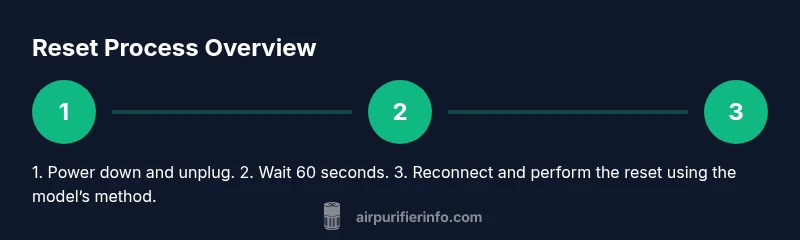
Power down and unplug
Turn off the purifier, then unplug the power cord from the wall outlet. This prevents any electrical hazards and ensures the system fully powers down before you begin the reset.
Tip: Wait 30 seconds after unplugging to discharge residual power. - 2
Wait for a brief pause
Leave the unit unplugged for 60 seconds. This pause helps clear residual charge and allows internal capacitors to reset.
Tip: Use this moment to confirm you have the manual and a clean area to work. - 3
Plug back in and locate reset control
Reconnect the power cord. Find the reset control on your model—this could be a dedicated button or a button combination indicated in the manual.
Tip: If there’s a dedicated reset button, keep your finger ready to press for the required duration. - 4
Perform the reset sequence
Follow the model-agnostic reset method: press and hold the reset button for 3-5 seconds, or perform the power cycle with the button held as instructed in your manual.
Tip: If your model requires a combination like power on, off, then hold, follow those exact steps. - 5
Observe indicators after reset
Power the unit on and watch the indicator lights or display. The status should return to normal within a few minutes as the system reinitializes sensors.
Tip: If indicators remain abnormal, document the codes and consult support. - 6
Run a short test cycle
Let the purifier run on a standard setting for 5-10 minutes. Note airflow, noise, and any irregularities to ensure proper operation.
Tip: Avoid placing the unit in a cramped space where airflow is restricted during testing.
Questions & Answers
What should I do before resetting my air purifier?
Review the user manual for model-specific steps and ensure the filter is checked. If you’re unsure, perform a simple power cycle first and observe if the unit returns to normal operation.
First check your manual and the filter status. If in doubt, try a basic power cycle and see if it restarts normally.
Will resetting fix all air quality issues?
Resetting can clear temporary glitches and restore functionality, but it won’t fix clogged filters, motor wear, or leaks. If problems persist, inspect the filter and seals or seek support.
A reset helps with glitches, but ongoing air quality problems usually need filter checks or professional help.
How long should I wait after a reset to test performance?
Allow 5-10 minutes of runtime to observe indicator stability and airflow. If readings stay off, re-check the filter or consult the manual.
Give it 5 to 10 minutes to stabilize after a reset.
Can I reset an air purifier without a reset button?
Yes. Many units support a power-cycle method or a button combination described in the manual. Follow the exact steps for your model.
If there’s no reset button, use the model’s power-cycle method as your guide.
When should I contact customer support after a reset?
If error codes persist after multiple resets or if you notice unusual odors, noises, or airflow problems, contact the manufacturer’s support line.
If codes don’t clear after a few resets, reach out to support.
Watch Video
Main Points
- Reset when error codes are transient and sensors drift, not for hardware failure.
- Always unplug before handling; safety first.
- Verify post-reset operation with a short test cycle.
- Consult the manual for model-specific steps and firmware caveats.