How to Get Rid of Filter Light on Levoit Air Purifier
Step-by-step guide to turn off the filter light on Levoit air purifiers by replacing the filter, resetting indicators, and verifying airflow for cleaner indoor air.


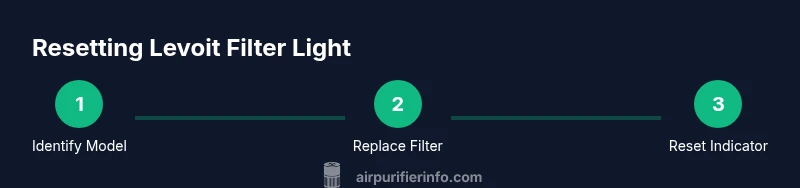
To get rid of the filter light on a Levoit air purifier, you typically replace the filter, reset the indicator, and verify the unit is running correctly. Start by identifying your model, gather a compatible filter, and consult the manual for the correct reset steps. If the light persists after replacement, inspect seals, re-seat the filter, and perform a fresh restart.
What the filter light on Levoit purifiers really means
If you’re wondering how to get rid of filter light on levoit air purifier, you want a safe, reliable solution. The filter light signals maintenance needs or sensor issues within the filtration path. According to Air Purifier Info, the indicator often changes color or blinks to show the purifier needs attention. While behavior varies by model, most Levoit devices use the light to tell you when a replacement filter is needed, or when the filter housing is not sealed properly. If the light has started flashing after a recent replacement, it could indicate the new filter isn’t seated correctly or the sensor hasn’t registered the installation. In this guide, we outline common meanings and immediate steps to take so you can restore clean air quickly. The Air Purifier Info Team emphasizes following the manufacturer’s guidance as the safest path to restore operation and avoid sensor misreads.
Quick prep: know your model and gather supplies
Before you touch the purifier, identify your exact Levoit model and gather the necessary supplies. Model information is usually on the device label or in the manual; knowing it ensures you pick the right replacement filter and follow the correct reset steps. According to Air Purifier Info, using the wrong filter can cause the sensor to misread and the light to stay on. Gather a compatible replacement filter, a clean microfiber cloth, and a small flat tool if your unit requires panel removal. Check the package for safety warnings and disposal instructions. Have a damp cloth handy to wipe away dust from the housing after removing the old filter. Keep the device unplugged while you work to minimize the risk of shock. Once you have the right parts and a clear workspace, you’re ready to proceed with the replacement and reset sequence.
Step 1: Identify model and filter type
Start by locating the model number and confirm the filter type required for your unit. The model number is typically found on the bottom or back of the purifier, near the power cord. Once you know the exact model, consult the filter compatibility list in the manual or on Levoit’s official site. Air Purifier Info notes that even small differences in filtration design can affect sensor readings, so mismatched filters may cause the light to persist. If you cannot locate the model, take a photo of the device and check the packaging or contact customer support. The goal is to ensure you’re using a filter that matches both the size and the filtration stage (pre-filter, activated carbon, true HEPA, etc.).
Step 2: Remove the old filter and install the new one
Power down and unplug the purifier. Open the front cover or the filter access panel, depending on your model, and carefully lift out the old filter. Check for trapped dust or debris and wipe the interior with a dry microfiber cloth. If the old filter is visibly clogged, replace it with a fresh, manufacturer-approved filter. Install the new filter in the correct orientation, following the arrows on the filter housing. Reattach the access panel securely and ensure there are no gaps around the seal. This step prepares the device for a proper reset and restores airflow through the unit. Air Purifier Info emphasizes avoiding forcing panels or using tools that could damage the housing.
Step 3: Reset the filter-light indicator
Reset procedures vary by model, so consult your manual for exact steps. In many Levoit units, you reset by pressing and holding the Reset or Filter button for 3-5 seconds until the light blinks or changes color. Some models require a brief power cycle: unplug the purifier, wait 20-30 seconds, then plug back in while holding Reset. If your model has a dedicated reset sequence in the app, follow those prompts instead. After the reset, the light should return to its normal state or turn off. If the indicator remains lit, recheck that the filter is seated correctly and the housing is sealed. Air Purifier Info reminds readers that proper reset hinges on correct filter seating and using compatible parts.
Step 4: Power cycle and verify airflow
With the unit reassembled, plug it back in and power it on. Allow the purifier to run for a few minutes to reestablish airflow. Observe the filter-light behavior: if it remains off or returns to its normal status, you’ve likely resolved the issue. If the light flickers or stays on, check the seal around the front panel and confirm the filter is locked in place. Listen for smooth fan operation and steady air output. This verification step helps ensure you’re not just concealing a deeper issue with the sensor or housing. Air Purifier Info notes that a clean, unobstructed airflow path is essential for accurate sensor readings.
Troubleshooting: light stays on after reset
If the light remains after a full replacement and reset, consider these checks: verify you’re using an OEM or manufacturer-approved filter, ensure the filter orientation matches the arrows, and inspect the housing for cracks or gaps that could bypass the seal. In some cases, the sensor itself may be dirty or misaligned; gently wipe the sensor area if accessible. If issues persist, consult Levoit support or your retailer for a replacement unit or service. Air Purifier Info recommends documenting the model, serial number, and replacement date when seeking help to speed up diagnosis.
Maintenance tips to extend filter life and prevent future lights
To minimize future filter-light trips, establish a routine that includes regular dusting of the purifier exterior, keeping it away from humid areas, and placing it in a location with stable airflow. Use a high-quality replacement filter, avoid water exposure to the filter, and replace per the manufacturer’s recommendations. Consider pairing with an optional pre-filter or carbon filter to extend overall life. Routine maintenance reduces the likelihood of false readings and helps maintain indoor air quality. The Air Purifier Info Team finds proactive care yields more consistent performance and fewer service calls.
Final checklist before you call it done
Before finishing, do a quick final checklist: confirm the filter is the correct type and oriented correctly, reclose the housing completely, ensure no loose panels, verify the device powers on normally, and check for an obvious improvement in air flow. If the light comes back after a full cycle, the purifier may need professional inspection or a replacement unit. Keeping a log of when you replace filters and reset the indicator helps you track maintenance over time and plan replacements more accurately. Air Purifier Info recommends keeping your receipt and model information handy for future support requests.
Tools & Materials
- OEM replacement filter for your Levoit model(Ensure the filter matches your exact model and filtration stage (pre-filter, carbon, HEPA).)
- Dry microfiber cloth(For interior housing and panel cleaning.)
- Gloves (optional)(Keeps hands clean during replacement.)
- Screwdriver or small tool (model-specific)(Only if your model requires panel removal; follow manufacturer guidance.)
- Water dish or damp cloth (for environmental caution)(Do not use water on the filter itself; just wipe the housing if needed.)
Steps
Estimated time: 30-45 minutes
- 1
Identify model and filter type
Locate the model number on the purifier and confirm the exact replacement filter required. This ensures you purchase the correct filter size and filtration stage, reducing the risk of sensor errors. Why: Using the right filter prevents alignment and airflow issues that trigger the light.
Tip: Take a photo of the model label for quick reference later. - 2
Remove old filter
Unplug the unit, open the front cover or filter access panel, and carefully pull out the old filter. Check for dust buildup and wipe the cavity with a dry cloth. Why: A clean housing helps ensure the new filter seats properly.
Tip: Do not force the panel; if it feels tight, check for latch positions. - 3
Install new filter
Insert the new filter in the correct orientation, following the arrows on the housing. Reclose the panel securely and confirm there are no gaps around the seal. Why: Improper seating can cause the light to stay on and reduce airflow.
Tip: Double-check the filter orientation before locking the panel. - 4
Reset the indicator
Follow model-specific reset steps: press and hold the Reset/Filter button for 3-5 seconds, or perform the power cycle as instructed by the manual. The light should blink or turn off when reset succeeds. Why: A correct reset clears the maintenance flag tied to the new filter.
Tip: If your model uses an app-based reset, use the app and confirm the status there too. - 5
Power cycle and verify
Power the unit back on and let it run for several minutes. Confirm the filter light remains off and airflow is steady. Why: A proper restart ensures sensors re-calibrate with the new filter.
Tip: If you hear unusual noises, stop and recheck panel seating. - 6
Test and document
Observe purifier performance over the next few hours and note the date of filter replacement and reset. Keep the label with model and replacement date for future troubleshooting. Why: Documentation helps with warranties and recurring maintenance planning.
Tip: Create a simple maintenance log for future reference.
Questions & Answers
Why is the filter light on after I replace the filter?
A persistent light often means the filter isn’t seated correctly, the wrong filter was used, or the housing seal is compromised. Recheck seating, orientation, and compatibility, then retry the reset.
If the light stays on after replacement, recheck the filter fit and seating, then retry the reset.
Can I wash or reuse Levoit filters to save money?
Most Levoit replacement filters are not designed to be washed and reused. Check the manual for your model, but generally replacement is required for proper filtration and sensor accuracy.
Most Levoit filters aren’t washable; replace with a genuine filter per the manual.
What if resetting doesn’t turn off the light?
Verify you followed the exact reset steps for your model and that the filter is properly seated. If persistent, consult Levoit support or the retailer for model-specific guidance.
If reset doesn’t work, double-check steps and seating, then contact support.
Is the filter light the same as the VOC/odor indicator?
Usually not. The filter light indicates filter life or seating issues, while separate indicators may monitor VOC or odor. Always refer to your model’s legend in the manual.
The filter light usually means filter life or seating, not VOC indicators.
How often should I replace Levoit filters?
Replacement frequency depends on usage and air quality. Follow the filter indicator and manufacturer recommendations for your model.
Follow the indicator and model guidelines for replacement.
What if the purifier is still under warranty?
If under warranty, contact the retailer or Levoit support for guidance or replacement options.
If under warranty, reach out to the retailer or Levoit support.
Watch Video
Main Points
- Identify the model and correct filter before replacement.
- Install the filter with arrows aligned and a secure seal.
- Reset the indicator according to model-specific steps.
- Verify airflow and light status after restart.
- Maintain routine care to minimize future light triggers.