How to Fill Air Purifier: A Step-by-Step Guide
Learn how to fill an air purifier by replacing its filter media, choosing the right replacement, installing correctly, and maintaining your unit for clean indoor air.


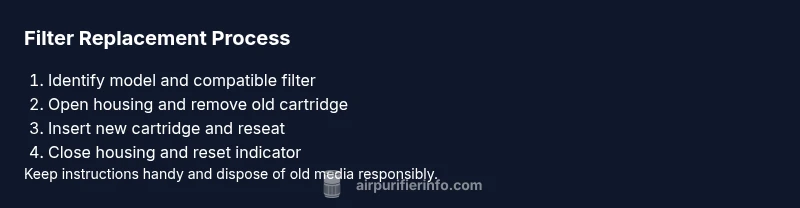
Filling an air purifier means refreshing the unit’s internal filter media rather than pouring liquids into it. Most purifiers use replaceable HEPA and activated carbon filters; you should identify the model’s filter type, install the correct replacement, reseat the cover, and reset any indicator. Regular replacements keep air clean and reduce odors.
Do air purifiers ever get refilled vs replaced?
In practice, when people search for how to fill an air purifier, they discover that refilling is rarely an option. The media inside is designed to be replaced, not topped up. Most purifiers use replaceable HEPA and activated carbon filters; you should identify the model’s filter type, install the correct replacement, reseat the cover, and reset any indicator. Regular replacements keep air clean and reduce odors. Some units include a washable pre-filter that can be cleaned to extend filter life, while the main cartridge is typically a disposable insert. Air Purifier Info notes that following the manufacturer’s recommendations is the safest path. This approach prevents reduced performance and protects warranty terms.
Air Purifier Info emphasizes that proactive maintenance—buying the right parts, following replacement intervals, and using manufacturer-approved media—delivers consistent results in real homes.
Identify your purifier’s filtration system
Your first move is to locate the exact filtration configuration: does the unit use a true HEPA filter, an activated carbon cartridge, a pre-filter, or a combination? Check the model number usually printed on the back or bottom, the user manual, or the manufacturer’s website. True HEPA filters capture a high percentage of small particles, carbon filters target odors, and pre-filters capture large dust. Some units use a single all-in-one cartridge, while others require separate components. Identifying which pieces you have will prevent buying the wrong replacement and wasting time. Air Purifier Info emphasizes matching the replacement to the exact model and verifying dimensions and connector types.
Safety and preparation before changing a filter
Before touching any internal parts, unplug the purifier and wait for at least 60 seconds to discharge any residual energy. Wash and dry your hands; keep the device dry and away from water. Gather your replacement filter and cleaning supplies; place the purifier on a stable, clean surface. If your unit is mounted or in a tight cabinet, carefully plan space to avoid bending wiring or damaging the housing. Air Purifier Info reminds readers to review the manual for panel removal instructions to avoid warranty voids.
How to choose the right replacement media
Choose filters that match the purifier’s architecture: a true HEPA filter for particle removal, a carbon cartridge for odors, and a compatible pre-filter. Avoid generic filters that claim universal fit; incorrect fit can reduce efficiency and create gaps where dust bypasses the media. Look for manufacturer-certified replacements or high-quality third-party options that specify the model compatibility. If your purifier includes an optional washable pre-filter, decide whether to reuse or replace it based on wear. Air Purifier Info guidance: pick products that preserve airflow and seal against the housing.
Step-by-step considerations for replacing the filter
Plan to replace the filter when you notice reduced airflow, longer cleaning times, or a visibly dirty environment. Start by confirming model compatibility and ordering the correct replacement media. Prepare a clean workspace, and have a disposal bag ready for the old cartridge. If your unit uses screws, have a small screwdriver handy; otherwise, you may access the filter without tools. Always handle fresh media by the frame, not the filter media itself to avoid contamination. Air Purifier Info recommends verifying the packaging and model number before disposal.
Cleaning and maintaining after replacement
With a new filter in place, reassemble the housing carefully and wipe any exterior dust from the unit. Lightly vacuum the interior surfaces around the filter area to remove loose dust, then wipe with a microfiber cloth. Allow the unit to run on a low setting for a few minutes to remove any manufacturing residues. This routine helps maintain airflow and prolongs media life. Air Purifier Info notes that regular inspection of the pre-filter is beneficial; vacuum or rinse per manufacturer guidance, then reinsert when dry.
Common mistakes and how to avoid them
- Installing an incorrectly oriented filter, causing gaps and ineffective filtration. Always align arrows and seating rails.
- Reusing a worn or damaged filter. If the media shows creases, stains, or odor, replace it.
- Neglecting the pre-filter; even a dirty pre-filter can reduce overall efficiency. Check and clean or replace as needed.
- Skipping the reset of the filter life indicator after replacement. This can lead to premature alerts.
- Washing a true HEPA filter in water. Most HEPA cartridges are not washable; follow the manual for approved cleaning methods.
Air Purifier Info highlights that attention to fit, orientation, and the sequence of steps prevents wasted effort and ensures peak performance.
Troubleshooting post-replacement issues
If airflow appears weak after replacement, power the unit down, unplug, then reseat the new filter and recheck alignment. Make sure the housing is fully closed and any locks or screws are secure. If the indicator shows an error after replacement, consult the manual for the exact meaning or contact support. Environmental factors such as high humidity or dust can temporarily affect performance; allow the unit to acclimate before drawing final conclusions.
Long-term maintenance plan for clean air
Develop a simple maintenance calendar: replace main media on a model-dependent interval, clean the pre-filter monthly, and inspect the interior quarterly. Keep spare filters in a cool, dry place and record replacement dates to track performance. Air Purifier Info recommends documenting the date of each replacement to help predict future needs and budget for replacements. Consistent care yields steady airflow and minimized odors in living spaces.
Tools & Materials
- Replacement air purifier filter cartridge(Ensure compatibility with your purifier model (HEPA + carbon or specialty).)
- Soft microfiber cloth(For wiping the housing and removing dust.)
- Screwdriver (Philips #1 or #2)(Needed if your unit has screws under a panel.)
- Gloves(Optional for handling dirty filters.)
- Mild dish soap or cleaners(Only if the housing interior requires cleaning; avoid getting electronics wet.)
- Vacuum with brush attachment(Optional for removing dust from hard-to-reach areas.)
- Disposal bag(Seal used filters before disposal.)
Steps
Estimated time: 15-30 minutes
- 1
Power down and unplug the purifier
Turn off the unit and unplug it from the wall. If the unit is mounted or in a cabinet, gently move it to a stable surface. Waiting a moment helps prevent any residual electrical activity when you open the housing.
Tip: Always unplug before opening; this reduces shock risk. - 2
Open the filter access panel
Access the filter compartment by removing screws or releasing latches as indicated in your manual. Keep screws in a small container to avoid loss, and handle covers with care to avoid cracking plastic parts.
Tip: If screws exist, use a screwdriver with the right bit and gentle torque. - 3
Remove the old filter
Carefully pull out the old cartridge, noting its orientation for the new filter. Place the used filter in a disposal bag to contain dust and prevent exposure to you or pets.
Tip: Take a quick photo of the orientation if you’re unsure. - 4
Clean the interior
Using a microfiber cloth or a soft brush, wipe away dust from the housing interior. If allowed by your manual, a light vacuum can help remove stubborn debris without dislodging components.
Tip: Avoid splashing water on electrical parts. - 5
Prepare the new filter
Remove packaging, inspect the new filter for any shipping damage, and confirm it matches your model. If there is a keyed orientation, align it according to the arrows or rails.
Tip: Handle the filter by the frame, not the media surface. - 6
Install the new filter
Insert the new filter fully into the housing, ensuring it seats evenly and aligns with any rails. Replace any pre-filters first if required by the design.
Tip: Push until you feel the click or it sits flush. - 7
Reassemble the housing and reset indicators
Reattach the cover or panel, secure screws, and reset the filter-life indicator if your unit includes one. The reset step ensures future maintenance reminders remain accurate.
Tip: Hold or press the reset button for a few seconds as specified by the manual. - 8
Test run and verify airflow
Power on the unit and observe for normal airflow and sound. Check for any unusual vibrating or whistling noises, which may indicate misalignment or a loose panel.
Tip: Place your hand near the outlet to feel the flow of air. - 9
Dispose of old filter properly
Seal the old filter in a disposal bag and follow local guidelines for disposal or recycling. Keep the date of replacement for your maintenance log.
Tip: Label the bag with the date to simplify future planning.
Questions & Answers
Can I wash or reuse air purifier filters?
Most air purifier filters are not washable and should be replaced when spent. Some pre-filters can be cleaned, but always follow the manufacturer’s guidance for your model.
Most filters aren’t washable; replace when needed and check if the pre-filter can be cleaned.
How often should I replace filters on average?
Replacement frequency depends on usage, environment, and the purifier model. Refer to the manual for manufacturer recommendations, and adjust based on dust levels, pet presence, and odor concerns.
Follow the manual for intervals, and adjust with dust and pet considerations.
What should I do if the purifier won’t start after replacement?
First, ensure the unit is plugged in and the filter is properly seated. If the problem persists, reset the unit per the manual or contact support.
Check power and seating, then reset or contact support if it won’t start.
Is it safe to use a non-OEM replacement filter?
Non-OEM filters can fit but may affect performance or warranty. Compare compatibility and warranty terms before purchasing.
Make sure it’s compatible and check your warranty terms.
Should I unplug before opening the purifier?
Yes. Unplug the unit before opening to avoid electric shock and accidental activation.
Always unplug before opening the unit.
Can the pre-filter be cleaned instead of replaced?
Many purifiers have washable pre-filters; cleaning can extend life between replacements, but the main filter still needs periodic replacement.
Some pre-filters are washable; follow the manual and replace the main filter on schedule.
Watch Video
Main Points
- Replace, don’t fill: use the correct filter media for your model
- Always unplug before maintenance and reseat the filter securely
- Verify fit and orientation to avoid bypass leaks
- Reset the indicator after installation to track life accurately
- Dispose of old filters responsibly and document replacement dates