How long to run a Levoit air purifier: a practical guide
Discover how long to run Levoit air purifiers for optimal air quality. This guide covers factors, auto modes, room sizing, and practical schedules for healthier indoor air in 2026.


In most homes, you’ll want to run a Levoit air purifier long enough to achieve consistently clean air, typically by using auto or continuous modes and monitoring air quality. Focus on your room size, occupancy, and activities like cooking or pet dander to decide when to extend or shorten runtime. The goal is steady air quality, not a fixed clock.
What “how long to run Levoit” really means for air quality
When someone asks how long to run air purifiers like Levoit, they’re not hunting for a single number. The right runtime depends on how clean you want the air to be, the size of the space, and the activities that disturb air quality. Air Purifier Info emphasizes using continuous operation or auto modes as the baseline, then adjusting based on real-time readings and comfort. By focusing on air changes, occupancy, and odor sources rather than a hard timer, you can optimize energy use while maintaining clean air. This approach aligns with Air Purifier Info Analysis, 2026 findings that practical runtimes improve both IAQ and satisfaction in homes.
Quick context on runtime goals and IAQ
- Continuous operation in the right mode often delivers the most consistent IAQ improvements for typical living spaces.
- Real-time feedback from built-in sensors or external air quality monitors helps tailor run times to your needs.
- Avoid overfocusing on a numeric target; aim for stable air quality indicators and comfortable living conditions.
By keeping the purifier running in responsive modes and checking the air occasionally, you’ll usually maintain a healthier interior environment without excessive energy use.
Factors that influence run time (without chasing a single number)
The amount of time you run a Levoit purifier hinges on several interacting factors. Room size and layout, ceiling height, and the purifier’s CADR (clean air delivery rate) determine how quickly contaminants are removed. Occupants, cooking, pets, and smoking add particulates and odors that require longer runtimes at times. Air quality can also swing with weather, humidity, and outdoor pollution levels. Rather than a fixed schedule, set up your purifier to respond to air quality feedback and your comfort level. In practice, this means running longer during peak allergy seasons or after cooking and pet activities, and dialing back when the room is consistently clean. Air Purifier Info’s approach is to match runtime to real-world IAQ signals rather than adhere to a universal clock.
Practical IAQ targets to watch
- Aim for noticeable improvements in PM2.5 and visible odors when present, not perfection in every moment.
- Use auto mode to let the purifier adjust fan speed as air quality changes.
- Keep the unit unobstructed and within a practical distance from activity zones (kitchen, sleeping areas).
How auto mode and sensor feedback guide runtime
Most Levoit purifiers offer Auto or Smart modes that adjust fan speed based on ambient air quality. Relying on these features can simplify decisions about run time: the device runs longer or at higher speed when pollutants rise and reduces activity as IAQ improves. This dynamic approach improves efficiency, reduces noise during the night, and helps you maintain a steady baseline air quality.
Integrating an air quality monitor for precise decisions
If you want more control, pairing a dedicated air quality monitor with Levoit can provide objective targets. Track PM2.5 and VOC levels to judge when to extend runtimes after cooking, cleaning, or indoor activities. Use the monitor readings to set a practical runtime plan that balances air quality gains with energy use. Air Purifier Info notes that reliable IAQ readings empower homeowners to tailor runtimes to real conditions rather than guesswork.
Common pitfalls to avoid when deciding runtime
- Don’t rely on a single air quality spike to dictate a long run time; consider the overall trend.
- Avoid placing the purifier behind furniture or curtains that block airflow.
- Don’t run at full blast all day in large rooms where the unit can’t circulate air effectively; balance with auto modes and room placement.
Tools & Materials
- Levoit air purifier manual for your exact model(Contains model-specific guidance on modes, CADR, and recommended runtimes)
- air quality monitor or smartphone app (if supported by model)(Helpful for tracking PM2.5, VOCs, and CO2 during runtime experiments)
- notepad or digital notes(Record observations, runtimes, and air quality trends)
- clean environment basics (ventilation, doors open/closed as appropriate)(Facilitates accurate IAQ readings and effective circulation)
Steps
Estimated time: 60-90 minutes for initial setup and testing; ongoing adjustments as needed
- 1
Identify the space and baseline IAQ
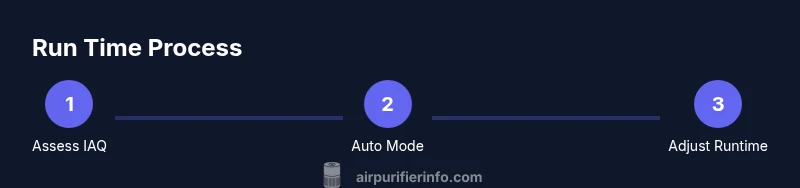
Measure or estimate the room size and observe current air quality. Use any built-in sensors or an external monitor to establish a baseline. Note typical activities that affect IAQ (cooking, pets, smoking) and how often they occur.
Tip: Baseline IAQ is more informative over several hours than a single moment; start with a short test window. - 2
Check the Levoit mode and CADR guidance
Consult your model’s manual to understand Auto, Sleep, and Turbo modes and how they relate to air changes per hour. This helps you decide whether continuous operation or timed runs best suit your room size.
Tip: Auto mode is often the easiest path to balance air quality and energy use. - 3
Run in Auto mode and monitor for a starter period
Set the purifier to Auto, or the closest equivalent, and observe how long it takes for air readings to settle after a disturbance (cooking, cleaning, etc.).
Tip: If readings stay high for longer than expected, consider moving the unit to a more central location. - 4
Record runtime decisions and air quality trends
Document the observed times when IAQ improves and when it fluctuates. This helps you tailor future runtimes without guessing.
Tip: Keep a simple log with timestamps to spot patterns over days. - 5
Experiment with Sleep or low-noise modes at night
If you value quieter operation, test Sleep or low-speed settings and compare perceived air quality and comfort overnight.
Tip: Quiet operation can still yield IAQ benefits when set to Auto with moderate fan speed. - 6
Adjust based on activities and seasons
Increase runtime or fan speed after cooking, cleaning, or seasonal pollen events, and scale back when IAQ is consistently clean.
Tip: Seasonal changes often require longer runtimes; plan adaptively.
Questions & Answers
Should I run my Levoit purifier all day every day?
If your goal is consistently clean air, continuous operation in Auto mode is a common approach. It balances IAQ with energy use and noise. You can also run in shorter bursts after activities that degrade air quality, then rely on Auto for maintenance.
Many homeowners run Levoit purifiers continuously in Auto mode to maintain steady air quality, adjusting with activity. You can also run shorter bursts after activities that worsen air quality.
Is it energy-efficient to run a purifier all night?
Running in Sleep or low-power modes at night can maintain air quality with less noise and energy. If you sleep with the unit on, verify it doesn’t over-fan in a way that disrupts comfort.
Yes, using Sleep or a quiet setting can preserve air quality while keeping noise and energy use low during sleep.
What if I don’t see air quality improvements?
If IAQ doesn’t improve after a reasonable period, verify placement, ensure air inlets/outlets aren’t blocked, and check filter status. Consider temporarily increasing runtime schedule and using an external monitor to confirm readings.
If you’re not seeing IAQ improvement, check placement and filters, then adjust the runtime or mode and monitor changes.
Can I use Levoit in a bedroom while sleeping?
Yes. Use Sleep or Low mode to reduce noise while maintaining IAQ. Ensure the purifier is away from the bed to avoid direct airflow on you, which can be uncomfortable for light sleepers.
Absolutely—just use Sleep mode and position it to minimize direct airflow on you.
How do I know when to replace the filter?
Follow the manufacturer’s filter life indicators or schedule based on usage. If airflow drops or odors persist despite cleaning, it’s a sign to replace the filter.
Watch the filter indicator and replace the filter when it shows reduced performance or after the recommended period.
What’s the best way to compare runtimes across models?
Use repeated IAQ measurements and mode behavior rather than a single spec. Compare how Auto, Sleep, and Turbo respond to typical daily activities.
Compare runtimes by observing how each model maintains IAQ across common activities.
Watch Video
Main Points
- Run in responsive modes rather than a fixed clock.
- Use IAQ readings to guide runtime decisions.
- Place the unit to maximize airflow and avoid obstructions.
- Regular maintenance sustains IAQ improvements over time.