How to Clean Levoit Air Purifier Without Vacuum
Learn how to clean a Levoit air purifier without vacuuming. This step-by-step guide covers safety, tools, cleaning techniques, and maintenance to keep your purifier running efficiently and extend filter life.


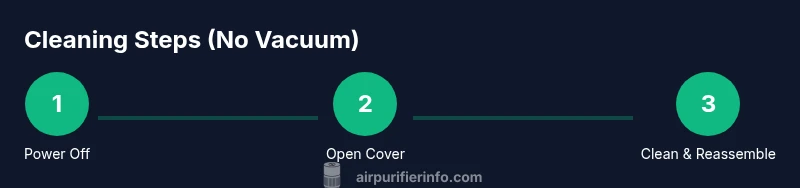
To clean a Levoit air purifier without vacuuming, unplug the unit, remove the outer cover per your model’s manual, gently brush away loose dust, and wipe surfaces with a damp microfiber cloth. Clean the filter area with a soft brush or compressed air at a safe distance, then reassemble and run briefly to recheck airflow.
Why Cleaning Your Levoit Air Purifier Matters
Clean indoor air depends on regular care of your purifier. Dust, pet dander, and odors accumulate on the exterior and in the filter housing, which can reduce airflow and shorten filter life if left unchecked. According to Air Purifier Info, maintaining a routine cleaning schedule helps sustain effective filtration and reduces downstream irritants in living spaces. This section explains why a non-vacuum approach works well for everyday maintenance and how to tailor it to common Levoit models without disassembly that requires power tools. The goal is to keep your purifier performing optimally with simple, safe steps you can repeat every few weeks or as needed, depending on usage and air quality in your home.
Safety First: Power, Water, and Surfaces
Always unplug the purifier before starting any cleaning to prevent shock or accidental activation. Avoid exposing electrical components to water or soaking any part of the unit. Use a damp microfiber cloth for surfaces and a dry brush for crevices. If you must use a mild soap solution, apply it to the cloth—not directly to the purifier—and wipe away residue with a clean, damp cloth. This approach minimizes moisture risks and preserves seals and internal electronics. Air Purifier Info emphasizes safety cautions to protect both you and the device during routine maintenance.
How Levoit Filtration Works (at a glance)
Most Levoit purifiers use a layered filtration system, typically including a pre-filter, a true HEPA filter, and an activated carbon component. The pre-filter is often easier to access for cleaning or replacement, while the main filter sits inside the housing. Do not try to vacuum the interior or dislodge seals aggressively; use light brushing and gentle air to dislodge loose dust. Understanding this structure helps you target the right areas during cleaning and reduces the risk of damaging the filtration media.
What You’ll Need (Tools and Materials)
Before you start, gather a few simple items to keep the process smooth: a soft brush, microfiber cloths, mild dish soap, a bowl of water, compressed air can (optional but effective for stubborn dust), a small screwdriver (for some models), and cotton swabs for tight spots. Having everything on hand minimizes interruptions and helps you keep the purifier clean without resorting to a vacuum. Always choose non-abrasive tools to avoid scuffing the exterior or dislodging delicate components. This list aligns with common maintenance needs across Levoit models.
Step-by-Step Overview (High-Level)
This guide follows a practical, vacuum-free cleaning flow: prepare and safety-check the unit, remove and inspect the filter housing, clean exterior surfaces and grilles, refresh the filter area with light brushing or compressed air, and reassemble. The emphasis is on preserving filter integrity and avoiding moisture exposure to internal electronics. If you encounter model-specific steps, always defer to your user manual, but the general approach remains consistent across most Levoit devices.
Step 1: Unplug, Open Outer Cover, and Inspect
First, unplug the purifier and locate the outer cover fasteners. Using the model’s manual, remove or loosen the screws or latches and lift the cover carefully. Inspect the interior for obvious dust buildup around the intake and sensor areas. Do not force parts; if something won’t budge easily, consult the manual to avoid chipping plastic or damaging clips. Tip: work on a soft mat to prevent slipping and to catch small screws.
Step 2: Remove Filter and Inspect
Gently slide out the pre-filter or main filter according to your model’s design. Take a quick look at the filter edges for dust accumulation. If the pre-filter is removable and washable (per manual), rinse it with cool water and let it air dry completely before reinstalling. Do not attempt to wash or soak the main HEPA/carbon filter unless your model explicitly permits it, as moisture can damage filtration media. Tip: keep track of how the parts come apart so you can reassemble correctly.
Step 3: Clean Exterior, Intake Grille, and Sensors
Wipe the exterior surfaces with a damp microfiber cloth, paying attention to the intake grille where dust tends to collect. For tight spots, use a soft brush to loosen debris before wiping away. If your unit has sensors, clean them gently with a cotton swab dampened with a tiny amount of rubbing alcohol, then allow to air dry. Avoid spraying liquids directly on the device or into the grille. Tip: never use abrasive cleaners that could scratch plastic finishes.
Step 4: Clean Filter Housing and Inner Areas
Using a soft brush or compressed air in short bursts, remove dust from the filter housing and nearby surfaces. Keep the canister angled away from face-level openings to prevent debris from re-entering the airflow path. Do not insert tools into narrow gaps aggressively; work gradually to avoid dislodging seals. Tip: if you notice stubborn dust, pause and re-check the area to avoid pushing debris further inside.
Step 5: Reinstall Filter, Cover, and Safety Reset
After components are dry, slide the filter back into its housing and replace the outer cover. If your model has a filter indicator, reset it according to the manual so you know when to replace next. Reconnect power and turn on the purifier on a low setting to verify airflow and ensure no whistling or unusual sounds. Tip: if you detect odor after cleaning, consider replacing the carbon filter to restore fresh air quality.
Maintenance and Troubleshooting After Cleaning
Aim for a routine schedule: dust the exterior weekly and do a deeper clean every 1–3 months, depending on usage and environmental factors. If airflow seems restricted after cleaning, recheck that the filter is properly seated and that the cover is fully secured. If odors persist, replace the carbon component or pre-filter as recommended by Levoit’s guidelines. Tip: keep a small maintenance calendar to track your cleaning cycles for consistent performance.
Tools & Materials
- Soft brush or paintbrush(Gently loosen dust from grills and crevices)
- Microfiber cloths(Use dry for dusting and damp for wiping surfaces)
- Mild dish soap(Optional for stubborn grime; dilute in water)
- Water (for dilution)(Use sparingly; avoid soaking components)
- Compressed air can(Short bursts to dislodge dust from interior areas)
- Small screwdriver (Phillips)(Only if your model uses screws to secure the cover)
- Cotton swabs(For tight gaps and sensor areas)
- Isopropyl alcohol (70%)(For sensor cleaning; apply minimally to swab)
Steps
Estimated time: 30-45 minutes
- 1
Unplug and prepare
Power off the device and unplug it from the wall. Clear a clean workspace and lay down a soft mat to prevent drops. This initial safety check protects you and the purifier.
Tip: Always unplug before touching any internal parts to avoid shocks. - 2
Open outer cover
Follow your model’s manual to remove the outer cover or access panel. Do not force clips or screws; gently release fasteners and lift the cover.
Tip: Keep track of screw positions to ease reassembly. - 3
Remove and inspect filter
Carefully slide out the pre-filter or main filter as designed. Inspect edges for excessive dust. If allowed, rinse the pre-filter with cool water and let it dry completely before reinstalling.
Tip: Do not expose the main filter to moisture unless explicitly approved by the manufacturer. - 4
Clean exterior and grille
Wipe the outside with a damp microfiber cloth and brush dust from intake grilles. Clean sensor faces gently with a cotton swab if present.
Tip: Avoid aggressive scrubbing that could scratch surfaces. - 5
Clean filter housing
Dust the filter housing with a soft brush or use short bursts of compressed air to clear debris. Keep the device angled away from the face to prevent particles from re-entering.
Tip: Do not use a vacuum on the inside components. - 6
Reinstall and reset
Place the filter back, reseal the cover, and reset any indicator light if applicable. Plug in and run on low to verify airflow and sound.
Tip: Ensure the filter is seated correctly to avoid airflow issues. - 7
Test and dry time
Let any damp components air-dry completely before prolonged use. Complete a quick run cycle to confirm proper operation and airflow.
Tip: If you smell a chemical odor, run the purifier with the cover off for a few minutes in a well-ventilated area before reassembly.
Questions & Answers
How often should I clean my Levoit purifier without vacuuming?
Aim for a light exterior wipe every 1-2 weeks and a deeper internal cleaning every 1-3 months, depending on dust levels and pet activity. Use the purifier’s indicators and your environmental conditions to guide frequency.
Clean lightly every week and perform a deeper internal check every few months, based on dust and pet activity.
Can I wash the filter?
Many Levoit units use a replaceable main filter that should not be washed. Some models include a washable pre-filter; refer to the manual. Always air-dry a washable pre-filter completely before reinstalling.
Check your manual to see if the pre-filter is washable; do not wash the main filter unless specified.
Is it safe to use water on the exterior?
Lightly dampen a cloth for the exterior only. Do not spray or soak water into the unit, vents, or the filter housing. Moisture can damage electronic components.
Only wipe with a damp cloth on the outside—avoid any water inside the device.
Can I vacuum the interior to speed up cleaning?
No. Vacuuming can damage delicate filtration media and seals. Use non-abrasive brushes and compressed air instead to clear dust.
Avoid vacuuming the interior; use a brush and compressed air instead.
What if the purifier smells after cleaning?
A lingering odor may indicate a carbon filter need replacement or residual cleaning agents. Replace the carbon filter if odor persists and ensure the area is fully dry before reuse.
If odors persist after cleaning, replace the carbon filter and ensure everything is dry.
How do I reset the filter indicator?
Most Levoit models reset by pressing and holding a specific button or combination after replacing a filter. Consult your manual for the exact reset procedure for your model.
Check the manual for your model’s exact reset steps after filter replacement.
Watch Video
Main Points
- Unplug and inspect before touching any internals
- Use dusting and damp-wipe methods only; avoid submerging components
- Do not vacuum inside the purifier; use a brush or compressed air instead
- Reassemble carefully and reset indicators after cleaning
- Schedule regular maintenance based on usage and environment