How to Change Air Filter in Air Purifiers: A Step-by-Step Guide
Learn how to change air filter in your air purifier with a clear, step-by-step approach. This guide covers safety, compatibility, installation, and maintenance to keep indoor air clean and breathable.


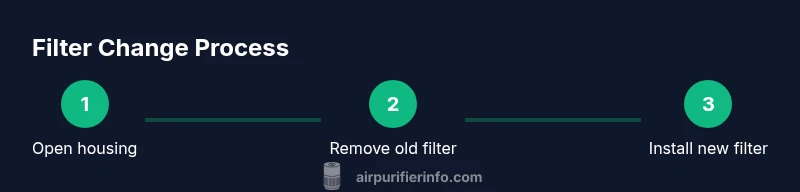
You can learn how to change air filter in your air purifier quickly by following a simple, safe process. This guide covers unplugging the unit, opening the housing, removing the old filter, installing a new one, and resetting indicators. Always check your purifier’s model-specific instructions to ensure the correct filter type and orientation.
Why Regular Filter Changes Matter
The air you breathe indoors matters for health, comfort, and allergy management. Understanding how to change air filter in your purifier is a foundational task for homeowners and renters who want to minimize dust, pet dander, and odors. According to Air Purifier Info, keeping filters fresh is essential for clean indoor air. A well-maintained purifier not only removes contaminants more effectively but also runs more efficiently, reducing energy use and noise. Over time, filters load with particles and can impede airflow, which reduces CADR and performance. Even if your purifier seems to work, a clogged filter can cause it to work harder, shorten its life, and fail to meet your air-quality goals. In this guide, we’ll walk through safe steps to replace the filter, select compatible replacements, and maintain the unit so you can enjoy healthier air in your home.
Understanding Filter Types and Compatibility
Air purifiers rely on different filter configurations to target dust, allergens, odors, and VOCs. True HEPA filters capture most fine particles, while activated carbon filters target odors and gases. Some units use a combination of pre-filters and specialized media. The Air Purifier Info team notes that not all filters are interchangeable; always check the manual and verify the exact model number before buying replacements. When shopping, look for the filter type your purifier supports, the correct size, and whether pre- or post-filters require separate replacements. Keep a photo of the original filter as a quick reference for orientation, and record the model number to avoid mixing parts between machines. Selecting a compatible replacement ensures optimal airflow and filtration performance, saving energy and extending the life of the purifier.
Safety First: Unplug, Power Down, and Prep
Before you touch the purifier, unplug it and power down any smart features. Move the unit to a clean, dry workspace away from moisture or heat sources. Wear dry hands or light gloves to avoid transferring oils to the housing. Clear a space to place removed parts and dust, and keep a microfiber cloth handy for quick cleanup. If your unit sits on carpeting, place a mat to prevent dust from drifting during the change. By taking these precautions, you reduce the risk of shock, temperature damage, or contamination of the intake area.
Step 1: Locate and Access the Filter Housing
Most purifiers have a labeled access panel or rear/side door. Depending on the model, you may twist a cap, slide a latch, or remove a few screws to access the filter compartment. Take note of the orientation arrows on the filter and housing. If the unit has a safety interlock, wait for lights to go off before opening. Use a soft brush or dry cloth to remove loose dust from the exterior around the panel so you don’t push dirt into the interior during the change.
Step 2: Remove the Old Filter and Inspect the Housing
Carefully pull the old filter straight out to avoid dispersing dust. Check the housing for signs of moisture, mold, or damage to the gasket. If you see moisture, let the interior air-dry before inserting a new filter. Wipe the interior with a dry microfiber cloth and inspect the seal area for cracks or gaps. If the housing feels loose or the gasket is damaged, address these issues before inserting a new filter to maintain proper seal and airflow.
Step 3: Clean the Housing and Check Seals
With the unit open, wipe the interior surfaces and the seals with a dry or lightly damp microfiber cloth. Avoid using water on filters or any components that are not designed to be wet. Inspect all seals and ensure there is no debris that could hinder the seal when you reseal the housing. Let any damp areas dry completely before continuing. A clean interior helps prevent pre-filter contamination and extends overall purifier life.
Step 4: Install the New Filter Correctly
Position the new filter so that the airflow arrows point in the correct direction, toward the purifier’s interior. Insert it firmly until it sits evenly and cannot be moved by hand. If your unit has a top or bottom orientation, align accordingly and avoid forcing the filter past internal stops. Replace any protective film only after confirming the filter is fully seated. Correct installation is essential for peak performance.
Step 5: Reassemble, Reset Indicators, and Test
Close the housing or replace the panel, secure screws or latches, and plug the purifier back in. If your model shows a filter-change indicator, reset it according to the manual. Run the unit on a low to medium setting for 10 minutes to verify airflow and listen for abnormal noises. Check for any air leaks around the housing and re-tighten if needed. A properly reassembled purifier should run quietly with steady airflow and clean odors returning to normal.
Maintenance Tips to Extend Filter Life
To maximize the interval between changes, reduce dust load in the room by vacuuming regularly and minimizing clutter. Place the purifier away from walls and large furniture that can obstruct airflow. Keep doors and windows closed during heavy dust days and consider using room air quality practices like vented cooking odors. When you do replace filters, store extra replacements in a cool, dry place and label them with the replacement date. Regular maintenance not only improves air quality but also preserves energy efficiency and device longevity.
AUTHORITY SOURCES
For guidance on indoor air quality, filter performance, and best practices, consult reputable sources:
- https://www.epa.gov/indoor-air-quality-iaq
- https://www.cdc.gov/airquality
- https://www.energy.gov/eere/buildings/articles/indoor-air-quality
Troubleshooting and Common Mistakes
If you encounter issues after replacing the filter, double-check that the unit is correctly reassembled and that the filter is properly seated. Common mistakes include using the wrong filter type, not aligning arrows, or failing to reset indicators. If odors persist, verify there is good room ventilation and inspect the housing for mold or moisture. If problems persist, contact manufacturer support for model-specific advice.
Tools & Materials
- Replacement air filter compatible with your purifier model(Check the model number and size on the unit or manual)
- Microfiber cloth(For wiping the housing and exterior)
- Mild soap and water(Only for cleaning exterior surfaces; avoid saturating filters)
- Small screwdriver (Phillips)(Use only if your model uses screws to access the filter)
- Gloves(Keep hands clean and dry)
Steps
Estimated time: 15-25 minutes
- 1
Unplug and prep
Before you touch the purifier, unplug it and power down any smart features. Move the unit to a clean, dry workspace and remove any nearby objects. Keep a dust-free zone to prevent contamination.
Tip: Power off and unplug first to prevent accidental operation. - 2
Access the filter housing
Locate the access panel, rear door, or filter cover. Depending on the model, you may twist a cap, slide a latch, or remove a few screws to gain access. Note the filter orientation arrows for reference.
Tip: If screws are present, keep them in a labeled container so you don’t lose them. - 3
Remove the old filter
Gently pull the old filter straight out to avoid dispersing dust. Inspect the surrounding area for moisture, mold, or wear on seals.
Tip: Hold the filter by the frame, not the media, to preserve its shape. - 4
Clean the housing and seals
Wipe interior surfaces and seals with a dry microfiber cloth. Do not soak components. If you see residue or debris, remove it carefully to protect airflow.
Tip: Ensure all nests of dust are removed to prevent immediate contamination. - 5
Install the new filter
Position the new filter with arrows pointing toward the purifier interior and insert until snug. Do not force; if resistance is felt, check alignment.
Tip: Confirm the filter sits evenly with no gaps around the edges. - 6
Reassemble and test
Close the housing, re-secure any screws, and plug the purifier back in. Reset any indicator if needed and run the purifier briefly to ensure clear airflow.
Tip: Listen for smooth operation and verify that air vents are not blocked.
Questions & Answers
How often should I change an air purifier filter?
Most purifiers require replacement every several months under normal use, but follow the manufacturer’s guidelines and indicator signals. Environments with heavy dust or smoke may require more frequent changes.
Usually every few months, but check the model's manual and indicator lights for guidance.
Can I wash a reusable purifier filter?
Some purifiers use washable filters. If your model supports washing, follow the manual. Do not wash disposable filters; they can lose filtration efficiency and integrity.
Check the filter type; washable filters exist for some models, but disposable ones should not be washed.
What if the purifier won’t power on after changing the filter?
First, ensure the unit is plugged in and all safety locks are disengaged. Re-seat the filter and verify the housing is closed correctly. If it still won’t power on, consult customer support.
Make sure it’s plugged in, re-seat the filter, and check the housing; contact support if needed.
Should I reset the filter indicator after replacement?
Yes. Resetting the indicator ensures you receive accurate maintenance reminders. Refer to the user guide for the exact reset steps for your model.
Reset the indicator so reminders stay accurate.
What if I notice a bad odor after changing the filter?
A temporary odor may occur as new filters off-gas. If the smell persists, ensure proper installation and ventilation and check for a moldy housing.
New filters can have a brief odor; ensure proper installation and ventilation.
Is a pre-filter replacement separate from the main filter?
Some units have a separate pre-filter that also needs periodic replacement or cleaning. Check the manual and replace as recommended.
Some units have a separate pre-filter; replace or clean per instructions.
Watch Video
Main Points
- Identify the correct filter type before shopping
- Unplug before starting
- Align airflow arrows when installing
- Reset the indicator after installation
- Regular maintenance improves air quality