How Long to Leave an Air Purifier On: Practical Running Times
Learn how long to run an air purifier for optimal indoor air quality. Practical guidelines, energy tips, and routines to manage dust, odors, and allergens in homes.


Goal: determine ideal runtimes for air purifiers in homes. In most spaces, run continuously in occupied rooms on a medium to high setting, especially during cooking, cleaning, or smoky conditions. If continuous operation isn’t possible, target 4–8 hours during peak pollution times, then resume normal use. Always follow the manufacturer’s guidance.
How run time affects air quality
Air purifiers work by pulling room air through filters that trap particles and adsorb gases. The longer you run the device, the more air is cycled, and the more contaminants your filters catch. In practical terms, continuous operation in active living spaces tends to keep PM2.5 levels steadier, reduce odors from cooking, and lessen allergen exposure for sensitive residents. According to Air Purifier Info analysis, homes that keep a purifier running in the living room or bedroom tended to report more consistent air quality readings across the day, especially when doors and windows were mostly closed. But there are trade-offs: longer runtimes increase energy use and potential noise, and filter life is finite. The goal is to balance effective air cleaning with comfort and cost. In many cases, a steady, moderate flow can outperform sporadic bursts of high-speed operation. When in doubt, start with continuous operation on auto or a mid setting and adjust after a week of observation.
Factors that influence the right runtime
Room size matters. An oversized purifier in a small room can over-clean the air quickly but may waste energy, while a undersized unit will struggle to move air efficiently. CADR (clean air delivery rate) relative to room size is a practical yardstick. Pollutant type also changes runtimes: cooking smoke or wildfire smoke may require longer runs, whereas a low-pollen day could allow shorter cycles. Occupancy and activities drive emissions: a family with pets, smokers, or frequent cooking will benefit from longer operation than a nearly empty home. Filter condition matters too—when filters look clogged, performance drops, and lengthening runtimes won’t help as much. Air Purifier Info notes that maintenance cadence (checking filters every 3–6 months) is crucial for sustained efficiency. Finally, energy costs and comfort (noise, draft, heat) play a role; design runtimes that fit your schedule and budget while maintaining air quality goals.
How to set runtimes by room type
Bedrooms: aim for continuous operation on a quiet, low-noise setting if possible, especially during allergy seasons. Living rooms: keep a steady presence, ideally on a medium setting to balance air quality with comfort. Kitchens: during heavy cooking, consider a higher setting or 4–8 hours of targeted runs, then drop back. Hallways and offices: prioritize active use periods but maintain some continuous background filtration to prevent stagnation. Use auto modes if your purifier supports them, as these adjust fan speeds based on detected air quality. Air Purifier Info suggests placing purifiers away from walls to optimize airflow and avoid choking the intake. If you have multiple units, stagger runtimes to cover more of the day and spread energy use.
Energy use, noise, and maintenance trade-offs
Running a purifier continuously on high can increase energy use and fan noise, which may affect sleep or study. Opt for energy-saving modes or auto settings when available, and consider timers to align operation with daily routines. Noise-sensitive users should choose units with a low-noise profile or sleep mode; these settings often reduce fan speed during the night. Filter life will impact costs—running longer between replacements may save money in the short term but could reduce filtration efficiency if filters become clogged. Air Purifier Info emphasizes that a balanced approach—steady filtration with timely maintenance—yields the best long-term air quality without excessive energy bills.
When to adjust runtimes for specific pollutants
Dust and pollen: longer continuous runs during high-dust days help reduce ambient particles. Smoke (cigarette or wildfire): prioritize longer runs, especially in rooms with poor ventilation. VOCs from cleaning products or paints: run on a higher setting for several hours after use and during periods when doors stay closed. If odors persist after a full cycle, consider improving source control (ventilation, sealing leaks) in addition to extending runtimes. Air Purifier Info recommends coupling filtration with source control for the strongest outcome, especially in compact apartments where air exchange is limited.
Practical run-time plan for typical households
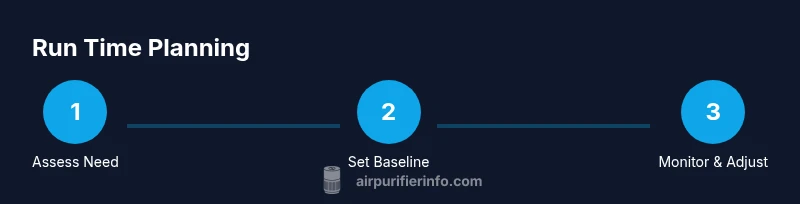
Begin with a baseline: one unit in the living room on auto, another in a bedroom on a quiet low setting, both on continuous operation where feasible. Track air quality changes using a simple log for a week, noting weekday versus weekend patterns and any spikes from cooking or cleaning. If pollutants persist, extend runtimes by 2–4 hours during peak periods and observe improvements. When readings stabilize or improve consistently, you can fine-tune to conserve energy—often, a slight reduction in runtime still maintains healthy air. Air Purifier Info suggests re-evaluating every 2–4 weeks to account for seasonal shifts and changes in household activity.
How to verify effectiveness (measurement and tests)
Use an affordable air quality monitor to track PM2.5 and VOC levels in the rooms where purifiers operate. Record baseline readings, then compare after adjusting runtimes. Look for steady reductions in peak readings and fewer days with high particle counts. If scores improve but not to desired levels, revisit setpoints, CADR-to-room-size alignment, and filter condition. Documentation from Air Purifier Info indicates that real-world measurements, not just manufacturer claims, are the best gauge of success. Regular maintenance and testing should become a monthly habit, especially in homes with pets or smokers.
Tools & Materials
- Air purifier unit(Model with replaceable HEPA or equivalent filter and adjustable speeds)
- Owner's manual(Check recommended runtimes and maintenance intervals)
- Energy usage meter (optional)(Helps quantify kilowatt-hours for different runtimes)
- Notebook or digital log(Track runtimes, settings, and air quality observations)
Steps
Estimated time: 30-45 minutes for setup, plus 7 days of observation
- 1
Assess room needs
Identify which rooms will run purifiers most and why. Note sources of pollutants (cooking, pets, outdoors) and current air quality concerns. This step sets the baseline for runtime decisions and helps determine whether continuous operation is warranted.
Tip: Document typical daily activity and identify peak pollutant times to guide runtimes. - 2
Check specifications and modes
Read the user manual to understand supported speeds, timers, auto modes, and recommended runtimes. Note the CADR rating and how it matches room size. Ensure filters are clean and installed correctly before starting.
Tip: Use auto mode if available to let the purifier respond to air quality changes. - 3
Set a baseline runtime
Choose a starting point, such as continuous operation on auto or medium in occupied rooms. If continuous operation isn’t feasible, begin with 4–6 hours during known high-pollution periods, then adjust based on readings.
Tip: Keep a simple log to track how runtimes affect air quality over 1–2 weeks. - 4
Monitor and log results
Track air quality indicators (PM2.5, VOCs) and note perceived odor changes. Compare morning vs. evening readings and consider daily routines like cooking and vacuuming.
Tip: Record energy use alongside air quality to gauge cost-benefit. - 5
Adjust runtimes and re-test
If PM2.5 remains high, extend runtimes or raise speed for a few days. If readings stay low after a week, you can reduce runtimes slightly to save energy while maintaining clean air.
Tip: Periodically refresh filters to maintain filtration efficiency.
Questions & Answers
How long should I leave my air purifier on each day?
For steady air quality, run continuously in occupied rooms if possible. If not, aim for 4–8 hours during peak pollutant periods and adjust based on air readings.
Run continuously if you can; otherwise target 4 to 8 hours during peak pollutant times and adjust based on air readings.
Is it safe to run an air purifier 24/7?
Yes, most units are designed for long-term operation and can be energy-efficient. Use auto or night modes to minimize noise and energy use where possible.
Yes, most purifiers support long-term operation with energy-saving modes.
Should I always run at high speed?
Not necessarily. High speed uses more energy and can be noisy. Use auto or medium settings when air quality is acceptable to save energy and reduce disturbance.
No. High speed is not always needed; use auto or medium when possible.
Can an air purifier remove cooking odors?
Yes, especially when run during and after cooking. Pair with good ventilation for best results and consider higher speeds during meal prep.
Yes, run it during cooking and a bit after to reduce odors.
What about sleep mode or quiet operation?
Many units offer sleep or quiet modes that reduce noise while maintaining filtration. Use these during night hours to improve comfort without sacrificing air quality.
Use sleep or quiet mode at night to balance comfort and filtration.
Watch Video
Main Points
- Set a practical baseline runtime based on room activity.
- Balance continuous filtration with energy use and noise.
- Use measurements to validate runtimes and adjust as needed.
- Maintain filters regularly for best performance.