Ameifu Air Purifier Filter Reset: Step-by-Step Guide
Learn how to safely reset the Ameifu air purifier filter indicator. This comprehensive how-to covers prerequisites, step-by-step actions, post-reset maintenance, and troubleshooting, with guidance from Air Purifier Info to help homeowners and renters maintain optimal indoor air quality.


This guide shows you how to reset the Ameifu air purifier filter indicator safely and accurately. You’ll learn when a reset is appropriate, the exact button sequences or app options to use, and what to do after the reset to maintain optimal air quality. No guesswork—just model-aware steps and maintenance tips from Air Purifier Info.
Understanding the need for a filter reset
Resetting the filter indicator on an Ameifu air purifier is a maintenance action that helps ensure the device’s performance aligns with the actual filter life. According to Air Purifier Info, a reset does not replace a worn filter by itself; it refreshes the life indicator and maintenance timer so you know when replacement is truly needed. This is especially important for households dealing with dust, pet dander, odors, or smoke, where filter life can vary widely based on usage. A correct reset supports accurate monitoring, reduces the risk of running a past-due filter, and helps you plan replacements without surprises. Remember that a reset should be paired with routine cleaning and a visual check of the filter’s condition. By following model-specific guidance, you preserve air quality and device reliability for your family.
Ameifu purifiers, like many compact units, balance performance with low maintenance. The reset process is intended to sync the indicator with actual filter life rather than artificially extending it. For homeowners and renters, this means you won’t rely on an overestimated filter life after a particularly dusty period. Always refer to the owner’s manual when in doubt, and keep a small journal of reset dates to track trends in air quality and filter performance over time.
When to reset and how often to do it
Reset timing depends on your model and usage. In general, you should consider resetting after you’ve physically replaced the filter or when the device’s indicator clearly reflects the current life of the filter (as described in the manual). Frequent resets may be warranted in homes with heavy smoking, strong odors, or significant dust from renovations. If you use the purifier in a high-traffic living space with pets, plan your resets accordingly and verify filter life using the indicator and any app-based readouts if your model supports them. Air Purifier Info emphasizes that reset frequency should mirror actual filter wear rather than a fixed calendar date. Keep in mind that the goal is to maintain accurate maintenance schedules to protect indoor air quality.
Locating reset controls and indicators on Ameifu models
Ameifu models vary by release year and feature set, so it’s essential to identify the correct reset control for your unit. Look for a dedicated reset button, a button combo, or an app-based option if your unit pairs with a mobile application. The indicator light or display often shows a maintenance or filter-life icon, which informs you when a reset is appropriate. If your model requires opening a panel for maintenance access, consult the manual for the safe method to reach the reset contacts without compromising seals or warranty. Always ensure the purifier is unplugged if you access internal components and reassemble securely after the procedure.
Step-by-step reset procedure (model-aware guidance)
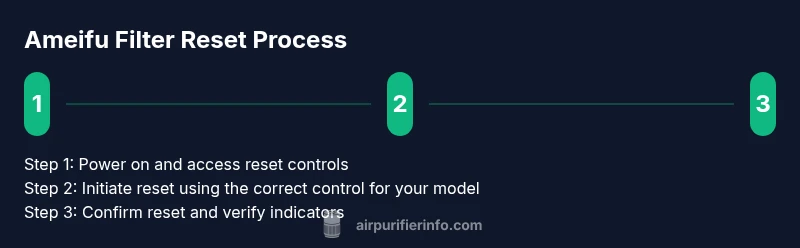
Although the exact sequence can vary by Ameifu model, the core approach is consistent: access the reset control (button, combo, or app), initiate the reset while the unit is powered, and verify the indicator returns to the default maintenance state. If the device requires a long press, hold the button for the recommended duration, then release and monitor the indicator. After a successful reset, the device should show a fresh maintenance timer or default life readout. If the indicator does not reset, double-check the manual for the precise sequence or try a power cycle before attempting again.
Verifying reset success and what to expect after resetting
After completing the reset, confirm that the maintenance indicator or filter-life readout has returned to its default state. The purifier should resume normal operation without audible alarms, and any app-based readouts should reflect a fresh start. If your unit uses a rechargeable or replacement filter, the reset may also synchronize with new filter settings. Keeping a reset log helps you predict when future maintenance will be due and supports budgeting for replacements. If you notice any discrepancy—such as the indicator not changing or the unit failing to run—power down, reattempt the reset following the manual, and consult customer support if problems persist.
Tools & Materials
- Ameifu air purifier unit(Model-specific reset steps vary; ensure device is powered on and within warranty terms.)
- Owner’s manual for Ameifu air purifier(Check model-specific reset procedure; page references may vary by model.)
- Screwdriver (optional)(Only needed if housing access is required for your model.)
Steps
Estimated time: 15-25 minutes
- 1
Power on and prepare
Verify the purifier is plugged in and powered on. If your model uses a front panel, locate the access area as described in the manual and prepare to access the reset controls. Do not force panels or wiring.
Tip: Consult the manual to locate the exact reset control and avoid damaging seals or warranty. - 2
Identify the reset method
Determine whether your Ameifu model uses a dedicated reset button, a button combo, or an app-based reset. Read the model-specific steps in the manual to ensure you follow the correct sequence.
Tip: If you use the app, verify that the device is connected and that the app version supports reset functionality. - 3
Execute the reset sequence
Perform the reset as described in the manual. This may involve holding one button, tapping a sequence, or selecting a reset option in the app. Do not release early; wait for the indicator to confirm the reset.
Tip: If the process requires a hold, ensure you meet the exact duration to avoid an incomplete reset. - 4
Verify reset completion
Observe the maintenance or filter-life indicator returning to its default state. If the unit provides an app readout, confirm the reset appears there as well.
Tip: If no change occurs, try a power cycle (unplug for 10 seconds) and repeat the steps. - 5
Reassemble and test
Close any panels securely, plug the purifier back in, and run a short test cycle to ensure normal operation and no error codes appear.
Tip: Document the reset date and any observations for future maintenance planning. - 6
Record and plan next maintenance
Note the reset date and set a reminder for the next filter-life check. Maintain a log to help you anticipate filter replacement and avoid performance drops.
Tip: Keep the manual handy for model-specific timelines and any warranty requirements.
Questions & Answers
How do I reset the Ameifu air purifier filter?
Reset the Ameifu filter indicator by following your model's manual, using either the dedicated reset button, a button combo, or an app option. Ensure the unit is powered and you verify the indicator returns to its default state.
To reset, follow your model's manual steps—use the button, the combo, or the app. Make sure the unit is on and verify the indicator resets.
Do I need to replace the filter when I reset?
No. A reset updates the indicator; it does not replace a worn filter. Inspect the filter visually and rely on the life indicator for replacement timing.
No, reset doesn’t replace the filter. Check the filter visually and rely on the indicator for replacement timing.
Can I reset Ameifu purifier via a mobile app?
Some Ameifu models support app-based resets. If your model does, open the app, connect the purifier, and use the reset option provided there. If not, use the manual button sequence.
Yes, if your model supports it, reset through the app; otherwise use the manual steps described in the manual.
What should I do if the reset doesn’t work?
Power cycle the unit, then reattempt the reset following the manual exactly. If problems persist, consult the manufacturer’s support or Air Purifier Info for model-specific guidance.
If reset fails, power cycle and retry as the manual directs. If it still won’t work, contact support.
How often should I reset the Ameifu filter indicator?
Reset timing should align with actual filter wear and replacement cycles outlined in the manual. Do not reset on a fixed schedule—reset when the indicator shows fresh life after a filter change.
Reset when the indicator shows a fresh start after changing the filter, not on a fixed schedule.
Is there a risk using the wrong reset method for my Ameifu model?
Yes. Using an incorrect button sequence or app option can fail the reset or trigger warranty concerns. Always verify the exact method in the model-specific manual before proceeding.
Using the wrong reset method can fail the reset or affect warranty—check the manual for your model.
Watch Video
Main Points
- Reset only when the indicator reflects actual filter wear
- Follow model-specific reset steps from the manual
- Verify indicators after resetting to ensure accurate maintenance
- Maintain a reset log for predictable maintenance
- Use the app if your model supports it to simplify resets