Air Purifier Installation: Step-by-Step Guide for Home Air Quality
Learn how to install an air purifier safely and effectively. This 1800-word guide covers placement, sizing, power, maintenance, and testing for cleaner indoor air.


According to Air Purifier Info, you can install a standard freestanding air purifier safely in six simple steps. This quick guide covers placement, power sources, safety checks, and routine maintenance to maximize air flow, CADR, and odor reduction while minimizing noise. It also highlights common mistakes and a quick post-install test to ensure optimal performance.
Placement matters for air purifier installation
The way you place an air purifier in a room can dramatically affect performance. Air moves in patterns determined by furniture, walls, and doorways, so the purifier should be located where it can pull in polluted air without being blocked. Air Purifier Info recommends placing the unit in a central location rather than tucked into a corner, with at least 1.5 to 2 feet of clearance on all sides and above it. If you’re addressing dust and pet dander, a position near the source—such as a living room sofa or bedroom nightstand—will shorten the path air travels before reaching the filter. For odors or smoke, avoid placing the purifier next to chimneys, kitchens, or bathrooms where convection currents can bypass the filter. Finally, ensure the unit is placed on a stable surface and away from water or heat sources. A good placement reduces turbulence and noise while maximizing clean air delivery rate (CADR) in the occupied space. This approach also aligns with best practices identified by Air Purifier Info analysts who emphasize airflow efficiency and user comfort in daily living areas.
"## Sizing, room considerations, and CADR
Choosing the right purifier means matching the device’s CADR to the room size and the goals you have for air quality. CADR, or Clean Air Delivery Rate, is a measure of how much clean air a purifier can deliver per hour and varies with different models. In a typical living room or bedroom, you’ll want a unit whose CADR matches the room square footage and your target air changes per hour. Air Purifier Info notes that in practice, a higher CADR improves faster pollutant removal but may produce more noise if the unit is too powerful for the space. If you’re dealing with dust, pollen, or pet dander, consider a purifier with a true HEPA filter and sufficient CADR to cycle the room air multiple times per hour. For odor control, look for activated carbon filtration in addition to a HEPA stage, especially in kitchens or rooms adjacent to smoking areas. In smaller bedrooms, a compact purifier with a CADR appropriate for 150–300 square feet is usually sufficient, while larger living spaces may require multiple units or a larger single unit. The key takeaway is to size the purifier to the room, rather than chasing the largest model for every space. Air Purifier Info’s analysis shows that properly sized units deliver noticeable improvements in perceived air freshness and allergen reduction when used consistently.
Tools & Materials
- Power outlet (dedicated preferred)(Ensure outlet is easily accessible and not overloaded with other devices)
- Flat, stable surface or stand(Avoid placing on rolling carts or unstable furniture)
- Measuring tape(Optional to confirm clearance and footprint)
- Soft cloth for exterior cleaning(Use a microfiber cloth to avoid scratches)
- Instruction manual and replacement filter kit(Keep manual handy for model-specific steps and filter life)
- Replacement pre-filter (if applicable)(Check your model’s needs; pre-filters extend main filter life)
Steps
Estimated time: 30-45 minutes
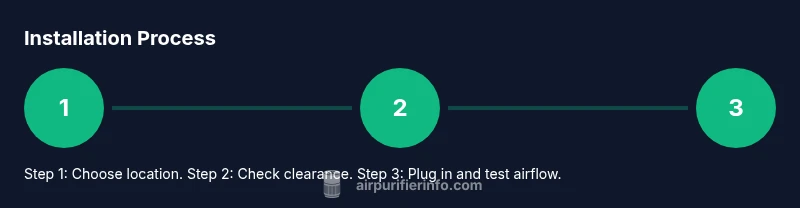
- 1
Choose a central, unobstructed location
Identify a room where air can circulate freely. Avoid corners, behind doors, or tucked against walls. A central, open area helps the purifier pull in dirty air from multiple corners of the space.
Tip: Measure at least 1.5–2 feet of clearance on all sides before placement. - 2
Check clearance and prepare the surface
Clear the surface of clutter and ensure the purifier sits level. If you’re using a stand, verify it is stable and can bear the unit’s weight during operation.
Tip: Avoid placing near heat sources or moisture-prone zones like windows or bathrooms. - 3
Unbox and inspect filters
Remove packaging, inspect the filter for damage, and verify you have the correct replacement filter. Some models have a combination HEPA and carbon filter; others require separate pre-filters.
Tip: Do not operate the unit without the filter installed. - 4
Position the unit and connect power
Place the purifier on the chosen surface, then plug into a properly rated outlet. If you have a kitchen or bathroom, use a GFCI outlet and avoid daisy-chaining with other devices.
Tip: Turn on the power and perform a quick audible and visual check for normal airflow. - 5
Run a quick airflow test
With the unit on, observe for consistent airflow and listen for unusual vibrations or rattling. If airflow seems restricted, recheck clearance and filter installation.
Tip: If you notice odd noises, pause operation and inspect for loose panels or misaligned filters. - 6
Set maintenance reminders and test after 24 hours
Note filter life and set reminders for filter replacement. After a day of use, observe odor reduction and any changes in air freshness.
Tip: Keep a simple log of changes in air quality to gauge effectiveness over time.
Questions & Answers
Where is the best place to install an air purifier in a multi-room home?
In multi-room homes, place purifiers in commonly used areas with good airflow, such as living rooms or bedrooms, and avoid corners or behind large furniture. If possible, position two units to create overlapping clean air zones for better overall coverage.
Place purifiers in central living areas like the living room or bedrooms and avoid corners; consider two units for larger homes to ensure coverage.
Do air purifiers need to be plugged into a dedicated circuit?
Most home purifiers do not require a dedicated circuit. Plug them into a standard outlet rated for the device’s power draw, and avoid overloading the circuit with multiple high-power appliances.
Usually a standard outlet is fine; just avoid plugging too many high-power devices into the same circuit.
Can I install an air purifier next to a window or door?
Placing near windows or doors can create drafts that bring in outdoor pollutants. For best results, place the purifier away from direct air leaks while still in a central location.
Avoid direct drafts from windows or doors; keep it in a central spot where air can circulate without being pulled back outside.
How often should I replace the filters after installation?
Replacement intervals depend on model and air quality, typically every 6-12 months for the main filter and more frequently for pre-filters. Always follow the manufacturer’s guidelines and monitor filter life indicators.
Check the filter life indicator and follow the manufacturer’s schedule for replacement; response times vary by model and usage.
Are all air purifiers suitable for pets?
Many purifiers are effective for reducing pet dander, hair, and odors, but choose models with true HEPA filtration and an activated carbon stage for odors. Consider size, room coverage, and maintenance needs for homes with animals.
Look for HEPA plus carbon filters and ensure the unit covers your room size; pets may increase dander and odors.
Watch Video
Main Points
- Choose a central location with adequate clearance
- Match CADR to room size and pollution goals
- Ensure proper mounting or surface stability and safe power
- Establish a maintenance schedule and track filter life