How to Use an Air Purifier Effectively
Learn practical steps to maximize air purifier performance in your home. Placement, settings, maintenance, and tracking air quality for healthier indoor air.


To use an air purifier effectively, match its CADR to your room size, place it at least a few feet from walls, run it continuously on a suitable speed during heavy pollutants, and replace filters as recommended. Keep doors closed to contain air, and choose models with true HEPA filters and solid energy efficiency for best results.
Why proper air purifier use matters
Indoor air quality significantly impacts health, comfort, and sleep. Even modest improvements in particle and odor reduction can lessen allergy symptoms, asthma triggers, and irritation. The right purifier, used correctly, helps reduce PM2.5, trap dust, and limit kitchen and pet odors. But performance hinges on placement, model features, and maintenance. By aligning device capabilities with room characteristics, you maximize energy use and outcomes. According to Air Purifier Info Team, real-world results come from pairing the purifier with the room's size, sealing drafts, and keeping a consistent operating schedule. In 2026, homeowners increasingly value models that balance effectiveness with energy efficiency and quiet operation. Bottom line: proper use is essential for meaningful air-quality gains.
Determine the right purifier for your space
Start by identifying the room you want to purify and measuring its dimensions. A purifier's capacity is driven by its CADR (clean air delivery rate) and the room's volume. Choose a model whose CADR is appropriate for the area, and favor true HEPA filtration for fine particles. If odors or VOCs are a concern, pair the purifier with an activated carbon filter. Air Purifier Info analysis shows that matching the purifier to room size and pollutants, then running it consistently, yields better results than buying a higher-powered unit and underusing it.
Understand CADR, ACH, and filter types
CADR indicates how quickly a purifier removes smoke, dust, and pollen. ACH (air changes per hour) describes how many times the room's air is refreshed each hour. Higher ACH generally means faster cleanup but can raise noise and energy use. Filters vary: true HEPA captures fine particles; activated carbon targets odors and gases; some units include pre-filters or specialty media for smoke or VOCs. When selecting a device, look for a combination of CADR for your space, a true HEPA seal, and at least one carbon layer if VOCs are a concern. Keep in mind that ongoing maintenance—especially filter replacement—determines sustained performance.
Size and placement: where to put it
Place the purifier in the busiest part of the room or close to likely pollutant sources (kitchen, pet areas, or entry doors). Position it so air can circulate freely: avoid stacking it behind furniture or against walls. Leave several inches of clearance on all sides and aim the intake away from sensitive electronics. If you have multiple rooms, consider one central purifier or strategically position units to maximize air changes in the most used spaces. Consistency matters more than extreme power in any single session.
Running patterns: when to run and at what speed
For steady air cleaning, many experts recommend running the purifier continuously on a medium-to-high setting during periods of higher pollutant load (dust, cooking, pet activity) and reducing speed at night for sleep comfort. If your purifier has an auto mode, it can adjust to detected conditions, helping balance cleanliness with noise and energy use. Avoid turning the unit on and off repeatedly; constant operation maintains a stable air baseline and reduces peak pollutant exposure.
Filtration explained: HEPA, activated carbon, and more
True HEPA filters trap at least 99.97% of particles as small as 0.3 microns, making them highly effective for dust, pollen, and smoke particles. Activated carbon filters bind odors and many VOCs, improving air quality beyond particulates. Some units include washable pre-filters and specialty media for formaldehyde or ozone concerns. When choosing, prioritize a sealed HEPA system and check whether the carbon layer is replaceable or part of a combined filter cartridge. This matters because carbon filters require periodic replacement to maintain odor control.
Maintenance routine and replacement schedules
Regular maintenance is the key to sustained performance. Check filters monthly, replace the main filter as recommended by the manufacturer, and wash or vacuum any pre-filters if applicable. Record replacement dates, especially if you rely on the purifier to mitigate allergies or asthma triggers. Clean exterior surfaces to prevent dust buildup that can affect airflow. If your unit uses disposable cartridges, set reminders for next replacement and keep spare filters on hand.
Odor control and VOC management
Odors from cooking, pets, or tobacco can be short-lived or persistent. A purifier with a good carbon filter helps reduce those odors and many VOCs, but it does not remove them instantly. Keep kitchen ventilation when cooking and situate odor-prone areas near the purifier's airflow path when possible. For best results, run the purifier during and after odor-generating activities and replace carbon elements as recommended.
Real-world usage: bedroom, living room, kitchen
Bedrooms benefit from a quiet purifier that runs through the night, improving sleep quality and reducing pollen exposure. Living rooms with high traffic or open layouts may require larger CADR or additional units to maintain steady air changes. Kitchens can be challenging due to cooking emissions, so consider running during and after meals, and ensure the unit is not located near heat sources or vents that might alter airflow.
Monitoring air quality and adjusting usage
Use built-in indicators or a separate air-quality monitor to gauge PM2.5, VOCs, and humidity. If readings remain high, increase the purifier's speed or extend operation time. Track improvements over days or weeks and adjust the balance between noise, energy use, and perceived air freshness. In 2026, many homeowners pair purifiers with smart home routines for automated adjustments.
Troubleshooting common problems
If the purifier seems weak, check for a clogged filter, blocked intake, or a dirty pre-filter. Ensure power is stable and that the unit has proper clearance. Noise may indicate a fan issue or a misaligned housing; a gentle cleaning and a quick check of the owner's manual can resolve most annoyances. If odor control wanes, verify the carbon filter is not exhausted and replace accordingly.
Quick-start checklist to maximize results
- Measure your room and confirm you choose a purifier with a matching capacity. - Place the unit where it can pull clean air without obstruction. - Run continuously on a comfortable setting and adjust as needed. - Regularly replace filters and clean pre-filters. - Monitor air quality and adapt operation to daily routines. Keeping doors closed and minimizing drafts helps maintain concentrated clean air.
Tools & Materials
- Air purifier with true HEPA filter(Look for true HEPA, a sealed intake, and clear CADR/room-size guidance)
- Activated carbon filter insert (optional)(Helpful for odors and VOC reduction; verify compatibility)
- Replacement filters(Keep spares and replace per manufacturer schedule)
- Surge protector or power strip(Protects against power spikes and ensures safe operation)
- Owner’s manual(Refer to setup, maintenance, and replacement guidelines)
- Measuring tape(Optional for verifying distance to walls and optimal placement)
- Cleaning cloth or soft brush(For exterior dust and pre-filter cleaning)
Steps
Estimated time: 60-90 minutes
- 1
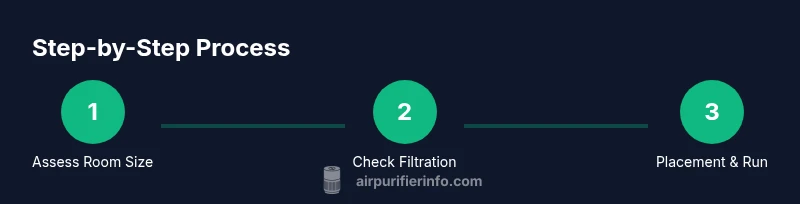
Assess room size and purifier fit
Measure the room length, width, and height to estimate volume. Compare this with the purifier’s stated coverage and CADR guidance. Confirm the unit’s noise level fits your tolerance and that you have a power source nearby.
Tip: Write down room dimensions and unit CADR for quick future reference. - 2
Check filtration options
Verify the purifier uses a true HEPA filter and assess whether an activated carbon stage is included or available as an add-on. Carbon helps with odors and VOCs; HEPA handles fine particles.
Tip: Prioritize sealed HEPA and consider carbon for odor concerns. - 3
Plan placement
Choose a central location in the primary living area or near pollutant sources. Ensure several inches of clearance from walls and furniture to avoid obstructions.
Tip: Avoid placing the unit behind sofas or in cramped corners. - 4
Set up power and safety
Plug the unit into a dedicated outlet or surge-protected strip. Confirm the cord is not in a high-traffic path to prevent damage.
Tip: Use a surge protector to extend device life during surges. - 5
Install filters correctly
Insert the main filter and any carbon or pre-filters as instructed. Ensure a snug seal to prevent bypass leaks that reduce effectiveness.
Tip: Check seals around cartridge edges; a loose seal reduces efficiency. - 6
Choose running mode
If auto mode exists, try it first, then adjust to a stable setting that balances air cleanliness with noise. Avoid frequent on/off cycling.
Tip: Auto mode helps balance performance and comfort without manual tweaks. - 7
Test air quality response
Turn the purifier on and observe changes in a few hours. Use a simple air-quality monitor or onboard indicators to gauge improvement.
Tip: Note when readings improve to determine if you should run longer at higher speed. - 8
Develop a maintenance plan
Mark calendar dates for filter replacements and pre-filter cleanings. Replace carbon filters as needed and keep spare parts handy.
Tip: Set reminders a week before replacement is due to avoid downtime. - 9
Integrate with daily routine
Incorporate the purifier into busy daily life by scheduling runs during peak outdoor pollution or cooking times.
Tip: Pair purifier use with home ventilation practices for best results. - 10
Reassess after a month
Review air-quality trends and adjust placement or running times if needed. Space needs may change with seasons and activities.
Tip: Document changes to track what works best. - 11
Address multiple rooms
If you have several critical rooms, consider one main purifier for shared space and additional units for areas with higher pollutant loads.
Tip: Coordinate placement to maximize overall air changes per hour. - 12
Document the setup
Create a simple setup note with room measurements, unit model, filter replacement schedule, and a running plan for future reference.
Tip: A quick reference saves time during seasonal changes.
Questions & Answers
Will an air purifier remove viruses from indoor air?
A true HEPA purifier can reduce airborne particles, including some viruses, but it does not eliminate all risk. It should be used as part of a broader strategy including ventilation and cleaning.
A HEPA purifier can reduce airborne particles, including some viruses, but it won't remove all risk. Use it with ventilation and cleaning for best protection.
Do air purifiers help with pet dander and odors?
Yes. True HEPA filters trap pet dander effectively, and carbon filters help reduce pet odors. Regular maintenance keeps performance high in homes with animals.
Yes, HEPA captures dander well, and carbon filters cut odors. Keep up with maintenance for best results.
Should I run an air purifier all day?
Running continuously provides the most consistent air quality, especially in high-traffic or polluted environments. If energy or noise is a concern, use auto mode or run during peak exposure times.
Most people get the best results by running it continuously or using auto mode for balance.
Where is the best place to put an air purifier?
Place it in the most frequent activity area and away from walls it cannot pull air from. Avoid corners and keep clear airflow on all sides.
Put it where you spend the most time and keep air moving freely around it.
Are carbon filters necessary for every purifier?
Carbon filters are beneficial for odors and VOCs, but not strictly necessary for particle removal. If odors or VOCs are a concern, choose a unit with a replaceable carbon stage.
Carbon helps with odors and gases; not essential for particles but valuable for VOCs.
How long does it take to notice a difference?
You may notice fresher air and reduced odors within days, with continued improvement as you maintain filters and adjust placement. Consistency drives the fastest results.
Expect to sense cleaner air within days, with ongoing improvements as you maintain the unit.
Watch Video
Main Points
- Choose a purifier matched to room size and pollutants.
- Place it for optimal airflow and minimal obstructions.
- Run continuously on a balanced setting for best results.
- Maintain filters regularly to sustain performance.
- Monitor air quality and adapt setup as needed.