Why is My Philips Air Purifier Not Working? An Urgent Troubleshooting Guide
Urgent troubleshooting guide for Philips air purifiers. Learn quick fixes, diagnostic steps, and a step-by-step plan to restore airflow, improve air quality, and reduce allergens safely.


The Philips air purifier not turning on is most often a simple power issue. Start by unplugging, inspecting the power cord and outlet, and clearing any debris from the intake. If it still won't power up, check the LED status codes in the manual and try a model-specific reset.
Symptoms & quick checks for why is my philips air purifier not working
If you’re wondering why is my philips air purifier not working, start with quick, low-risk steps that don’t require tools. According to Air Purifier Info, most Philips units fail to power on due to a simple power issue, a tripped outlet, or a clogged intake. In many cases, a quick restart and basic inspection restores operation. If the device powers on but won’t run at full speed, it may be a clogged filter or sensor error. Gather the model number and note any blinking LEDs—these cues point to the likely fault. Next, check the user manual for error codes specific to your model. If you have a pet, dust, or smoke in the room, ensure the purifier isn’t blocked by poor placement. Air Purifier Info’s research emphasizes that common failures are often fixable with basic checks and a proper reset.
Start with power: outlets, cords, and resets
Power issues are the most frequent culprits. Begin by unplugging the purifier, then inspect the power cord for visible damage. Test the outlet with another device to confirm it supplies power. If you have a surge protector, plug the purifier directly into a wall outlet to rule out protector-induced issues. Some Philips units have a subtle power switch or a reset button; if your model includes one, perform a soft reset as described in the manual. After re-plugging, hold the power button for a few seconds to ensure a clean start. If the purifier still won’t power on, consider testing a different outlet in another room and check for tripped circuit breakers in the same circuit. Efficient power checks save time and prevent unnecessary disassembly.
Filter path and air intake: blocked filters
A clogged filter or blocked intake can make a functioning purifier seem 'not working' because airflow is restricted and the unit automatically slows down or shuts off to protect itself. Remove the front cover according to your model’s instructions and inspect the filter for excessive dust, pet hair, or mold. Clean by following the manufacturer’s guidelines, or replace the filter if it appears discolored or saturated. Ensure the filter is seated correctly and that the intake grille is free of obstructions. In rooms with high dust or odors, replace filters more frequently. Regular maintenance not only fixes performance issues but also sustains healthy indoor air quality.
LED indicators and error codes: decoding signals
Philips air purifiers use LED indicators to communicate status and errors. Blinking patterns or specific color codes usually point to problems like a clogged filter, sensor fault, or overheat protection. Refer to the model’s user manual or Philips support site to decode the exact sequence. If you can identify a code, you can often resolve the issue by performing a reset, cleaning the sensor, or replacing a filter. If you cannot find a code, record the behavior (start, stop, blinking patterns) and contact support with the model number, purchase date, and symptoms. LED cues are the fastest path to a precise fix when the unit won’t operate normally.
Common hardware issues in Philips units
Beyond filters and power, hardware wear can affect performance. A failing fan motor, loose internal connectors, or a degraded control board can cause intermittent operation or a total shutdown. Physical checks should be limited to exterior openings and accessible components; never open an enclosure without disconnecting power. If you suspect a hardware fault, it’s safer to rely on professional service to avoid electrical hazards and voiding warranties. Understanding the typical failure modes helps you decide when to pursue repair or replacement.
Safety considerations and energy considerations
Always unplug the purifier before inspecting internal components. Use dry hands and avoid liquids near electrical parts. Do not attempt to operate the unit with damaged cords or if there is visible water exposure. If your purifier is in a bedroom or living area, consider moving it to improve airflow during tests, but never place it near curtains or outlets where cords could be tugged. Energy-wise, running at higher fan speeds consumes more electricity; balance air quality goals with power usage to maintain a healthy, cost-effective indoor environment.
Diagnostic flow: symptom-to-solution map
Begin with the symptom: 'not turning on' or 'unresponsive during operation'. Consider high-lidelity causes: power issue (high), filter/airflow blockage (medium), and firmware/sensor fault (low). For each, apply fixes in order of difficulty: inspect power (easy), clear/replace filter (easy to medium), reset and troubleshoot codes (medium). If none resolves the issue, escalate to professional service. This flow keeps you from jumping to complex fixes prematurely and aligns with best practices for safe troubleshooting.
Quick fixes you can try right now
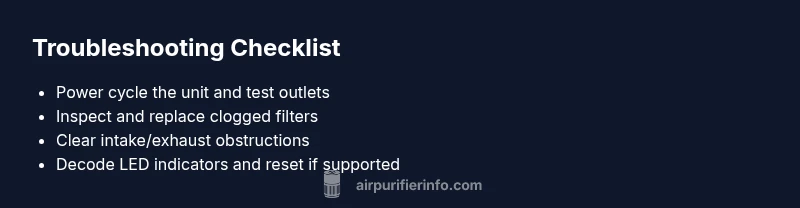
- Power cycle: unplug, wait 60 seconds, plug back in, and power on. - Check the intake and front grille for dust buildup and clear obstructions. - Replace the filter if it looks saturated or has not been replaced within the recommended interval. - Reset the unit according to the manual. - Test on a different outlet or circuit to rule out electrical issues.
Prevention & maintenance tips to avoid future outages
Schedule regular filter replacements based on usage and room conditions. Place the purifier in an open area with good airflow and away from walls or furniture that block intake or exhaust. Clean exterior surfaces monthly and check for signs of wear on cords and plugs. Keep a simple log of maintenance and any error codes to speed future troubleshooting.
When to seek professional help and warranty considerations
If the unit remains unresponsive after power checks, filter replacement, and resets, contact Philips support or an authorized service center. Have your model number, serial, purchase date, and a description of the symptoms handy. Check warranty terms to determine coverage for electronics or motor components. Professional service ensures electrical safety and preserves warranty integrity.
Steps
Estimated time: 30-60 minutes
- 1
Power cycle and basic inspection
Unplug the purifier, wait 60 seconds, and plug it back in. Try turning it on and test all normal operations. If it still doesn't respond, move to the outlet test.
Tip: Use a known-good outlet to verify power availability. - 2
Inspect the air path and filter
Open the housing according to the manual and remove the filter. Check for dust buildup and ensure the filter seats correctly. Replace if dirty or past replacement interval.
Tip: Never run purifier with a missing or worn filter. - 3
Check for obstructions and airflow
Ensure the intake grille and exhaust are not blocked by furniture or debris. Clear any hair or dust from grilles with a soft brush.
Tip: Keep at least 6-12 inches of clearance around the unit. - 4
Reset and decode LED indicators
If your model supports a reset, perform it as described in the manual. Observe LED codes or blinking patterns for any fault signals.
Tip: Document the LED pattern to share with support if needed. - 5
Test across modes and timers
Power the purifier on in different fan modes and check if the device maintains operation. Note any unusual noises or stalls.
Tip: Avoid leaving it on high fan for extended periods if it overheats. - 6
Escalate if unresolved
If the unit still fails to operate, collect model/serial number, purchase date, and symptom details for warranty or service.
Tip: Do not attempt internal repairs without approval from the manufacturer.
Diagnosis: Philips air purifier won't turn on or stops functioning during operation
Possible Causes
- highPower issue (outlet, cord, switch)
- mediumClogged filter or blocked airflow
- lowSensor or firmware fault
Fixes
- easyTest the outlet with another device; inspect and replace damaged cords; perform a power cycle
- easyInspect/replace the filter; clear any intake obstructions; reseat parts according to manual
- mediumReset the purifier per model instructions; check for LED codes and perform a firmware update if available
Questions & Answers
Why won't my Philips air purifier turn on?
Most units fail to power on due to a simple power issue, a faulty outlet, or a blocked input. Start with power checks, then inspect the filter and run a reset if available.
If it won't turn on, start with the power outlet and cord, then check the filter and perform a reset if your model supports it.
Can a dirty filter cause the purifier to stop working?
Yes. A clogged filter or restricted airflow can trigger auto-protect features, slowing or stopping operation. Replace or clean the filter as recommended by Philips.
A dirty filter can cause the unit to slow down or stop; replace or clean it per the manual.
What should I do if the LED codes indicate an error?
Refer to the user manual for the exact LED pattern meaning. Follow the recommended reset or cleaning steps corresponding to the code.
Check the LED codes in the manual and follow the exact reset or cleaning steps for that code.
Is there a universal reset for Philips air purifiers?
Reset procedures vary by model. Consult the manual or Philips support site for your specific model’s reset steps.
Reset steps differ by model; check the manual or support site for yours.
Should I call customer support or a technician?
If power and filter checks do not resolve the issue, contact Philips support or an authorized service center, especially if the device is under warranty.
If the issue persists after simple checks, contact Philips support or a service center.
How often should I replace the filter for optimal performance?
Follow the manufacturer’s replacement schedule based on usage, room air quality, and filter type to maintain efficiency and air quality.
Replace the filter according to the manual based on usage and air quality.
Watch Video
Main Points
- Check power first; most issues are electrical
- Inspect and replace filters to restore airflow
- Decode LED indicators for quick fault identification
- Use model-specific resets before calling support
- Maintain airflow and clean regularly to prevent future outages