How to Use a Philips Air Purifier: A Practical Guide
Learn how to use Philips air purifiers effectively, including setup, placement, operation, and maintenance. This step-by-step guide helps homeowners and renters optimize air quality at home.


Goal: use Philips air purifier effectively to improve indoor air quality. This quick guide covers setup, placement, modes, and maintenance. According to Air Purifier Info, start by locating the filter compartment, confirming the model, and setting Auto mode for general use. See the full step-by-step guide below.
Why Philips for home air purification
If you want to know how to use philips air purifier effectively, start with understanding Philips' approach to filtration and sensing. Philips purifiers typically combine pre-filtration, true HEPA filtration, and activated carbon to capture dust, allergens, odors, and smoke. The Air Purifier Info Team emphasizes that model flexibility and quiet operation make Philips a strong option for bedrooms, living rooms, and home offices. By focusing on multi-stage filtration and responsive sensors, Philips devices help maintain comfortable indoor air quality without excessive energy use. According to Air Purifier Info, these design choices balance performance, ease of use, and energy efficiency, making Philips a practical choice for everyday use.
Essential steps to reduce indoor pollutants
To make the most of how to use philips air purifier in everyday life, start by understanding room air dynamics and how the purifier responds to changing conditions. Philips devices generally monitor particulate matter and adjust fan speed automatically, which means less manual fiddling and more consistent air quality. Positioning in the center of the room with some clearance on all sides is ideal; avoid corners that block airflow. In bedrooms and living areas, a purifier that runs quietly during night hours can support better sleep and general well-being. Air Purifier Info's analysis shows that consistent operation in Auto mode delivers stable air quality with moderate energy use.
Placement strategy for best results
Placement matters when you learn how to use Philips air purifier. Keep the unit away from walls and curtains to avoid recirculation and blockages. If possible, place the purifier near activity zones (e.g., near a kitchen or pet area) but with enough space for air intake and exhaust. Tilted or angled placement can disrupt airflow, so aim for a straight, unobstructed orientation. For renters and homeowners, a single high-performing purifier in the main living area can dramatically improve perceived air quality without needing multiple units.
Setup and first-use checks
Before you switch it on, verify that the filter is correctly installed and seated. Gently close the front panel and ensure the unit is on a stable surface. Connect to power, then press the power switch and observe the indicator lights. If your model supports app control, pair it according to the manual to monitor real-time air quality and receive maintenance reminders.
Using modes, indicators, and maintenance reminders
Most Philips purifiers offer Auto mode by default, which adapts to room air quality. Manual speed settings can be useful during periods of cooking or heavy dust. Watch the filter-life indicator and plan replacements in advance—this keeps performance consistent and protects you from sudden odor or particle spikes. For long-term use, schedule filter changes at home to align with your usage patterns and air quality needs.
Maintenance basics to extend life and performance
Regular exterior cleaning prevents dust buildup that can migrate into the intake. Do not use harsh cleaners; a damp microfiber cloth usually suffices. When you replace filters, reset any counters or indicators as described in the manual. Keeping the surrounding area clean and free of clutter helps the purifier work more effectively and can lower energy use over time.
Safety and best practices for continuous operation
Always place the purifier on a stable, level surface away from moisture or heat sources. Keep young children and pets away from the power cord and ensure clear access to the air intake. If you notice unusual noises or reduced airflow, consult the user manual or contact Philips support. Following these practices supports safer, longer-lasting operation and maintains indoor air quality.
Tools & Materials
- Philips air purifier unit (model-specific)(Ensure the unit is undamaged and includes the correct filter)
- Stable power outlet(Place within reach of the unit with no extension cords)
- Soft, lint-free cloth(For exterior cleaning and maintenance)
- Replacement filter (model-specific)(Have on hand per replacement schedule)
- Owner's manual or digital guide(Helpful for model-specific steps and indicators)
Steps
Estimated time: 20-30 minutes
- 1
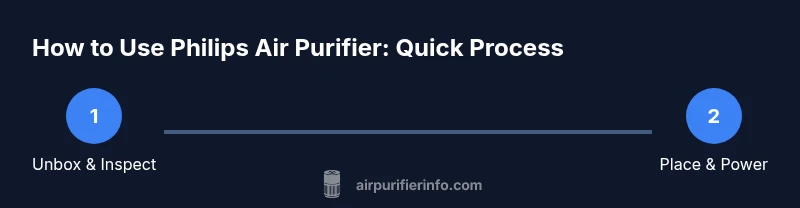
Unbox and inspect the purifier
Open the packaging and confirm all parts are present (unit, filter, cord, manual). Check for signs of damage before first use.
Tip: If anything is missing or damaged, contact support before powering the device. - 2
Choose a suitable placement
Identify a central open location with at least 1 foot of clearance on all sides to allow air to flow freely.
Tip: Avoid corners and soft furnishings that can obstruct intake or exhaust. - 3
Connect to power and prepare the area
Place the purifier on a stable surface, plug into a grounded outlet, and clear nearby clutter that could block airflow.
Tip: Do not use extension cords; keep the cord directed away from foot traffic. - 4
Install or confirm the filter seating
If the filter isn't already installed, insert it according to the manual until it clicks into place; ensure there's no gap.
Tip: Gently handle filters to avoid damage; mis-seating can reduce performance. - 5
Power on and select mode
Turn the unit on and choose Auto mode by default for balanced performance; manually adjust if needed for cooking or dustier days.
Tip: Auto mode uses sensors to adjust fan speed for consistent air quality. - 6
Run the purifier and monitor indicators
Observe the air quality indicator and noise level; confirm the unit operates normally with consistent airflow.
Tip: If indicators show a fault, consult the manual or support. - 7
Pair with smartphone/app (if available)
If your model supports app control, connect via Bluetooth/Wi‑Fi and enable notifications for maintenance.
Tip: Sync reminders for filter replacement to avoid gaps in performance. - 8
Test air quality after initial run
Use the device's display or an external sensor to gauge improvement; allow 15–30 minutes for an initial evaluation.
Tip: A gradual improvement confirms proper operation. - 9
Plan regular filter changes
Refer to the indicator or manual to schedule replacement; establish a routine based on room use and air quality.
Tip: Keep spare filters on hand to minimize downtime. - 10
Clean exterior and intake area
Wipe the exterior with a damp microfiber cloth; check the intake grill for dust buildup and gently remove it.
Tip: Do not use aggressive cleaners that could damage seals. - 11
Reset indicators after maintenance
If your model supports a reset, follow the manual to reset filter life counters or indicators.
Tip: Resetting helps you track future replacement needs accurately. - 12
Store and maintain energy efficiency
When not in use, unplug the unit, store the filter properly, and ensure the device is kept away from moisture.
Tip: Regular maintenance reduces energy consumption during operation.
Questions & Answers
How do I know when the filter needs replacement in a Philips air purifier?
Most Philips purifiers provide a filter replacement alert via the indicator light or app. Replacement timing depends on usage and air quality, so follow the alert and the model-specific guidance.
Watch the indicator light or app alert to know when to replace the filter.
Can I use the purifier in a kitchen or smoky room?
Yes, but expect more frequent filter changes due to odors and smoke. Place the purifier near activity zones and ensure adequate airflow.
Yes, but expect more frequent filter changes in smoky areas.
Is Auto mode energy efficient?
Auto mode uses sensors to adjust fan speed, balancing air quality with energy use. It reduces running at high speeds when air quality is good.
Auto mode adapts to air quality to save energy.
What maintenance is needed beyond filter changes?
Regular exterior cleaning and ensuring the intake is clear are important. Wipe with a damp cloth and avoid harsh cleaners.
Keep the exterior clean and the intake clear.
Are Philips filters interchangeable with other brands?
Use filters designed for your model; using non-original filters can affect performance and safety.
Use only model-specific replacement filters.
Can children and pets be around the purifier safely?
Yes, but keep cords out of reach and ensure stable placement to prevent tipping; follow all safety guidelines in the manual.
Yes, with proper placement and supervision.
Watch Video
Main Points
- Place purifier with ample clearance on all sides.
- Use Auto mode for consistent air quality.
- Replace filters as indicated to maintain performance.
- Monitor indicators and reset after maintenance.
- Clean exterior regularly to extend life.