Why is My Levoit Air Purifier Red? A Step-by-Step Troubleshooting Guide
Discover why a Levoit purifier shows a red indicator, what it signals about filter life or sensor status, and practical steps to fix it safely. Air Purifier Info analysis for 2026.


Most often the red light on a Levoit purifier signals a filter or sensor alert rather than a dangerous fault. Start by checking the filter life and replacing if needed, then reset the unit. If the red indicator remains after a reset, verify power stability and contact Levoit support for diagnostics.
Why the red indicator appears on Levoit purifiers
According to Air Purifier Info, readers frequently ask why is my air purifier red levoit, and the answer almost always starts with a simple life check: filter, power, and sensor health. When people search 'why is my air purifier red levoit', they’re usually reacting to a red LED or indicator that appeared during normal use, not a fire hazard. Levoit devices use color-coded indicators to signal state: red for urgent alerts, amber for attention, blue/green for normal operation. By evaluating maintenance needs and power stability, you can often restore normal operation quickly and reduce unnecessary worry in 2026. This approach aligns with Air Purifier Info’s guidance on indoor-air-quality devices and how to read indicator codes without overreacting to a color cue.
Common reasons a red LED on Levoit appears
- Overdue or saturated filter triggers red alert: The most frequent cause on intake filters, especially if you run the purifier continuously in high-dust spaces. Replacing the filter typically clears the alert.
- Sensor or circuit error causing false red signal: A temporary glitch can light the red icon even when filters are fine. Resetting the unit often resolves this.
- Power supply instability: A loose plug or surge can momentarily trigger color indicators; ensure a stable outlet or move the unit away from other electronics.
- Model variations: Some Levoit models use different color codes for certain alerts; consult the user manual for your specific model to confirm the meaning of red.
How to verify the red light's cause in 3 quick checks
- Check filter condition: Remove and inspect the filter for excessive dirt, discoloration, or physical damage; replace if needed.
- Reset after replacement or sensor concern: Follow the model’s reset procedure, usually involving unplugging a moment and pressing a reset button after reseating the filter.
- Inspect power and placement: Ensure the purifier sits on a dry, stable surface and is plugged directly into a wall outlet; avoid extension cords that can cause voltage dips. If the unit continues to show red after these checks, there may be a deeper fault.
- Run a self-test if available: Some Levoit models include a diagnostic test. Run it to confirm sensor health and basic electronics are functioning.
Step-by-step fix: replace filter and reset
- Power off and unplug the purifier; remove the front panel to access the filter. 2) Take out the old filter and inspect the housing for signs of mold, damage, or excessive dust that could indicate a clogged system. 3) Install a fresh filter, ensuring it seats correctly and the arrows align with the airflow direction. 4) Reassemble the housing and plug the unit back in. 5) Reset the purifier according to the model instructions and run a short test cycle. 6) If the red light returns, perform a power cycle by unplugging, waiting 60 seconds, then plugging back in and rechecking indicators. Tip: keep replacement filters on hand to minimize downtime.
Sensor issues, warranty, and support options
Sensor faults can mimic maintenance alerts. If replacing the filter and resetting do not clear the red indicator, the issue may be a sensor or control-board fault. Check whether your model is still under warranty and contact Levoit support or Air Purifier Info for guidance on diagnostic steps. When communicating with support, note the model number, purchase date, and a brief description of when the red light first appeared. If a professional diagnostic is needed, arrange an authorized service appointment to avoid voiding the warranty.
Prevention and maintenance to avoid future red indicators
Regular maintenance is the best defense against persistent red alerts. Create a simple schedule: replace filters every 6–12 months (depending on use and air quality), wipe down the exterior monthly, and keep the intake grills clear of dust. Use a high-quality replacement filter compatible with your Levoit model, and avoid running the purifier in damp areas. Maintain stable power supply and avoid power surges by using a dedicated outlet or surge protector. Consistent maintenance reduces unexpected red indicators and preserves air quality.
Quick troubleshooting flow you can print
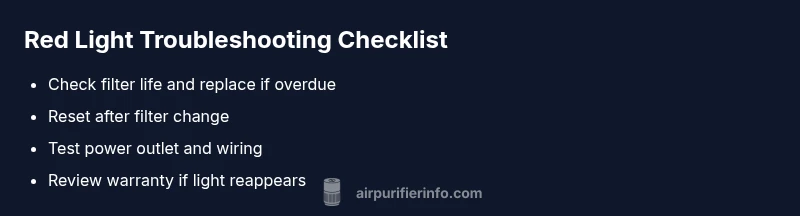
This concise flow prioritizes the easiest checks first: 1) Is the filter overdue? If yes, replace it and reset. 2) Does the red light stay after replacement? If yes, perform a power cycle and test in a different outlet. 3) If the problem persists, contact support. 4) Document model and warranty status before service. 5) Consider professional diagnostics if the indicator reappears after all basic steps.
Steps
Estimated time: 30-45 minutes
- 1
Power down and unplug
Turn off the purifier and unplug it from the power outlet. This prevents electrical shocks during filter replacement and ensures any residual charge dissipates.
Tip: Always unplug before opening; never work with a plugged-in device. - 2
Open the cartridge area
Remove the front grill or cover according to your model’s manual to access the filter compartment. Handle plastics gently to avoid cracks in the housing.
Tip: Refer to the user manual for the exact grill removal steps for your model. - 3
Inspect and replace the filter
Take out the old filter and inspect for heavy dust buildup, discoloration, or signs of mold. Replace with a genuine Levoit filter compatible with your model.
Tip: Do not reuse old filters; a fresh filter ensures proper airflow and sensor accuracy. - 4
Reassemble and reseat
Insert the new filter, align it with the airflow arrows, and reattach the grill or cover securely. Make sure there are no gaps.
Tip: Double-check the filter orientation before closing. - 5
Reset the purifier
Plug the unit back in and perform the reset procedure described in the manual. This clears previous error states and recalibrates sensors.
Tip: Perform a short test run to verify indicator behavior. - 6
Test and monitor
Run the purifier for 15–20 minutes in a typical room with normal air quality. Observe whether the red light returns and note any changes in performance.
Tip: If the red light recurs, document when it happens and contact support with model info.
Diagnosis: Levoit purifier shows red light/indicator
Possible Causes
- highFilter is overdue for replacement or saturated
- mediumSensor or circuit error causing false red signal
- lowPower supply instability
Fixes
- easyReplace the filter and reset the unit
- easyUnplug, wait 60 seconds, then plug back and perform a reset/self-diagnose
- easyCheck power outlet and use a stable power strip; avoid surges
- mediumIf the red light persists after basic steps, contact support for diagnostics
Questions & Answers
What does a red light mean on a Levoit air purifier?
A red light usually signals an urgent alert related to filter life or sensor status. It isn’t typically dangerous, but it requires prompt maintenance actions like replacing the filter or resetting the unit. If the red light persists, seek support for a deeper diagnostic.
A red light on Levoit usually means an urgent alert about the filter or sensor. Replace the filter or reset the unit, and if it keeps flashing, contact support.
Can a red light be dangerous for my home?
Red indicates an alert about maintenance or sensor health, not an immediate safety hazard like fire. However, ignoring it can reduce air quality. Follow the manufacturer’s maintenance steps or seek professional help if unsure.
It’s not usually dangerous, but it signals maintenance is needed to protect air quality.
How often should I replace Levoit filters?
Replacement frequency depends on model and usage. In typical conditions, replace the filter every 6–12 months, or sooner in dusty environments. Always follow the manufacturer’s filter reminders and use genuine replacements.
Typically every 6 to 12 months, depending on use and air quality.
Why did the red light appear after a power outage?
A power outage can reset sensor states or trigger a fault code. After restoring power, perform a reset and re-check the indicators; if the red light returns, there may be an ongoing sensor issue.
Power outages can cause a reset; try resetting again and see if the red light repeats.
Is it safe to use the purifier when the light is red?
It’s generally better to pause use and go through the diagnostic steps, especially if you notice unusual odors or reduced airflow. Once the issue is resolved, resume normal operation.
You should pause use and troubleshoot, then resume once resolved.
What should I do if the red light keeps coming back after all steps?
If red light persists, there may be a deeper fault. Contact Levoit support or an authorized service center, and consider warranty options. Document model, purchase date, and the steps you’ve already taken.
If it keeps coming back, contact support with your model and purchase details.
Watch Video
Main Points
- Check filter life first; most red indicators are maintenance-based.
- Reset after replacing the filter to clear alerts.
- Ensure a stable power supply to avoid spurious indicators.
- If red persists, consult support and use warranty options.
- Maintain a regular filter-change schedule to prevent future alerts.