Why is My Air Purifier Red? A Practical Troubleshooting Guide
Discover why your air purifier shows a red indicator, what it means, and step-by-step troubleshooting to restore safe, clean air. Air Purifier Info explains common causes, quick checks, and prevention tips for homeowners and renters.


Red indicator on an air purifier typically signals a warning requiring attention. In many models this points to a dirty or overdue filter, a sensor fault, or an unsafe operating condition. Start with the simplest fix: replace the filter if due, then reset the unit and run a short test cycle. If the red light remains, consult the user manual or contact support.
What a red light means on your air purifier
When you see a red indicator, it’s a clear signal that something within the device needs attention. According to Air Purifier Info, most red lights are warning signals that require user action rather than a simple power cycle. The exact meaning can vary by model, but the common thread is a condition that could affect performance or safety. For example, many purifiers use red to indicate a due or clogged filter, a sensor issue, or an interlock that prevents operation until a problem is resolved. If you’ve recently moved the purifier or changed its environment, ambient factors like humidity or dust can also trigger red alerts. Keep a record of recent changes so you can correlate them with the indicator behavior. In 2026 Air Purifier Info analysis shows that the majority of red lights are resolved with a maintenance action, rather than a full service call.
Common causes of a red indicator
Red indicators appear for several reasons, most of which are simple to verify and fix:
- Dirty or overdue filter: The most frequent culprit. A clogged filter reduces airflow and triggers the safety or alert system. When the filter reaches its end of life, the purifier’s maintenance light often switches to red.
- Sensor fault or calibration issue: The air-quality sensor or its wiring may misread conditions, causing a false red alert. Temperature, humidity, or nearby odor sources can also distort readings temporarily.
- Interlock or safety condition: Some units have safety interlocks that engage if a panel is loose, a door is ajar, or a cover isn’t properly seated.
- Firmware or power glitch: Rare, but a firmware hiccup or a brief power surge can momentarily light the red indicator. A full power cycle can clear this, but persistent red means deeper checks are needed.
- External factors: Prolonged use in a dusty room, cooking smoke, or pet odors can push sensors toward red if the purifier can’t keep up with air quality quickly enough.
Quick checks you can do safely
Perform these checks in order of simplicity and safety. Always unplug before inspecting internal parts.
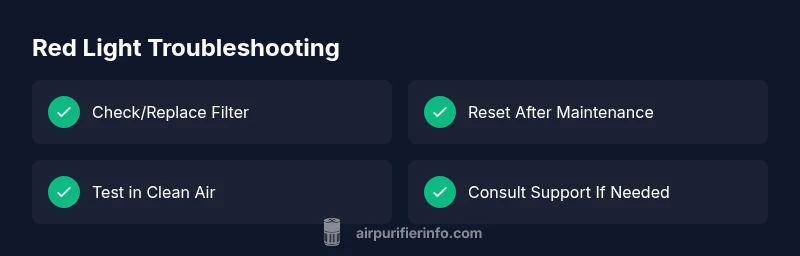
- Replace or remove the filter if it’s visibly dirty or overdue: A dirty filter is the most common pin of a red light. Use the model’s recommended filter type and avoid mixing brands.
- Reset or reboot the unit: After replacing a filter, power cycle the purifier according to the user manual. This often clears an erroneous red signal and recalibrates sensors.
- Check for a loose panel or improper seating: Ensure all access panels are firmly closed and any safety interlocks are satisfied.
- Inspect the surroundings: Move the purifier away from direct heat sources, heavy cooking, or high humidity to avoid false sensor readings.
- Test in clean air: Run the purifier in a controlled, low-dust environment for a short cycle to see if the red indicator returns.
- Review model-specific indicator legend: If your unit uses different colors for warnings, verify the exact meaning in the manual to avoid unnecessary actions.
Model-specific steps: filters, sensors, and safety interlocks
Because red indicators vary by model, start with the device’s manual’s color legend. In general, focus on three domains: filter maintenance, sensor integrity, and safety interlocks.
- Filter maintenance: If the filter is overdue or clogged, replace with the correct filter. Reset after replacement and run the self-test if available. Some models require a specific reset sequence to acknowledge the new filter.
- Sensor integrity: Clean the external sensor area if accessible (avoid touching exposed circuitry). If a sensor fault persists after cleaning, consult support for calibration or replacement.
- Safety interlocks: Re-seat all panels, ensure doors and filters are properly secured, and re-test the unit. A misaligned cover can trigger a red warning.
- Firmware considerations: Check for updates on the manufacturer’s site or app. If an update is available and the red light persists after updating, a warranty service may be needed.
- Environmental context: High humidity or dust can affect readings. Use a room with stable conditions for testing and consider air quality sources nearby when diagnosing.
When to call professional help
If you’ve exhausted basic troubleshooting and the red indicator remains, don’t ignore it. Persisting red warnings can indicate a safe-to-use issue that might require internal inspection or part replacement.
- If you’re outside the warranty window but the device still operates oddly after a full reset and filter change, contact the manufacturer’s support for guided diagnostics.
- If there’s any unusual odor, smoke, warmth, or sounds, discontinue use and seek professional assessment immediately.
- For models with connected apps, use the diagnostic data or error codes reported by the app to guide the service request.
Prevention and maintenance tips
Preventing red indicators is simpler than curing them. Build a routine that keeps the purifier in peak condition and minimizes false alarms.
- Follow a regular filter replacement schedule based on usage and air quality, not just the suggested interval.
- Keep the purifier in a stable environment away from cooking zones, bathrooms, or direct sunlight.
- Clean exterior vents and intakes quarterly to prevent dust buildup from triggering sensors.
- Use a high-quality replacement filter recommended by the manufacturer to ensure proper airflow and sensor performance.
- Run periodic self-tests if your model supports them, so you’re familiar with normal readings and recurring warnings.
Steps
Estimated time: 15-25 minutes
- 1
Power off and unplug
Safely power down the purifier and unplug it. This prevents any electrical shocks and protects internal components while you inspect or replace parts.
Tip: If you can access the power switch easily, disconnect from the wall outlet rather than using a remote control. - 2
Inspect and replace the filter
Open the front panel per the manual and check the filter. If it’s dirty, discolored, or past its service life, replace with the recommended model. Reset the unit after installation.
Tip: Use the exact replacement filter type specified for your model to ensure proper fit and airflow. - 3
Reset the purifier
With the new filter in place, power the device back on and perform the standard reset procedure or self-test if available. This clears any lingering error codes.
Tip: Some units require holding the power button for several seconds or using a reset sequence in the app. - 4
Check sensor and placement
Wipe the exterior sensors with a soft cloth. Ensure the purifier is placed away from smokers, ovens, or humid bathrooms to avoid false readings.
Tip: Avoid placing the unit behind curtains or near vents that skew airflow readings. - 5
Test run and observe
Run a short cycle to see if the red light reappears. If it does, note any error codes or patterns for reference when contacting support.
Tip: Document the time, environment, and changes you made during troubleshooting. - 6
Seek professional help if needed
If the red light persists after basic actions, contact the manufacturer’s support or a certified technician for further evaluation.
Tip: Keep the model number and purchase date handy for faster service.
Diagnosis: Red indicator on air purifier
Possible Causes
- highDirty or overdue filter
- mediumSensor fault or miscalibrated air-quality sensor
- lowElectrical issue or firmware glitch
Fixes
- easyReplace the filter and reset the purifier
- easyReset/calibrate sensors or perform a firmware update
- mediumConsult manufacturer support for sensor replacement or service
Questions & Answers
What does a red light mean on an air purifier?
A red light typically indicates a warning such as a dirty filter, a sensor fault, or an unsafe operating condition. Check the manual for the model-specific meaning and follow the recommended steps.
A red light usually means a warning—check the manual for the specific meaning and follow the recommended steps.
Is a red light dangerous to ignore?
Ignoring a red light can reduce air quality and may pose safety risks if the issue involves blocked airflow or overheating. Address the warning promptly and avoid running the unit until resolved.
Ignoring a red light can be risky. Address the warning promptly before continuing use.
Do I always need a replacement filter when red light appears?
Not always. Most red indicators are triggered by a dirty or overdue filter, but sensors or interlocks can also cause it. Start with a filter check and replacement if needed.
Usually the filter, but also consider sensors or safety interlocks as possible causes.
Can firmware updates fix a persistent red light?
Firmware updates can address software glitches that trigger false warnings. If available, update the firmware and reboot the purifier, then re-test.
A firmware update might clear a false warning—update, reboot, and test again.
When should I contact support?
If the red light persists after a full maintenance cycle and reset, or if you notice unusual odors, heat, or noises, contact the manufacturer’s support for service guidance.
Call support if the red light remains after maintenance or you notice unusual signs.
Will moving the purifier affect the red light?
Yes. Changes in placement can alter airflow and sensor readings. If the unit was moved recently, re-check placement and test again.
Moving the purifier can affect readings; re-check the placement and test again.
Watch Video
Main Points
- Identify red light cause by following the model’s manual
- Replace filter if overdue and reset after maintenance
- Calibrate sensors or update firmware when advised
- Seek professional help if red light persists