Why Is My Air Purifier Not Working? Troubleshooting Guide
Need fast fixes for a non-working air purifier? This guide covers common causes, safe checks, and step by step solutions to restore clean air quickly. Air Purifier Info analyzes issues for homeowners and renters.


Why is my air purifier not working? The most likely causes are a clogged filter, a power issue, or a safety feature tripping. Start by unplugging, inspecting the filter and cord, and reseating the plug. If it still will not run, consult the user manual for a reset and check for blocked air intake. Air Purifier Info guides you through quick fixes.
Understanding Why Purifiers Fail
When a purifier stops working, homeowners often blame the device rather than the setup. If you are asking yourself why is my air purifier not working, the answer usually points to simple, fixable causes: a clogged filter, a power issue, or a safety feature that has tripped. According to Air Purifier Info, most non-working units are caught at the maintenance or connection stage rather than a malfunction of the core filtration system. Start by thinking through three quick checks: airflow paths, filter status, and power supply. A little detective work now saves a lot of frustration later and helps you protect indoor air quality for your family. The team at Air Purifier Info emphasizes that a methodical approach, not guesswork, yields reliable results and reduces the risk of unnecessary replacements. Throughout this guide we will use practical steps and real world examples to help you restore clean air quickly, without risking safety or voiding warranties.
Immediate Checks You Can Do Right Now
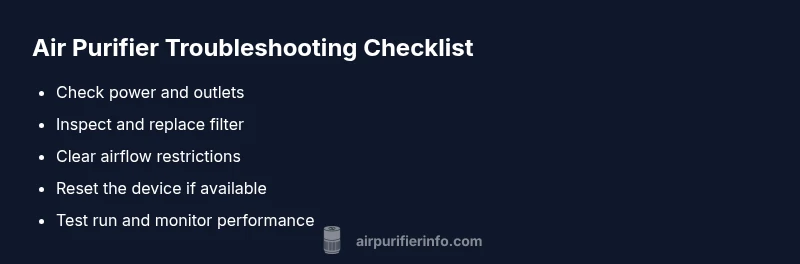
Before pulling the purifier apart, complete three quick checks. First, confirm the unit is plugged in and the outlet works by testing with another device. Second, inspect the power cord for frays or kinks and reseat all connections. Third, check the air intake and outlet vents for dust buildup or obstructions. A clogged intake not only reduces performance but can trigger safety protections that shut the unit down. If your model uses a replaceable filter, remove and inspect the filter; if it is visibly dirty or sagging, replace it with the correct filter. Finally, if your purifier has a reset button or a power cycle option in the menu, perform the reset as described in the user guide. These steps are the fastest way to determine whether the problem is a simple maintenance issue or something more serious.
Common Causes and How to Diagnose
There are several frequent culprits when a purifier stops working. The most common is a dirty or saturated filter, which can choke airflow and trip protective circuits. Another frequent issue is improper placement—placing the unit too close to walls or furniture restricts intake and exhaust. Pay attention to indicator lights or error codes; these signals guide you toward the right fix. If your purifier is not producing audible fan noise but shows a green light, the problem might be a defective fan motor or sensor. For models with smart features, ensure the companion app shows the device online and no firmware update is pending. Air Purifier Info’s experience indicates that many issues trace back to blocked airflow, poor sealing, or a misaligned filter. By diagnosing these aspects with a careful eye, you can often fix the problem without professional service.
Step by Step Troubleshooting for the Most Common Cause
The most frequent fix is replacing or cleaning the filter. Follow these steps: 1) Turn off and unplug the purifier, 2) Open the front cover or access panel, 3) Remove the old filter and check for tears or mold, 4) Clean the housing with a dry microfiber cloth, 5) Install the new filter according to the arrows, 6) Reassemble, plug in, and run on a low speed for 10 minutes to prime the system, 7) Check for air flow from the vents and listen for the fan. If the unit still won’t start, confirm the power switch, check the outlet again, and consider a reset. Pro tip: always replace filters with the exact model number specified in the manual to maintain performance and warranty coverage.
Safety, Warnings, and When to Call a Pro
Always unplug the device before opening any access panels to inspect internal parts. Avoid using water or cleaners inside the unit; use a dry cloth for outer surfaces. If you notice burning smells, smoke, buzzing noises, or the unit fails to power on after a reset, stop using it and contact a qualified technician. If you are uncertain about electrical safety, or if the purifier is still under warranty, consult the manufacturer’s support line or Air Purifier Info guide before attempting complex repairs. Professional service may be required for motor, sensor, or wiring issues that are beyond routine maintenance.
Maintenance to Prevent Future Issues
Prevention is simpler than repair. Schedule regular filter replacements based on the manufacturer’s recommendations and your home’s air quality. Keep the unit in an open space with ample clearance—at least a few inches from walls or furniture. Clean the intake grille monthly to avoid dust buildup, and check seals on the filters for proper fit. If your model supports smart features, enable reminders for filter changes and firmware updates. Remember to store spare filters in a cool, dry place away from sunlight. Following these practices reduces the likelihood of a repeat problem and helps you achieve consistent air quality.
Choosing a Replacement or Upgrade
If troubleshooting does not restore performance, it might be time to evaluate whether your current purifier still matches your needs. Consider your room size, noise tolerance, energy use, and whether you require sensitive filtration. Air Purifier Info recommends comparing units by CADR (clean air delivery rate), filter type, and warranty length. For dusty homes or households with pets, a model with higher CADR and robust filtration will reduce dust and odors more effectively. Before buying, review maintenance costs and availability of replacement parts. A well chosen purifier continues to protect air quality for years, while a poorly matched device can lead to ongoing disappointment.
Steps
Estimated time: 60-75 minutes
- 1
Power down and inspect safety
Unplug the unit and remove any obvious obstructions. Check for exposed wiring or damaged cords. Ensure the unit is not stored in a damp area before opening any panels.
Tip: Work on a dry surface and keep screws in a labeled container. - 2
Check and replace filters
Open the access panel, remove the old filter, and inspect for tears or mold. If dirty, replace with the correct filter model. Do not reuse a saturated filter.
Tip: Always verify the exact model number of the filter. - 3
Clean the housing and seals
Wipe the interior surfaces with a dry microfiber cloth and ensure the seals sit evenly when the filter is reinstalled. A poor seal reduces efficiency and may trigger a fault.
Tip: Avoid moisture and harsh cleaners inside the unit. - 4
Reconnect power and reset
Close the housing, plug in, and power on. If your unit has a reset option, perform the reset according to the manual to clear fault codes.
Tip: Note any error lights or codes for reference. - 5
Test airflow
Run the purifier on a low setting and observe airflow from the vents. Listen for the fan; a silent unit may indicate motor or wiring issues.
Tip: If you hear abnormal buzzing, stop and unplug immediately. - 6
Check power and outlets again
If the unit still fails to start, test another outlet and inspect the power strip or surge protector if used. Ensure there is no power interruption.
Tip: Direct outlet connection often avoids common power issues. - 7
Decide next steps
If basic fixes fail, consult the user manual or contact a technician. Do not attempt complex repairs that involve wiring.
Tip: Document steps you already tried for warranty support.
Diagnosis: Air purifier won't power on or operate
Possible Causes
- highPower outlet or cord issue
- mediumTripped fuse or circuit breaker
- lowInternal sensor or control board fault
Fixes
- easyTry a different outlet or test the cord with another device
- easyCheck circuit breaker and replace blown fuse if safe to do so
- mediumReset the purifier using the manual; if still not working, stop and contact service
Questions & Answers
Why wont my air purifier turn on?
Power issues, a safety lock, or a blown fuse are common. Perform basic checks and reset if available.
First check the power and try a reset if you have one.
My purifier runs but the airflow is weak
Weak airflow usually means a dirty filter or blocked intake. Replace the filter and clear the intake path.
Check the filter and airflow path.
What do error codes on the indicator lights mean
Error codes point to specific components. Refer to the manual to interpret codes and follow the recommended fixes.
Look up the code in the manual and follow the prescribed steps.
Can I clean a filter instead of replacing it
Some filters are washable, but many are not. Check the manual to see if your filter can be cleaned and exactly how to do it.
Only clean washable filters as instructed in the manual.
Is it safe to use water to clean the purifier
Do not use water inside the unit. Wipe the exterior with a dry or lightly damp cloth as directed.
Avoid water inside the purifier.
When should I replace the purifier
If issues persist after maintenance or if CADR drops, consider replacement. Review warranty coverage before purchasing.
If it still misbehaves after maintenance, consider replacement.
Watch Video
Main Points
- Start with basics, power, filter, airflow.
- Follow a diagnostic flow to avoid guesswork.
- Replace filters on schedule to prevent issues.
- Call a professional for motor or wiring problems.