Air Purifier Troubleshooting: Why Do Air Purifiers Stop Working and How to Fix
Urgent, actionable guide to diagnose and fix air purifiers that stop working, with quick checks, common causes, step-by-step fixes, and prevention tips for reliable indoor air quality.


If your air purifier suddenly stops, the most likely causes are power supply issues, a clogged filter, or a safety shutdown from overheating. Start with a quick check of the outlet, cord, and any surge protectors; then inspect and replace or clean filters. If it still won’t run, reset the unit and test basic functions before calling support.
Why do air purifiers stop working and what to check first
If you’re asking why do air purifiers stop working, you’re not alone. In many homes the purifier simply refuses to power up or suddenly stops circulating air. The good news is that most outages are caused by everyday issues and can be fixed without professional help. According to Air Purifier Info, the vast majority of malfunction reports cluster around four areas: power delivery, filtration status, sensor or control electronics, and airflow pathways. With a calm, systematic approach you can restore clean air quickly and prevent future interruptions. Before you begin, gather your model’s manual, a clean microfiber cloth, replacement filters if needed, and a small screwdriver if your unit requires panel access. This quick audit will not only bring back performance but also remind you how to extend the purifier’s life. Always prioritize safety: unplug before inspecting internals and avoid water or damp environments around electrical components.
First, confirm the device is plugged in and that the outlet works by testing a lamp in the same outlet. If the wall socket is fine, look for a blown fuse or a tripped circuit breaker. If the purifier has a power switch or remote, verify it isn’t stuck in pause or standby mode. A simple reset sometimes clears minor faults and restores airflow without touching filters. After these checks, you’ll have narrowed down the most likely causes and can decide whether you can safely perform further maintenance yourself.
Power and electrical basics
A dead purifier is often a symptom of an upstream power issue rather than a failed device. Start by testing the outlet with a lamp or charger that you know works. If the outlet is functional, inspect the purifier’s power cord for cuts, kinks, or loose connections. Some models have a detachable cord that can come loose; reseat firmly or replace the cord if damaged. Avoid using extension cords or power strips, as they can introduce voltage drops, tripping, or instability. If your purifier includes a resettable fuse or a built-in surge protector, test those features by unplugging the unit for a few seconds and plugging back in. If the unit is hard-wired or uses a dedicated transformer, ensure the adapter isn’t overheating and is properly seated. If your model supports a manual reset or a combination button press, perform the reset while the unit is unplugged to ensure a clean restart. After power checks, move the purifier to a different outlet or room to rule out circuit issues, especially in older homes or rooms with multiple high-draw devices.
Cleaning and replacing filters
Dirty or clogged filters are the most common reason air purifiers stop delivering full airflow. Remove the filter cartridge according to your model’s manual and inspect all filtration stages: pre-filter, HEPA, and activated carbon. A dusty pre-filter is the easiest to fix; many devices allow you to vacuum or rinse non-bleed filters, but always follow the manufacturer’s guidance. Do not reinsert a wet filter, as moisture can promote mold growth and degrade filtration performance. If the HEPA or carbon filter is visibly blocked or approaching the end of its life, replace it with an OEM or approved equivalent. Some units require you to reset after installing a new filter to recalibrate sensors. As you reassemble, ensure the seals and gaskets are intact and that the filter sits squarely in its housing. Regular replacement intervals vary by usage, but consistent maintenance reduces downtime and keeps your air quality high. After replacing filters, run the purifier in a clean, open space for a few minutes to verify airflow and avoid clogging the intake again.
Sensors, lights, and control electronics
Modern purifiers rely on sensors to measure particle levels, airflow, and indoor conditions. If a sensor misreads, the unit may shut down, scale down output, or display an error. Inspect sensor areas for dust buildup with a soft brush or compressed air from a can. Do not touch sensors with bare fingers; oils can impair accuracy. If the display shows an error code, consult the manual to translate it, then perform a standard reset. Some models require a longer reset or a combination button sequence to clear a fault code. Keep the device unplugged during cleaning and only reinsert batteries or connectors when everything is dry. In rare cases, a faulty control board or sensor can trigger persistent shutdowns; if you suspect a board issue, avoid attempting repairs that void warranties and contact authorized service. Regular firmware updates, if available, can improve stability and fix known bugs; check the manufacturer’s site or app for updates.
Airflow and enclosure inspection
Even if filters are fresh, restricted airflow will make the purifier work harder and may trigger thermal protection. Check that intake vents are not blocked by furniture, curtains, or indoor plants. Ensure there is at least several inches of clearance around the top and sides; avoid placing the purifier in a corner. Pets and human activity can blow dust into the intake, so check for pet hair and lint near grills. If you notice reduced airflow, gently vacuum the grilles and wipe away dust with a microfiber cloth. Inspect the outlet vents for damage, cracks, or warping that could leak air and degrade performance. If the unit runs but sounds abnormal, listen for a mechanical obstruction that could be displacing the fan blades. After clearing blockages, test again and observe whether the unit reaches its typical airflow within a few minutes. Good airflow ensures the filter works as designed and air quality improves promptly.
Connectivity, apps, and codes
Some air purifiers integrate with Wi‑Fi, mobile apps, or voice assistants. If the unit won’t respond to app controls or shows a purple blinking light, check for a known outage, incorrect Wi‑Fi credentials, or firmware that needs an update. Ensure the purifier is connected to a stable 2.4 GHz network if required; many devices cannot operate on 5 GHz networks. Restart the router and re-pair the purifier following the manual’s steps. Clear app cache or reinstall the app if the device remains unresponsive. If an error code appears, search the model’s manual for the meaning and recommended action. In some cases a software fault causes the purifier to reboot continuously; a factory reset might be necessary, but note that this will erase personalized settings. If you have warranty coverage, contact the manufacturer before performing invasive resets.
Maintenance schedule and best practices
Proactive maintenance reduces the likelihood of sudden shutdowns. Create a simple calendar: replace pre-filters every 3-6 months, HEPA every 12-18 months, and carbon filters every 6-12 months depending on usage and air quality. Vacuum exterior surfaces weekly to remove dust and lint. Clean sensors and grills quarterly to prevent buildup that can trigger faults. Keep the unit away from damp areas; moisture can corrode electronics and promote mold. Use manufacturer-approved accessories and replacement parts only to maintain warranty protection. If you have pets or live in a dusty environment, you may need more frequent changes. Test your purifier after each maintenance window to ensure consistent airflow and noise levels return to normal. Finally, review energy use and consider a model with auto-adjusting modes to minimize wear and tear while maintaining air quality.
Quick diagnostic checklist you can run in 5 minutes
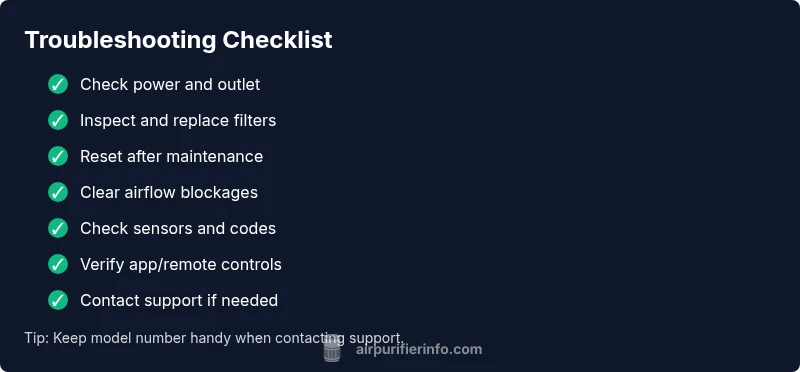
- Confirm the unit is plugged into a live outlet and the power switch is on.
- Check and replace or clean filters if needed; reseat filters firmly.
- Reset the purifier according to the manual; power cycle for 60 seconds.
- Inspect intake and exhaust vents for blockages; clear obstructions.
- Verify there are no unusual smells or noises indicating a hardware fault.
- Move the unit to a different outlet or room to rule out circuit issues.
- If none of these steps restore operation, document the codes or symptoms and contact support.
Steps
Estimated time: 30-45 minutes
- 1
Check power and outlet
Ensure the purifier is plugged in, the switch is on, and the outlet works. Test with another device to confirm the outlet is active. If the outlet is controlled by a switch or wall timer, verify it’s supplying power.
Tip: If the outlet is controlled by a GFCI, press the reset button and test again. - 2
Inspect and replace filters
Open the housing as per the manual and inspect all filter stages. Replace dirty or swollen filters with the recommended parts. Reset the unit after installing filters to recalibrate sensors.
Tip: Never reuse a saturated filter; it can compromise air quality. - 3
Reset or power cycle
Unplug the purifier for at least 30-60 seconds. Plug back in and turn on to see if it powers up normally. If there is a reset sequence, perform it exactly as described in the user manual.
Tip: A clean reset often clears transient faults. - 4
Check airflow paths
Inspect intakes and outlets to ensure there are no blockages from furniture, clothing, or pet hair. Create several inches of clearance around the unit and avoid placing it in corners.
Tip: Move nearby items temporarily to test airflow impact. - 5
Verify sensor status and codes
If a fault code or blinking light appears, consult the manual for meaning and recommended action. If needed, perform a sensor cleaning with a soft brush or compressed air.
Tip: Handle sensors gently; avoid touching sensitive components. - 6
Test app or remote controls
If your purifier uses a companion app or remote, ensure the device is connected and the app is up to date. Re-pair the device if needed.
Tip: Reinstalling the app can resolve communication issues. - 7
Assess service needs
If the unit still won’t run after the above steps, consult the manual for warranty coverage and contact customer support. Do not attempt risky internal repairs.
Tip: Gather model number, serial, and fault codes before calling.
Diagnosis: Air purifier stops functioning or shows no airflow
Possible Causes
- highPower issue (outlet, cord, switch, fuse)
- highClogged or worn filters
- mediumSensor or control electronics fault
- mediumAirflow blockage or enclosure obstruction
Fixes
- easyTest outlet with another device; bypass power strips; reseat power cord
- easyClean/recommend replaced filters; reset after installation
- easyReset the unit per manual; perform a complete power cycle
- easyInspect intake/exhaust for obstructions; move unit for better clearance
Questions & Answers
What is the most common reason an air purifier stops working?
Power issues or a clogged filter are the most frequent culprits. Check these first before exploring more complex causes.
Most outages come from power or filter problems, so start there.
Can a new filter fix a purifier that won't start?
If a clogged filter triggered a safety shutdown, replacing it can restore function. If the electronics fault remains, a new filter won’t fix it.
A new filter can fix airflow issues, but electronics faults need professional help.
Is overheating dangerous for air purifiers?
Yes. Overheating can trigger safety shutoffs and shorten the device’s life. Ensure proper ventilation and avoid placing it near heat sources.
Overheating triggers safety shutdowns; ensure good ventilation.
Should I use a surge protector with my air purifier?
Avoid power strips or surge protectors that can cause voltage fluctuations. Use a direct outlet for most purifiers.
Use a direct outlet, not a surge protector, to prevent power issues.
What should I do if I see an error code?
Refer to the manual to translate the code, perform a reset, and address the specific fault. If unresolved, contact support.
Check the code in the manual and reset; seek support if it persists.
When should I contact professional service?
If the unit remains nonfunctional after the standard fixes or if it’s under warranty, contact the manufacturer or an authorized service center.
If it still won’t run after at-home fixes, contact service.
Watch Video
Main Points
- Check power and filters first; most outages are simple fixes.
- Regular maintenance reduces downtime and improves air quality.
- Resetting the unit often clears transient faults.
- If the fault persists, document codes and contact support.