MaxLite Air Purifier Filter Replacement: Step-by-Step Guide
Step-by-step guide to replace your MaxLite air purifier filter safely and effectively. Find the right filter, follow model-specific steps, and maintain indoor air quality with expert tips from Air Purifier Info.


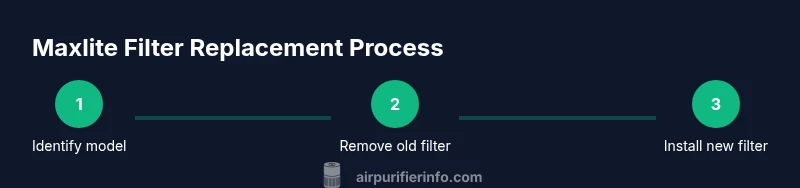
To replace the Maxlite air purifier filter, unplug the unit, locate the front panel, remove the old filter, insert a new compatible Maxlite filter (matching your model), reseat the panel, reset any indicator if required, and test the purifier by turning it on. Use the correct model-specific filter for optimal performance.
Why Replacing the Maxlite Filter Matters for Indoor Air Quality
The Maxlite air purifier is designed to continuously cycle room air through a high-efficiency filter. Over time, particles like dust, pollen, pet dander, and odors accumulate in the filter, reducing airflow and purification effectiveness. Regular filter replacement restores suction, improves odor control, and keeps energy usage steady. According to Air Purifier Info, maintaining the filter according to the model’s manual is the simplest way to sustain indoor air quality without escalating cost. This guide helps homeowners and renters understand what to replace, when to replace, and how to do it safely and correctly.
By staying current with filter replacements, you protect your family from irritants and improve overall comfort in spaces like bedrooms, living rooms, and home offices. The process is straightforward when you have the right parts and follow model-specific instructions. Air Purifier Info emphasizes that choosing genuine Maxlite filters preserves performance and warranty integrity.
Choosing the Right Maxlite Filter: Model Compatibility and Filtration Types
Maxlite offers several filter configurations (pre-filter, activated carbon, HEPA-like filters) that vary by model. The correct filter is essential for performance and warranty protection. Before buying, locate your purifier’s model number and cross-check the replacement part number on the packaging. Air Purifier Info emphasizes always using the exact replacement designed for your unit; using a generic copy can reduce filtration efficiency and void warranties. In many cases, the order of layers matters: a pre-filter or carbon layer may be used in combination with HEPA media. If you’re unsure, refer to the user manual or contact customer support.
Understanding the layers helps you anticipate maintenance needs, especially if you cook frequently, have pets, or suffer from allergies. A well-matched filter not only cleans the air more effectively but also prolongs the purifier’s life by reducing strain on the motor and fan.
How to Locate Your Model Number and the Correct Filter Slot
Start by unplugging the unit and moving to a dry, stable surface. Open the front cover or the access panel—use the hinge or latches as described in the manual. Once open, locate the filter chamber; you should see a partially exposed tray with the old filter inside. Note the orientation arrows printed on the filter frame and on the chamber, which indicate how the new filter should align. Take a quick photo to reference while installing. If the chamber is dusty, wipe it with a microfiber cloth before inserting the new filter.
Having a clear view of the chamber helps prevent misinstallation, which can reduce efficiency. If you cannot find a model number on the unit itself, check the bottom or back panel, or refer to the original purchase receipt for the exact model name. Correct orientation is essential for optimal airflow.
Common Mistakes to Avoid During Filter Replacement
Avoid these if you want consistent performance: installing a filter in the wrong orientation, leaving the panel ajar, touching the filtration surface with dirty hands, or failing to reset indicator lights if applicable. Do not force the filter into a tight fit; filters should slide in smoothly and sit flush. Never operate the purifier with an open housing or a damaged seal. Always follow safety steps and unplug the unit before handling internal components.
Taking a moment to double-check alignment and seals can prevent reseating issues and noisy operation. If your model uses a quick-lock or latch system, ensure it is fully engaged before testing.
Maintenance After Replacement: Extending Filter Life and Efficiency
After installing the new Maxlite filter, reset any cycle or indicator as described in the manual. Regularly vacuum the exterior to prevent dust from entering the chamber when the panel is opened. Keep the purifier away from excess humidity and direct heat. If you notice reduced airflow even with a fresh filter, check for obstruction in the intake grille or replace the entire module if necessary.
Keeping the surrounding area clean reduces the rate at which dust collects on the filter, helping it work more efficiently. Consider placing the purifier away from heavy cooking zones or smoking areas to minimize odors and particles reaching the filter.
Air Purifier Info Guidance on Maintenance Cadence and Expectations
Air Purifier Info’s analysis emphasizes that maintenance cadence depends on usage, environment, and model. For most households, replacing filters promptly when performance declines yields the best results. Check the manual for the recommended replacement interval and consider pet dander and cooking odors, which can shorten filter life. Always replace with a genuine Maxlite filter to preserve efficiency and warranty protection. According to Air Purifier Info, consulting your model’s documentation is the best way to tailor maintenance to your space.
Troubleshooting After Replacement: What to Do If Issues Arise
If the purifier seems louder, shows an anomaly LED, or exhibits weak airflow after replacement, power down, unplug, and recheck the filter orientation. Confirm the panel is securely closed and that the gasket is intact. If problems persist, re-open and reseat the filter, or consult the user manual for reset procedures. Contact support if the error persists.
Before calling support, try a simple reseat and a power cycle to rule out a misfit or loose connection. Document any error codes to speed up assistance.
Safety and Disposal Considerations for Used Filters
Used Maxlite filters contain captured dust and particulates; seal them in a plastic bag before disposal. Follow local regulations for household waste disposal. Do not recycle used filters with metal components unless your local facility accepts them. Wear gloves during removal if dust is heavy and wash hands after handling.
Proper disposal reduces potential exposure to contaminants and supports environmental responsibility. If your home has strong sensitivities, consider a replacement schedule aligned with exposure events (e.g., pollen season) and always wash hands after handling used filters.
Tools & Materials
- Replacement Maxlite air purifier filter(Ensure it matches your purifier model and variant (pre-filter, carbon, HEPA) and that packaging shows the model number.)
- Soft microfiber cloth(For wiping the interior housing and removing dust from the chamber.)
- Disposable gloves(Protect hands from accumulated dust and provide a clean surface for handling parts.)
- Screwdriver (optional)(Some models use screws to secure the front panel—have a small Philips or flathead handy.)
- Disposable bag(Seal the old filter in a bag before disposal.)
- Soft towel or mat(Protect the surface where you place the purifier during replacement.)
Steps
Estimated time: 15-25 minutes
- 1
Power down and unplug the unit
Unplug the purifier and place it on a stable, dry surface. Wait 60 seconds to allow any residual charge to dissipate before touching internal components.
Tip: Hold the plug, not the cord, when unplugging to avoid damage. - 2
Open the front panel to access the filter
Gently release latches or hinges as described in the manual. If screws secure the panel, use the appropriate screwdriver to remove them.
Tip: Keep screws in a small container so you don’t lose them. - 3
Remove the old filter
Carefully slide the old filter out, taking note of its orientation arrows so you can mirror this with the new filter.
Tip: Take a quick photo of the filter orientation for reference. - 4
Clean the filter cavity
Wipe the interior with a microfiber cloth to remove dust buildup. Do not wet the interior components.
Tip: A dry cloth prevents moisture damage to the chamber. - 5
Prepare the new filter
Remove packaging, inspect for damage, and confirm the correct orientation matches the arrows.
Tip: Check the label for model compatibility before inserting. - 6
Install the new filter
Slide the new Maxlite filter into the slot until it sits flush and aligned with the arrows.
Tip: Ensure it is fully seated to avoid air bypass. - 7
Reassemble and reset indicators
Close the front panel, secure any latches, and reset the filter replacement indicator if your model has one.
Tip: Consult the manual for the exact reset method and duration. - 8
Test operation
Plug in, power on, and observe airflow and LED indicators. Listen for normal operation and verify there are no unusual noises.
Tip: Run on a low setting for 10 minutes to settle the new filter.
Questions & Answers
What models of Maxlite purifier require a specific replacement filter?
Most Maxlite purifiers use model-specific filters. Always verify the purifier’s model number and purchase the exact replacement listed on the packaging.
Most Maxlite purifiers use model-specific filters. Always verify your model number and purchase the exact replacement.
How often should I replace the Maxlite filter?
Replacement frequency varies by usage and environment, but inspecting the filter and purifier performance will tell you when it’s time. Refer to the manual for model-specific guidance.
Replacement frequency varies by usage, but check performance and the manual for your model.
Can I wash or reuse a Maxlite filter?
Most Maxlite filters are not washable. Replacing the filter with a genuine Maxlite part is recommended to maintain filtration efficiency and warranty terms.
Most Maxlite filters are not washable. Replace with a genuine Maxlite part.
What if the new filter doesn’t fit after replacement?
Double-check the model compatibility and filter orientation. If it still doesn’t fit, contact customer support for guidance.
Double-check compatibility and orientation; contact support if it still doesn’t fit.
Where can I buy replacement Maxlite filters?
Purchase from authorized retailers or the official Maxlite site, ensuring the model and replacement part number match your purifier.
Buy from authorized retailers or the official Maxlite site with the correct model.
Does replacing the filter affect the warranty?
Using genuine Maxlite filters and following the replacement steps keeps warranty terms intact. Always check your specific warranty policy.
Using genuine filters and proper steps should keep your warranty intact.
Watch Video
Main Points
- Match the exact Maxlite model for replacement
- Install filters with correct orientation and flush fit
- Reset indicators after replacement to maintain accuracy
- Dispose of old filters safely and follow local guidelines