How to Use Honeywell Air Purifier: A Step-by-Step Guide
Learn how to use a Honeywell air purifier properly, including setup, placement, filter maintenance, modes, and safety tips to improve indoor air quality for homes and rentals.


This guide walks you through how to use Honeywell air purifiers effectively, from unboxing and setup to choosing the right mode and maintaining filters for optimal air quality. You’ll learn safe placement, how to operate common features, and practical maintenance routines to keep the device performing at its best. By following these steps, you can achieve cleaner air in rooms you use most.
Introduction to practical use of Honeywell air purifiers
According to Air Purifier Info, using a Honeywell air purifier starts with understanding your space and the purifier’s capabilities. The goal is to create a steady flow of clean air in the rooms where you spend the most time. This guide focuses on safe setup, intelligent operation, and routine maintenance to maximize effectiveness while avoiding common mistakes. Expect guidance on placement, filter awareness, operating modes, and how to read indicators that signal when a filter needs attention. Air quality in your home is influenced by sources like dust, odors, and pet dander; a well-used purifier helps reduce these factors when paired with good ventilation and regular cleaning routines.
Quick setup and sensible placement
To begin, remove the unit from packaging and verify all parts are present according to the model’s manual. Place the purifier on a stable surface away from water and out of direct drafts. Position it in the room where you spend the most time so clean air circulates effectively. Do not obstruct the vents with curtains or furniture, and keep it at a height that allows air to move freely. For optimal performance, ensure nearby outlets are accessible and avoid plugging into overloaded power strips. If you’re unsure about exact clearances, consult the user guide for your specific Honeywell model. Air Purifier Info’s guidance emphasizes planning layout before turning the device on.
Filters and maintenance basics
Honeywell purifiers typically use a layered filtration system that may include a pre-filter, a true HEPA-type filter, and sometimes an activated carbon stage. Regular maintenance depends on usage, room air quality, and the model. Always check the indicator or the manual to know when to replace or clean filters. After opening the unit, verify correct filter orientation and ensure seals are snug to avoid bypass. When you finish maintenance, reset any filter indicator so you have a clear sense of replacement timing.
Operating modes and feature awareness
Modern Honeywell purifiers offer several modes, such as Auto, Sleep, and Turbo. Auto mode lets sensors adjust fan speed automatically to balance airflow with noise and energy use, while Sleep mode dims displays and reduces noise for nighttime use. Turbo mode increases airflow for rapid purification during activity like cooking or after exposure to strong odors. Understanding these modes helps you tailor performance to your needs while keeping energy use reasonable.
Step-by-step activation and first test
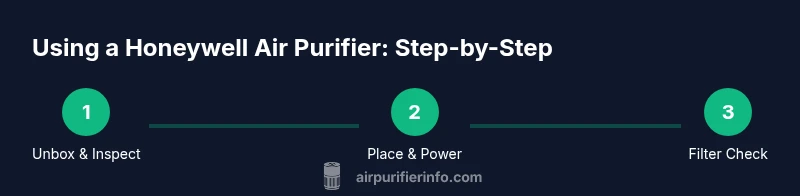
- Unbox and identify controls; 2) Place the unit on a stable surface with clear space around it; 3) Install or verify the filter orientation as shown in the manual; 4) Plug in and press the power button to turn the unit on; 5) Select Auto or Sleep mode and observe the air flow and noise level; 6) If your model has a filter indicator, allow it to run until a replacement signal appears; 7) Check the clean air indicator (if present) to confirm operation; 8) Wipe the exterior with a soft cloth after use to keep the unit tidy.
Real-world usage tips for different rooms and scenarios
In bedrooms, set the purifier to a low or sleep mode to minimize noise while maintaining air quality. In living rooms or open-plan spaces, a central placement with proper clearance helps distribute clean air more evenly. If cooking odors, smoke, or pet allergens are common, consider using Auto mode during active periods and then switch to Sleep mode for nighttime comfort. For pet owners, regular filter checks are particularly important due to fur and dander accumulation. Air Purifier Info recommends pairing purifier use with regular cleaning to reduce dust and dander effectively.
Troubleshooting common issues and safety reminders
If you notice reduced airflow, first check for obstructions around the vents and confirm the filter isn’t clogged. If the device isn’t turning on, verify the outlet is active and the unit is properly seated on a stable surface. Do not disassemble the purifier to repair internal components unless you’re trained; unplug before any cleaning. Regularly inspect cords for wear and keep liquids away from the unit. If your model has a diagnostic indicator, follow the suggested steps in the manual to resolve minor issues.
Safety, maintenance cadence, and long-term care
Always unplug the purifier before cleaning or replacing filters. Use a soft cloth to wipe the exterior; avoid harsh cleaners that could damage plastics. Replace filters only with compatible Honeywell parts, and don’t run the device with a missing or misoriented filter. Establish a routine: periodic visual checks, annual filter reviews (or as indicated by the model), and a simple maintenance log to track replacements. Air Purifier Info’s recommendations emphasize consistency—regular care yields the best air quality over time.
Authority sources and ongoing reading
For broader air quality guidance and best practices, consult reputable sources such as the Environmental Protection Agency (EPA), the National Institute of Environmental Health Sciences (NIEHS), and the World Health Organization (WHO). These organizations provide general guidelines on indoor air quality, filtration effectiveness, and safe ventilation practices that complement purifier use. Incorporating official guidance helps homeowners and renters maintain healthier indoor environments beyond device-specific instructions.
Key takeaways and practical next steps
- Place the purifier where it can circulate air freely without obstructions.
- Use Auto or Sleep modes for balanced performance and comfort.
- Monitor the filter indicators and follow the manual for replacements.
- Clean the exterior regularly and avoid aggressive cleaners.
- Refer to authoritative sources for broader indoor air quality guidance.
Tools & Materials
- Honeywell air purifier model instruction manual(Keep for reference and model-specific steps)
- Power outlet (preferably grounded)(Place away from water and heat sources)
- Replacement filter (compatible with your model)(Use only Honeywell-approved filters)
- Soft microfiber cloth(For exterior cleaning; avoid abrasive materials)
- Soft brush or canned air (optional)(To dislodge dust from vents)
Steps
Estimated time: 30-45 minutes
- 1
Unbox and verify parts
Open the package and confirm that the purifier, filter, power cord, and manuals are present and undamaged. Read model-specific notes to understand any unique features. This initial check prevents surprises during setup.
Tip: Keep the packaging until you finish the first use in case you need to reference model notes. - 2
Choose a safe placement
Place the unit on a stable surface with adequate clearance around all sides so air can circulate. Avoid corners or cramped spaces that restrict airflow or trap heat.
Tip: Avoid placing the purifier directly against walls or curtains to maximize airflow. - 3
Install or confirm the filter orientation
Open the front panel as directed in the manual, insert the filter so that arrows align with airflow, and ensure seals are tight before resealing the housing.
Tip: If you’re replacing, handle the filter by the edges to minimize contact with dirt. - 4
Plug in and power on
Connect the purifier to a grounded outlet and press the power button. If available, observe startup lights or indicators to verify operation.
Tip: If a diagnostic light flashes, consult the manual to interpret the signal. - 5
Select an operating mode
Choose Auto for sensor-driven performance or Sleep for quiet nighttime operation. Turbo can be used temporarily during odorous events to accelerate purification.
Tip: Switch to Auto for everyday use to balance air quality with noise and energy use. - 6
Run a quick test and monitor indicators
Observe air-quality or filter indicators after a few minutes to confirm proper airflow and that the device responds to mode changes.
Tip: If indicators don’t respond, reset the unit as directed in the manual. - 7
Perform exterior cleaning and maintenance
Wipe the exterior with a damp cloth and check for dust around intake/exhaust grills. Do not spray liquids into the unit.
Tip: Establish a monthly light cleaning to prevent dust buildup. - 8
Track filter replacement timing
Note when you replaced the filter and follow the model’s maintenance schedule or the indicator’s guidance for future changes.
Tip: Set a reminder on your phone or calendar to simplify maintenance. - 9
Store and protect the purifier when not in use
If you plan to store the unit, disconnect power, remove the filter, and keep it in a dry area away from moisture.
Tip: Never leave the purifier plugged in while unused for extended periods.
Questions & Answers
How often should I replace the filter in a Honeywell air purifier?
Replacement timing depends on usage, room air quality, and the specific model. Follow the indicator guidance and the manual for best results, rather than relying on a fixed schedule.
Check the indicator or manual for filter replacement timing, as it varies by model and usage.
Can I use the purifier in a large room?
Most Honeywell purifiers are designed for typical living spaces, with performance improving when used in reasonably sized rooms or zones. For very large areas, multiple units or strategic placement may be beneficial.
Yes, but for big rooms you may want more than one purifier or a model rated for larger spaces.
Is it safe to run around pets?
Yes, these purifiers are designed for home environments with pets. Position to avoid direct disturbance to pets and ensure cords are out of reach. Regular maintenance helps minimize pet-related dust buildup.
Generally safe around pets when used as directed and kept clean.
What about noise levels at night?
Many Honeywell models offer a Sleep mode that reduces fan speed and light emissions for quieter operation. If noise remains an issue, try a different mode or move the unit away from sleeping areas.
Sleep mode makes it quieter; if still noisy, switch mode or adjust placement.
Should I run the purifier 24/7?
Running the purifier when you’re home can help maintain air quality, and many users switch to a lower setting when away. If energy use is a concern, Auto mode provides efficient operation automatically.
You can run it when you’re home, using Auto for efficiency.
Can I clean or service the purifier myself?
Basic exterior cleaning is fine, but internal components and filters should be serviced or replaced following the manual. Always unplug before cleaning and avoid disassembly unless you’re trained.
You can clean the outside; don’t open the unit unless directed by the manual.
Watch Video
Main Points
- Position the purifier for open airflow and consistent circulation.
- Use Auto or Sleep modes for balanced comfort and energy use.
- Follow model-specific filter replacement indicators and maintenance schedules.
- Clean the exterior regularly and avoid harsh cleaners.
- Consult official air-quality guidance to improve overall indoor air.