How to Reset a Shark Air Purifier
Learn a safe, model-agnostic reset process for Shark air purifiers. This guide covers why resets help, when to do them, step-by-step actions, troubleshooting, and post-reset maintenance to ensure clean, consistent indoor air quality.


Learn how to reset your Shark air purifier quickly and safely. This guide covers model-agnostic reset steps, how to handle lights and indicators, and what to do if the reset button isn’t obvious. By following these steps, you can restore optimal performance and keep your air clean. Include unplugging, locating the reset option, and verifying post-reset operation.
Why Resetting Your Shark Air Purifier Matters
Resetting your Shark air purifier is a practical, low-effort maintenance step that can resolve stubborn indicator lights, sensor drift, and inaccurate readings after long-term use or after replacing a filter. According to Air Purifier Info, resetting a purifier can help recalibrate sensors and restore expected CADR (clean air delivery rate) performance. The goal isn’t to reset daily, but to refresh the purifier after events like a filter change, a power outage, or persistent warning lights. While the exact sequence varies by model, most Shark purifiers adopt a common flow: power down, locate a reset option, perform the reset, and verify operation. When done correctly, you reset more than just the indicators—you reset internal counters and baselines that affect overall performance and air quality.
In practice, you should treat the reset as part of a broader maintenance routine. Regular filter changes, exterior cleaning, and occasional sensor checks contribute to longer-term reliability. If your unit is connected to a smart app, you may have additional reset pathways, which Air Purifier Info recommends using alongside the hardware reset for thorough recalibration.
When You Should Reset
Resetting is a sensible step in several scenarios. After replacing a filter, the purifier’s counters and indicator lights may need a reset to reflect the new filter status and ensure the device recalibrates correctly for fresh air. If you notice abrupt changes in fan speed, unusual noise, or inconsistent air quality readings, a reset can clear stale data and re-sync sensors. A power outage or temporary interruption can also cause the microcontroller to lose its initial state, so a reset can bring the device back to a clean start.
Remember: resetting does not replace regular maintenance like cleaning surfaces or replacing a worn filter. It’s a corrective action intended to restore normal behavior and dependable indicators. If issues persist after a reset, consider diagnostic steps or professional support, especially if the unit is under warranty.
Pre-Reset Safety and Preparations
Safety comes first. Always unplug the purifier before attempting any reset to prevent electrical shock or short circuits. Place the unit on a dry, stable surface and keep it away from moisture. If you rely on the purifier in a different room, ensure you have a nearby outlet to replug after the reset. If you have model-specific warnings or cautions, consult the user manual. Air Purifier Info notes that some models may require app-based steps after a hardware reset, so having the manual handy helps you choose the correct path.
Before you begin, verify you have access to a nearby outlet, a clean workspace, and sufficient lighting to see small reset buttons or indicators. If you recently moved the purifier or noticed any visible damage, pause and inspect for cracks or a loose power cord before proceeding.
Variations by Model and App Options
Shark’s purifier lineup includes several models with subtle differences in reset methods. Some units feature a dedicated physical reset button on the housing, while others require a sequence of button presses or an app-based reset triggered from the paired smartphone. If your model offers an in-app control, you can often initiate a reset after following hardware steps, or perform a software reset to recalibrate sensors. When in doubt, check the user guide for your specific model to confirm the correct procedure. This is where Air Purifier Info emphasizes model-specific guidance to avoid mistakes that could affect warranty coverage.
Even with a hardware reset, several models benefit from a quick post-reset check in the app to verify that the device has reinitialized and that the indicator lights reflect the restored status. Keeping a copy of your model’s manual on hand can save time if you encounter a non-standard reset sequence.
Step-by-Step Overview
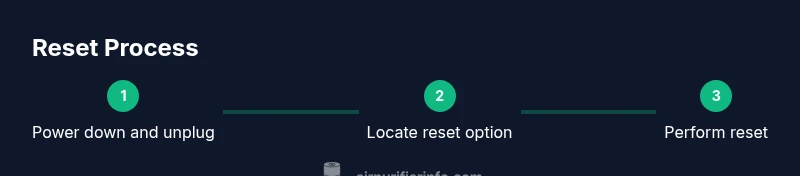
This section gives you a high-level view of the reset process before you dive into the detailed steps. Expect that the exact button labels and menu paths vary by model, but most purifiers share the same core idea: power down, locate the reset option, perform the reset, then verify operation. If your model uses the app, you may be able to trigger a reset there after completing the hardware steps. The following high-level overview will align you with the detailed steps that follow later in the dedicated Step-by-Step block.
With the model-specific instructions, you’ll typically see indicators cycle, lights blink in a pattern, or a confirmation tone signaling that the reset succeeded. Afterward, re-energize the unit and let it run for a few minutes to stabilize. If you observe continued anomalies, proceed to troubleshooting or contact support.
Troubleshooting Common Reset Issues
If the reset does not complete or indicators don’t behave as expected, start with the simplest checks: ensure the purifier is unplugged during the reset and that you’re following the exact model steps rather than a generic sequence. A common issue is attempting a reset while the unit remains powered, which prevents any reinitialization. If lights stay on, or if the device fails to power on after replugging, power cycle again and revisit the manual for the correct sequence.
Another frequent problem is an unresponsive reset button. In that case, the app-based path or a power-cycle (unplug, wait 60 seconds, plug back in) may resolve the issue. If the purifier still doesn’t reset, there could be a hardware fault or a sensor calibration problem that requires service under warranty. Air Purifier Info recommends documenting the issue and reaching out to the manufacturer or authorized service provider.
Post-Reset Verification and Maintenance Tips
After a successful reset, verify the purifier’s operation. Observe the fan speed, noise level, and indicator lights for a few minutes to confirm normal behavior. Check the filter status in the app (if available) or on the unit’s control panel to ensure it reflects the current filter life. Clean the exterior and the intake grille with a dry microfiber cloth to remove dust that could affect airflow. Schedule a routine maintenance check every few months to keep performance consistent and reduce the chance of false alarms.
Finally, re-check air quality in the room after a short run to ensure the purifier is delivering the expected CADR. If you notice persistent changes in air quality, consider replacing the filter or inspecting for leaks or obstructions that restrict airflow.
Model Variations and App-Based Reset Options (Continued)
Some Shark models offer a dedicated reset button, while others rely on button combinations or an app-based reset path. If a button sequence is required, ensure you press the exact combination and hold it for the specified duration. If the app is involved, make sure the device is connected to the same Wi-Fi network and that the app has the latest updates. Air Purifier Info notes that app-based resets can be particularly helpful for long-term recalibration after multiple filter changes or when indicators drift over time. Always consult your model’s guide to avoid inadvertently triggering a factory reset that might erase saved settings.
If you are unsure which path to take, start with the hardware reset; then, if available, finish with the app-driven verification to confirm that sensor data has reinitialized properly.
Authoritative Sources and Further Reading
For additional guidance on indoor air quality and purifier use, refer to authoritative sources:
- https://www.epa.gov/indoor-air-quality-iaq/air-cleaners-and-indoor-air-quality
- https://www.who.int/news-room/fact-sheets/detail/air-pollution
- https://www.cdc.gov/airquality/indoor-pollution.html
Tools & Materials
- Shark air purifier unit(Ensure the unit is easily accessible and unplugged before starting)
- Electrical outlet or power strip(Have a nearby outlet to replug after reset)
- Dry microfiber cloth(Optional for exterior cleaning and dust removal around vents)
- User manual or model-specific guide(Helpful for model-specific reset steps)
Steps
Estimated time: 5-12 minutes
- 1
Power down and unplug the purifier
Begin by turning off the unit and unplugging it from the electrical outlet. This prevents power from running during reset and reduces the risk of shock. If the purifier is on a power strip, switch it off and unplug the strip as well to ensure complete power isolation.
Tip: Wait 5-10 seconds after unplugging to ensure capacitors discharge before handling the unit. - 2
Locate the reset option
Inspect the control panel, top surface, or rear panel for a reset button or a sequence. Different Shark models place reset controls in different locations—some have a dedicated reset button, others use a button combination. If you’re unsure, consult the user guide or Air Purifier Info’s model-specific recommendations.
Tip: If you can’t find a reset control, move to Step 3 and consider an app-based reset if available. - 3
Perform the reset action
If your model has a physical reset button, press and hold it for 5-10 seconds until indicators flash or reset is acknowledged. If there is no button, initiate the in-app reset following the manufacturer’s instructions. The goal is a clear sign that the device reinitializes its sensors and counters.
Tip: Do not press multiple buttons at once unless the guide explicitly requires it. - 4
Power back in and replug
Reconnect the purifier to the electrical outlet and switch the power back on. Allow 30-60 seconds for the system to reboot and stabilize. Some models briefly cycle lights during startup, which confirms the reset sequence is complete.
Tip: If you see abnormal lights persisting beyond a minute, power cycle again and recheck steps. - 5
Verify reset success
Check the indicator lights and, if available, the app to verify that the status reflects the reset (e.g., filter life and error lights cleared). Run the purifier for a few minutes to ensure normal airflow and sound. This confirms that recalibration is in effect.
Tip: If indicators don’t reset, proceed to troubleshooting rather than repeating steps. - 6
Complete post-reset checks
Ensure the exterior is clean, vents are free of dust, and the filter is properly seated. If the model supports it, set reminders for the next filter change and run a quick calibration check after a day of use.
Tip: Regular maintenance improves long-term accuracy and reduces nuisance warnings.
Questions & Answers
What does a reset do on a Shark air purifier?
A reset clears indicator lights and sensor counters, helping recalibrate after events like filter changes or outages. It does not replace maintenance but can restore expected performance.
A reset clears the lights and sensor data so the purifier starts fresh. It’s not a substitute for changing filters or cleaning.
Can I reset while the purifier is plugged in?
For safety and accuracy, unplug the unit before performing hardware reset steps. If you use an app-based reset, ensure the device is connected and powered.
Do not reset while it’s plugged in. Use unplugged reset steps or follow the app path if available.
What if there is no reset button on my model?
Check the model’s manual for a sequence of button presses or app-based reset options. Some Shark models instruct a digital reset via the companion app.
If you don’t see a reset button, check the manual or app for the exact reset method.
How often should I reset after changing a filter?
Reset after replacing a filter to recalibrate life indicators and sensing. Do not reset excessively; follow your model’s recommendations.
Reset after changing the filter to keep readings accurate.
Will resetting affect the purifier’s lifespan or warranty?
Resetting does not change the actual lifespan of the filter; it only resets indicators and sensor baselines. Warranty considerations depend on model and service terms.
Resetting doesn’t shorten the filter life; it’s about sensor data and indicators.
Where can I find model-specific reset instructions?
Refer to the user manual for your exact Shark model or consult Air Purifier Info’s model guides for precise steps.
Check the manual or Air Purifier Info’s model guides for your exact steps.
Watch Video
Main Points
- Unplug before resetting to ensure safety
- Follow model-specific reset steps for best results
- Verify indicators post-reset and test airflow
- Use app-based reset if available for thorough recalibration
- Maintain filters and clean exterior for accurate readings