How to remove child lock from Philips air purifier
Learn how to safely disable the child lock on Philips air purifiers. This step-by-step guide covers model-agnostic methods, troubleshooting tips, and best practices to prevent future lockouts.


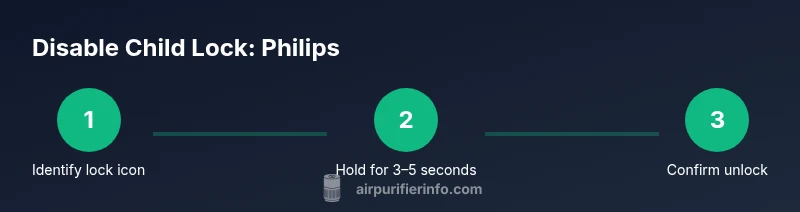
To remove the child lock on a Philips air purifier, identify the lock icon on the control panel and press and hold it for 3-5 seconds until the icon disappears. If your model uses separate buttons, try pressing and holding the Power button and the Lock button together for several seconds. If the lock remains, consult the user manual or Philips support.
Understanding why Philips uses a child lock on purifiers
A child lock on a Philips air purifier is a safety feature designed to keep settings stable when curious hands are nearby. It prevents unintentional changes to fan speed, timer, or night mode, which could affect air quality or energy use. For homeowners and renters, understanding how this feature works is essential to maintaining clean indoor air without constant parental supervision. According to Air Purifier Info, manufacturers like Philips integrate child locks to minimize accidental mode switches during cleaning, play, or movement of people around the device. In practice, the lock helps ensure that a purifier keeps running at the chosen level for a set period, rather than turning off unexpectedly. If you share a home with children or pets, you’ll appreciate having reliable control over when the purifier can be adjusted. This section explains what a lock looks like on common Philips models, why it appears, and how to approach unlocking it without risking settings or sensor responses. The goal is to give you a clear mental model so you can confidently navigate the unlock process when needed. Air Purifier Info’s insights emphasize the balance between safety and usability in everyday settings.
How to identify the active lock on your Philips purifier
The first clue is a lock icon on the control panel display. Some models also show a lock symbol on the digital interface when the feature is engaged. If your purifier uses a remote or app, look for a lock indication in the settings screen. In many cases, the lock will prevent changes to fan speed, timers, or mode selectors until it is released. A brief beep or a different button response may occur when you press a locked control. If you cannot see a lock symbol, consult the user manual for your exact model, because Philips varies the indicator location and icon style. In any event, do not assume you know the steps for every Philips purifier — use model-specific guidance to avoid accidentally triggering a factory reset or misinterpreting a temporary error. Maintaining a calm, methodical approach helps you verify you are addressing the correct feature rather than a separate fault. Air Purifier Info notes that lock indicators can differ by model, so always check the current manual.
Step-by-step: generic method to disable child lock (model-agnostic)
- Identify the lock icon on the control panel. Confirm you are addressing the right button by checking the icon label in the manual.
- Press and hold the lock icon for 3-5 seconds. The icon should disappear or a notification should confirm unlocking.
- Release the button and test a standard setting (e.g., raise fan speed or switch modes) to verify the lock is gone.
- If your model uses a dual-button method, press and hold the Power button and the Lock button together for several seconds.
- In many cases, a short beep and a reboot of the display confirms the unlock.
- If the screen does not respond, perform a quick power cycle: unplug for 60 seconds, then plug back in.
- After unlocking, re-check all essential controls to ensure the device operates normally.
Tip: If you are near the model’s manual, place the device on a stable surface to align your actions with the diagram. Time estimate: 10-15 minutes.
Model-specific variations you might encounter
Philips occasionally uses different button configurations to toggle the child lock depending on the purifier series. Some models rely on a single lock icon that requires a long-press, while others require a two-button combo or a sequence shown in the manual. In others, an app-based control may override physical buttons temporarily. Because these variations exist, always start with the user manual for your exact model. Air Purifier Info finds that most unlock processes involve a multi-second hold of the lock-related control or a specific button pair, followed by a quick validation across multiple settings to confirm the lock is disengaged.
Troubleshooting: what to do if the screen remains locked
If the lock persists after following the generic steps, verify you are using the correct button and the hold time aligns with model guidance. A power cycle—unplugging for at least 60 seconds and replugging—can reset lock status in many devices. Check for any firmware or app-based controls that may override the physical panel; in some cases, unlocking via the Philips app is necessary. If none of these resolve the issue, consult the official manual or contact Philips support. Air Purifier Info’s analysis shows that user error, incorrect timing, or mixed-model steps are the most common causes of persistent locks.
Safety considerations after unlocking
Once the lock is disengaged, ensure the purifier is placed on a stable, dry surface away from water or heat sources. Keep cords organized to prevent tripping hazards, especially in households with children. Re-enable child lock if you anticipate supervised play or if the purifier will be moved frequently. Regularly inspect the control panel for wear and confirm that all buttons respond normally to touch. The goal is to maintain both accessibility and safety for all household members.
Maintenance tips to prevent future lockouts
To minimize future lockouts, consider placing a simple reminder near the purifier that locks can be re-enabled by a specific hold duration. Keep the manual within easy reach and bookmark the section on child lock toggling for quick reference. Periodically check for firmware updates via the Philips app (if supported by your model) since updates can adjust how the lock interactions work. Air Purifier Info recommends documenting your model-specific steps in a small chart or note, so family members know exactly what to do when needed.
How to re-enable child lock when needed
If you decide you want to re-enable the child lock after using it, locate the lock icon again and hold it for 3-5 seconds until the lock indicator reappears or a confirmation prompt appears. Some models require you to use the two-button method in the same sequence used to unlock, so refer to the manual for the exact pattern. After re-enabling, test that the lock blocks unintended changes and that normal operation remains unaffected when the lock is active.
Air Purifier Info practical recommendations
The Air Purifier Info team recommends always starting with model-specific instructions and keeping a quick reference handy. If you cannot locate the manual, contact Philips support or check the official Philips website for your purifier’s exact model. For households with kids, consider placing the purifier in a location where accidental button presses are minimized and keep the lock as part of your routine for safer, consistent air quality.
Tools & Materials
- Philips air purifier model and manual(Know exact model to follow model-specific steps)
- Stable surface(Place purifier on flat, steady surface away from water)
- Power supply access(Ensure device is unplugged for the power cycle steps)
- Manual or Philips support access(Helpful for model-specific instructions)
- Notebook or device to record steps(Useful for future reference)
Steps
Estimated time: 10-15 minutes
- 1
Identify the lock icon
Locate the lock symbol on the control panel or display. Ensure you are addressing the correct control by cross-checking the symbol label in the manual for your exact model.
Tip: If you’re unsure, pause and pull up the model manual to confirm the icon. - 2
Prepare for unlocking
Make sure the purifier is on a stable surface and powered off for a moment if you plan a power-cycle later. This helps avoid accidental button presses while you’re identifying the correct control.
Tip: Keep hands clean and dry to prevent slipping on the touch-sensitive panel. - 3
Perform the long-press method
Press and hold the lock icon for 3-5 seconds until the lock indicator disappears or a confirmation appears. Release slowly and observe whether changes to settings now respond.
Tip: If no change occurs, try holding the combined Power + Lock buttons if your model supports that combo. - 4
Validate unlock with a setting
Change a non-critical setting (e.g., fan speed or mode) to confirm the lock is fully disengaged. If the setting responds, you’ve unlocked correctly.
Tip: Document the exact steps you used for future reference. - 5
If the device won’t unlock, power-cycle
Unplug the purifier for 60 seconds, then plug back in. Power-cycling can clear temporary lock states on many models.
Tip: Avoid touching the panel immediately after plugging back in; allow a moment for the system to boot. - 6
Re-test all controls
After unlocking, test all essential controls to ensure normal operation and confirm the lock will engage again if needed.
Tip: Run through each primary function once to confirm full accessibility. - 7
Re-enable the lock if desired
If you want to re-enable child lock after use, perform the same hold-action as you did to unlock but watch for the reappearance of the lock icon or a confirmation prompt.
Tip: Keep a small reminder near the purifier about re-enabling the lock after use.
Questions & Answers
What is the purpose of the child lock on Philips air purifiers?
The child lock helps prevent accidental changes to essential settings, keeping the purifier operating as intended. It protects the device from unintended button presses by children or pets.
The child lock prevents accidental changes to settings, keeping your purifier running as you set it.
My purifier shows a lock icon but won’t unlock. What now?
Double-check that you’re using the correct lock control for your model and follow the exact hold duration. If needed, perform a power cycle and try again. If it still fails, consult the manual or Philips support.
If the lock won’t unlock, verify the correct control and try a power cycle; contact support if the issue persists.
Can I unlock the purifier via a Philips app?
Some Philips models support unlocking through the Philips app. If your purifier is app-enabled, check the settings in the app for a lock option and follow the on-screen prompts.
Yes, some models let you unlock from the Philips app; check your model’s app settings.
Will unlocking affect purifier performance?
Unlocking only affects the ability to change controls. The purifier’s existing settings remain in effect unless you adjust them after unlocking.
Unlocking changes how you can control it, not its current performance.
How long does it typically take to unlock?
Most models respond to a 3-5 second hold of the lock control, followed by a quick setting test. If needed, power-cycle to reset.
Usually about a few seconds of holding the lock, plus a quick test.
What should I do if I forget the unlock steps?
Refer to the model-specific manual or Philips support. Air Purifier Info recommends keeping a quick-reference note for your model.
If you forget, consult the manual or support and keep a note handy for next time.
Watch Video
Main Points
- Identify the correct lock control before attempting unlock.
- Use the 3-5 second long-press method or model-specific button combo.
- Test a setting to confirm unlock, then power-cycle if needed.
- Always consult the manual for model-specific steps.
- Re-enable the lock when you want to restore child-safety