How to Keep an Air Purifier Clean: A Practical Maintenance Guide
Learn how to keep an air purifier clean with simple exterior care, filter maintenance, and safe cleaning steps to extend performance and improve indoor air quality.


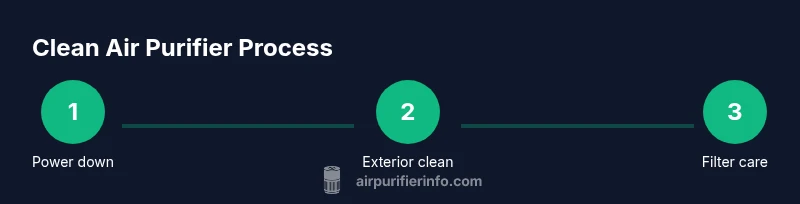
Keep your air purifier clean by following a simple routine: dust the exterior weekly, wipe the housing with a damp cloth monthly, check and replace pre-filters every 1-3 months, vacuum intake grilles every few weeks, and schedule a full filter change per the manufacturer’s guidance. Avoid using harsh chemicals and always power off before maintenance.
Why regular cleaning matters
Regular cleaning matters for several reasons: it keeps performance steady, extends filter life, reduces chance of mold in damp rooms, and helps your energy bill stay reasonable. If you’re asking how to keep air purifier clean, starting with a baseline routine makes the task manageable. According to Air Purifier Info, regular maintenance correlates with consistent air flow and better indoor air quality. Small habits—dusting the exterior, inspecting filters, and avoiding moisture—have outsized benefits over time. When you learn how to keep air purifier clean, you’re not just extending the device’s life; you’re protecting your family from unseen irritants like dust, pet dander, and odors. A clean purifier also runs more quietly because clogged vents and dirty fans create extra noise. In short, a simple, repeatable cleaning schedule is the foundation of reliable air purification in any home.
What to clean first and why
Before you touch any internal parts, identify which components require care and why. The exterior and grills are the first line of defense against dust and debris that can reduce airflow. Cleaning these parts first helps you see how much dust has built up and whether more thorough steps are necessary. If you neglect exterior cleaning, dust can fall into the intake when you open the unit or during filter changes. Starting with the outside also minimizes the risk of moisture contacting electrical components. Remember, the goal is to keep airflow unblocked and sensors accurate. When in doubt, consult your purifier’s manual for model-specific instructions about cleaning order and which parts are washable.
Exterior cleaning: dust, wipe, and avoid moisture
Dust the housing, display, and status lights with a dry microfiber cloth. Wipe stubborn smudges with a lightly damp cloth, then dry immediately with a separate dry microfiber. Never spray water or cleaning solutions directly into vents or the interior cabinet. Moisture can dribble into the fan or electronic boards and cause corrosion or short circuits. If you use a mild soap, apply it to the cloth—not directly to the device. For removable panels, wipe the exterior surfaces first, then set aside to air dry completely before reassembly. A thoroughly dry exterior reduces recontamination and keeps the unit looking new.
Filter care: pre-filters, HEPA, and schedule
Most purifiers use a washable pre-filter plus a deeper HEPA filter. Start by locating and removing the pre-filter according to the model’s instructions. Clean or replace it as recommended by the manufacturer. Pre-filters often collect the bulk of dust and can be washed or vacuumed; follow the care instructions to avoid damaging the media. Do not wash HEPA filters unless the manual explicitly allows it; most HEPA filters must be replaced when they become discolored, clogged, or when the device’s indicator signals a change. Keeping filters fresh maintains efficiency and lowers energy use while reducing allergens and odors.
Cleaning the intake and outlet grills
Dust and debris tend to accumulate most in the intake and outlet grills. Use a soft brush or a vacuum with a brush attachment to remove particles from the grill slats. Be gentle to avoid bending fins or damaging the mesh. If you see stubborn dust, gently loosen it with a small, dry paintbrush or cotton swab. After cleaning the grills, wipe them with a slightly damp microfiber cloth and dry thoroughly. Clean grills help maintain consistent airflow and prevent dirt from working its way into the internal chamber.
Cleaning frequency by use case
In high-pollution or pet-heavy homes, you may need more frequent maintenance. For active households, check exterior surfaces weekly and inspect pre-filters monthly. The HEPA filter typically requires replacement every 6–12 months, depending on usage and environment. In quiet, low-dust spaces, you can stretch to every 3–6 months for standard filtering. Use the device’s indicator lights or the manufacturer’s schedule as your guide. A practical approach is to set reminders on your phone or calendar.
Safe cleaning tools and methods
Stick to non-abrasive tools and lint-free cloths to avoid scratches on the housing. Use a damp microfiber cloth for touch-ups and a dry cloth for dusting. Avoid solvents like alcohol or ammonia near plastics and electronics; these can degrade surfaces and seals. For stubborn grime, a tiny amount of mild soap on a cloth is typically sufficient. Never disassemble the purifier beyond what the manual allows; internal components can be damaged if touched without proper guidance. If you must handle filters, wear gloves and wash hands after touching potentially contaminated materials.
Troubleshooting common issues during cleaning
If you notice reduced airflow after cleaning, re-check the filters and grills to ensure nothing was reinstalled incorrectly. A buzzing or rattling sound may indicate a loose panel or item caught in the fan. If you see moisture on the interior surfaces, power off immediately and dry all parts before reuse. Sensor readings that drift can result from dirty air and should improve after a thorough exterior wipe and filter replacement. When in doubt, consult the device’s service manual or contact customer support. Air Purifier Info analysis shows that consistent filter changes correlate with fewer performance issues and more stable airflow.
Maintenance calendar and best practices
Create a simple, monthly calendar that marks exterior dusting, grill cleaning, and pre-filter checks. Schedule a full filter change according to the purifier’s schedule and your environmental conditions. Keep replacement filters on hand so you can act promptly. Maintain a clean surrounding area: place your purifier away from walls and humid zones to keep airflow unobstructed. By treating maintenance as a routine rather than a one-off task, you’ll keep your air purifier performing at peak efficiency for years to come and preserve indoor air quality. The Air Purifier Info team recommends adopting these steps as a standard practice to maximize lifespan and air quality.
Tools & Materials
- Microfiber cloth(for exterior surfaces and grills)
- Soft brush or toothbrush(to dislodge dust from vents and crevices)
- Vacuum with brush attachment(use on intake/outlet grills; avoid direct contact with internals)
- Damp microfiber cloth or spray bottle with water(lightly damp; never soak)
- Mild soap (optional)(apply to cloth, not device directly)
- Replacement pre-filter(s)(check model and replace per schedule)
- Replacement HEPA filter(s)(per manufacturer interval)
- Gloves (optional)(hand protection when handling filters)
Steps
Estimated time: 60-90 minutes
- 1
Power down and unplug
Turn off the unit, unplug the power cord, and wait 60 seconds before proceeding. This prevents shocks and protects internal sensors.
Tip: Always unplug before cleaning. - 2
Dust exterior and grills
Dust the housing and grills with a dry microfiber cloth. Use a soft brush for stubborn dust. Avoid moisture near vents.
Tip: Work from top to bottom to prevent dust from resettling. - 3
Vacuum intake and outlet grills
Gently vacuum grills with a brush attachment to remove embedded dust. Keep the nozzle at a slight distance to avoid bending slats.
Tip: Do not press hard into the grill; use light, sweeping motions. - 4
Open and inspect pre-filter
Open the access panel and slide out the pre-filter. Check for tears or deformation and decide to wash or replace as directed by the manual.
Tip: If torn, replace immediately to avoid debris reaching the HEPA. - 5
Wash or replace the pre-filter
If washable, rinse under running water, squeeze gently, and air dry completely before reinstall. If not washable, replace with a new pre-filter per schedule.
Tip: Never install a damp filter as it can mold. - 6
Inspect HEPA filter
Check the HEPA filter for discoloration, tears, or damage. Do not wash unless the manual says you can; replace if damaged or after the recommended interval.
Tip: Handle carefully to avoid tearing the media. - 7
Install new filters and reassemble
Insert new pre-filter and HEPA filter in the correct orientation, secure any clips, and reassemble the purifier cabinet.
Tip: Ensure correct orientation to maintain seal and airflow. - 8
Reset indicators and test run
Plug in, reset the filter indicator per the manual, and run the purifier for a few minutes to verify operation and airflow.
Tip: If the indicator still shows a change needed, recheck filters. - 9
Care for housing after cleaning
Wipe exterior again if needed and ensure all parts are completely dry prior to storage or continued operation.
Tip: Keep the unit away from moisture and direct sunlight to preserve plastics.
Questions & Answers
How often should I replace the pre-filter?
Most models require replacement every 3-6 months depending on use and environment; check the indicator or manual for specifics.
Most models require pre-filter replacement every 3-6 months depending on use; check your unit's indicator.
Can I wash the HEPA filter?
Typically no—the HEPA filter should not be washed. Replace it when the manufacturer recommends. Some models may allow washing in rare cases.
Usually you should not wash the HEPA filter; replace it as advised by the manufacturer.
Is it safe to clean the purifier with water?
Only use a damp cloth on the exterior. Never spray or soak water into vents, fans, or the interior components.
Only use a damp cloth on the outside; never spray water into the unit.
Should I unplug during maintenance?
Yes. Always unplug the purifier before performing any cleaning or filter changes to avoid electrical shock.
Yes—unplug before cleaning or changing filters.
How do I reset the clean filter indicator?
Refer to your model’s manual; many purifiers have a reset sequence or button after a filter change.
Use the reset option in your purifier's manual after changing the filter.
Watch Video
Main Points
- Power down before cleaning and unplug the purifier
- Prioritize exterior and grill cleaning to protect airflow
- Follow model-specific filter replacement schedules
- Avoid moisture near electronics; dry thoroughly
- Use a maintenance calendar to sustain performance