How to get rid of red light on Levoit air purifier
Urgent guide to fix a red light on Levoit air purifiers: quick checks, diagnostic flow, step-by-step fixes, safety tips, and maintenance to prevent future alerts.


Most red lights on Levoit air purifiers indicate a maintenance or sensor alert. Begin with quick checks: power supply, unit placement, and the filter status. If the light remains red after reseating the filter and cleaning the intake, replace the filter and reset the purifier. If issues persist, consult the manual or reach Air Purifier Info for guidance.
What the red light means on Levoit purifiers
The red LED indicators on Levoit models signal a warning that needs attention. According to Air Purifier Info, a common cause is a clogged or saturated filter, which restricts airflow and triggers the safety alert. If you’re wondering how to get rid of red light on Levoit air purifier, start with the basics: ensure it is plugged in, not blocked by furniture, and that the filter is correctly seated. A mis-seated filter or an obstructed intake often lights up red even when the unit otherwise runs normally. Different models may use a solid red light for a fault and a blinking red light for a temporary warning; consult your manual for exact meanings.
This section helps you distinguish a temporary blink from a persistent red light, which almost always warrants maintenance or a component check. The goal is to verify that the purifier can breathe, sensors can read properly, and that no safety shutoffs have been triggered. Air Purifier Info emphasizes starting with the simplest, safest steps before you dive into more involved fixes.
Quick checks you can perform safely
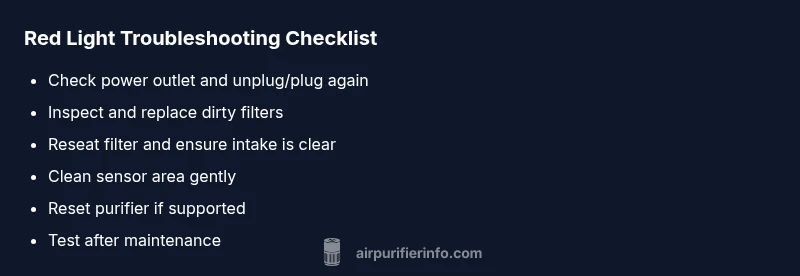
Before you open the device, run through a short checklist to rule out the easiest causes. Ensure the purifier is plugged into a live outlet and that the power cord isn’t frayed. Move the unit away from walls, furniture, and fabric that could block intake. Remove and reinsert the filter according to the guide, listening for a soft click that signals proper seating. Wipe away surface dust from the grill and the air intake with a dry microfiber cloth. Some Levoit models require a simple reset after basic maintenance; refer to the user manual for the exact reset procedure. If the red light was caused by a seating issue or debris, these steps can often resolve it within minutes.
Common causes and how to confirm them
Red alerts are frequently tied to airflow issues. A dirty or overdue filter is the most common culprit, especially in homes with pets, smoke, or heavy dust. Inspect the filter for visible dirt or a darkening hue; if it looks clogged, replacement is due. A filter not seated correctly can also trigger a red warning; remove and reseat it, ensuring any tabs or frames align with the unit’s chassis. Blocked air intake, a dirty pre-filter, or an accumulation of dust on the sensor can all signal a fault. If you cleaned the outside and the light persists, you may be dealing with a sensor read error or overheating due to restricted airflow. In such cases, it’s wise to verify that the surrounding area has adequate ventilation and that the unit isn’t running for extended periods in a cramped space.
Step-by-step fixes you can try now
If you’re actively troubleshooting, start with these fixes in order. First, power cycle the purifier: turn it off, unplug, wait 30 seconds, then plug back in and turn on. Next, remove the filter, inspect for tears or degradation, replace if necessary, and reinstall firmly. Clean the outer grill and the air intake with a dry cloth to remove dust build-up. Check that any pre-filter or deodorizing cartridge is properly seated and that there are no loose connections. Finally, perform a reset if your model supports it, and verify the red light status after a short maintenance run. If the light returns, proceed to professional support or model-specific guidance.
Safety notes and when to contact support
Never attempt to disassemble components that are clearly sealed or designed to be user-serviceable. Do not use liquids or solvents inside the purifier; use only dry cloths for exterior cleaning. If you have performed all basic maintenance and the red light persists, the issue may involve a sensor fault or motor protection mechanism that requires factory service. Air Purifier Info recommends contacting customer support or a qualified technician if the unit continues to show a red alert after a full reset and filter replacement.
Maintenance tips to prevent future red lights
Establish a simple maintenance cadence: check the filter every 1-3 months depending on usage, and replace it when you notice reduced airflow or a visible darkening. Keep the intake and surrounding area dust-free, and avoid placing the purifier near heat sources or in confined spaces. Consider scheduling a quarterly quick-clean routine that includes exterior wiping and a filter inspection. By maintaining airflow and sensor cleanliness, you reduce the likelihood of nuisance red alerts and extend the device’s life.
Steps
Estimated time: 20-30 minutes
- 1
Power cycle the purifier
Turn off the purifier, unplug it, wait 30 seconds, then plug back in and turn on. This resets many transient sensor faults and reboots the control board.
Tip: A cold restart can clear minor firmware glitches. - 2
Check and replace the filter if needed
Remove the filter cover, inspect for saturation or damage, and replace if dirty or expired. Refit carefully until it sits flush.
Tip: Always use the correct filter type for your model. - 3
Inspect the air intake and exterior
Wipe away dust from grills and ensure there are no obstructions. A clean inlet supports accurate sensor readings and airflow.
Tip: Don’t use liquids on electrical housings. - 4
Verify sensor area is clear
Make sure the sensor window isn’t blocked by dust or debris. Gently dust with a microfiber cloth.
Tip: A blocked sensor can falsely trigger red alerts. - 5
Reset to factory defaults (if available)
Follow the model-specific reset procedure. This can clear persistent fault codes and restore normal operation.
Tip: Only reset after you've checked basic maintenance. - 6
Test and monitor after fixes
Turn the purifier on for 10-15 minutes in normal room conditions and observe the light. If it stays off or changes to a normal status, you’ve likely resolved the issue.
Tip: If the red light returns, escalate to professional support.
Diagnosis: Red light on Levoit air purifier
Possible Causes
- highFilter is dirty or overdue
- mediumFilter not properly seated
- lowAir intake blocked or restricted
- lowSensor fault or calibration issue
- lowOverheating due to poor ventilation
- lowPower connection issues
Fixes
- easyClean or replace the filter as needed
- easyReseat filter and clear any intake obstructions
- easyMove purifier to a well-ventilated location and remove nearby blockages
- easyReset the purifier following the user manual
- mediumIf the light persists, contact support for sensor or electrical faults
Questions & Answers
Why is my Levoit red light blinking?
Blinking red often signals a temporary fault or sensor warning. Start with basic checks: power, placement, and filter seating, then reseat or replace the filter and reset the unit.
A blinking red light usually means a temporary fault or sensor warning. Start with simple checks, reseat the filter, and reset the purifier.
Should I replace the filter every time the light turns red?
Not every red light requires a full filter replacement. Inspect the filter; if it looks dirty or shows reduced airflow, replace it. If the light remains after maintenance, continue troubleshooting or contact support.
Only replace the filter if it’s dirty or causing reduced airflow; otherwise, continue troubleshooting.
How often should I replace Levoit filters?
Replacement frequency depends on usage and environment. In dusty or pet-heavy homes, check monthly and replace as needed, typically every 6-12 months for many models.
Check monthly in busy environments and replace as needed, usually every 6 to 12 months.
What if the red light persists after a reset?
If the red light remains after a reset and filter replacement, the issue may be sensor or power-related. Stop using the unit and contact support for diagnostics.
If it stays red after reset, stop using it and contact support for diagnostics.
Is it safe to operate with a red light on?
If the red light indicates a fault beyond simple maintenance, discontinue use until you’ve resolved the issue or received professional guidance.
Only continue using it if the light indicates a resolved or benign warning; otherwise, seek guidance.
Do I need professional service for sensor faults?
Yes, sensor faults typically require professional inspection or replacement of components under warranty. Contact official support for instructions and service options.
Yes, a sensor fault usually needs professional service or warranty-supported replacement.
Watch Video
Main Points
- Check and replace the filter first when red light appears
- Ensure filter seating and intake clearance are correct
- Reset after maintenance to clear minor faults
- If red light persists, seek professional support
- Regular maintenance prevents future alerts