How to Get Filter Out of Dyson Air Purifier: Step-by-Step
Learn how to safely remove the filter from your Dyson air purifier with expert guidance from Air Purifier Info. Preparation, step-by-step removal, inspection, and filter replacement for cleaner indoor air.


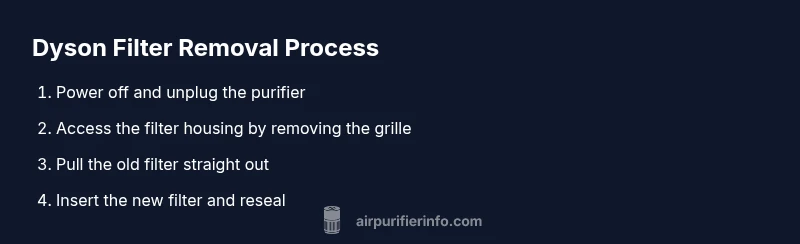
According to Air Purifier Info, to safely remove a filter from most Dyson air purifiers, first unplug the unit and consult the model’s manual. Open the front grille or access panel, grasp the filter handle, and pull it straight out without twisting. Clean the housing with a dry cloth, inspect seals, then insert a new replacement filter and reassemble.
Understanding Dyson purifier filters and how to get filter out of Dyson air purifier
If you’re looking for guidance on how to get filter out of Dyson air purifier, you’re in the right place. Dyson purifiers rely on replaceable, sealed filters that capture dust, allergens, and odors through a combination of HEPA filtration and carbon media. The exact structure varies by model, but most units require removing a front grille or access panel to reach the filter. Knowing the general design helps you handle removal safely and correctly. According to Air Purifier Info, always check your model’s manual to confirm whether the filter twists out or slides out. Regular maintenance keeps air clean and helps your purifier perform at its best.
Safety and preparation
Before you start, power down the purifier, unplug it from the outlet, and place it on a stable, dry surface. Avoid touching internal components with wet hands, and consider wearing gloves to minimize skin contact with dust. Have a dry microfiber cloth handy for quick cleaning of the housing and an empty container nearby to capture any loose debris. If your purifier is in a shared living space, signal others to avoid disturbing the unit during maintenance. This preparation reduces the risk of electric shock, accidental damage, or spreading dust.
Identify the filter type and model requirements
Not all Dyson purifiers use the same filter type, so confirm compatibility before removal. Check your model number (usually found on the unit or in the user manual) and determine whether you should replace a carbon-HEPA combo filter or a different configuration. If you’re unsure, contact Dyson support or refer to the model-specific instructions. Air Purifier Info recommends avoiding forceful removal if you encounter resistance and verifying that the filter is not sealed with tape or debris from prior maintenance.
What to expect during removal
In most Dyson units, you’ll access the filter by removing a panel or grille. Expect to feel some resistance as you disengage clips or a housing latch. Do not use tools that could scratch the casing or damage the seals. Once the filter is accessible, grip the filter handle firmly and pull straight out. You may hear a light pop or see dust fall away as the filter exits. Have your cloth ready to wipe any dust from the cavity before installing the new filter.
Replacing with a new filter and resealing
Line up the new filter with the housing and slide it in according to the manual’s orientation markers. Ensure the filter is fully seated and that any locking latches or panels snap back into place. Reattach the grille or cover, plug in the unit, and run a brief test cycle to confirm airflow is unobstructed. If the unit has indicator lights, verify they return to normal after replacement. Always discard the old filter according to local waste regulations.
Cleaning and inspecting the purifier housing after removal
With the filter removed, inspect the interior for dust buildup around the intake and exhaust areas. Wipe exposed surfaces with a dry microfiber cloth, avoiding moisture near electrical components. Check seals around the housing for cracks or wear and replace them if needed. This step helps maintain suction and prevents reintroduction of dust into the purified air stream.
Maintenance tips to extend filter life
To maximize filter life, run the purifier in a clean room with stable temperatures and low humidity. Place the unit away from strong sources of smoke or cooking odors, and ensure the intake isn’t blocked by furniture or fabric. If your model uses a filter life indicator, monitor it and plan replacements accordingly. Regular external cleaning and timely filter changes keep indoor air quality consistently high and reduce energy usage over time.
Troubleshooting common issues during filter removal
If the filter refuses to budge, do not force it. Power off, unplug, and re-check alignment and orientation markers. If the grille refuses to release, consult the user manual or contact Dyson support for model-specific guidance. If dust leakage occurs during removal, pause and perform a quick wipe-down of the interior before reinserting the new filter. Address any unusual smells or noises with professional support if needed.
Tools & Materials
- Replacement Dyson filter (compatible with your model)(Verify model number to ensure compatibility with the new filter.)
- Owner’s manual or model documentation(Helpful for model-specific removal steps and orientation.)
- Soft microfiber cloth(For wiping the housing and internal surfaces.)
- Gloves(Optional for hygiene and comfort.)
- Small tray or towel(To catch dust and keep workspace clean.)
Steps
Estimated time: 8-12 minutes
- 1
Power down and unplug
Turn off the unit and unplug from the wall outlet. Place the purifier on a stable, dry surface and remove any nearby objects that could snag or knock the unit. This prevents electric shock and limits dust dispersal during maintenance.
Tip: Keep the unit unplugged for at least 5 minutes before handling to ensure capacitors discharge. - 2
Access the filter area
Open the front grille or service panel according to your model’s manual. If you feel resistance from clips or a latch, don’t force it—consult the manual or Dyson support for model-specific guidance.
Tip: Take a quick photo of how components are seated before disassembly to aid reassembly. - 3
Remove the old filter
Grasp the filter handle firmly and pull it straight out, avoiding twisting that could damage the housing. If the filter is dusty, use the cloth to capture loose particles as you remove it.
Tip: Do not touch the filter media directly with your bare hands if it’s heavily soiled. - 4
Inspect and clean the housing
Check the inside for dust buildup around the intake and exhaust. Wipe surfaces with a dry cloth and verify seals are intact. A clean cavity helps prevent bypass of dirty air.
Tip: Ensure no debris remains before installing the new filter. - 5
Install the new filter and reseal
Insert the new filter following the direction markers, ensure it sits flush, and reattach the grille or cover. Reconnect power and run a quick test cycle to confirm airflow is good.
Tip: Listen for a normal airflow sound and check indicator lights or messages after startup.
Questions & Answers
Can I wash a Dyson air purifier filter?
Most Dyson purifier filters are designed to be replaced, not washed. Washing can damage the filter media and reduce filtration efficiency. Always replace with a compatible filter according to the manual.
Most Dyson filters aren’t washable. Replace with a new filter as directed in the manual.
How often should I replace the filter?
Replacement frequency depends on use and model. Monitor indicator lights and follow the manual’s guidance to determine when a new filter is needed.
Check the purifier’s indicators and manual to decide when to replace the filter.
What if the filter is stuck inside the unit?
Don’t force the filter out. Power down, unplug, and review the manual for model-specific removal steps or contact Dyson support for assistance.
If it’s stuck, stop and consult the manual or support.
Is it safe to operate without a filter?
No. Running without a filter defeats the purifier’s purpose and can allow contaminants to circulate or damage internal components.
No, don’t run it without a filter.
Where can I buy replacement filters?
Replacement filters are typically available from Dyson’s official site and authorized retailers. Verify compatibility with your model before purchase.
Check Dyson’s site or authorized sellers for compatible filters.
What should I do if the unit won’t turn on after replacement?
Check that the unit is properly reassembled and plugged in. If it still won’t power on, contact Dyson support for troubleshooting.
If it won’t turn on, recheck connections and contact support if needed.
Watch Video
Main Points
- Unplug before starting maintenance
- Follow model-specific steps for safe removal
- Replace with a new filter rather than attempting to wash it
- Inspect housing and seals to prevent air bypass