Do You Have to Clean an Air Purifier? A Practical How-To
Discover whether you must clean your air purifier, with a clear step-by-step routine, safety tips, and maintenance schedules to keep your purifier performing at its best and your indoor air quality high.


Yes—regular cleaning is typically necessary to maintain performance and air quality. Start by unplugging, accessing the filter area, and removing dust from the housing before addressing the filter. Follow model-specific maintenance schedules for best results; a light monthly clean plus a deeper quarterly refresh is commonly recommended.
Why Cleaning Your Air Purifier Matters
Keeping your air purifier clean is essential for maintaining optimal airflow, keeping the filter effective, and reducing the chance of odor buildup. When dust accumulates on the exterior or inside the housing, it can impede air movement and force the motor to work harder, which shortens its lifespan and can raise energy use. According to Air Purifier Info, homeowners and renters should view cleaning as part of a simple maintenance routine, not a one-off task. A well-maintained unit delivers consistently cleaner air, helps with allergen reduction, and preserves filter performance over time. If you’re asking do you have to clean an air purifier, the answer is usually yes, with model-specific nuances. Establishing a predictable cleaning cadence is the key to long-term effectiveness.
Do You Have to Clean, and How Often?
The frequency of cleaning depends on usage, environment, and the purifier’s design. In general, perform a light clean monthly to remove surface dust and inspect for obvious buildup. A deeper clean every 3–6 months — or when the manufacturer recommends — helps maintain airflow and sensor accuracy. If you or someone in the home has allergies or asthma, or if you have pets or heavy dust, you may want to clean more often. Always consult the owner’s manual for model-specific intervals, but the core principle remains: regular maintenance prevents performance decline and preserves indoor air quality. Air Purifier Info’s guidance emphasizes consistency over sporadic deep cleans.
Understanding Filters and Maintenance Schedules
Filters play a central role in an air purifier’s performance. Some filters are washable, while others are disposable. Knowing which type you have is critical to avoid damaging components. Check your manual for recommended replacement timelines and cleaning methods. In many cases, a washable pre-filter can be rinsed or wiped, while the HEPA or activated carbon filter requires replacement rather than washing. Following these schedules helps ensure the purifier continues to meet CADR targets and reduces the likelihood of reduced filtration efficiency over time. Air Purifier Info’s analysis highlights that aligning cleaning with filter life yields the best overall results.
What Parts Need Cleaning and What Doesn't
Not every component requires the same treatment. Exterior surfaces, foam gaskets, and the pre-filter often handle gentle cleaning, while the internal filter media may need replacement rather than cleaning. Avoid soaking electrical components or letting water contact the motor. Use a dry microfiber cloth or a soft brush to remove dust from the unit’s exterior. If the model includes a washable pre-filter, gently rinse with cool water and air-dry completely before reassembly. Always consult the user manual for any parts that should not be washed to prevent damage.
Step-By-Step Cleaning Routine (Overview)
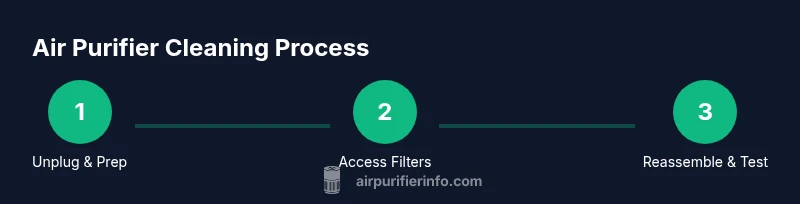
A balanced cleaning routine combines quick monthly maintenance with deeper quarterly actions. Start by unplugging the unit and removing the outer cover to access the filter area. Vacuum the exterior housing and any accessible ducts. Inspect the filter(s) for discoloration and odor; replace as needed. Clean the pre-filter if washable, then reassemble. Finally, run a short test cycle to verify proper operation and reset any indicators. This overview sets the stage for detailed steps and safe practices that minimize risk while maximizing air quality benefits.
Cleaning Tools, Materials, and Safe Techniques
Prepare a small toolkit: microfiber cloths, a soft-bristled brush, a vacuum with a brush attachment, mild dish soap or diluted vinegar, and a clean water source. Use only water and mild cleaners on non-electrical parts; never spray liquids directly onto the purifier’s interior or motor. Wear gloves to minimize skin contact with dust and use a dry setup to avoid moisture near electrical components. Always unplug before disassembly and reassemble only when dry to prevent short circuits. These tools enable effective cleaning while protecting the device.
Step-By-Step Cleaning: Detailed Actions
- Unplug and prepare: Ensure the unit is powered off and unplugged before touching any components. 2) Access the filter: Remove the outer housing or front panel as instructed by the manual to reach the filter area. 3) Dry exterior cleaning: Wipe the exterior surfaces with a dry microfiber cloth, and gently brush away dust from vents. 4) Pre-filter care: If washable, rinse with cool water and air-dry before reinstalling; otherwise replace as recommended. 5) Filter inspection: Check the main filter for stains or odors; note the date to determine replacement timing. 6) Internal components: Gently vacuum accessible areas, avoiding the motor and electronics. 7) Reassembly: Reinstall filters and housing, ensuring seals are snug. 8) Test run: Plug in, power on, and confirm normal operation and indicator status. 9) Schedule next clean: Set reminders for upcoming maintenance per the manual.
Cleaning Specific Components: Exterior, Pre-filter, and Filters
Exterior surfaces must be kept dust-free to maintain airflow pathways. The pre-filter often collects the majority of surface dust and is frequently washable; clean it gently with water if permitted. The main filter (HEPA or carbon) generally requires replacement at intervals; never wash unless explicitly labeled as washable by the manufacturer. When in doubt, replace the primary filter instead of risking damage to filtration media. A routine approach to component cleaning keeps the purifier functioning optimally and maintains indoor air quality.
Dealing with Odors, Dust, and Pet Hair
Pet hair and cooking odors can accelerate filter saturation and cause noticeable aroma issues. If your purifier is encountering heavy odor, consider a replacement carbon filter and increase cleaning frequency. Dust buildup from nearby sources or HVAC leaks can hinder performance; move the purifier away from dusty corners and ensure intake vents remain unobstructed. Regular maintenance helps ensure odors are minimized and dust doesn’t accumulate on sensitive components.
Safety Considerations and Common Mistakes to Avoid
Always unplug before cleaning to prevent shock or injury. Do not use abrasive cleaners, solvents, or ammonia-based products on plastic parts. Avoid spraying liquids directly into the motor or electrical components. Never run a purifier with a wet filter or damp interior. A common mistake is washing disposable filters; these should be replaced per the manufacturer’s guidance. Adhering to safety tips reduces risk and prolongs device life.
When to Replace Filters vs. Clean
Filter replacement intervals depend on usage, environment, and filter type. If a filter appears discolored, emits a stale odor, or shows trapped particles beyond cleaning capacity, replacement is advisable. In contrast, washable pre-filters can be cleaned to extend the life of more expensive media. Tracking filter life and cleaning history helps you optimize maintenance and avoid overpaying for replacements.
Maintenance Schedule and Record Keeping
Create a simple maintenance log to track cleaning dates, filter replacements, and any performance observations. Mark reminders for monthly light cleans and quarterly deeper cleans. Keeping records helps you spot declining performance early and justify filter replacements when needed. A consistent schedule supports ongoing air quality improvements and reduces long-term costs.
Tools & Materials
- Vacuum with brush attachment(Fine dust pickup; avoid strong suction on filters)
- Microfiber cloths(Lint-free, for exterior and vents)
- Soft-bristled brush(Gently remove surface dust)
- Mild dish soap or diluted vinegar(Small amount for cleaning; avoid harsh chemicals)
- Water for rinsing(Cool water; avoid hot water)
- Replacement filters (as needed)(Keep on hand per schedule)
- Owner's manual(Model-specific guidance)
- Gloves(Optional for dusty environments)
Steps
Estimated time: 60-90 minutes
- 1
Unplug and prepare
Ensure the unit is powered off and unplugged before touching any components. This prevents electrical shock and protects sensitive electronics. Gather your cleaning tools and have the manual handy for reference.
Tip: Keep the manual nearby to confirm whether parts are washable. - 2
Access the filter area
Carefully remove the outer cover or front panel to access the filter housing. Do not force screws or clips; consult the manual for the proper removal method to avoid damage.
Tip: Note how the cover is oriented for easy reassembly. - 3
Clean the exterior
Wipe exterior surfaces with a dry microfiber cloth to remove dust from vents and grills. Use the soft brush to dislodge stubborn particles around intake areas. Avoid moisture near the motor area.
Tip: Never spray cleaner directly into openings. - 4
Inspect the pre-filter
Check the pre-filter for visible dust buildup. If washable, rinse gently with cool water and air-dry completely before reinstalling. If not washable, replace according to the schedule.
Tip: Allow full drying time to prevent mold growth. - 5
Assess the main filter
Look for signs of saturation or odor in the main filter. If discolored or clogged beyond light cleaning, plan for replacement rather than attempting to wash the media.
Tip: Do not wash disposable filters unless the manual explicitly says so. - 6
Clean internal components
Gently vacuum accessible internal surfaces and around the housing, avoiding the motor and fan blades. This helps reduce dust that could migrate back into the airflow.
Tip: Use short, light passes to avoid disturbing components. - 7
Reassemble
Reinstall the filters and outer cover, ensuring seals are secure. Check that all clips or screws are firmly in place before powering.
Tip: Double-check that the seal around the cover is tight to prevent leaks. - 8
Test operation
Plug in the unit, power on, and listen for abnormal noises. Confirm indicator lights display expected status; if air feels less drafty or smells cleaner, the cleaning was successful.
Tip: If there’s any odor or a stuck light, review the manual and re-check installation. - 9
Set up reminders
Create reminders for monthly light cleans and quarterly deeper cleans. Consistency is key to maintaining performance and air quality.
Tip: Use a calendar or reminder app to avoid slipping schedules.
Questions & Answers
Do I need to clean my air purifier every month?
Most users benefit from a light monthly clean to remove surface dust and check for buildup. Deeper cleaning or filter replacement is typically done every 3–6 months, depending on usage and environment.
A light monthly clean is usually enough for most purifiers; deeper cleaning or filter changes happen every few months as needed.
Can I wash the filters?
Only wash filters that the manufacturer explicitly labels as washable. Non-washable filters should be replaced when dirty or discolored. Washing a non-washable filter can damage filtration media and reduce performance.
Only wash filters if the manual says they’re washable; otherwise replace them.
How do I know when to replace a filter instead of cleaning it?
If the filter is discolored, emits odors, or shows signs of saturation beyond cleaning capability, replacement is recommended. Filter life varies by model and environment, so follow the manufacturer’s schedule.
Replace when it’s saturated or smelling, as cleaning can’t restore performance.
Is it safe to clean an air purifier around pets?
Yes, as long as you unplug first and avoid liquids near electrical parts. Cleaning helps perk up air quality for pets, but ensure the unit remains dry and reassembled correctly before use.
Yes—unplug, then clean carefully and keep it dry before turning back on.
What signs indicate dirty air purifier performance?
Signs include reduced airflow, louder operation, unusual odors, and visible dust around vents. If you notice these, perform a cleaning or replacement according to the manual.
Watch for airflow drop, noise, or bad smells as signs it needs cleaning or a new filter.
Can cleaning affect energy use?
Yes. A clean purifier runs more efficiently, typically consuming less energy as airflow remains unobstructed. Regular maintenance helps keep energy costs stable.
A clean unit works more efficiently and may use less energy.
Watch Video
Main Points
- Regularly clean exterior and accessible areas.
- Follow model-specific filter guidance for replacement vs. washing.
- Create a consistent maintenance schedule to protect air quality.
- Document maintenance to track filter life and performance.