Air Purifier Service: Step-by-Step Maintenance Guide
A practical, expert guide to air purifier service for homeowners and renters. Learn cleaning, filter replacement, and testing steps to keep indoor air clean and your purifier running efficiently.


Air purifier service helps restore performance, extend lifespan, and maintain indoor air quality. A thorough service includes inspecting the housing, cleaning components, replacing filters, and testing airflow. Regular service—every 6 to 12 months depending on usage—keeps dust, odors, and allergens in check and can prevent failures. According to Air Purifier Info, follow manufacturer guidelines for your model.
Why regular air purifier service matters
Air purifiers are a key line of defense against dust, pollen, pet dander, and cooking odors. Regular service helps ensure that filtration remains efficient, airflow stays strong, and energy use stays predictable. The Air Purifier Info team notes that proper maintenance improves filtration efficiency and reduces wear on moving parts. A well-timed service can extend the life of your device and save money on replacements while keeping indoor air quality high for residents with allergies or asthma. When you service your purifier, you also catch wear or damage early, such as cracked housings, loose seals, or a clogged fan, before they become bigger problems. The goal is simple: maintain peak performance with minimal downtime and disruption to your daily routine.
How to choose the right service cadence
Service cadence depends on how often you use the purifier, the room’s environment, and the filter type. In high-traffic homes with pets or smoke, monthly visual checks and a full service every 6–9 months may be wise; in quieter settings, 9–12 months could suffice. Always align with the manufacturer’s recommendations for your model, and adjust after events like strong cooking odors or wildfire smoke. Air Purifier Info suggests documenting usage patterns and setting reminders for filter changes and professional checkups. A predictable cadence helps maintain filtration efficiency, reduces energy use, and keeps noise levels consistent.
Pre-service checklist
Before you begin, unplug the unit and gather your tools. Locate your model’s manual to confirm filter size and part numbers. Inspect the exterior for visible damage and make sure you have replacement filters on hand. If your purifier has a washable pre-filter, plan time for gentle washing; for non-washable filters, replacement is necessary. Having a clean, dry workspace helps prevent dust from entering the device during disassembly. Air Purifier Info recommends keeping a log of your maintenance activities for future reference.
Cleaning and inspection tasks
Start with the outer housing, then remove access panels to reach internal components. Gently wipe down plastic surfaces with a microfiber cloth, using a mild cleaning solution if permitted by the manual. Vacuum the intake and outlet grills to remove dust buildup, being careful not to bend fins. Inspect the fan for debris and check for unusual vibration or noise during a brief power-on test after reassembly. If your unit uses a HEPA or other high-efficiency filter, inspect the gasket seals for integrity. These steps help maintain airflow and filtration efficiency over time.
Filter replacement strategies
Follow the model’s guidance to determine whether you should replace the main filter, pre-filter, or both. Use the correct filter type and orientation; incorrect placement can reduce performance. If you’re replacing a HEPA or true HEPA-type filter, seal the housing edges well to prevent bypass leakage. Record the brand and part number of the new filter for future purchases. If you have a washable pre-filter, clean and dry it thoroughly before reusing it, or replace it per the manufacturer’s schedule. Regular filter changes preserve filtration efficiency and minimize energy use.
Testing and verification after service
Once reassembled, plug the purifier back in and run it at a low speed for a few minutes to confirm operation. Listen for abnormal noises, check for reduced airflow at the outlet, and verify that any indicator lights behave as expected. If your unit has a built-in air-quality sensor or timer, observe its readings and resets after maintenance. A quick airflow check confirms that the unit is pulling air through correctly and that there are no obvious leaks around the seals. Document results to track performance over time.
DIY vs professional service considerations
Simple filter changes and exterior cleaning are often suitable for DIY maintenance, especially if you have a compact model with accessible panels. More complex tasks—like disassembling the motor housing, inspecting wiring, or replacing specialized components—may require a professional technician to avoid warranty issues or safety risks. If you’re unsure, consult the manual or contact the manufacturer’s service line. Professionals can provide a formal inspection, parts replacement, and a performance test to certify the unit’s reliability.
How to document and schedule future service
Create a maintenance log that records service dates, filter types, and any part replacements. Set calendar reminders for the next service window based on your cadence. If your purifier has a service mode or diagnostic tool, run it and save results. Maintaining records helps you justify future replacements and may be useful for warranty claims. Regular documentation also makes it easier to compare service outcomes across different purifiers in your home.
Common mistakes to avoid during service
Avoid skipping the unplugging step, which protects against electric shock. Don’t force panels or damage seals when opening the housing. Use the wrong filter type or install filters upside down, which reduces filtration efficiency. Don’t ignore unusual odors, noises, or changes in airflow; these can indicate deeper issues needing professional attention. Finally, avoid washing non-washable filters unless the manual explicitly allows it, as moisture can damage the filter media and corrosion-prone components.
Tools & Materials
- Owner's manual for your air purifier(Verify model, filter type, and service procedures)
- Soft microfiber cloth(Lint-free for surfaces)
- Mild detergent or cleaner(Non-abrasive and model-approved)
- Isopropyl alcohol (70%)(For disinfecting contacts (optional))
- Replacement filters(Match exact model and size)
- Replacement pre-filter (if separate)(Check if your unit uses a pre-filter)
- Soft brush or cotton swabs(Clean crevices and grills)
- Vacuum with brush attachment(Remove dust from grills)
- Screwdrivers (Phillips and flat-head)(Access panels if needed)
- Protective gloves(Keep hands clean and dry)
- Compressed air canister (optional)(Dislodge dust from hard-to-reach areas)
- Notepad or digital log(Record service details and dates)
Steps
Estimated time: 60-90 minutes
- 1
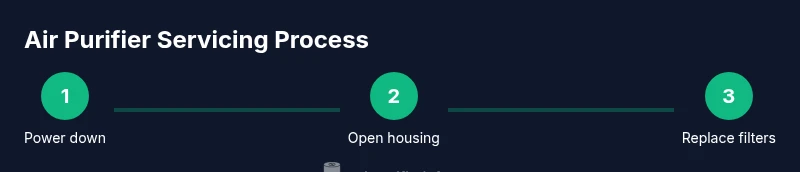
Power down and unplug
Ensure the purifier is fully powered off and unplugged before any inspection or disassembly. This prevents electric shock and protects sensitive electronics. If the unit is hardwired, consult a professional before service.
Tip: Always verify there is no residual voltage by touching metal parts after unplugging. - 2
Remove outer housing to access components
Carefully remove screws or clips to access interior components. Keep track of fasteners and consult the manual for exact removal order. Avoid forcing panels open to prevent cracks.
Tip: Use a small tray to hold screws; note which panel each screw belongs to. - 3
Inspect seals and housing for wear
Check gaskets, seals, and the cabinet for cracks or warping. Damaged seals can bypass filters and reduce efficiency. If damage is found, replace seals or consult a technician.
Tip: A flashlight helps reveal hairline cracks or gaps you might miss otherwise. - 4
Remove and inspect main and pre-filters
Take out the main filter and any pre-filter. If a filter is disposable, set it aside for proper disposal. If washable, follow the manual for cleaning and drying before reinstallation.
Tip: Inspect the filter media for staining, clumping, or smell indicating replacement is needed. - 5
Clean pre-filter and internal surfaces
Gently vacuum the interior, then wipe surfaces with a microfiber cloth dampened with a mild solution. Remove dust from grills and fans without bending delicate fins. Let surfaces dry fully before reassembly.
Tip: Do not use excessive liquid near electrical components to avoid moisture damage. - 6
Inspect and clean the fan area
Remove loose dust from the fan blades and housing. Recheck motor mounting for secure fit and listen for unusual sounds when lightly testing rotation. Do not attempt to service a live motor.
Tip: If the fan blades are heavily corroded, replace the fan assembly rather than cleaning only. - 7
Replace filters and reseal housing
Install new main and pre-filters in the correct orientation. Ensure seals are seated evenly to prevent bypass leakage. Reattach housing and secure all fasteners to factory torque settings.
Tip: Double-check that the filter arrows align with airflow direction marks on the unit. - 8
Reassemble and reconnect power
Carefully reassemble the unit and restore power. Confirm that all indicators power up normally and there are no error codes. Run the unit briefly to confirm airflow restoration.
Tip: If there are warning lights, consult the manual before operation. - 9
Run a quick test and verify airflow
Place hands near the outlet to feel airflow and listen for smooth operation. Check that air quality indicators respond to a simple test environment. Document any anomalies.
Tip: A simple airflow check right after reassembly helps catch early issues. - 10
Reset service indicator and log results
Reset any maintenance reminder on the unit and log the date, filters used, and any issues observed. Keep the log for future reference and warranty claims.
Tip: Include model number and batch/lot if available for future replacements. - 11
Schedule next service
Set a reminder for your next service cadence (6–12 months typical). Attach notes about performance and any odd readings to guide future maintenance.
Tip: Automatic reminders help you stay on track and avoid missed maintenance.
Questions & Answers
Do I need to unplug the purifier before servicing?
Yes. Always unplug the unit before opening panels or touching internal components to prevent electric shock and protect the electronics. If the purifier is hard-wired, contact a professional.
Always unplug before opening the unit to stay safe. For hard-wired models, seek professional help.
How often should I service my air purifier?
Most purifiers benefit from a thorough service every 6 to 12 months, depending on usage, environment, and filter type. Serious odors or smoke events may require more frequent checks.
Typically every 6 to 12 months, adjust for heavy use or odors.
Can I clean filters instead of replacing them?
Some pre-filters are washable, but main filters are usually not. Always follow the manufacturer’s guidelines; improper cleaning can degrade filtration or damage the unit.
Wash only if the manual says it’s allowed; otherwise replace the filter.
What are signs that I should call a professional?
If you notice persistent odd noises, unusual smells, reduced airflow after cleaning, or if the unit fails to start, a professional inspection is advisable to avoid warranty issues and ensure safety.
Call a pro if the unit won’t start or has unusual noises after service.
Will servicing affect warranty?
Servicing per the manufacturer’s instructions generally preserves warranty. Avoid disassembly beyond recommended steps unless you’re trained or authorized by the brand.
Follow the manual to keep warranty intact; don’t take things apart unless advised.
Are HEPA purifiers harder to service?
HEPA purifiers often require careful filter handling and seals to maintain efficiency. Always use compatible HEPA filters and reseal components as designed by the manufacturer.
HEPA units can be trickier; use the right filters and secure seals.
Watch Video
Main Points
- Begin with safety: unplug and review the manual.
- Follow model-specific filter types and orientation.
- Inspect seals and housing for wear every service.
- Test airflow and indicators after reassembly.
- Document maintenance and plan the next service date.