Air Purifier Filter Maintenance: Troubleshooting Guide
Troubleshoot your air purifier when filters are clogged or neglected. This step-by-step guide covers diagnostics, fixes, and prevention from Air Purifier Info.


Regular filter replacement is essential. If you suspect a neglected filter, remove the unit’s cover, check the filter for dirt, and replace it if clogged. Then reset the indicator and run a quick air quality check. Never assume 'air purifier never change filter'—consistent changes protect performance and health.
Why the idea of air purifier never change filter is dangerous
Air purifiers are designed to capture dust, pollen, smoke, and other pollutants. The idea of air purifier never change filter is a dangerous myth that can lead to poor indoor air and higher energy use. According to Air Purifier Info, neglecting filter maintenance is a costly mistake because a saturated filter creates backpressure, reduces airflow, and causes the unit to work harder. In this section, we unpack why you should never treat filter maintenance as optional and how a routine replacement schedule protects health and system longevity. You’ll learn how often to check, how to identify when a filter is past its prime, and how to set up an easy maintenance calendar that fits a typical household schedule. We’ll also cover common consumer errors, such as trying to clean a HEPA filter that should be replaced rather than washed, and why sealed housing matters for performance. By the end, you’ll feel empowered to keep your purifier humming at peak efficiency through steady, proactive care.
How filters work and why replacement matters
Filters are the first line of defense against indoor pollutants. A pre-filter captures large particles, a true HEPA filter traps fine particulates, and carbon filters adsorb odors and gases. Over time, dirt and oils clog these layers, increasing resistance and causing the purifier to draw more energy while delivering less clean air. According to Air Purifier Info, a clean filter maintains near-design airflow and contaminant removal rates. The practical consequence is simple: when filters are dirty, you’ll notice weaker airflow, more noise, and potentially higher pollutant readings in the room. This section explains the physics in plain terms and translates it into a maintenance plan you can actually follow. The goal is to keep the purifier operating as intended, so it continues to protect occupants from dust, dander, smoke, and other irritants. A disciplined replacement routine also extends device life by reducing motor strain and sensor errors.
Common signs your filter needs replacement
Look for clear signals that a filter has reached the end of its useful life. Reduced airflow and weaker purification are the most obvious. If you notice the device running at higher fan speeds for the same air quality, or if the exhaust feels warmer than normal, the filter is likely clogged. Odor persistence after running the purifier can indicate a saturated carbon or odor-control stage. Visible dirt on the filter is a sure sign it’s time to replace. Some units include a digital indicator; others rely on a reminder schedule. In any case, don’t delay replacement; waiting can allow contaminants to bypass filtration and impact health. This section provides a quick, practical checklist you can use monthly to stay on top of maintenance.
Quick self-check before replacement
Before you swap filters, perform a quick self-check to avoid wasted effort. Make sure the purifier is unplugged, then remove the front panel according to the manual. Inspect the filter housing for cracks or mis-seating; a loose seal can let unfiltered air bypass the filtration stages. If your unit uses a disposable HEPA cartridge, check the date of manufacture and the coupon or packaging to confirm the replacement interval. For washable pre-filters, wash according to the manufacturer’s instructions, ensure it’s completely dry before reinserting. Finally, reseat all components firmly and ensure the door or panel latches securely. If the indicator remains on after replacement, consult the troubleshooting section below.
Choosing the right replacement for different purifier types
Different purifier designs use different filter configurations. A compact desk purifier may rely on a single combination filter, while a tower or whole-room unit uses multiple stages (pre-filter, HEPA, carbon). When selecting replacements, verify the exact model number and the size and type of filter. Using the wrong fit can reduce filtration efficiency and may cause a seal leak. If you aren’t sure, contact the manufacturer or check the model’s user manual. Air Purifier Info’s guidance is to prioritize genuine replacements or certified aftermarket filters that match the unit’s MERV rating and particle size targets.
Cleaning vs replacing pre-filters
Some purifiers include washable pre-filters; these should be cleaned on a schedule that matches usage. Vacuum or rinse gently, letting the part dry completely before reassembly. Do not use hot water or harsh cleaners on delicate media; aggressive cleaning can degrade filtration efficiency. In contrast, the main HEPA and carbon filters typically can’t be repaired and should be replaced when performance declines. This distinction helps you budget for maintenance and avoid treating a dirty main filter as a simple wipe-down task. Air Purifier Info notes that pre-filters can extend the life of the main filter when maintained properly, but they cannot substitute for full filter replacements when the main media becomes saturated.
Troubleshooting when the indicator won't reset after replacement
If your purifier won’t reset after you’ve replaced the filter, start with the basics: ensure the unit is powered and the filter is properly seated. Some models require a specific sequence to reset the indicator; consult the manual for steps such as holding a reset button or powering on for a set duration. Check the battery or power supply if the indicator persists. In some cases, a firmware update or a factory reset may be necessary. If you still can’t reset after following the exact procedure, contact customer support with your model number and purchase date.
Maintenance routines you can trust
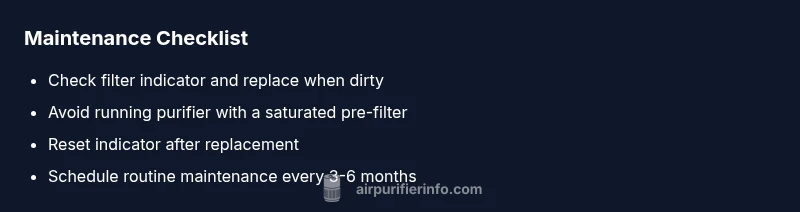
Create a simple calendar that aligns with your household routine. Check filters monthly, replace every 6–12 months for standard home purifiers, and more frequently in high-dust environments or if you have pets or smoking indoors. Record the replacement date and note any performance changes. Keep spares on hand and label replacements by model. A consistent routine reduces the risk of performance degradation and makes it easier to diagnose issues when they arise. The goal is not perfection but consistent, proactive care that keeps your air clean and your purifier running efficiently.
Final verdict: follow a disciplined maintenance plan
In practice, the best outcome comes from replacing filters when the manufacturer recommends and avoiding the tempting shortcut of air purifier never change filter. The Air Purifier Info team emphasizes a proactive, model-specific schedule rather than guesswork. Air Purifier Info analysis shows that cleaning or replacing filters on time preserves airflow, minimizes energy use, and reduces the likelihood of sensor errors. The practical takeaway is simple: treat filter maintenance as part of routine home upkeep, and your purifier will deliver cleaner air, fewer headaches, and longer device life. The consensus among industry guides is clear: a well-maintained purifier is a healthier, more reliable filter of the air you breathe.
Steps
Estimated time: 30-45 minutes
- 1
Power down and unplug
Shut off the purifier and unplug it from the outlet to avoid electrical shocks. This also protects you when opening the housing.
Tip: Unplug before you touch any internal components. - 2
Remove housing to access the filter
Follow the user manual to open the front panel or lift the cover. Handle delicate components gently to avoid damage.
Tip: Take a photo of the original arrangement for reference. - 3
Inspect the old filter
Check for visible dirt, saturation, or swelling. If the filter is discolored or crumbly, replace it rather than attempting a wash.
Tip: A clogged filter is the most common cause of poor performance. - 4
Check seals and gasket integrity
Look for cracks or gaps around the filter frame and housing. A compromised seal reduces filtration efficiency.
Tip: Replace damaged seals before reassembly. - 5
Install the new filter
Insert the new filter firmly and align it with the housing slots. Ensure it sits flat and seats evenly.
Tip: Don’t force the filter; if it won’t fit, verify compatibility. - 6
Reassemble and reset
Reattach the cover, plug in the unit, and perform the reset sequence per the manual. Confirm the indicator returns to normal after setup.
Tip: Some models require holding a reset button for several seconds. - 7
Run a test cycle
Turn on the purifier and run it at a normal setting. Listen for unusual noises and check for steady airflow from the outlet.
Tip: If airflow remains weak, double-check filter seating. - 8
Document and schedule future maintenance
Note the date of replacement in your maintenance log and set reminders for the next cycle.
Tip: Keep a spare filter on hand to minimize downtime.
Diagnosis: Purifier won’t start or runs loudly after suspected filter neglect.
Possible Causes
- highClogged or saturated main filter causing backpressure
- highFilter not properly seated or housing seal damaged
- lowPower or control board issue unrelated to filter
- lowDirty sensor or fan obstruction
Fixes
- easyReplace or clean the affected filter and reseat it correctly
- easyInspect seals, reassemble housing, ensure no gaps
- easyReset the device and test again
- mediumIf problem persists, contact support or service
Questions & Answers
How often should I change my air purifier filter?
Most purifiers require filter replacement every 6–12 months, but this depends on usage, room air quality, and the filter type. Check the user manual for model-specific intervals and consider more frequent changes in homes with pets or smokers.
Most purifiers need a filter change every 6 to 12 months, depending on use and air quality. Check your manual for your model.
My indicator won’t reset after replacement—what should I do?
Ensure the unit is powered, filter is seated correctly, and you follow the exact reset sequence in the manual. If needed, try a power cycle or firmware update as advised by manufacturer.
If the indicator doesn’t reset, verify seating and follow the manual’s reset steps, then power cycle if needed.
Can I wash a HEPA filter instead of replacing it?
In most cases, HEPA filters are not washable and should be replaced when dirty. Some pre-filters are washable; follow the manufacturer’s cleaning instructions for those parts.
HEPA filters usually can’t be washed—replace them when dirty. Wash only approved pre-filters per the manual.
Are there risks if I run the purifier with a dirty filter?
Running with a dirty filter reduces airflow, increases energy use, and can trigger sensor errors, compromising air quality and device longevity.
A dirty filter lowers airflow and can cause the device to work harder, reducing air quality and shortening its life.
Should I replace pre-filter only or the main filter?
Replace the main filter when performance declines; clean or replace the pre-filter as recommended by the manufacturer to extend life.
Replace the main filter when performance drops; clean or replace the pre-filter as advised.
What if I have a model that uses carbon filters for odors?
Carbon filters target odors and gases; if odors persist after replacement, consider a higher-adsorption carbon filter or additional odor-control measures.
If odors persist after replacement, upgrade to a carbon filter with higher adsorption or add odor-control options.
Watch Video
Main Points
- Replace clogged filters promptly.
- Verify proper filter seating and seals.
- Use genuine replacements for best performance.
- Maintain a regular replacement schedule.