Air Purifier for Sinus: A Practical How-To Guide
A comprehensive, step-by-step guide to choosing and using an air purifier for sinus relief, with setup tips, maintenance, and safety considerations.


You’ll learn how to choose an air purifier for sinus relief, set it up correctly, and maintain it for ongoing nasal comfort. This guide covers room sizing, filter types (HEPA and activated carbon), placement, and daily usage to reduce congestion and irritation. You’ll also find practical steps, common pitfalls, and safety tips to optimize indoor air quality for sinus health.
Why an air purifier helps sinus health
Air quality inside homes strongly influences sinus comfort. An air purifier for sinus can reduce airborne irritants like dust, pollen, molds, and volatile organic compounds that trigger congestion and inflammation. According to Air Purifier Info, the right purifier paired with correct placement can meaningfully lower symptom frequency and severity for many people. By combining true HEPA filtration with activated carbon, you can target both particles and odors that irritate nasal passages and sinuses. The goal is to create a cleaner breathing zone in key rooms—especially bedrooms and living areas—without creating noise or energy waste. In this section, we’ll connect the science to practical choices you can make today, including room size, filter types, and verification steps.
How to choose a purifier for sinus relief
Selecting the right purifier starts with size and performance. Measure the room and compare CADR (Clean Air Delivery Rate) ratings to ensure the unit can cleanse the space quickly. For sinus relief, prioritize models with true HEPA filtration (at least 99.97% capture of 0.3µm particles) and an activated carbon stage to absorb odors and VOCs. Look for ozone-free operation and quiet fans, as low noise helps sleep quality. Energy efficiency matters if you’ll run the purifier most of the day. Finally, check filter availability and cost so ongoing maintenance stays affordable. Air Purifier Info recommends confirming product certifications and user reviews before buying.
Essential features: HEPA, activated carbon, and ozone-free design
HEPA is the core for removing dust, pollen, pet dander, and mold spores that aggravate sinus symptoms. Activated carbon or coconut-shell carbon filters absorb odors and many VOCs that can irritate nasal passages. Some units offer additional filters for formaldehyde or other chemicals; assess your home’s needs before selecting upgrades. Avoid models with ionizers or ozone generators, which can irritate airways and paradoxically worsen sinus issues. If you’re unsure, choose a certified, ozone-free purifier and monitor air quality over a few days to see measurable improvements.
Room sizing and CADR: matching purifier to your space
A purifier’s effectiveness scales with the room size. Use CADR guidelines from the manufacturer to match purifier capacity to the room. For typical bedrooms, choose a model that can clean the air multiple times per hour based on the stated CADR. In larger living spaces, you may need a higher-capacity unit or multiple purifiers. Consider ceiling height and airflow when selecting placement to maximize circulation.
Placement and airflow considerations
Place the purifier where air can circulate unobstructed, ideally away from walls and furniture that block intake or exhaust. Elevate units with floor stands to improve intake for pets or children at ground level, and point the exhaust away from walls to prevent re-circulation. In bedrooms, position near the breathing zone but not directly beside the bed to avoid noise disturbance. Avoid corners where stagnant air can accumulate.
Setup and first run: unboxing, installation, and test
Unbox and inspect the purifier for shipping damage and missing parts. Install the filters according to the manufacturer’s diagram, locking the cover securely. Plug in, and run on a mid-range setting for several hours to test noise levels and airflow. If you notice excessive vibration or dim lights, adjust placement or check for loose components. Keep the unit running to establish baseline air quality.
Daily use patterns for sinus comfort
Run the purifier consistently, especially during high pollen seasons or after dust-generating activities like cleaning. Pair purifier use with regular ventilation in moderate weather when outdoor air quality is acceptable. Maintain a clean home by dusting and vacuuming with a HEPA-filtered vacuum to reduce particle load. For night use, select a low-noise setting and consider a purifier with a dim display to avoid sleep disruption.
Maintenance and filter rotation
Check filters monthly for visible dust and replace per the manufacturer’s schedule or when airflow slows. True HEPA filters may last 6-12 months in moderate use, carbon filters often 3-6 months depending on odor load. Keep a log to track replacement dates and ensure you buy compatible replacements. Always power down and unplug before changing filters, and reset the purifier’s timer or indicator.
Safety reminders and myths debunked
Myth: purifiers create dry air. Fact: they don’t significantly alter humidity unless paired with a humidifier. Myth: ionizers are safe. Fact: some ionizers produce ozone; avoid models with ozone generation. Safety: keep cords away from water, and never operate with damaged mains. Maintain proper clearance around the unit and never block vents with clutter.
Budgeting and price considerations for sinus relief
Purifier prices vary widely based on features, CADR, and filter cost. Expect mid-range units to offer a good balance of performance and ongoing costs. Replacing filters is a recurring expense; compare per-month costs across models. Energy-efficient, ozone-free models may offer better long-term value even if the upfront price is higher.
Real-world scenarios: small apartment vs large home
In a small apartment, a compact purifier with a modest CADR can substantially improve air quality in a single room, especially the bedroom. For larger homes or open-plan living spaces, you may need a higher-capacity purifier or a combination of units to create effective zones. Consider multi-room airflow and downtime for maintenance when planning your setup.
Quick-start checklist for immediate setup
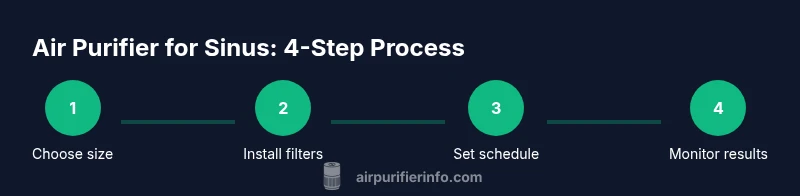
- Measure your room and select a purifier with appropriate CADR.
- Install filters correctly and run on a middle setting for initial testing.
- Check noise levels and adjust placement to minimize disruption.
- Establish a filter-change log and a basic maintenance schedule.
- Monitor air quality over 1-2 weeks and adjust usage as needed.
AUTHORITY SOURCES: For evidence and further reading, consult EPA.gov, NIH.gov, and CDC.gov.
How air purifiers compare to humidifiers or plants
Air purifiers do not add moisture to the air; humidifiers can help with nasal dryness but may promote mold growth if not cleaned properly. Plants offer only limited, gradual improvements in indoor air quality and are not a substitute for mechanical filtration. Use purifiers as the primary defense against airborne irritants, complemented by proper humidity management and a tidy environment.
Tools & Materials
- Air purifier with true HEPA filter and activated carbon(Ensure ozone-free operation and verify filter compatibility)
- Measuring tape or room size calculator(Estimate square footage/meters for CADR guidance)
- Replacement filters(Keep on hand; match filter model to unit)
- Dust mask or gloves (optional)(Helpful when handling dirty filters)
- Extension cord or power strip(For reach to outlet without overloading one cord)
- Notebook or app for log(Track maintenance dates and performance)
Steps
Estimated time: 30-60 minutes for setup; ongoing maintenance as recommended
- 1
Unbox and inspect
Remove all packaging and verify that the purifier, filters, and user manual are present. Check for any signs of damage and ensure the correct filter orientation before first use.
Tip: If a filter is damaged, contact the manufacturer before powering on to avoid air contamination. - 2
Choose placement
Find a location with at least some open space around the intake and outlet. Avoid corners and obstructions that block airflow, and consider sleeping area proximity for nighttime use.
Tip: Place the purifier on the floor or a low stand for optimal airflow in bedrooms. - 3
Install filters
Install the pre-filter (if included), then the HEPA and carbon filters following the arrows or diagrams in the manual. Ensure a tight seal before running the unit.
Tip: Take a photo of the filter orientation for future reference during replacements. - 4
Power up and test
Plug in the unit and run at a mid-range setting. Check for smooth airflow and acceptable noise levels. Adjust placement if you hear rattling or feel excessive vibration.
Tip: Run for several hours to establish a baseline airflow and noise profile. - 5
Set a maintenance schedule
Mark calendar reminders for filter checks and replacements according to the manufacturer’s guidance. Keep spare filters accessible for timely changes.
Tip: Create a simple log to note the date each filter was installed. - 6
Monitor and adjust
Observe changes in nasal comfort and any odors in the space. If improvement is limited, reassess room size fit, placement, or consider a higher-capacity unit.
Tip: Pair purifier use with regular cleaning and humidity control for best results.
Questions & Answers
Do air purifiers help with sinus symptoms?
Yes. Purifiers with true HEPA filters remove airborne particles that irritate the sinuses, and activated carbon can reduce odors and VOCs that can trigger inflammation. While they’re not a cure, they can significantly reduce symptom frequency for many people when used correctly.
Air purifiers can help reduce sinus symptoms by cleaning particles and odors from the air. They’re most effective when sized for your room and used consistently.
What size purifier do I need for a given room?
Choose a purifier rated for your room size according to the manufacturer’s CADR guidance. In general, larger rooms require higher-capacity units, and multiple purifiers may be needed for very open spaces.
Pick a unit that matches your room size per the CADR ratings, and consider multiple units for large spaces.
How often should I replace filters?
Filter life depends on usage and environment. Most HEPA filters last 6-12 months with regular use; carbon filters are typically 3-6 months. Follow the manufacturer’s schedule and replace promptly when airflow slows.
Most HEPA filters need replacement every 6 to 12 months, carbon filters every 3 to 6, depending on use.
Are purifiers with ionizers safe for sinus health?
Avoid purifiers that generate ozone. Some ionizers emit ozone, which can irritate nasal passages and worsen sinus symptoms. Choose ozone-free models and rely on HEPA and carbon filtration.
Ionizing purifiers can emit ozone, which may irritate sinuses—prefer ozone-free options.
Can a purifier remove odors that trigger sinus irritation?
Activated carbon filters help reduce odors and many VOCs that can trigger sinus irritation. For persistent odors, ensure the unit runs consistently and is appropriately sized for the space.
Activated carbon helps with odors; run the purifier consistently and match it to room size.
Can a purifier replace humidification?
No. Purifiers clean air but do not add moisture. If dry nasal passages are a concern, consider controlled humidification in conjunction with a purifier, and monitor humidity levels.
Purifiers don’t add humidity; use a humidifier separately if needed.
Do all pets and dust triggers respond equally to purifiers?
Purifiers reduce pet dander and dust particles that irritate sinuses, but effectiveness varies by room, purifier capacity, and maintenance. Regular cleaning complements filtration for best results.
Purifiers help with pet dander and dust, but results depend on setup and upkeep.
Watch Video
Main Points
- Match purifier capacity to room size.
- Prioritize true HEPA plus activated carbon.
- Place the unit for optimal airflow and minimal disruption.
- Maintain filters on schedule to sustain performance.
- Choose ozone-free models to protect sinus health.