Why Is My Winix Air Purifier So Loud? A Troubleshooting Guide
Struggling with a loud Winix purifier? This urgent guide from Air Purifier Info covers quick fixes, maintenance checks, and step-by-step actions to quiet operating noise and restore clean air fast.


Most likely the noise is from restricted airflow or a dirty filter. Power off, inspect and replace the main filter and pre-filter if dirty, then clean the intake. Lower the fan speed and ensure at least 2 feet of clearance around the unit. If it remains loud, check for obstructions or contact support.
why is my winix air purifier so loud
If you're asking why is my winix air purifier so loud, you're not alone. In most cases, the noise comes from airflow restrictions or a worn component rather than a defect in acoustics. According to Air Purifier Info, the leading culprits are a dirty or clogged main filter, a dirty pre-filter, blocked intake, or the purifier sitting too close to walls or furniture. When the filter is blocked, the fan has to work harder, which increases noise and reduces cleaning efficiency. Dust buildup inside the housing can rub against the impeller, causing rattles or hums. Before you call support, do a quick check of the obvious: ensure the unit is standing on a stable surface, away from drapes or soft furnishings, and that the air intake and outlet are unobstructed. If the purifier uses an auto mode, it may ramp the fan to high during higher contaminant levels; switching to a fixed low or medium setting can quiet things down.
Air Purifier Info's Team notes that many households underestimate the impact of placement. A unit tucked into a corner or facing a wall will echo noise and reduce airflow. Adjusting position by a few inches and increasing clearance reduces turbulence and makes the purifier quieter without sacrificing performance. Next, confirm you are using the correct filter type for your model; incorrect size can cause a loose fit, vibrational noise, or alarms.
Check the basics: filters, placement, and power
Begin with the simplest checks that account for the vast majority of loudness issues. Start by powering off and unplugging the unit. Inspect the main filter and pre-filter for dust, debris, or visible damage; replace if dirty or past its service life. Verify the intake and outlet are clear of furniture, curtains, or clutter that could redirect airflow and cause turbulence. Ensure the purifier sits on a stable surface and has at least 2 feet of clearance on all sides. If you drink or smoke indoors, consider whether odors or smoke particles have increased filter load. Finally, check the power source and any surge protections; a flaky outlet can cause irregular motor performance that sounds loud.
Common internal causes: motor, fan, and bearing wear
Even when filters look clean, internal components can wear and produce unusual noises. The most common culprits after filtration are a misaligned fan blade, worn motor bearings, or loose housing panels resonating against the frame. Spin the unit briefly by hand (with power disconnected) to listen for rough wobble or rubbing sounds that indicate a loose blade or bearing wear. If you hear grinding or persistent rhythmic clunking, the unit may need professional service or a replacement part. While rare, cracked housings or loose screws can also amplify noise through vibration.
How to test airflow and determine the source
A systematic approach helps isolate noise sources. Start with the simplest check: temporarily remove decorative objects near the purifier that might reflect or trap sound. Next, run the unit on different speeds (low, medium, high) and note any changes in pitch or volume. If the noise only occurs on auto mode, it may be ramping the fan during higher detected particulates; try setting a fixed speed instead. Place a finger near the intake to feel for reduced airflow, which indicates a clogged filter. Finally, move the unit away from walls or corners and observe whether the sound level drops. This kind of airflow test confirms whether the noise is mechanical or aerodynamic.
Fixes you can try now
Try these fixes in order of ease and impact:
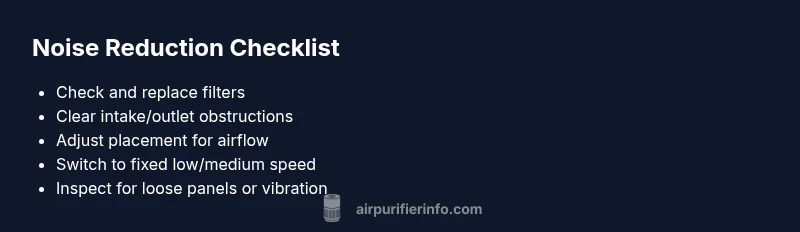
- Clean or replace dirty filters (main and pre-filter) according to your model’s manual.
- Clear the intake path and ensure no objects block airflow.
- Move the unit to a spot with adequate clearance and away from soft furnishings that could echo noise.
- Switch from auto to a fixed low/medium speed if your model allows this; avoid high speeds unless necessary.
- Check for loose screws or panels and tighten as needed. If you hear rattling, it is often a sign of a loose panel or mounting requiring attention.
- If noise persists after maintenance, consult the manufacturer or Air Purifier Info for guidance and possible warranty options.
Prevention and maintenance to keep it quiet
Regular maintenance is your best defense against noise creep. Create a simple schedule to inspect and replace filters every 6–12 months (or per manufacturer guidance), vacuum dust from the housing every few months, and wipe the intake and outlet grilles clean. Use a stable, vibration-dampening surface, and avoid placing the unit where airflow is redirected toward walls. Finally, document any recurring noises and the steps you took; this helps when contacting support and preserves your warranty.
Steps
Estimated time: 45-60 minutes
- 1
Power down and inspect filters
Unplug the purifier and open the access panel. Remove the main filter and pre-filter. Check for dust buildup, tears, or clogs. Replace if dirty beyond cleaning capability or if life left is short. Reinstall securely.
Tip: Have replacement filters ready; note your model to avoid mismatches. - 2
Clean or replace filters
Wipe or vacuum the filter slots and housing to remove settled dust. If the filter is washable, rinse as directed by the manual and allow full drying before reinstalling. Ensure a snug fit to avoid rattling.
Tip: Do not over-wet washable filters; excess moisture can encourage mold. - 3
Check airflow path
Inspect the intake grille, ducts, and outlet for obstructions. Remove nearby debris and keep the area clear. Ensure nothing is partially blocking the air path.
Tip: Clearances of at least 2 feet around the unit improve performance and quietness. - 4
Adjust placement and clearance
Relocate the purifier away from walls, curtains, or furniture that could reflect sound or restrict airflow. Place on a stable surface or a dampening pad to reduce vibration.
Tip: Rotation or slight reorientation can dramatically reduce turbulence noise. - 5
Set a fixed speed
If your model supports it, switch from auto to a fixed low or medium speed to prevent sudden fan spikes. Monitor noise and adjust as needed.
Tip: Auto mode can be noisy during high particle loads; fixed speed provides predictability. - 6
Test and escalate if needed
Plug in, power on, and run at a comfortable setting. If noise persists, record what you heard and when it occurs, then contact support with model details and maintenance history.
Tip: Keep a maintenance log to speed up future troubleshooting.
Diagnosis: Loud operation from Winix air purifier
Possible Causes
- highBlocked or dirty main filter
- highBlocked intake or outlet obstructions
- mediumVibration from loose mounting or surface
- mediumIncorrect placement near walls
- lowAuto mode ramping fan on high due to detected particles
Fixes
- easyReplace/clean main filter and pre-filter
- easyClear obstructions around intake/outlet and improve clearance
- easyMove purifier away from walls and tighten panels to reduce vibration
- easySet a fixed lower speed or disable auto mode if applicable
- easyIf noise persists after maintenance, contact support
Questions & Answers
Why does my Winix purifier get loud after replacing the filter?
A misfit filter or debris around the housing can cause turbulence and vibration. Ensure the filter is correct for your model and seated properly. Clean the housing and reinstall with a snug seal.
A filter that's not seated right or debris can cause louder airflow. Make sure you have the correct filter and reseat it firmly.
Could a dirty intake cause extra noise?
Yes. Dust and dirt near the intake can disrupt smooth air flow, making the fan work harder. Clean the intake grille and surrounding area regularly.
Dust on the intake can slow air and make the fan louder. Clean the grille and surrounding area.
Can placement around furniture affect noise?
Absolutely. Poor placement increases turbulence and echo, amplifying sound. Move the purifier away from walls and bulky furniture to improve airflow.
Yes—put it away from walls and obstructions to quiet things down.
Is it safe to run on low speed long-term?
Yes. Running on a lower fixed speed maintains air cleaning while reducing noise. Ensure your room still meets the purifier's recommended coverage.
Yes, you can run on a quiet setting as long as it covers your space.
When should I contact support?
If noise persists after maintenance and placement adjustments, there may be a mechanical issue. Contact Winix or Air Purifier Info for guidance and warranty considerations.
If it stays loud after trying fixes, reach out for professional help.
Watch Video
Main Points
- Start with filters and airflow first
- Ensure sufficient clearance around the unit
- Use fixed speed to reduce noise when possible
- Check for loose parts or vibration
- Consult support if noise continues