Why Is My Air Purifier Not Collecting Dust? A Troubleshooting Guide
Urgent air-quality troubleshooting: learn why your purifier isn’t collecting dust and how to fix airflow, filters, placement, and settings for cleaner indoor air.


Why is my air purifier not collecting dust? The most common causes are restricted airflow, a clogged or wrong filter, improper placement, or a filter with a low MERV rating. Start by freeing vents, replacing or cleaning the pre-filter, and confirming the purifier is on the correct mode. For step-by-step fixes, read the full troubleshooting guide.
Why dust collection sometimes feels off (and what to check first)
If you’re asking why is my air purifier not collecting dust, you’re not alone. Review by the Air Purifier Info Team shows that the most common culprits are airflow restrictions, dirty or mismatched filters, and placement errors. Dust is captured by the filter, but only if air can reach it efficiently. Low-quality units or worn components can also reduce effectiveness, especially in rooms with heavy particulate or pets. Understanding these basics helps you target fixes quickly and safely, improving indoor air quality without unnecessary purchases.
Check airflow and placement before you touch the filter
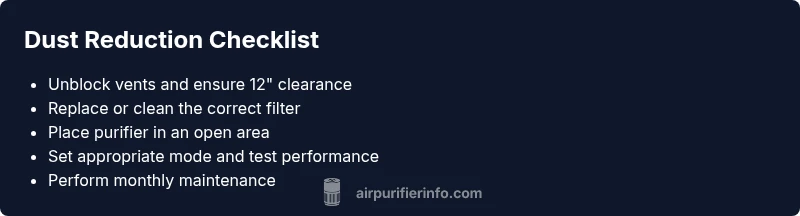
Air needs to move freely through the purifier’s intake and out the exhaust to collect dust effectively. Start by removing nearby obstructions: furniture, curtains, or open windows can disrupt the purifier’s airflow pattern. Ensure the unit has at least a 12-inch clearance on all sides and is placed away from walls orsoft materials that can dampen intake. If the device sits behind furniture or in a corner, relocate it to a more open spot and test performance. In many cases, a simple relocation can restore effective dust capture and reduce stagnant air pockets.
Inspect, clean, or replace filters correctly
Filters are the heart of any purifier. A clogged pre-filter or a wrong filter type (or a misoriented HEPA filter) will dramatically reduce dust capture. Check the filter status indicator, if present, and inspect for visible debris and discoloration. Replace disposable filters according to the manufacturer’s schedule, and clean reusable pre-filters with water as directed. Confirm you’re using the correct filter model and orientation—incorrect installation can block airflow even if the device seems to run fine.
Verify settings, modes, and fan speed
Some purifiers have automatic modes that adjust based on detected PM0.3 or PM2.5 levels, while others require manual fan-speed selection. Make sure you’re in a mode appropriate for your room size and that the fan isn’t stuck on a low speed. If your purifier has a “max” or “turbo” setting, test it briefly to see if dust collection improves. Don’t forget to reset counters or indicators after replacing the filter so the unit correctly tracks performance.
Consider environmental and hardware factors
If dust still isn’t being captured, evaluate whether other factors are competing for air: nearby HVAC returns, open doors, or high airflow from ceiling fans can pull dust away from the purifier’s intake. External pollutants (smoke, VOCs, or strong odors) can saturate filters quickly, reducing filtering efficiency. In some cases, a unit’s internal components (like a worn motor or clogged ducting) may require professional inspection. Air Purifier Info’s team recommends considering a professional check if you’ve exhausted basic troubleshooting.
Maintenance habits to prevent future issues
Prevention matters as much as fixes. Schedule monthly quick checks to empty or vacuum the intake vent, lightly wipe the exterior, and verify the filter seals are intact. Keep the purifier in a central living area rather than tucked in a corner, and replace filters at recommended intervals. Regular maintenance minimizes performance dips and helps you maintain cleaner air over time. The Air Purifier Info team emphasizes documenting when you replace filters so you can track performance trends.
Steps
Estimated time: 30-60 minutes
- 1
Power down and inspect vents
Unplug the unit and visually inspect intake and exhaust vents for lint, hair, or furniture that could block airflow. Clear obstructions gently and wipe away dust from grills with a dry cloth.
Tip: Take a quick photo of vent clearance to compare after fixes. - 2
Check the filter status
Determine whether the filter is dirty or past its recommended replacement date. If you can see dust buildup or if the device indicates a change, replace it or clean the pre-filter if it’s washable.
Tip: Always replace with the correct model and seal the housing properly. - 3
Inspect filter orientation and seals
Remove the filter, check orientation marks, and reseat it firmly to avoid air bypass. Inspect gaskets or seals for cracking or gaps that could reduce suction.
Tip: A misaligned filter can dramatically reduce efficiency. - 4
Test mode and fan speed
Turn the purifier on, select a higher fan speed or turbo mode briefly, and observe whether dust capture improves. If your unit has an auto mode, test with a higher clean-air setting.
Tip: Record baseline readings to verify improvement. - 5
Reassess placement
Move the purifier away from walls and large furniture to open airflow paths. Ensure a clear radius of at least 12 inches around all sides.
Tip: Avoid high-traffic zones that vibrate or disrupt operation. - 6
Run a test in a dustier environment
Create a small, controlled dust source (e.g., light sanding in another room) and observe whether the purifier reduces detectable dust over 15–30 minutes.
Tip: If no change, consider component diagnostics.
Diagnosis: Air purifier not collecting dust as expected
Possible Causes
- highRestricted airflow due to blocked vents or obstructions
- highClogged or incorrect filter installation
- mediumImproper placement or room airflow patterns
- lowLow-quality, worn, or incompatible filter (low MERV rating)
Fixes
- easyUnblock vents and ensure unobstructed intake/outlet
- easyInspect, clean, or replace filters per model instructions and correct installation orientation
- easyRelocate purifier to improve airflow and avoid blocked air paths
- easyUpgrade to a compatible, higher-MERV filter if needed and verify seal integrity
Questions & Answers
Why does my air purifier stop collecting dust after a few weeks?
Dust collection can decline if airflow is restricted, filters are clogged, or the unit is mispositioned. Recheck vents, replace filters, and adjust placement to restore performance. Regular maintenance helps prevent this drop-off.
Dust collection often drops due to airflow restrictions or dirty filters. Check vents, replace filters, and place the unit correctly to restore performance.
Can placement really affect dust capture?
Yes. Poor placement can create dead zones where air bypasses the purifier. Place the unit in an open area with clear space around it and away from doors or HVAC returns.
Placement matters. Keep it in an open area with space around it so air can circulate properly.
What is the role of filter type and MERV rating?
Filters with the wrong rating or type can fail to capture fine dust. Ensure you’re using a compatible HEPA or high-MERV filter as specified by the purifier’s manufacturer.
Use the correct filter type and MERV rating per the maker’s specs to ensure effective dust capture.
Is it safe to run the purifier on high all day?
Running on high all day is generally safe for most units, but it can increase energy use and noise. Use higher speeds for brief testing or during peak dust; otherwise maintain a balanced setting.
It's usually safe, but consider energy use and noise. Use high speed only when needed.
When should I contact a professional?
If you’ve replaced filters, checked airflow, and adjusted placement with no improvement, internal issues or sensor faults may be present. A service technician can diagnose motor, ducting, or electronic faults.
If fixes don’t help, it may have internal faults—consider professional service.
How often should I replace the purifier’s filters?
Replacement frequency depends on usage, environment, and filter type. Follow the manufacturer’s schedule, typically every 6–12 months for HEPA filters, and more often in high-dust homes.
Check your manual for timing, usually every 6–12 months for HEPA, more often with heavy dust.
Watch Video
Main Points
- Identify airflow restrictions first
- Verify filters are correct and properly installed
- Position and settings matter for dust capture
- Regular maintenance prevents performance loss
- Call a professional if issues persist