Why Do Air Purifiers Blow Cold Air? A Practical Troubleshooting Guide
Discover why air purifiers blow cold air and how to troubleshoot quickly. Learn common causes and safe fixes from Air Purifier Info for better indoor air quality.


Why do air purifiers blow cold air? In most cases, the purifier is circulating room air rather than heating it, or the device uses a cooling motor design that blows ambient air across the filter. The quick fix is to check the mode and fan settings, ensure vents aren’t blocked, and verify the thermostat or control panel isn’t set to a cool or idle state.
Why do air purifiers blow cold air
If you are reading this because you noticed your air purifier blowing cold air, the short answer is not always a fault. According to Air Purifier Info, air purifiers do not heat air; they move it, filter it, and sometimes create a cool draft as the fan draws in room air and pushes it back out. The question 'why do air purifiers blow cold air' is often answered by examining mode settings, airflow paths, and ventilation around the device. In many cases, cold air is a sign that the purifier is simply circulating room air, especially if set to a low-power or energy-saving mode, or if the thermostat is controlling room temperature rather than the unit. Understanding that distinction helps homeowners avoid unnecessary service calls and unnecessary repairs.
Air Purifier Info emphasizes that confusion between cooling drafts and actual cooling can lead to premature worry. If your device has multiple modes, such as Auto, Sleep, or a dedicated Cool setting, verify which mode is active and adjust to a warmer profile if warmth is desired. Keeping expectations aligned with how the device operates saves time and reduces unnecessary maintenance.
Quick checks you can do in minutes
Start with the simplest explanations before diving into diagnostics. First, verify the purifier’s mode and fan speed: many units have an Auto, Sleep, or Cool setting that can produce a cool draft if not configured for warmth. Next, inspect the vents and intake grilles for dust or furniture obstruction. A dirty or clogged filter can reduce airflow and make the unit feel cooler or louder. Also confirm the unit is not plugged into a cold outlet or an energy-saving timer that keeps it in a low-power mode. If there’s a built-in thermostat or temperature sensor, ensure it isn’t triggering a cooling response by mistake. Finally, perform a quick power cycle by turning the unit off, unplugging for 30 seconds, then restarting. Consistency in checks helps identify whether cooling is a feature, a fault, or a simple misconfiguration.
How design affects airflow and perceived temperature
Air purifiers are designed to pull air through filters and push it back into the room. The intake and exhaust paths determine how air feels when it leaves the unit. If the exhaust directs air across your seating area or near a window, you may perceive a chill even when the air exiting the purifier is at room temperature. Some models also use fans rated for high airflow at low temperatures, which can create a brisk draft. The presence of a filter with a large surface area or multiple stages can also alter perceived temperature because air travels more slowly near the filter, cooling the immediate surroundings. Understanding airflow design helps explain why you feel cold air even though the purifier isn’t actively cooling the room.
Diagnostic hints if cold air continues
If cold air persists after the quick checks, run through a simple diagnostic: does the issue occur on every cycle or just certain modes? Does changing to Auto or increasing fan speed change the sensation? Is the problem louder or harsher when the room heats up? If you notice unusual smells, buzzing, or vibration, stop using the unit and consult the manual. Air Purifier Info’s analysis indicates that the root cause is often a user setting or blocked air path rather than a defective motor. Documenting when the issue occurs can help you distinguish sporadic behavior from a persistent fault.
Step-by-step fixes for the most common cause
The most common cause of cold air is a misconfigured mode combined with restricted airflow. Follow these steps to restore proper operation and consistent room temperature: 1) Power off and unplug the unit. 2) Check the control panel and switch to Auto or a heating-aware mode if available. 3) Inspect and clear any blockages from vents and intake grills. 4) Remove and replace the filter if it looks dirty or clogged. 5) Plug back in, reset the unit to factory defaults if needed, and test on a warm room setting. 6) If your purifier has a temperature sensor, verify it isn’t stuck or miscalibrated. Tip: document your settings so you can replicate a working configuration if needed.
Safety, cautions, and when to seek help
Always unplug the purifier before cleaning or filter changes. Do not use solvents or liquids on electrical components. If you notice burning smells, smoke, or heat coming from the unit, discontinue use and contact customer support or a qualified technician. If basic troubleshooting fails, it may be a motor issue or a sensor fault that requires professional inspection. Regular service intervals can prevent overheating or airflow problems. If you’re unsure, consult the manufacturer’s safety guidelines and Air Purifier Info’s troubleshooting resources.
Maintenance and prevention tips
Prevent cold air from becoming a habit by keeping the air path clear: vacuum intake grilles monthly, replace filters as recommended, and keep the purifier away from walls or furniture that block airflow. Store and use units within their specified temperature range to avoid sensor misreads. Routine cleaning and a simple reset after long periods of inactivity can help maintain consistent performance. When in doubt, consult the model’s manual or Air Purifier Info’s buying guide for model-specific guidance.
Real-world tips and common mistakes
People often confuse cooling with cooling features. Avoid placing a purifier near windows or vents that draw in cold outdoor air. Don’t override temperature sensors with aggressive fan speeds; give the unit time to pull room air through filters. Avoid using the device as a space heater or heater substitute. If multiple purifiers are used, ensure they’re not competing and creating drafts in opposite directions.
Quick troubleshooting recap
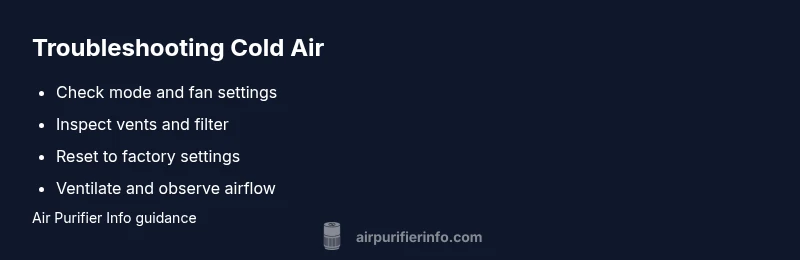
- Confirm mode and fan speed are appropriate for warmth. - Clear blocked vents and replace dirty filters. - Power cycle and reset to factory settings if needed. - Ensure there is no external cold air source near the exhaust. - If issues persist, contact Air Purifier Info or the manufacturer for guidance.
Steps
Estimated time: 15-25 minutes
- 1
Power off and unplug the unit
Safely disconnect the purifier to prevent electrical shock during inspection.
Tip: Always unplug before touching internal components. - 2
Check mode and switch to Auto
Look at the control panel and select Auto or a heat-friendly mode if available.
Tip: If the unit has a dedicated 'Warm' setting, use it briefly to test. - 3
Inspect vents and intake grills
Remove dust buildup and clear any obstructions around air paths.
Tip: Use a soft brush or microfiber cloth; avoid forcing debris. - 4
Clean or replace the filter
Check for dust, fibers, or discoloration; replace if needed.
Tip: Keep a filter change log to stay on schedule. - 5
Reset to factory defaults
If available, reset the unit to its original settings to clear misconfigurations.
Tip: Note current settings before resetting so you can restore them. - 6
Test after reassembly
Plug in, power on, and run in a warm mode to observe airflow.
Tip: Allow a few minutes for the system to stabilize.
Diagnosis: Air purifier blows cold air continuously
Possible Causes
- highUnit operating in cooling or standby mode
- mediumBlocked vents or dirty filter restricting airflow
- lowThermostat or control settings misconfigured
Fixes
- easyVerify and switch to Auto or heating-aware mode if available; ensure the unit isn't set to cooling only
- easyUnblock vents and clean/replace the filter; recheck airflow
- easyPower cycle the unit; reset to factory settings if misconfiguration persists
Questions & Answers
Why is my air purifier blowing cold air even though the room is warm?
Cold air is often caused by normal airflow or misconfigured settings. Start by checking the mode, fan speed, and vents, then replace a dirty filter if needed. If the issue persists, consult the manual or Air Purifier Info for model-specific guidance.
Cold air usually means the purifier is simply moving room air. Check mode and vents, and consider a filter change if needed.
Can a dirty filter cause cold air from an air purifier?
Yes. A clogged filter restricts airflow and can create a cooler sensation near the unit. Clean or replace the filter according to the manufacturer’s schedule.
A dirty filter can reduce airflow and feel cooler near the unit.
Should I worry about safety if my purifier blows cold air?
Typically, yes it is safe to continue using, but unplug if you notice burning smells, smoke, or unusual noises. If symptoms persist, contact support or a technician.
If you smell burning or hear strange noises, unplug and contact support.
When should I call a professional for a cold-air issue?
If basic checks don’t resolve the issue or you hear burning smells, see smoke, or the unit won’t start, seek professional help.
If basic fixes don’t help or you notice burning smells, seek professional service.
Is cold air always a problem with air purifiers?
Not always. Sometimes it's normal due to airflow design or mode settings. If it persists, follow the diagnostic flow and maintenance steps.
Cold air isn’t always a problem—check settings and airflow first.
Does placement affect the perceived temperature from an air purifier?
Yes. Position the unit so the exhaust doesn’t blow directly on seating areas or near cold air sources like windows. Proper placement reduces drafts.
Placement matters; avoid pointing air at seating areas or windows.
Watch Video
Main Points
- Verify mode and fan settings first.
- Blocked vents and dirty filters are common culprits.
- Reset devices to clear misconfigurations.
- Call support if you hear smells or see smoke.